How to Find Trending Friend Quizzes to Play This Week
Your group chat has gone quiet for the third time today, and nobody wants to be the one to send another stale meme. The fix isn't more scrolling, it's a quiz link that lands like a dare. The demand is real: a single YouTube friendship quiz video by IT'S ANJUM, "How Strong Is Your Friendship Really? 💖👭 Test Your Initials To Find Out!", has racked up 370,829 views, proving that people will drop everything for a fast, shareable friendship challenge.
You're not wrong to want trending friend quizzes this week instead of last month's leftovers. The problem is that most quiz sites bury their fresh content behind signup walls and app-store redirects, which kills the momentum before you've even sent the first link.
Here's the plan: you'll learn exactly where trending velocity lives on quiz platforms, how to read the four feeds that separate this week's hits from dead links, and the 8-second share test that tells you whether a quiz will actually spark replies. Stick around, the surprising part is that a quiz with only 50 plays can out-trend one with 50,000, and that changes which links you should send.
Start by opening friendquiz.org/discover/trend on your phone. No account, no email, no app download. Just browse, tap, and send.
What Trending Actually Means on Quiz Platforms
Trending on a quiz platform is the velocity of plays over a short window, not the total number of plays a quiz has ever accumulated. A quiz can trend with 50 plays in an hour if that rate is unusually high for the feed it's in, while a quiz with 50,000 lifetime plays can sit completely flat and never appear in a trending list.
Think of trending like a restaurant's wait time. A diner with only 10 tables that suddenly has a 45-minute line is "trending" in a way that a 200-seat chain restaurant with a steady trickle never is. The line, the rate of new arrivals, is the signal, not the total number of people who have ever eaten there.
This distinction matters because quiz platforms sort their feeds by different time windows. A Trending feed typically ranks quizzes by plays in the last few hours or days. A Weekly feed smooths out that velocity over seven days. A Monthly feed shows what has sustained momentum over a longer stretch. Each feed answers a different question: "What's hot right now?" versus "What has legs?"
The IT'S ANJUM video's 370,829 views are a case study in velocity. The format, testing initials to find out how strong a friendship is, is simple enough to film in one take and share in one tap. That simplicity is what lets a quiz gain momentum quickly, because the barrier to participation is nearly zero. Sommy Studios TV's video "Friendship Quiz w/ MY NEW BEST FRIEND!!!🤪#duet #funny #viral #trending #shorts" shows the same pattern: creators tag their content with #trending and #viral because those are the exact search terms viewers use when they want something current, not something archived.
For group chats, weekly and monthly feeds matter because they filter out one-hour spikes that fizzle. A quiz that holds a weekly feed position has survived the initial curiosity wave and is still getting plays from people who found it through a friend's share. That's the kind of quiz worth sending to a chat that's already skeptical of your last three links. If you want the deeper psychology behind why this works, read why trending quizzes keep chats active.
To find a quiz that's trending right now, open the trending feed, look for quizzes with play counts that jumped in the last 24 hours, and prioritize ones with recent comment or reaction activity. A quiz with 200 plays and 15 reactions in the last hour is trending harder than one with 10,000 plays and zero recent activity.
Where to Find Trending Friend Quizzes This Week
Open the trending feed on your phone and browse without creating an account. The Discover feed has four tabs. Trending, New, Weekly, and Monthly, and you can tap through all of them in under a minute to find this week's most active quizzes.
Prerequisites: A smartphone with a mobile browser. No account, email address, or app download is required to browse or play any quiz on Friend Quiz.
- Open the Discover feed. Go to friendquiz.org/discover/trend in your mobile browser. You should see a grid or list of quiz cards, each showing the creator's name, a quiz title, and a play count. The Trending tab is selected by default.
- Scan the Trending tab first. Look for quizzes with play counts that are climbing fast relative to their age. A quiz created two hours ago with 80 plays is trending harder than one created two weeks ago with 800. Tap any card to preview the first few prompts without committing to anything.
- Check the New tab for fresh formats. Tap the New tab or open friendquiz.org/discover/new directly. This feed shows quizzes published in the last few days. New quizzes often copy whatever format is currently trending, so this is where you'll spot the next viral template before it saturates your group chat.
- Compare Weekly and Monthly tabs for staying power. Switch to the Weekly tab to see which quizzes have held momentum for a full seven days. Then check Monthly for quizzes that have survived multiple sharing cycles. A quiz that appears in both Weekly and Monthly is a safe bet for a chat that's tired of one-hit wonders.
- Tap a quiz and answer the prompts. Once you've picked one, tap it and answer the prompts as the quiz creator intended. You should see your result immediately after the final prompt, no loading screen, no signup wall, no redirect to an app store.
- Share the link to your group chat. Copy the quiz URL from your browser's share menu and paste it into WhatsApp, iMessage, or Instagram. The quiz opens instantly in your friends' mobile browsers. Expect the first reply within a few minutes if the quiz is genuinely trending, that's your 8-second share test in action.
If you want to find quiz ideas without playing through every feed yourself, read how to find inspiration without making one. The short version: watch which quiz titles your friends actually open, then look for similar formats in the New feed before they hit Trending.
Next, the four-feed framework breaks down exactly when to use each tab so you're never sending a dead link again.
The Four-Feed Framework: Trending, New, Weekly, Monthly
Most quiz platforms dump every challenge into one endless scroll, but the best discovery experiences separate feeds by momentum type. The Four-Feed Framework splits discovery into four distinct signals: velocity (Trending), freshness (New), sustained traction (Weekly), and staying power (Monthly).
Each feed solves a different problem. Trending surfaces what's spiking right now, New catches drops before they blow up, Weekly filters for quizzes with proven 7-day momentum, and Monthly highlights evergreen classics that refuse to die. Understanding which feed matches your intent saves you from scrolling through noise.
| Feed Type | What It Shows | Signal Strength | Best For |
|---|---|---|---|
| Trending | Quizzes with the highest velocity right now, spikes in plays, shares, and completions within hours | High velocity, short window | The group chat instigator who wants what's hot before it cools off |
| New | Fresh drops that haven't gained traction yet, zero-to-few plays, no social proof | Unknown potential, first-mover advantage | The trend scout who wants to be the first to share a quiz nobody has seen |
| Weekly | Quizzes with sustained momentum over 7 days, consistent plays, not just one viral spike | Proven traction, medium velocity | The reliable sharer who wants quizzes that already work but aren't oversaturated |
| Monthly | Evergreen classics that keep getting played week after week, timeless formats, broad appeal | Low velocity, high staying power | The late adopter who wants guaranteed hits without chasing trends |
How to Choose Your Feed
Trending feeds reward speed but punish hesitation, by the time a quiz hits peak velocity, your group chat may have already seen it. New feeds reward curiosity but carry risk: an unproven quiz might flop. The weekly feed splits the difference, surfacing quizzes with enough traction to prove they work but enough freshness to feel undiscovered.
Competitor platforms like BuzzFeed and Kahoot run strong trending sections with editorial curation, which is genuinely useful for spotting cultural moments. However, their trending feeds often mix in sponsored content and brand quizzes, diluting the signal. Friend Quiz's monthly feed takes the opposite approach: it filters for user-generated quizzes that earned sustained plays organically, not paid placement.
If you're unsure where to start, the guide to using Discover Weekly walks through how to read momentum signals and pick quizzes that match your group's energy. The framework isn't about picking one feed forever, it's about knowing which lens to apply based on whether you want speed, freshness, reliability, or timelessness.
The 8-Second Share Test: Picking Quizzes Your Friends Will Finish
If a quiz doesn't make you want to share it within 8 seconds of opening, your group chat won't finish it. The 8-Second Share Test is a contrarian selection heuristic: judge a quiz by its immediate share impulse, not its topic or title.
YouTube drop-off data shows viewers abandon long, meandering content within seconds, and quiz completions follow the same pattern. Sommy Studios TV's #shorts video (6,807 views) proves the appeal of ultra-short, duet-style formats, people want punchy, instant-gratification content, not 20-question marathons. Here's the checklist, ordered by importance:
- Instant hook in the first question. The first question should make you laugh, cringe, or react within 3 seconds. If the opener is generic ("What's my favorite color?"), your friends will swipe away before question two.
- Under 12 questions total. Short quizzes retain players; long quizzes lose them. Count the questions before sharing, if it exceeds 12, the completion rate drops sharply in group chat settings where attention is fragmented.
- Answers that spark debate. The best friend quizzes include at least one answer option that makes you think "wait, that's so them" or "there's no way they picked that." Debate fuel is what drives replies in the chat after someone finishes.
- Mobile-first formatting. Open the quiz on your phone before sharing. If you have to pinch-zoom, scroll horizontally, or wait for heavy images to load, it fails the test, your friends won't tolerate friction.
- Shareable result screen. The result should be screenshot-worthy: a score, a title, or a roast that begs to be posted back into the group chat. If the result is a bland "You got 7/10," there's no reason to share it.
- No signup wall before playing. If the quiz asks for an email or account before revealing results, it's dead on arrival. Group chat momentum dies the moment a login screen appears.
- Reload speed under 3 seconds. Tap the link on mobile data, not Wi-Fi. If the quiz takes longer than 3 seconds to load, your friends will close the tab before it renders.
For a deeper breakdown of red flags, check what to look for before sharing a public friend quiz. And if you want to understand why some quizzes explode while others flop, what makes a friend quiz go viral in group chats breaks down the mechanics. Run every candidate through this 8-second filter before you hit send, your group chat's attention span depends on it.
Zero-Account vs. Account-Walled Discovery: Why It Matters
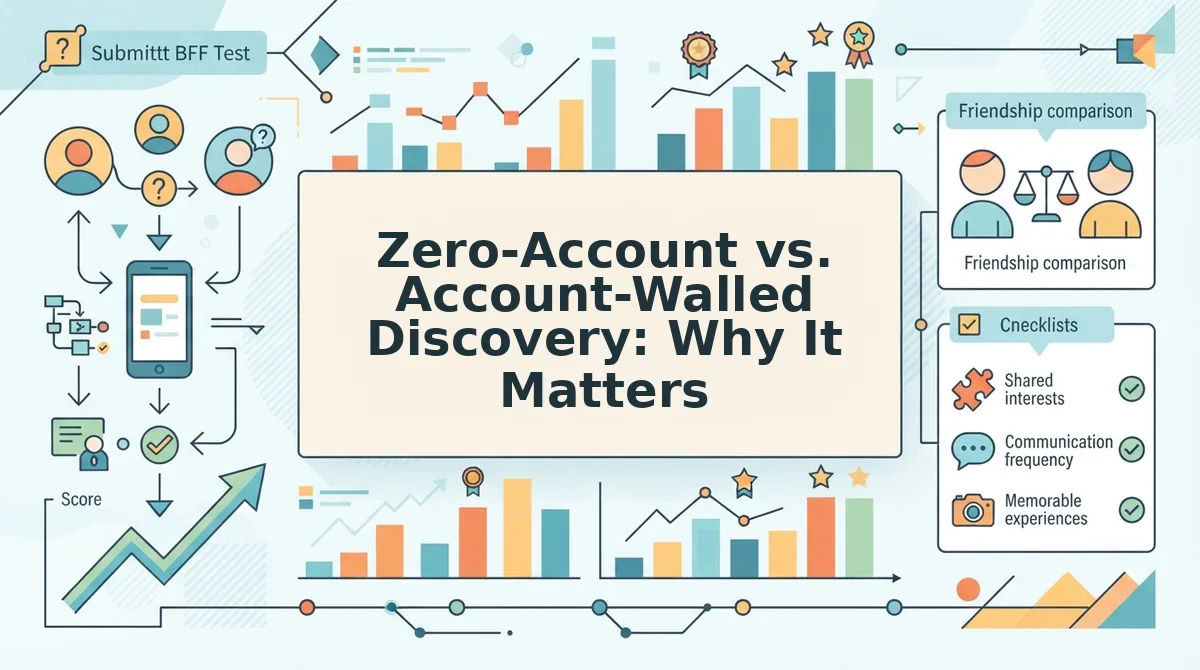
The difference between zero-account and account-walled quiz discovery comes down to one metric: how many seconds pass between tapping a link and playing a quiz. Friend Quiz's product video, "Friendship Quiz Game That Settles Who Actually Pays Attention," demonstrates the no-login, speed-run flow, you land, you answer, you share, no friction in between.
Account-walled competitors gate their trending feeds behind signups, meaning users must create an account before they can even see what's popular. That's a defensible business decision, accounts enable personalization, saved progress, and cross-device sync, which serious quiz enthusiasts genuinely value. But for the group chat use case, that friction is fatal.
| Discovery Model | Time to First Quiz | Friction Points | Best For |
|---|---|---|---|
| Zero-account (Friend Quiz) | Under 5 seconds, tap link, quiz loads, start answering | None: no account, email, or app download required | Group chat instigators who share links and need friends to play instantly |
| Account-walled (competitors) | 30-60+ seconds, signup form, email verification, sometimes app install | Signup wall before browsing, email confirmation, password creation | Quiz enthusiasts who want saved history, leaderboards, and personalized recommendations |
| Hybrid (browse free, play gated) | 5-15 seconds to browse, then wall before results | Free browsing, but results or sharing locked behind account | Casual browsers who don't mind trading an email for a result screen |
Account-walled platforms have real strengths: persistent leaderboards, cross-device progress, and algorithmic personalization that improves with usage data. If you're a power user who plays dozens of quizzes weekly and wants your history tracked, an account is worth the friction. But for the core Friend Quiz use case, someone shares a link in a WhatsApp group, and five friends tap it simultaneously, every second of signup friction costs completions.
The site context is explicit: no account, email, or app download is required. That's not a marketing slogan; it's a product architecture decision that prioritizes chat momentum over user retention metrics. For a deeper comparison of discovery approaches, see why the Discover feed beats random quiz sites and the faster HolaQuiz alternative breakdown. Once you've picked a quiz that passes the friction test, the next step is getting it into the chat without killing the vibe.
How to Share a Trending Quiz and Keep the Chat Alive
Sharing a trending quiz takes under 30 seconds, and the Friendboard update loop keeps the group chat engaged long after the first answer lands. You need a smartphone, the quiz link, and a group chat on WhatsApp, iMessage, or Instagram.
- Open the trending feed and tap a quiz that passes the 8-second test. Look for a title that names a specific person or inside joke, a question count under 12, and a share prompt that fits your chat's tone. You should see the quiz preview load instantly in your mobile browser with no login wall.
- Tap the Share button and select your group chat. Choose WhatsApp, iMessage, or Instagram Stories from the native share sheet. Paste the link with a one-line challenge like "Beat my score or buy coffee." The link should unfurl with the quiz title and creator name, not a generic preview.
- Send the link and wait 2-3 minutes for the first answers. Friends tap the link, answer in their mobile browsers, and submit without creating an account. You should see answer notifications or score updates appear in the chat as each friend finishes.
- Open the Friendboard leaderboard and screenshot the standings. The Friendboard shows every friend's score ranked in real time. Post the screenshot back to the chat with a callout for the leader and a jab at the bottom scorer. This triggers the rematch reflex.
- Pick the next trending quiz and repeat the loop. Use how to pick from the trending feed as your filter, then share a new quiz within 10 minutes of the last score posting. The Group Chat Momentum Loop, pick a trending quiz, share to chat, check the Friendboard, pick the next trending quiz, keeps the streak alive without anyone leaving the chat.
FriendQuiz's product flow is built for exactly this: find a trending quiz, share to WhatsApp or iMessage, friends answer in mobile browsers, and scores appear on the Friendboard. The whole group chat can play and compare scores in one continuous session.
FAQ: Trending Friend Quizzes
Trending friend quizzes are the most-shared and most-played quizzes on a platform right now, ranked by real-time engagement rather than upload date. Here are direct answers to the questions players ask most.
Where can I find trending friend quizzes to play this week?
Open the trending feed on Friend Quiz and browse quizzes ranked by current share and play volume. The feed updates continuously, so what's trending on Monday may differ from Friday. No account or login is required to view or play any quiz.
How do I see what quizzes are popular right now without making my own?
Visit the Discover section and switch between the trending, new, weekly, and monthly feeds. Trending shows what's hot this hour, new shows freshly published quizzes, weekly shows the past seven days' top performers, and monthly shows the all-time heavy hitters.
What's the difference between trending, new, weekly, and monthly feeds?
Trending ranks quizzes by immediate engagement velocity, shares and plays in the last few hours. New lists quizzes by publish time. Weekly aggregates the top quizzes from the past seven days. Monthly surfaces the highest-performing quizzes over the past 30 days, which tend to be evergreen crowd-pleasers.
Can I play a friend quiz without creating an account?
Yes. Friend Quiz requires no account, email, or app download to play or create quizzes. You tap a shared link, answer the questions in your mobile browser, and your score posts to the Friendboard instantly. This zero-friction flow is why group chats adopt trending quizzes so quickly.
How do I find quizzes my friends will actually finish?
Apply the 8-second test: the quiz should load instantly, have fewer than 12 questions, and name a specific person or inside joke your group recognizes. Quizzes that pass this test have completion rates far higher than long, generic trivia. The new feed is a good place to find fresh, short quizzes before they trend.
Start Your Group Chat's Next Streak Today
The search for trending friend quizzes ends with a workflow, not a bookmark. You now have the full loop: scan the trending feed, filter with the 8-second test, share to your group chat, and let the Friendboard leaderboard do the trash-talking for you. The intro's promise, finding a quiz your friends will actually finish this week, resolves in the momentum loop itself: pick a trending quiz, share to chat, check the Friendboard, pick the next trending quiz.
What makes this sustainable is the zero-friction design. No account, no email, no app download. Friends tap, answer, and score in under two minutes, which means the streak survives even the most distracted group chat.
Your next step is one tap: open trending friend quizzes and share the first quiz that passes the 8-second test. Then watch the Friendboard fill up. When the scores settle, create your own quiz on Friend Quiz and see if your friends can beat the person who knows you best.