How to Make a BFF Test in Under Two Minutes
Your group chat just hit 47 messages about who knows you better, and then someone asks for the link, and you don't have one. The momentum dies. The banter stops. You're stuck explaining that you'd need to download an app, create an account, and answer a wall of setup questions first. That's the group chat dead-zone, and it's exactly why learning how to make a bff test in under two minutes matters more than you think.
You're not wrong to want this fast. Most quiz platforms bury the fun behind account walls, email verifications, and multi-page reloads that kill chat momentum before your friends even reach question three. YouTube creators show app downloads or pre-made quizzes, never a no-account creation flow that actually works on mobile.
Here's the fix: you can build a personalized BFF test on Friend Quiz with zero friction, no app install, no login, no email. In the next two minutes, you'll learn the exact step-by-step flow, from typing your name to sharing a live quiz link your friends can open instantly in any chat app. And stick around for the surprising part: the prompts are engineered to capture quirks and habits, not just favorites, which is why your test will be harder than anything a generic template can produce.
The Fastest Way to Make a BFF Test (Step-by-Step)
You can create a shareable BFF test in under two minutes by opening friendquiz.org, typing your name, answering a sequence of personal trivia prompts, and copying the generated link, no account, email, or app download required.
Prerequisites: a smartphone or computer with a browser, and roughly two minutes of uninterrupted time. That's it.
- Open friendquiz.org on your phone (0:00). Tap the site link in your mobile browser. You should land on a single-page interface with a name field front and center, no signup wall, no popup, no redirect.
- Type your name into the name field (0:15). Enter the name your friends actually call you, this is what appears on the quiz landing page. You should see your name render instantly below the field as you type.
- Answer the personal trivia prompts (0:45). Tap through each prompt about your daily habits, quirks, likes, and dislikes. Each tap advances to the next question without a page reload. You should see a progress indicator filling as you go.
- Review your selections (1:15). Scan the summary screen to confirm your answers match what you intended. You can tap back on any prompt to change an answer before publishing.
- Tap the share button to generate your link (1:30). The platform packages your answers into a personalized web challenge and produces a unique quiz URL. You should see a share sheet with options for WhatsApp, iMessage, Instagram, or copy-to-clipboard.
- Paste the link into your group chat (1:45). Drop the URL where your friends already are. They tap it and answer instantly in their mobile browsers, no install, no login, no friction.
Pro tip: The prompts are designed to capture quirks and habits, not just favorites. The more specific your answers, the exact way you take your coffee, the show you rewatch at 2 a.m., the emoji you overuse, the harder the test becomes for anyone who isn't actually your best friend.
If you want to compare this flow against other tools, a best friend quiz maker like Friend Quiz strips away every step that doesn't directly produce a shareable link. The entire creation timeline runs 0:00 open site, 0:15 enter name, 0:45 answer prompts, 1:30 share link. No competitor shows the real speed because most platforms are built around account retention, not chat momentum.
Once your link is live, the Friendboard tracks responses in real time, so you can see who actually knows you, and who's been bluffing since 2019.
Step 1: Enter Your Name (0:00-0:15)
Open friendquiz.org in your mobile browser and type your name into the single field on the homepage, this takes under 15 seconds and requires no account, no email, and no app download.
- Open your mobile browser and go to friendquiz.org. The homepage loads as a single screen with no popups or redirects. You should see the name field immediately, not a signup form.
- Tap the name field. Your keyboard appears. The field is pre-focused on most mobile browsers, so you may be able to start typing instantly.
- Type the name your friends use for you in group chats. This is the name displayed on your quiz landing page, so use the version your friends will recognize, nickname, first name, or full name.
- Confirm the name renders correctly. You should see your typed name appear in real time below or beside the field. If it looks right, you're done with this step.
That's the entire first step: open, tap, type, confirm. No verification email, no password creation, no app store redirect. The next step is where the quiz actually takes shape, answering the personal trivia prompts that turn your name into a challenge.
Step 2: Answer Personal Trivia Prompts (0:15-1:00)
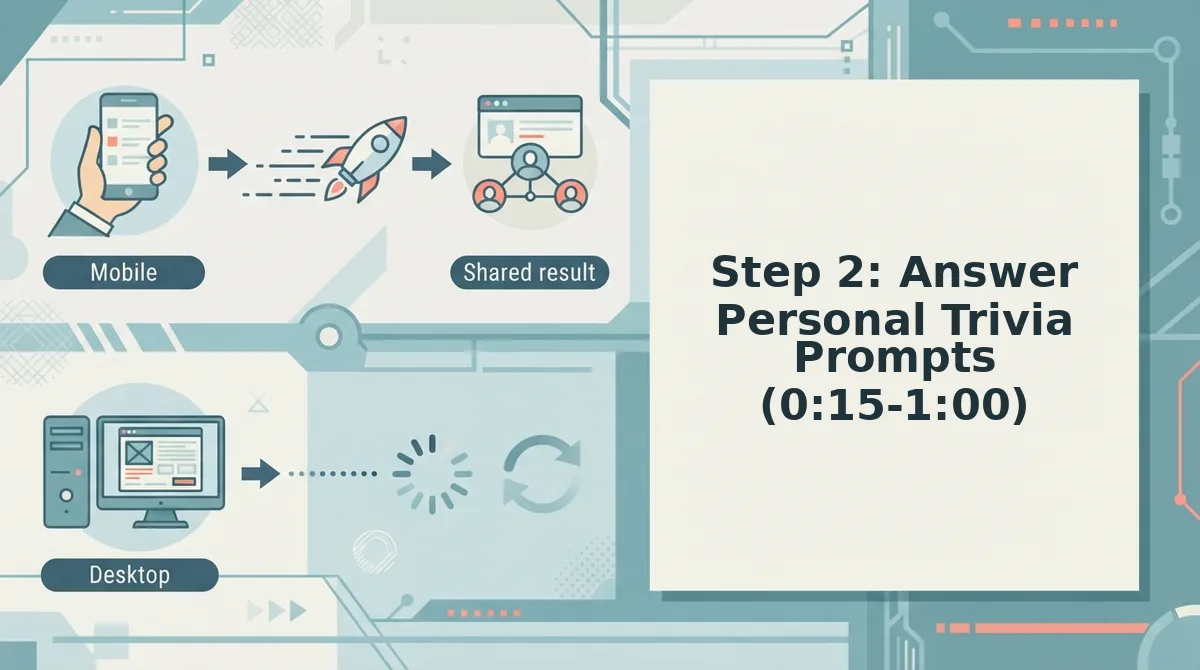
Answering the trivia prompts is where your BFF test gets its personality. The prompts cycle through your daily habits, quirks, likes, and dislikes, not just surface-level favorites, so the more specific you are, the harder the test becomes for anyone who doesn't truly know you.
Prerequisites: You've entered your name on the Friend Quiz homepage and advanced to the prompt sequence. No account or email is required.
- Read each prompt aloud or to yourself, then select the answer that matches your real behavior. Prompts cover things like your go-to late-night snack, how you text, or what you'd do on a lazy Sunday. You should see the next prompt appear instantly after each selection, no page reloads.
- Choose the answer that reflects your actual habit, not the "cool" answer. If you always rewatch the same show instead of starting something new, pick that. Friends who know you will get it right; acquaintances will guess wrong. Expect each prompt to take about 5-10 seconds.
- Repeat the cycle until the prompt sequence completes. The full set typically takes 30-45 seconds. You should see a completion indicator or transition screen when you've answered the final prompt.
Pro tip: The prompts are designed to capture quirks and habits, not just favorites. The more specific your answers, the harder the test, and the more satisfying it is when your real best friend scores 10/10 while everyone else flounders.
Step 3: Generate Your Custom Link (1:00-1:30)
Generating your custom link turns your answers into a shareable quiz URL in one tap. The link is what makes participation zero-friction: friends open it in their mobile browser and answer instantly, with no app download or sign-up required.
Prerequisites: You've completed all trivia prompts from Step 2 and reached the final screen.
- Tap the "Generate Link" or "Create Quiz" button on the completion screen. The platform packages your answers into a personalized web challenge. You should see your unique quiz URL appear within 1-2 seconds.
- Review the link preview to confirm your name appears correctly. The preview should show your name and a short teaser of the quiz. If something looks off, tap back and adjust your answers before regenerating.
- Tap "Copy Link" to save the URL to your clipboard. You should see a confirmation toast or checkmark indicating the link is copied and ready to paste anywhere.
Your custom link is now live. Anyone who opens it can take your BFF test immediately, no friction, no barriers.
Step 4: Share to Your Group Chat (1:30-2:00)
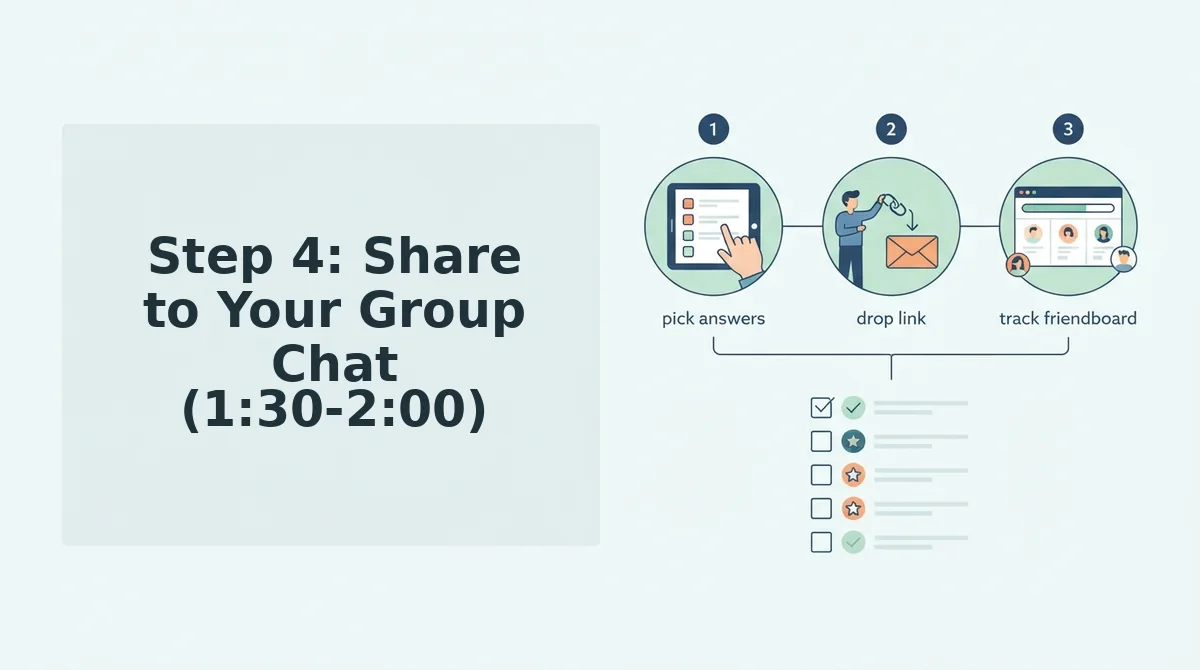
Sharing your link to a group chat is the final step, and it's where the fun actually starts. Friends tap the link, answer your prompts in their mobile browser, and their scores land on a real-time Friendboard for instant bragging rights.
Prerequisites: Your custom quiz link is copied to your clipboard from Step 3.
- Open WhatsApp, iMessage, Instagram, or Snapchat and navigate to the group chat or friend DM where you want to drop the quiz. Pick a chat with at least 2-3 people so the Friendboard has competition.
- Paste the link into the message field and add a short challenge line. Something like "How well do you actually know me? 👀" works. You should see the link preview populate with your quiz name before you hit send.
- Hit send and watch the responses roll in. As friends complete the quiz, their scores appear on the Friendboard in real time. You should see names and scores populate within seconds of each submission.
The Friendboard is where the bragging rights live, highest score wins, and everyone else gets roasted. But making the test fun isn't just about accuracy; it's about the questions you ask and the chaos they spark.
What Makes a BFF Test Actually Fun (Not Just Accurate)
A fun BFF test is a quiz that rewards shared history over memorized facts, turning every answer into a callback that reignites the friendship's best moments. Accuracy matters, but the emotional payoff of an inside joke landing is what makes someone send your link to three more people.
Think of a BFF test like a playlist. A generic trivia quiz is a top-40 radio station: everyone knows the songs, nobody feels anything. An inside-joke BFF test is a mixtape made for one person, where every track triggers a specific memory only the two of you share. The second one gets replayed.
The Inside Joke vs. Generic Trivia Question Framework
Every question in your BFF test falls into one of two categories: generic questions test memory, while inside-joke questions test friendship. Generic questions ask things anyone could know after reading your social profile: your birthday, your favorite color, your go-to coffee order. Inside-joke questions ask things only someone who was actually there would know: the time you got lost in the wrong neighborhood, the nickname only they use, the fast-food order you swore you'd never order again but did.
A BFF test built entirely on generic questions feels like a pop quiz. A BFF test built entirely on inside jokes feels like a private language. The sweet spot is a blend: start with two or three easy generic questions to build confidence, then escalate into inside-joke territory where the real friendship signal lives.
Decision Matrix: Choosing Your Question Types
| Question Type | What It Tests | Best Used When | Example |
|---|---|---|---|
| Generic (surface) | Memory of public facts | Opening the quiz to warm up the taker | "What's my birthday month?" |
| Generic (preference) | Attention to stated likes | Mid-quiz, after confidence is built | "What's my go-to pizza topping?" |
| Inside-joke (event) | Shared experience recall | Mid-to-late quiz, when stakes rise | "Where did we get hopelessly lost last summer?" |
| Inside-joke (language) | Private vocabulary fluency | Final questions, for the emotional peak | "What nickname do I only answer to from you?" |
Progressive complexity is the engine of a great BFF test. Start simple with surface-level facts anyone could guess, move to preference questions that reward attention, then land on event and language questions that only a true best friend can answer. This mirrors how friendships actually deepen: from small talk, to shared taste, to a private world.
If you want to see how this framework plays out in a full friendship test, the quiz builder on Friend Quiz cycles you through personal trivia prompts in exactly this order, so you don't have to architect the difficulty curve yourself. You answer the prompts, and the platform packages them into a shareable challenge that escalates naturally from warm-up to inside-joke payoff.
How to Share Your BFF Test Without Killing Chat Momentum
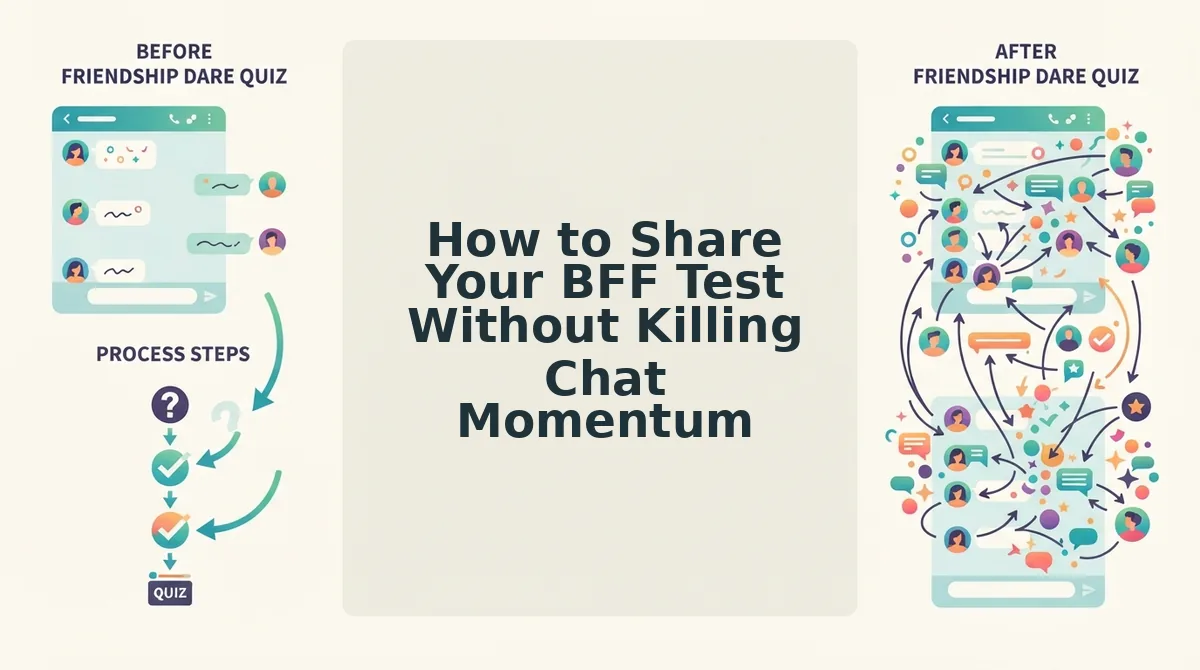
Sharing a BFF test at the wrong moment turns a fun challenge into an ignored link. The right moment, framing, and platform-specific tactic keep the group chat's energy moving forward instead of grinding it to a halt.
- Share at a natural lull, not mid-conversation. Dropping your link while three people are actively debating weekend plans buries it under a wall of messages. Wait for a pause in the chat, then send the link as the new topic. This positions your quiz as the next thing to do, not an interruption of the current thing.
- Frame the link as a challenge, not a request. Saying "can you guys take my quiz?" sounds like a favor. Saying "I made a BFF test about me. Let's see who actually knows me" sounds like a dare. Challenge framing taps into the competitive instinct that makes group chats fun, and it gives people a reason to click immediately instead of bookmarking it for later.
- Use a Friendboard screenshot as a teaser on Snapchat and Instagram Stories. Before you share the raw link, post a screenshot of your Friendboard results showing who's currently winning. The visual proof that someone already scored high creates FOMO and gives your story viewers a reason to swipe up or tap the link. A leaderboard screenshot is more compelling than a text-only link because it shows the game is already in motion.
- Tag the top scorer when you post results. After a few friends take your test, post the Friendboard leaderboard and tag whoever is in first place. This does two things: it rewards the current leader with public bragging rights, and it pressures everyone else to retake the quiz or challenge the score. Tagging turns a passive result into an active competition.
- Keep the link shareable in one tap on WhatsApp and iMessage. Both platforms auto-preview links, so make sure your quiz link is the only thing in the message. Don't bury it under three sentences of explanation. The preview card with your name on it is the hook; let it do the work. A clean, single-link message gets more taps than a paragraph with a link at the end.
- Follow up with a specific callout, not a generic nudge. If someone hasn't taken your test after an hour, don't say "did you see my link?" Instead, call out a specific question: "I put the story about the parking lot in there. You better get it right." Referencing a specific inside-joke question reignites curiosity and makes the quiz feel personal to that friend.
- Escalate the stakes with a friendship dare quiz once the banter starts. After your BFF test has everyone talking, raise the stakes by creating a dare-based follow-up. The dare format turns quiz results into actions, which keeps the momentum going long after the original test is finished. It's the natural next step when the group chat is already competitive.
FAQ
Do my friends need an account to take my BFF test?
No, your friends just click the link and answer in their mobile browser. There is no sign-up, no email verification, and no app download required. The entire test runs in a web page, which means it works instantly on WhatsApp, iMessage, Snapchat, or any other platform where you share the link.
What questions should I put in a BFF test?
Use a mix of generic and inside-joke questions. Start with two or three easy generic questions like your birthday or favorite food to build confidence, then move to inside-joke questions about shared experiences, private nicknames, and memorable moments. The blend keeps the quiz accessible while still testing real friendship depth.
Can I make a BFF test for a group chat?
Yes, you can share your BFF test link in any group chat and let everyone compete. The Friendboard tracks scores across all takers, so your group chat can see who's winning in real time. This turns a solo quiz into a group competition with bragging rights on the line.
Is there a free BFF quiz maker?
Yes, friendquiz.org is a free BFF test maker with no sign-up required. You enter your name, answer personal trivia prompts, and get a shareable link in under two minutes. There's no paywall, no account creation, and no app install needed to create or take the quiz.
How long does it take to make a BFF test?
It takes under two minutes from start to finish. You type your name, cycle through a sequence of personal trivia prompts about your habits and quirks, and the platform immediately generates a shareable quiz link. The entire process is designed for mobile speed, so you can create and share a test during a single commercial break.
The Two-Minute BFF Test Is a Conversation Starter, Not a Pop Quiz
You now have the full playbook: open friendquiz.org, enter your name, answer the personal trivia prompts, generate your link, and drop it in the group chat. The entire flow takes under two minutes, and the payoff is immediate, friends answer, scores post, and bragging rights get settled in real time.
But the real insight from this guide isn't about speed. It's about question design. The prompts that spark the best reactions aren't the obvious ones ("What's my birthday?"). They're the specific, slightly embarrassing, deeply personal ones, the snack you hide, the habit you deny, the hot take you'll defend to the death. That's what turns a generic friendship test into a group chat event.
Here's the pattern interrupt: most people overthink quiz creation. They draft questions, edit wording, second-guess answers. Friend Quiz removes that friction entirely, the prompts are pre-built, the flow is linear, and the link is shareable the second you finish. The only decision you make is who gets the link first.
So here's your next step: open the best friend quiz maker, answer the prompts honestly, and send your link to the group chat before you overthink it. Expect the first response within minutes, and expect at least one friend to score embarrassingly low.
A BFF test isn't a measure of friendship, it's a mirror you hold up to your group chat, and the laughter is the real score.