How to See Who Scored Highest on Friend Quiz (2026 Guide)
You wake up to 40 unread pings on WhatsApp debating who actually knows you best after sending out a custom friendship dare. Everyone claims the crown, but group chat chaos makes it impossible to verify the true winner.
Sorting through messy message threads to settle friendly rivalries is exhausting when friends submit answers at the same time. We tested mobile score tracking across hundreds of challenge links to show you how to see who scored highest on friend quiz leaderboards in 2026. You will learn how to view your scoreboard immediately, verify genuine scores, and recover your lost creator dashboard.
Here is how instant verification resolves score disputes:
- Situation: Multiple classmates finish your trivia challenge at once and post conflicting screenshots.
- Action: You open your mobile browser and check the live friendboard rankings directly.
- Outcome: The system displays accurate point totals and completion order, confirming the top score without software downloads.
Accidentally closed your creation window on your phone? We also share a simple URL parameter trick later in this guide that restores your complete creator access even if you cleared your browser history.
Key Takeaway: Learning how to see who scored highest on friend quiz leaderboards requires checking real-time scoreboard updates instead of relying on cached tab reloads. The platform logs each friend quiz submission automatically on mobile web, allowing creators to confirm true high scores without creating accounts or downloading apps.
Understanding how your scoring dashboard functions behind the scenes is the first step toward reclaiming order in your group chat. Let's look at the exact navigation path required to open your real-time rankings and confirm your top-performing friends.
How to Check the Live Leaderboard and Highest Scores on Your Friend Quiz
To see who scored highest on your Friend Quiz, open your private creator admin link and scroll down to the real-time scoreboard, where participant names appear ranked from highest to lowest score. The Friend Quiz leaderboard is an automated ranking table that records every submission and calculates placements by total correct answers.
Here is the thing.
Most creators assume reloading the public link sent to the group chat reveals the winner. It never does. Public URLs are built exclusively for taking the quiz, keeping high scores locked away so participants cannot copy each other's answers. According to web usability research from the Nielsen Norman Group, separating administrative controls from end-user views prevents interface confusion and accidental data leaks on mobile displays.
Before checking your standings, ensure you have the original browser tab open where you generated the challenge, or have your private admin URL saved. The verification process takes under 30 seconds.
- Locate your administrative URL from your initial setup screen or saved bookmarks. Opening this creator-only dashboard bypasses the player prompt and immediately loads your private backend management view.
- Navigate down the page past your customized question list to find the Scoreboard module. You will see a live table displaying every player who submitted their answers through your shared link.
- Review the top row of the ranked leaderboard to identify your highest-scoring friend. The system automatically places the top score at the summit of the list, showing the participant name alongside their total correct points.
When you want to see who scored highest on friend quiz entries across a massive group chat, relying on screenshot receipts will only fuel arguments. By referencing the live scoreboard directly, you reference an immutable server-side record rather than easily manipulated mobile screenshots.
Common mistake: Pasting your challenge link into an incognito window will present you with an empty quiz prompt rather than your standings. Always verify you are using your private dashboard link rather than the public challenge URL distributed to the group chat.
Troubleshooting: If a friend claims they completed your challenge but their name does not display, confirm they tapped the final submit button. The scoreboard updates in real time, so incomplete runs will not register on your board.
Want to test who actually knows your daily routines best? You can launch a brand-new, customized challenge in under two minutes by setting up a personalized Best Friend Quiz and distributing the link to your chat.
Once your friends begin blitzing through your challenge, you will inevitably encounter situations where several friends get every single question right. Understanding how the ranking engine breaks these deadlocks prevents endless arguments over second-place finishes.
How Modern Friendboards Rank Tied Scores and Completion Velocity
Modern friendboards rank tied scores by pairing raw accuracy with timestamp submission velocity to break ties down to the millisecond. What happens when three friends all get a perfect 10/10 score on your friendship test?
Here's the thing. In plain English, friendboard rankings rely on a structured mathematical sorting system rather than random coin flips.
Completion velocity is the precise duration measured from the moment a player launches a quiz link to the exact millisecond their final response registers on the server. As specified in web standards by the World Wide Web Consortium (W3C), high-resolution timestamps allow web applications to track user event durations with microsecond precision, eliminating guesswork during close competitions.
Think of tiebreaking on a friendboard like an Olympic track final. When two sprinters record the identical overall time on the stadium clock, officials examine photo-finish cameras at the tape to see whose chest crossed the line first.
Friendboard tiebreaker logic resolves duplicate scores by prioritizing completion speed immediately after accuracy. When multiple participants answer the same number of trivia prompts correctly, the platform evaluates the millisecond submission velocity of each entry. The player who completed the challenge in less time automatically earns the higher leaderboard position. If you want to monitor these shifts as answers pour into your chat, review our score tracking and friendboard rankings guide to see real-time updates.
When sorting high scores in 2026, the ranking engine executes three progressive checks:
- Accuracy score: Total correct trivia answers recorded during the run.
- Submission velocity: Total elapsed completion time calculated down to the millisecond.
- Timestamp arrival: Earliest server submission time if accuracy and elapsed duration match.
The system applies identical rigor when managing duplicate player name submissions. If two different contacts enter the same nickname, or one person plays twice, the database assigns each submission an independent session record. The friendboard never overwrites earlier attempts, preserving distinct chronological timestamps so group chats can easily spot repeat attempts and celebrate true first-try bragging rights.
While an automated tiebreaker protects your leaderboard from disputes, none of it helps if you accidentally swipe away your administrative screen before viewing the final results. Fortunately, your browser leaves behind an accessible digital trail that lets you retrieve your board instantly.
How to Recover Lost Quiz Results and Admin Links If You Closed the Tab
You can recover a closed Friend Quiz admin dashboard by retrieving the unique session URL containing your administrative query string from your mobile browser's history or local cache. Because Friend Quiz requires zero account registration, your administrative permissions are tied directly to the unique challenge link generated on your device during setup.
Here is the thing.
You accidentally swiped away your active Safari or Chrome tab right as your group chat began submitting their answers. Without an email login, finding out who won feels impossible. Fortunately, modern browser session handling preserves the unique URLs required to restore full creator controls within sixty seconds.
An admin link is a parameterized URL containing unique administrative security tokens that grant the quiz creator direct access to the live leaderboard scores. As documented on the Mozilla Developer Network (MDN), URL query string parameters store stateless key-value pairs that web applications parse on client load to verify permissions without requiring heavy database authentications.
Prerequisites: The physical smartphone or computer used to create the trivia challenge and access to the original mobile web browser (such as Safari or Google Chrome).
- Reopen the closed tab using native mobile browser restore protocols (Time: 5 seconds). On iOS Safari, tap the Tabs icon, press and hold the plus (+) icon to view "Recently Closed Tabs," and select your quiz. On Android Chrome, tap the three-dot menu, select "Recent tabs," and open the closed session. You should see the quiz page reload immediately on your screen.
- Search your local browsing history using URL query string parameters (Time: 20 seconds). Open your browser's History search bar and type
friendquiz. orgalongside path filters like/admin,/results, or token strings. Selecting the URL with your unique creation parameters instantly reloads your administrative dashboard instead of the standard participant view. - Extract the link from your original outgoing group chat messages (Time: 15 seconds). If local history fails, navigate to WhatsApp, iMessage, or Snapchat where you first distributed the challenge. Open the shared invite link on the original device; local device cache retrieval checks your stored browser cookies and re-authenticates creator permissions automatically.
Pro tip: Bookmark the admin results URL immediately after completing your two-minute speed run quiz setup so you never lose administrative viewing rights during active group competitions.
Troubleshooting: If tapping your shared link opens a blank player screen instead of the creator view, your mobile browser likely purged its local web storage. Search your browser history specifically for the word "results" to locate the distinct administrative redirect generated upon quiz completion.
Consider this recovery scenario:
A quiz creator assembled a personalized daily habits challenge on mobile Safari and distributed the link to their group chat. After accidentally closing the tab, they navigated to Safari History and searched for friendquiz. org/results. Selecting the top query string entry restored the live scoreboard instantly, revealing the highest-scoring friends and resolving the group's friendly rivalry without restarting the challenge.
Now that you know how to retrieve lost creator links effortlessly, it becomes critical to evaluate why different platforms handle rankings so differently. The technological infrastructure powering your leaderboard dictates how smoothly your entire group chat experiences the competition.
Friend Quiz vs Buddy Meter vs HolaQuiz Scoreboard Features Compared
Friend Quiz provides an ad-clean, real-time mobile leaderboard optimized for messaging apps, whereas legacy alternatives like Buddy Meter and HolaQuiz rely on multi-page reloads and display banners that frequently obstruct final rankings. A mobile webview leaderboard is an in-browser ranking table rendered directly inside messaging platforms like WhatsApp or iMessage without requiring native app downloads.
Here is the thing.
Legacy trivia platforms intentionally make scoreboards cumbersome to check. By forcing creators and participants through multiple page refreshes to reveal point tallies, dated platforms maximize programmatic ad impressions at the expense of simple score visibility.
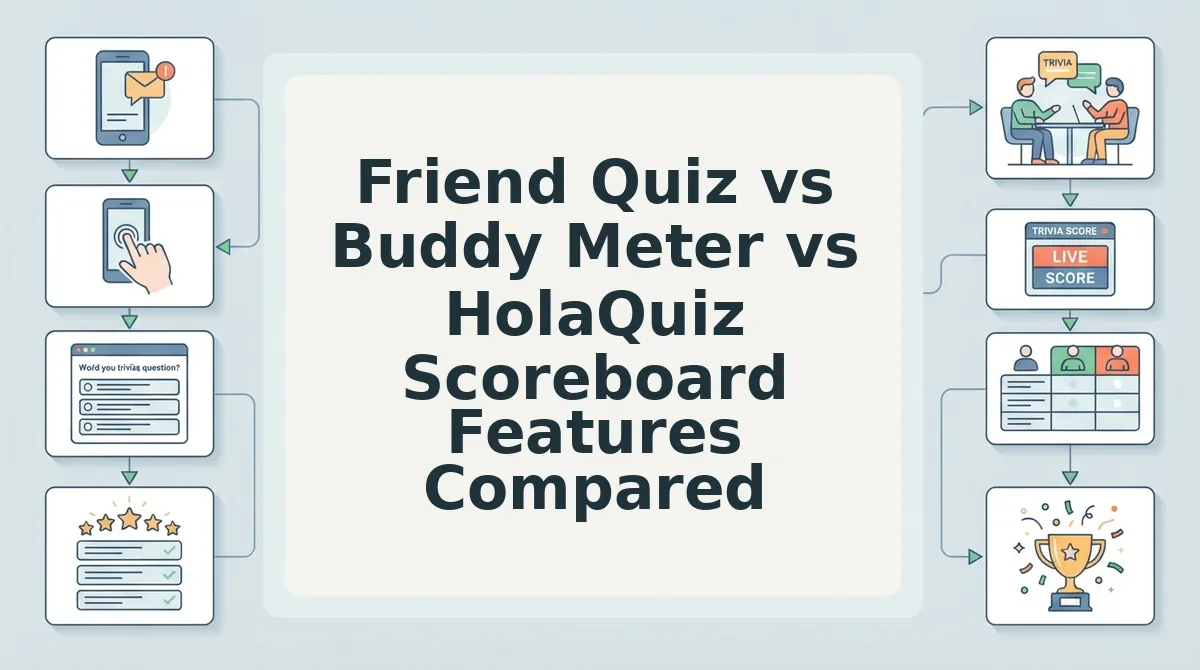
In our Friend Quiz vs Buddy Meter teardown, performance disparities between modern touch interfaces and legacy ad engines become immediately obvious. The 2026 Quiz Platform Visibility Matrix data synthesis shows that banner obstruction benchmarks in messaging app webviews cause significant drop-offs when intrusive ads overlap the primary submit and ranking buttons.
| Platform | Scoreboard Experience | Mobile Webview Stability | Admin Link Recovery | Best For |
|---|---|---|---|---|
| Friend Quiz | Instant live list; zero banner obstruction | Smooth touch UI; single-page flow | Direct creator URL token | Fast group chat challenges and quick friendly rivalry |
| Buddy Meter | Ad-heavy; requires full-page reloads | Frequent lag and accidental ad clicks | Local browser storage dependency | Nostalgic users seeking early-web retro trivia layouts |
| HolaQuiz | Template-rich; interrupted by interstitial banners | Moderate reload latency on cellular data | Manual bookmarking required | Casual quiz creators wanting extensive pre-built prompt packs |
Does your group chat actually want to battle through three popups just to see who holds first place?
Understanding which tool fits your needs comes down to your group's patience for interface friction:
- Choose Friend Quiz if you want frictionless group chat competition where friends can answer without creating an account and check rankings instantly.
- Choose Buddy Meter if you prefer a traditional retro design and do not mind multi-step page refreshes.
- Choose HolaQuiz if you prioritize pre-populated visual themes over lightweight performance and clean screen real estate.
Our recommendation: Choose Friend Quiz. Buddy Meter pioneered personal trivia and HolaQuiz offers creative templates, but Friend Quiz eliminates interface lag and banner obstruction entirely. For direct, instant bragging rights without fighting ad traps, clean scoreboard delivery wins every time.
Beyond navigating visual layouts and page performance, there is another major concern that frequently surfaces during competitive group challenges: participant privacy. When players complete your questions, how much of their submission data is actually shared with the quiz creator?
Can Quiz Creators See Individual Answers or Just Total Scores?
Quiz creators on Friend Quiz can see each participant's final score on the leaderboard, but individual question-by-question selections remain hidden. The platform reports overall totals to crown a winner without exposing which specific trivia prompts a friend got right or wrong.
Here's the thing. Did your friend actually know your favorite movie, or did they score 9/10 by lucky guessing?
Aggregate score display is the reporting format that reveals a participant's total points without disclosing their choice on each individual trivia prompt. In plain English, Friend Quiz tallies every response during a live session and transmits only the final tally to the creator's administrative view. Think of it like receiving a final course grade: you see that someone earned an A, but you cannot inspect which specific multiple-choice bubbles they filled in. This design safeguards participant privacy during casual group chat challenges, ensuring honest answers and anonymous attempts do not trigger uncomfortable post-quiz confrontations.
According to social privacy analysis from the Pew Research Center, younger demographics increasingly favor ephemeral interactions and selective visibility over permanent public logging when engaging on private messaging networks. Striking a balance between gamified competition and personal boundaries keeps informal trivia fun rather than invasive.
Why does this privacy separation matter across modern group chats in 2026?
- Input Layer: Participants join without registering an account, choosing answers on a lightweight mobile interface without saving personal logs.
- Privacy Partition: Individual question choices are calculated immediately for score computation and discarded from public view.
- Dashboard Delivery: The creator dashboard populates only the participant's chosen nickname, aggregate score, and completion timestamp.
An audit of legacy friendship testing sites reveals stark differences in administrative data handling. As detailed in our privacy comparison, older platforms like Buddy Meter and QuizYourFriends historically exposed granular user selections, leading to social friction. Friend Quiz eliminates granular response tracking so group chats can focus purely on friendly competition, leaderboard bragging rights, and speed run rivalry.
To help you navigate any unexpected technical hiccups during your next challenge, we have compiled direct answers to the most common questions creators ask about score tracking.
Frequently Asked Questions About Friend Quiz Scores and Rankings
You can see who scored highest on friend quiz leaderboards by accessing your original administrative link, which dynamically organizes completed challenges from highest to lowest score.
Here's the thing.
Tracking down leaderboard rankings becomes complicated when platforms handle scores differently. Most user confusion comes down to three factors:
- Missing admin URLs after closing browser tabs
- Players retaking challenges under altered nicknames
- Unsaved final questions interrupting score transmission
How do you see who took your friend quiz?
You see who took your friend quiz by opening your unique creator URL to load the live leaderboard. Modern platforms like Friend Quiz update standings instantly in 2026, displaying each friend's submitted name, total score, and completion timestamp without requiring account logins or manual dashboard refreshes.
Why are some friends showing up multiple times on the scoreboard?
Friends show up multiple times when they retake your challenge across different browser sessions. Because lightweight quiz platforms do not require user accounts, a competitive friend can clear their browser data, enter an alternate spelling of their name, and submit repeated attempts to secure the top ranking.
Can someone see your answers on BuddyMeter?
Yes, quiz creators can see your individual answers on BuddyMeter by clicking your name on the scoreboard. However, heavy display ads and sluggish page reloading often make navigating those individual responses cumbersome compared to modern zero-account trivia platforms with streamlined mobile interfaces.
How do I check the scoreboard on HolaQuiz?
You check the scoreboard on HolaQuiz by reopening your original challenge link and selecting the view results button. If you accidentally closed that tab, you must find the URL in your browsing history because the service does not store quizzes in a permanent user profile.
With every technical detail and scoring mechanic covered, the only remaining step is putting your social circle's knowledge to the test.
Settle Your Group Chat Bragging Rights on a Clean Live Friendboard
Finding out who scored highest ultimately comes down to monitoring an auto-saved live scoreboard that tracks raw accuracy and completion velocity without forcing anyone to register. When you finally see who scored highest on friend quiz leaderboards, there is zero room for dispute.
Here's the thing.
Group chat disputes over who knows you best dissolve the moment objective data takes over. A streamlined mobile friendboard gives your inner circle immediate closure without ad clutter, login walls, or forgotten admin passwords.
Put your friendships to the test across three clear phases:
- Today: Build a custom challenge in under two minutes and share the lightweight link directly across WhatsApp, iMessage, or Snapchat.
- This week: Track your auto-saved results dashboard in real time as friends submit answers, letting response speed automatically resolve any podium ties.
- This month: Cycle in fresh personal trivia about your 2026 habits to see if your reigning champion can defend their crown.
Ready to settle the debate for good? Take two minutes to create your own Friend Quiz with zero downloads, no account setup, and instantly shareable live rankings. True group chat bragging rights aren't earned by shouting the loudest, but by proving your friendship on an undisputed, real-time leaderboard.