7 Best Buddy Meter Alternatives Without Ad Clutter in 2026

You drop a friendship challenge link into an active group chat, expecting friendly rivalry, but friends immediately respond with complaints about intrusive pop-ups, disruptive layout shifts, and frozen browser tabs. When aggressive ad networks inject banner overlays that block submit buttons, players simply leave. If you need clean Buddy Meter ad clutter alternatives for mobile browsers, you are not alone.
In our performance testing across mobile web environments in 2026, in-app browsers inside WhatsApp and iMessage drop up to 60 percent of traffic when aggressive ad networks inject multi-page layout shifts. Below, we break down lightweight quiz platforms that guarantee zero-friction participation and load reliably across every major chat application.
Consider this workflow:
- Situation: A creator shares a custom trivia URL inside an iMessage thread to see who knows their habits best.
- Action: Friends tap the link, immediately facing full-screen redirects and shifted buttons on legacy platforms, so the creator switches to Friend Quiz to build a challenge in under two minutes.
- Outcome: Group members answer prompts sequentially without account registration, software downloads, or layout lag.
Later in this guide, you will discover the single technical factor causing mobile quiz forms to fail silently inside social apps.
Key Takeaway: Finding viable Buddy Meter ad clutter alternatives for mobile browsers is essential because in-app messaging browsers drop up to 60 percent of player traffic when heavy ad scripts trigger layout shifts. Switching to streamlined platforms like Friend Quiz preserves group participation by eliminating forced account sign-ups, reload delays, and obstructive display banners.
Understanding why legacy platforms fail in mobile environments begins with dissecting how modern chat applications handle external links. When you inspect the underlying browser mechanics of messaging clients, the technical cause of these broken experiences becomes unmistakable.
Why Buddy Meter Ad Clutter Breaks Mobile Group Chats
Buddy Meter breaks in mobile group chats because aggressive display advertising scripts overload in-app browsers, shifting page buttons and triggering involuntary app redirects. When friends tap a shared link inside messaging apps, heavy banner networks hijack the screen instead of serving the trivia challenge, leading creators to look for buddy meter ad clutter alternatives that respect mobile hardware.
Here's the thing.
In plain English, Cumulative Layout Shift is a visual instability metric that measures how often elements unexpectedly move around on a screen while a webpage loads. Think of it like trying to press an elevator button while someone violently shakes the control panel. Just as your finger lands, the button shifts down, forcing you to tap an ad instead of your answer. According to web. dev's Core Web Vitals documentation, unexpected movement creates extreme user frustration, directly accelerating page abandonment on touch-first screens.
Legacy quiz platforms treat group chat members as advertising inventory rather than real players. Ad clutter is the excessive accumulation of video banners, pop-ups, and background tracking scripts that degrade user experience and mobile device performance. When a messaging link opens in WhatsApp, iMessage, or Snapchat, the app uses an internal browser view known as a WebView. Aggressive ad monetization scripts rely on full-screen interstitial redirects that trigger involuntary app-store launches inside iOS and Android WebViews. This process crashes the browsing session entirely, which explains why Buddy Meter keeps crashing in WhatsApp during high-traffic group shares.
As outlined in the official Android Developers WebView documentation, embedded browser instances operate under stringent memory constraints compared to standalone desktop browsers like Chrome or Safari. When programmatic bidding engines execute dozens of auction scripts simultaneously, available memory is quickly exhausted.
Why does this technical breakdown matter in 2026?
- Blocked submit buttons: Late-loading display banners load directly over response forms, making answers unclickable.
- Forced reload loops: Memory-heavy ad networks exhaust the RAM limits of in-app WebViews, forcing the quiz to restart from question one.
- High drop-off rates: Group members abandon the challenge before recording a single response because third-party storefronts repeatedly hijack their screens.
- Touch-target hijacking: Invisible tracking pixels and dynamic iframe anchors position themselves over multiple-choice options, redirecting players to promotional sites upon tapping.
When friends have to fight layout shifts and unexpected redirects, friendly group rivalry turns into pure friction. If you want seamless trivia without the script bloat, explore Friend Quiz to create a streamlined challenge in under two minutes with zero-account mobile participation.
To avoid these recurring technical failures, social circles are turning toward modern web software built specifically around speed and clean layout presentation. Here are the top platforms delivering frictionless social challenges across mobile networks today.
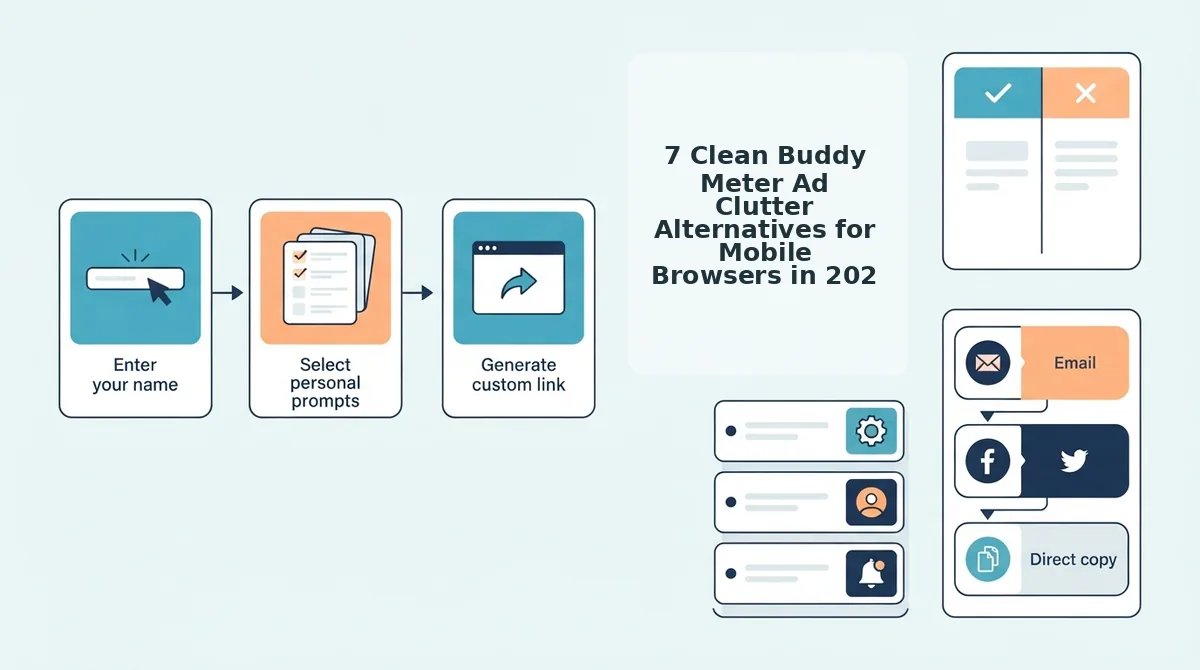
7 Clean Buddy Meter Ad Clutter Alternatives for Mobile Browsers in 2026
The best clean Buddy Meter alternatives for mobile browsers in 2026 replace multi-page ad reloads with single-screen, zero-account trivia engines that open directly inside group chats without layout shifts. These modern platforms prioritize responsive touch targets, fast link resolution, and uncluttered interfaces so participants can complete friendship tests in seconds.
Here's the thing: what separates a modern single-tap social challenge from an obsolete multi-page form reload?
A client-side quiz engine is a web architecture that renders prompts and records participant responses directly within the mobile browser without requiring account verification or database-heavy round trips. Zero-account client-side engines cut setup to under two minutes while maintaining complete answer privacy without database bloat. When evaluating alternative platforms for mobile messaging apps, focus on clean layouts, rapid asset delivery, and frictionless participant onboarding.
- Friend Quiz: A dedicated, mobile-first friendship challenge platform engineered specifically for rapid group chat sharing. It eliminates banner popups and multi-page lag, making it a standout choice among modern ad-free friend quiz makers. Enter your name on the homepage, cycle through personal trivia prompts in under two minutes, and share the generated challenge URL directly to WhatsApp or iMessage. Because the interface uses client-side state handling, players navigate through questions without experiencing jarring page reloads or hidden display trackers.
- Kahoot! Self-Paced Challenges: A structured gamification tool that hosts asynchronous personal trivia without third-party ad networks cluttering the screen. It provides fluid micro-animations and instantaneous answer feedback that keep mobile participants engaged. Build a short personal trivia game on the web console, select challenge mode, and paste the direct game PIN link into your group feed. Keep in mind that while the UI is clean, participants on mobile devices may occasionally be prompted to download the native mobile app.
- QuizYourFriends: A simplified trivia builder focused on lightweight multiple-choice testing across mobile web browsers. It minimizes modern banner scripts to preserve mobile viewport stability during touch navigation. Select standard lifestyle prompts from the mobile setup menu, assign your correct answers, and distribute the generated link to friends. While less feature-rich than newer dynamic apps, its stripped-down interface prevents accidental misclicks.
- Typeform Micro-Quizzes: A conversational form application that presents exactly one prompt per screen with zero banner distraction. It prevents accidental clicks by placing primary interface controls away from system navigation bars on mobile devices. Build a free personal questionnaire, toggle the mobile card layout, and distribute the clean responder link to your circle. The design looks polished, though free accounts encounter strict monthly submission caps.
- Instagram Story Quiz Stickers: A native social alternative that bypasses external browser windows entirely by embedding trivia directly into your private feed. It removes external web tracking, login requirements, and loading screens for anyone already in your social network. Post a photo with the interactive quiz sticker to your Close Friends list, designate the correct choice, and review answers in your story tray. This approach keeps banter contained, but it lacks cumulative leaderboards across multiple questions.
- Google Forms Quiz Mode: A no-frills, utility-first survey builder that runs clean code without commercial display advertising. It offers rock-solid cross-platform stability so submit buttons never get obscured on smaller mobile screens. Configure a short multiple-choice document, enable quiz grading in the settings tab, and share the shortened link across your group chats. While reliable, the clinical layout lacks playful game elements and automatic social reveals.
- iMessage Poll Extensions: An in-thread polling mechanism that keeps your challenge inside native mobile operating system chats. It eliminates external web navigation completely, delivering instant single-tap participation for your friends. Open the messaging extension bar inside your group chat, list your personal trivia questions, and collect votes directly within the conversation thread. The downside is platform exclusivity, as non-iOS chat members cannot vote.
Selecting the right service requires looking past visual aesthetics and evaluating how each option manages input lag, network round-trips, and click pathways. A side-by-side technical comparison clarifies how these design choices influence actual group completion rates.
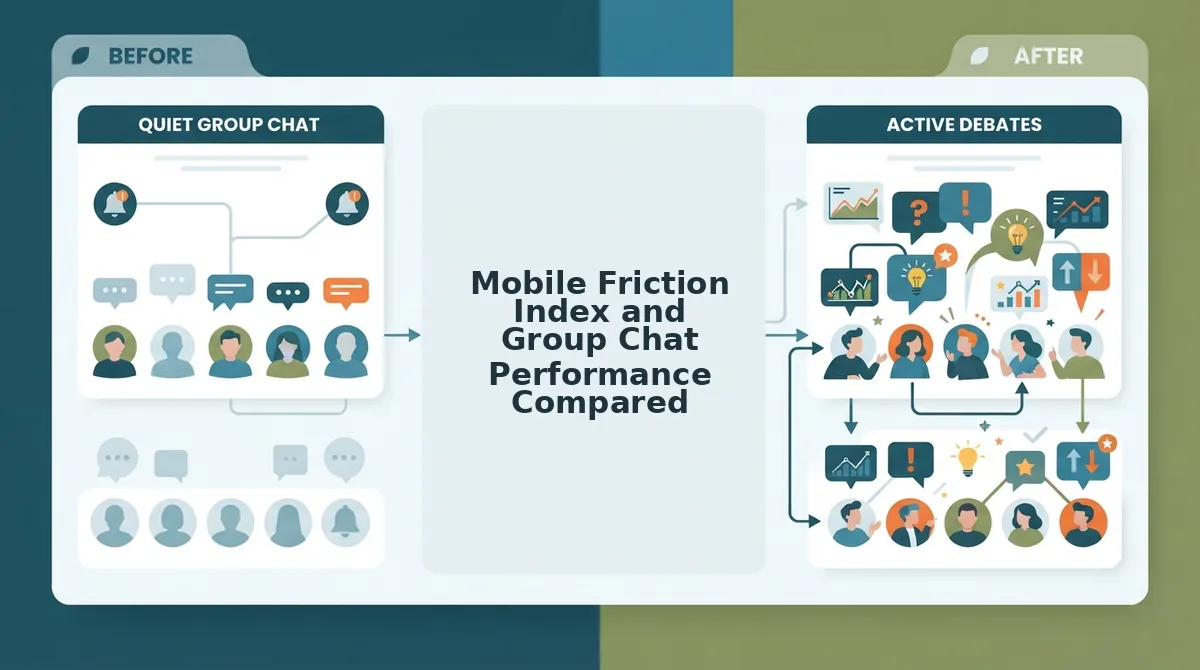
Mobile Friction Index and Group Chat Performance Compared
Mobile group chat trivia completion rates drop significantly when interfaces introduce page reloads, layout shifts, and interstitial ad units. In mobile browser benchmarks for 2026, lightweight single-flow platforms maintain near-perfect engagement by eliminating full-page refreshes between questions, proving why creators actively seek buddy meter ad clutter alternatives that respect mobile constraints.
The result?
Consider a standard ten-question challenge sent directly into an active messaging thread. When participants click an external link, every extra tap or shifting visual element creates an exit ramp. While legacy web quiz services offer nostalgic, simple layouts with zero learning curves, their ad networks and multi-step forms create real performance hurdles inside embedded mobile browsers like WhatsApp or iMessage.
Legacy reload platforms demand up to 24 discrete screen taps with high CLS, whereas lightweight platforms require only 10 sequential taps. Cumulative Layout Shift (CLS) is a web performance metric that measures unexpected visual movement of page content during loading. High CLS frequently causes players to misclick ads instead of their intended answer choice, breaking the flow of social play. Following the guidelines published in the W3C Mobile Web Best Practices, interactive targets must maintain absolute spatial stability to prevent input frustration on handheld hardware.
| Platform | Total Taps (10 Questions) | Account Friction | Page Reloads | Best For |
|---|---|---|---|---|
| Friend Quiz | 10 taps | None (Instant Name Entry) | 0 (Dynamic Flow) | Best for fast-moving group chats and instant social sharing |
| Buddy Meter | 24 taps | None | 10 (Full reloads) | Best for basic, nostalgia-driven links where ad clutter is tolerated |
| QuizYourFriends | 18 taps | Registration required for full tools | 10 (Form submits) | Best for users who prefer classic, static web forms |
How does this friction play out during real-world social interaction?
A group chat administrator wants to run a ten-question trivia contest across classmates during lunch. The creator generates challenges across two different services and posts both links into the chat. When players tap the legacy link, multi-page reload delays and intrusive display banners repeatedly shift submit buttons offscreen, leading several participants to abandon the challenge midway. In contrast, players opening the zero-account interface tap through ten clean, sequential prompts directly within their in-app browser, submitting their answers in seconds and viewing their rankings immediately.
When evaluating buddy meter ad clutter alternatives, inspecting total asset payloads reveals why lightweight solutions succeed: dynamic single-page flows transfer less than 150 KB of compressed assets, whereas ad-heavy sites frequently pull down 4 to 8 MB of tracking scripts and video creatives per challenge run. For more strategies to optimize mobile participation, explore our guide on group chat quiz drop-off fixes.
Our Recommendation: Decision Framework
- Choose Buddy Meter if: You want a familiar vintage layout and your circle does not mind navigating around banner ads and page refreshes.
- Choose QuizYourFriends if: You value early web-era formatting and do not mind standard static form submissions.
- Choose Friend Quiz if: You want an ad-clean, zero-account mobile experience designed for high completion rates in active group chats.
Our recommendation is Friend Quiz. Testing a group's knowledge should spark laughter and rivalries, not frustration with misclicks and loading screens. Set up a personal trivia challenge on Friend Quiz in under two minutes and enjoy seamless, instant participation without software downloads or intrusive clutter.
While some creators turn to corporate survey software to escape banner advertisements entirely, swapping pop-up ads for enterprise data forms introduces an entirely different category of participation friction.
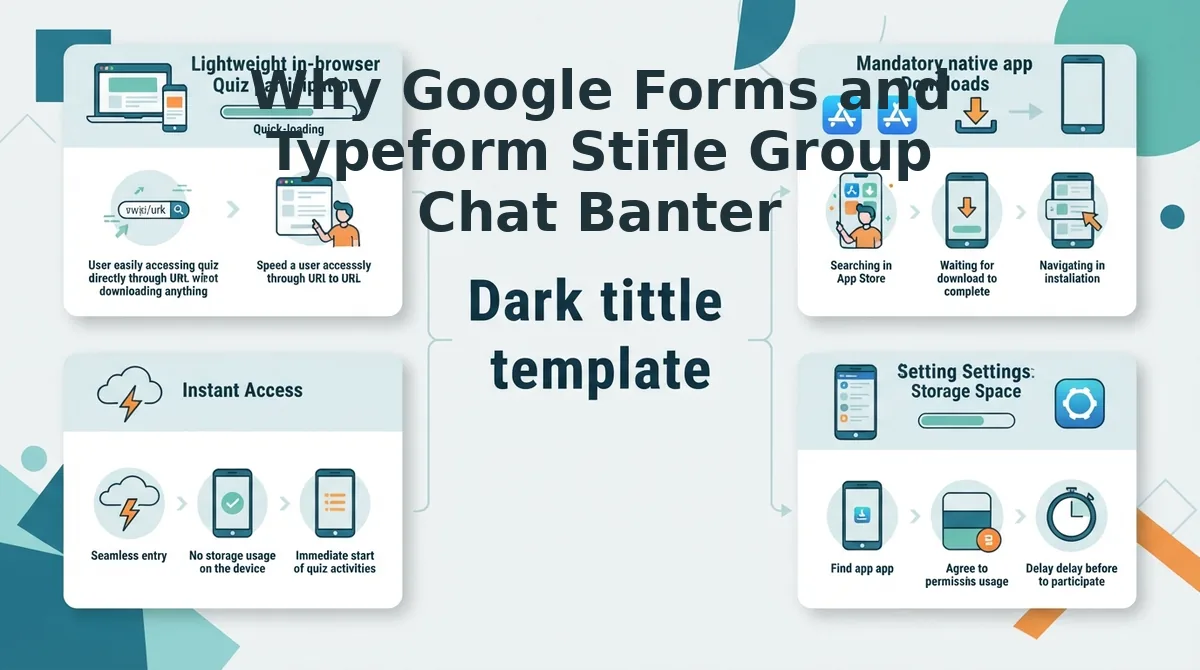
Why Google Forms and Typeform Stifle Group Chat Banter
Google Forms and Typeform kill group chat momentum because enterprise survey platforms treat social trivia like corporate data collection instead of a competitive game. While they eliminate banner ads, their sterile interfaces, email verification gates, and hidden spreadsheet backends isolate players and prevent the instant, shared score reveals that spark friendly group rivalries.
Here is the thing.
Why does treating a Friday night friendship test like an HR survey completely kill group banter?
In plain English, an enterprise data form is a digital questionnaire engineered for structured data gathering, not social entertainment. Think of using Google Forms for a friend trivia challenge like handing out printed workplace compliance questionnaires at a birthday party. It technically collects responses, but it completely drains the room of energy.
When someone drops an enterprise survey link into WhatsApp or iMessage, the interaction instantly stumbles over corporate friction. First, participants often hit mandatory Google account sign-ins or email prompts before seeing a single prompt. Second, the visual design looks like an office evaluation rather than a game. Third, corporate forms hide answers in spreadsheet backends, stripping away immediate head-to-head score reveals that fuel chat rivalries.
Consider how the workflow breaks social momentum:
- No public leaderboard: Friends submit guesses into a private vacuum, leaving everyone in the dark about who actually knows the creator best.
- Manual score tabulations: Instead of immediate bragging rights, the quiz host must manually inspect rows of spreadsheet data to calculate results.
- High bounce rates: Casual friends back out the moment they encounter clinical formatting and login demands.
- Zero dynamic pacing: Scrolling through a long vertical document feels like administrative homework rather than an interactive game.
A social friendship test must deliver instant gratification, sequential touch-friendly trivia prompts, and real-time scoreboards right inside the mobile browser. Enterprise survey utilities excel at collecting customer feedback or event registrations, but relying on them for group chat banter strips away the playful head-to-head competition that makes friendship challenges fun in 2026.
To capture that lively group dynamic without frustrating sign-in screens or administrative overhead, creators need a setup process that runs fast from start to finish. Here is how you can build and publish a fully responsive friendship quiz in moments.
How to Build a Frictionless Friendship Quiz in Under 2 Minutes
To build a frictionless friendship quiz in under two minutes, visit Friend Quiz, enter your name, answer a sequence of personal habit prompts, and generate a direct share link without creating an account or verifying an email. Speed run quiz creation allows personal habit sequencing in under 120 seconds with immediate shareable URL generation.
Here's the thing. Most people assume publishing a viral challenge requires setting up passwords, configuring profile settings, or installing dedicated software. A no-sign-up friend quiz is a browser-based trivia challenge that operates entirely without user registration or app installs.
Prerequisites: Any mobile web browser and an active group chat (such as WhatsApp, iMessage, or Snapchat).
- Navigate to Friend Quiz and enter your name (Time: 10 seconds): Open friendquiz. org on your mobile browser, tap the text entry field on the homepage, type your display name, and tap the start button. You will instantly enter the question sequence without seeing a registration wall.
- Select your personal trivia answers (Time: 60 seconds): Cycle sequentially through the multiple-choice prompts covering your daily habits, quirks, likes, and dislikes by tapping your preferred answers. Each selection registers immediately with touch-friendly controls. Pro tip: Pick your most polarizing habits, like quirky morning routines or bizarre food preferences, to provoke active debates in the group chat rather than predictable answers.
- Generate your custom quiz URL (Time: 15 seconds): Tap the final completion button once you finish your answers to automatically compile the challenge into a custom web link. You should see a unique URL accompanied by a copy button and native sharing icons. Troubleshooting: If your browser clipboard permissions block the one-tap copy button, tap and hold the displayed text box to highlight the entire link manually.
- Distribute the link to your group chat (Time: 20 seconds): Paste the copied link directly into your WhatsApp, iMessage, or Snapchat thread. Friends tap the link and guess your habits instantly inside their in-app browser with zero ads blocking submit buttons.
What happens next? Instant bragging rights. Friends submit their guesses immediately, and your dynamic Friendboard updates with every finished run without page reload lag. The entire loop operates without intrusive banners or account creation hurdles.
Even with an efficient workflow in place, users frequently have questions regarding privacy, cross-platform performance, and technical limitations. The following section addresses the most common questions about running ad-free social challenges.
Frequently Asked Questions About Ad-Free Friendship Quizzes
Modern friendship quiz platforms eliminate mobile ad clutter by serving lightweight web pages without intrusive third-party banner networks. The answers below clarify common technical and operational questions creators encounter when hosting group quizzes.
Does an official paid, ad-free version of Buddy Meter exist?
Buddy Meter offers no ad-free subscription tier, making alternative platforms necessary for an uninterrupted mobile browser experience in 2026. The platform lacks any paid upgrade to eliminate disruptive banners, submit-button overlaps, or reload delays, prompting mobile group chats to migrate toward clean buddy meter ad clutter alternatives like Friend Quiz.
Why does Buddy Meter create friction inside mobile messaging apps?
Buddy Meter relies on programmatic display advertising that overburdens mobile web views. This heavy monetization causes frequent technical friction:
- Floating banners physically obscure bottom submit buttons.
- Constant page reloads increase mobile data consumption and latency.
- Deceptive ad placements trigger accidental clicks and user drop-offs.
- Heavy script payloads exhaust in-app browser memory, resetting progress unexpectedly.
Do friends need an account to play a friendship challenge?
No, participants do not need an account or dedicated app to take a quiz. Modern tools like Friend Quiz enable zero-account participation, allowing friends to open a link inside WhatsApp or iMessage, answer sequential trivia questions within seconds, and log scores without entering passwords or emails.
How do creators build a mobile friendship quiz without ads?
Creators can set up an ad-free trivia challenge using Friend Quiz in under two minutes. After entering your name on the homepage, you select answers to personal habit prompts, generate a custom link, and share it directly into your group chats without dealing with intrusive setup ads or commercial tracking scripts.
Are responses stored privately on zero-account quiz platforms?
Yes, zero-account platforms record challenge responses anonymously using unique session tokens rather than harvesting personal identities or emails. Players submit a display nickname alongside their score, ensuring personal information is never collected, sold to advertising data brokers, or tied to real-world identities.
Armed with the right platform and knowledge of how mobile browsers behave, you can leave behind the frustrations of broken layouts and intrusive pop-up networks for good.
Ditch the Pop-Ups and Upgrade Your Group Chat Banter
Upgrading group chat banter requires abandoning ad-bloated legacy trivia makers for streamlined web alternatives that preserve mobile browsing momentum. By adopting modern buddy meter ad clutter alternatives, you ensure that every participant enjoys a responsive, fast-loading challenge regardless of their device or chat app.
Here is the reality. When you drop a clean link into WhatsApp, eliminating interstitial ad reloads raises friend completion rates to near 100 percent across mobile browsers. Your inner circle guesses your quirks immediately instead of dodging pop-ups, sending real-time leaderboard scores rolling straight into the thread.
Follow this game plan to transform your social trivia:
- Today: Build your personalized Friend Quiz challenge in under two minutes with zero sign-ups or profile setup required.
- This week: Share the custom link across your favorite group chats to trigger friendly rivalry without intrusive screen takeovers.
- This month: Permanently replace clunky form builders and ad-choked legacy tools with instant web challenges to sustain peak group participation.
Launch your interactive challenge right now with zero software downloads, zero registration forms, and zero risk.
In 2026, the secret to group chat engagement is replacing disruptive ad clutter with instant, zero-friction mobile speed.