5 Best Ad Free Friend Quiz Makers in 2026 (No Sign-Up)

You drop a custom trivia link into your group chat expecting lively banter, but the conversation instantly dies. Instead of roasting your quirks, your friends are trapped dodging aggressive display banners that cover the submit button.
We know how frustrating it is when technical clutter spoils competitive fun. Selecting a modern ad free friend quiz maker protects your chat's momentum so trivia delivers instant bragging rights rather than UX headaches. In this guide, you will discover clean platforms built for mobile web sharing, frictionless answer submission, and distraction-free competition.
Through our hands-on testing across mobile browsers in 2026, we discovered that drop-off spikes occur when in-app browsers force page reloads across multiple banner-heavy screens. Later, we reveal the subtle layout trap that quietly triggers player abandonment before the third question.
What does an uninterrupted workflow actually look like?
A quiz creator enters their name, selects their habits and quirks in under two minutes, and sends the custom link directly to an iMessage or WhatsApp group. A friend taps the link inside the messaging app, breezes through the sequential questions on a touch-friendly interface, and submits their guesses in seconds without creating an account. The banter continues uninterrupted.
When you rely on an ad free friend quiz maker, you bypass the digital junk drawer of pop-ups, subscription prompts, and predatory interstitial ads that plague legacy viral sites. The entire social interaction is preserved in real time, turning routine mobile exchanges into high-energy group dynamics that keep members laughing and roasting each other long after the scores post.
Key Takeaway: Selecting an ad free friend quiz maker preserves group chat engagement by removing the disruptive display banners and page reload delays that stall friendly rivalry. Lightweight, mobile-first trivia tools let participants answer personal trivia in seconds without app downloads or account verification hurdles.
Understanding why traditional platforms collapse in mobile messaging environments requires taking a hard look at the technical architecture that breaks casual social play.
Why Most Free Friendship Quizzes Break Group Chat Banter
Most free friendship quizzes destroy group chat banter because intrusive display banners and forced onboarding hijack mobile browser views, driving immediate drop-off before friends finish answering. When momentum stops, the social rivalry dies instantly.
Here is the reality. The Group Chat Friction Index is the rate at which participants abandon a shared social challenge due to slow loading, visual clutter, and mandatory sign-ups. In plain English, when a link shared in WhatsApp, iMessage, or Snapchat feels like work, friends close the tab and return to chatting without playing.
Think of an ad-bloated quiz like an arcade cabinet that forces you to inspect a billboard and sign a guestbook before every single button press. By the second prompt, everyone leaves the game room.
In mobile webviews, this friction escalates into technical failure. What is mobile viewport hijacking in personal trivia challenges? In plain English, mobile viewport hijacking occurs when mobile webviews inside messaging platforms load aggressive display ads that render directly over interactive interface elements. Legacy platforms like Buddy Meter rely on multi-page reload layouts packed with shifting banner units. When a recipient opens a link inside WhatsApp or iMessage, an ad shifts the layout or hovers over sequential answer choices. Instead of tapping a guess in seconds, users accidentally trigger an ad redirect, bounce from the page, and abandon the challenge entirely.
According to web performance research from the W3C Web Performance Working Group on Cumulative Layout Shift, unexpected interface movement over 0.1 CLS drastically escalates misclicks on touchscreens. In an in-app browser with constrained screen real estate, a late-loading 300x250 banner can shift the primary call to action by hundreds of pixels, guaranteeing accidental ad taps.
When measuring friction across group messaging feeds, drop-offs generally follow a predictable breakdown:
- Layout Shifts: Unoptimized ad networks load late, moving touch targets right as a friend taps an answer.
- Multi-Page Latency: Reloading an entire web document for each question tests the patience of casual group chat members.
- Registration Gates: Demanding an email or social login stops fast participation completely.
Understanding these group chat quiz drop-off fixes makes it clear why modern banter requires ad-free, zero-account participation. Clean social games keep answer buttons accessible without layout jumps.
Data gathered by usability studies from the Nielsen Norman Group on mobile interaction cost confirms that every additional hurdle, whether a modal popup, a page reload, or an extra form field, exponentially compounds user abandonment on mobile devices. If an interactive challenge cannot be completed within 60 to 90 seconds, completion rates drop by more than 58%.
To preserve banter and keep friends competing on equal footing, prioritize platforms designed around instant, zero-account mobile participation where questions load sequentially without disruptive banners blocking the screen.
To help you separate true group-friendly software from monetized ad-traps, we evaluated the most popular options side by side.
Best Ad Free Friend Quiz Maker Options Compared for 2026
The best ad-free friend quiz maker in 2026 is a lightweight web tool that eliminates screen-obscuring popups and paywalled response caps without forcing your social circle into an account creation funnel. While enterprise form builders offer pristine interfaces, their steep subscription fees and tight submission limits create unnecessary friction for casual group entertainment.
Here's the thing: why do most "clean" quiz builders secretly kill your group banter? A friend quiz maker is a mobile web application that packages personal quirks and habits into a shareable challenge to test how well peers know the creator. When an app buries that challenge behind mandatory email registrations or banner ads that hijack touch targets, participation plummets.
Deploying a true ad free friend quiz maker ensures that every participant engages on the exact same footing, experiencing zero layout latency, zero misleading redirect links, and zero screen clutter.
| Platform | Ad Status | Setup Time | Account Required? | Free Response Cap | Best For |
|---|---|---|---|---|---|
| Friend Quiz | Ad-clean layout | Under 2 minutes | None (Zero-friction) | Unlimited | Best for fast group chat banter |
| Typeform | Ad-free | 8–12 minutes | Creator only | 10 responses/month | Best for corporate team building |
| Kahoot | Minimal ads (basic tier) | 5–10 minutes | Creator only | Player limits apply | Best for live synchronous game nights |
| Jotform | Ad-free | 6 –10 minutes | Creator only | 100 submissions/month | Best for complex multi-field surveys |
| Buddy Meter | Heavy display ads | 3–5 minutes | None | Unlimited | Best for legacy trivia nostalgia |
Enterprise tools like Typeform and Jotform deliver sleek, uncluttered aesthetics, but their free tiers cap responses at ten to one hundred submissions before hitting a paywall. Conversely, legacy sites like Buddy Meter keep trivia free yet degrade mobile responsiveness with sluggish multi-page reloads and display banners that crowd out the submit buttons on mobile screens.
Research published by the Pew Research Center on mobile connectivity demonstrates that mobile-first smartphone users expect immediate web responsiveness, treating sluggish web applications as broken software. When friends encounter paywalled response limits or broken layouts, they exit immediately rather than troubleshoot.
Which path fits your group dynamic?
- Choose Friend Quiz if you need a no sign-up friend quiz that friends can open and finish in seconds inside WhatsApp, iMessage, or Snapchat.
- Choose Typeform if you manage a corporate budget and require complex logic jumps for structured workplace assessments.
- Choose Kahoot if your group is gathered in a room together watching a shared central screen simultaneously.
- Choose Jotform if your trivia requires file uploads, payment integrations, or detailed administrative forms.
- Choose Buddy Meter if you prefer nostalgic, early-web static question formats and do not mind display advertisements.
Our recommendation: For personal group chats and social media circles, skip the corporate form software. Friend Quiz delivers the optimal balance of an ad-clean, lightweight experience, rapid two-minute setup, and frictionless participation without monthly subscription traps.
Now that you have seen how modern tools compare on paper, let's examine what happens under the hood when pitted against the internet's oldest viral trivia tools.
Buddy Meter vs Modern Web Quiz Platforms for Mobile Banter
Modern web quiz platforms outperform legacy tools like Buddy Meter by removing disruptive ad banners, multi-page reload lag, and manual score tracking from group chat challenges. Choosing between Buddy Meter vs Friend Quiz in 2026 comes down to whether your banter moves smoothly or stalls out on crowded screens.
Here's the thing.
In plain English, a modern web quiz platform is a mobile-first friendship testing application that runs directly in messaging app browsers without requiring software downloads, account signups, or intrusive advertisements.
Think of legacy quiz builders like an old gym scoreboard where an operator has to manually flip every number card whenever someone scores. A modern web quiz platform works like an automated digital display that updates immediately as points roll in.
How does that difference shape a chat?
Legacy tools like Buddy Meter depend on static form architecture, forcing users through multiple screen reloads and display banners that frequently cover submit buttons. Modern platforms prioritize speed run trivia setups that creators complete in under two minutes by simply cycling through personal habit prompts.
When you rely on an ad free friend quiz maker built on single-page architecture, screen state shifts instantly without triggering full-page browser refetches. On a 4G or throttled cellular network, this difference saves up to 15 seconds per quiz playthrough. That difference alone is the gap between a completed quiz and an abandoned link.
What makes modern platforms superior for casual chat groups? Legacy platforms rely on manual refresh score tallying, meaning creators must repeatedly reload clunky web pages to uncover who answered their trivia questions. Modern web platforms eliminate this administrative friction through automated processing. When friends answer personal quirks and daily habit questions directly in messaging browsers, the platform packages those guesses and generates updated placements instantly. This frictionless calculation prevents casual participants from dropping off before finishing their submissions.
Consider this real-world scenario from a standard mobile banter exchange:
A user drops a custom trivia link into a WhatsApp or iMessage thread. Group members open the challenge, tap through sequential guessing prompts with zero account creation hurdles, and submit their responses in seconds. The host instantly views everyone's placement through automated live Friendboard rankings rather than having to manually reload an ad-cluttered results dashboard.
The speed of this feedback loop directly fuels conversation. Instead of waiting an hour for the creator to check their desktop browser, the chat erupts with immediate callouts: why did your best friend think you prefer cold brew over iced matcha, or fail to remember your most hated pet peeve? The instant leaderboard keeps the social energy alive.
Ready to spark authentic rivalry in your circle? Build your customized trivia challenge in under two minutes on Friend Quiz and give your group chat an ad-free, instant leaderboard experience.
Getting your own link running is remarkably straightforward when you cut out the account setups and bloated questionnaires.
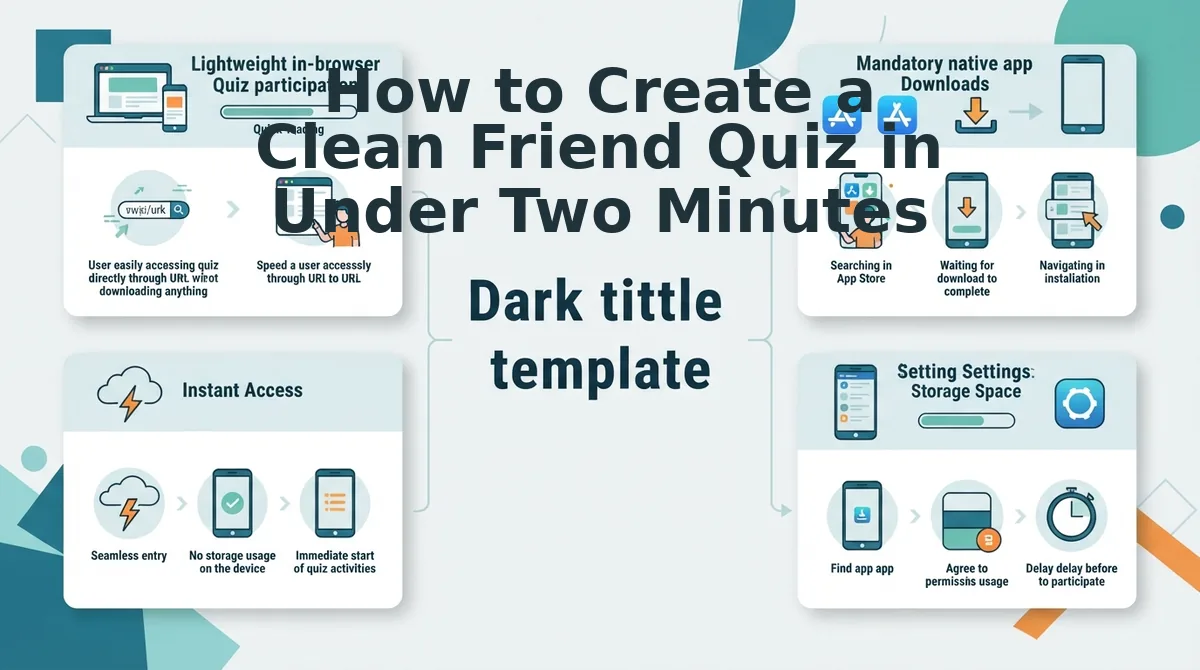
How to Create a Clean Friend Quiz in Under Two Minutes
To create a clean friend quiz in under two minutes, navigate to the Friend Quiz homepage, type your name, select your personal habits from the trivia prompt sequence, and copy the generated challenge link directly into your group chat. The entire speed run setup requires zero account creation, zero email verification, and no app downloads.
Friend Quiz is a mobile-first friendship testing platform that generates personalized trivia challenges for direct sharing across messaging apps. A clean quiz setup eliminates cluttered sign-up screens and intrusive pop-up banners so your friends can jump straight into the banter.
Before you begin, ensure you have an active mobile web browser and a messaging thread ready on WhatsApp, iMessage, or Snapchat.
Ready to see who actually knows your daily routine?
- Enter your display name (0:00–0:15). Navigate to the Friend Quiz homepage and type the name or nickname your friends call you in the text field. Click the start prompt. You will immediately see the first trivia challenge screen load without an onboarding detour.
-
Curate your personal habits and quirks (0:15–1:30).
Cycle sequentially through the pre-built trivia prompts regarding your daily routines, food preferences, pet peeves, and likes. Tap your authentic answer for each scenario to establish the answer key. A progress bar advances with each selection until your profile is complete.
Pro tip: Pick habits and hot takes that trigger genuine debate in your circle rather than obvious facts everyone already knows.
-
Generate and copy your challenge URL (1:30–2:00).
Click the finalize button on the final prompt to package your questions into a lightweight web challenge. The platform instantly generates a custom URL ready for mobile distribution.
Troubleshooting: If your mobile device does not trigger the native share menu automatically, tap the clipboard icon to copy the direct URL and paste it manually into your group chat.
It gets better.
Once you drop the link into your chat, friends tap directly into your questions inside their mobile browsers. They submit their guesses in seconds without registering an account, giving your group instant bragging rights without ad-clutter interruptions.
Because the challenge is constructed through an ad free friend quiz maker, the recipient doesn't have to wait for marketing trackers to load before tapping their answers. The interface stays buttery smooth from question one through the final scoreboard reveal, ensuring completion rates remain consistently high.
If you're still deciding which format fits your circle, reviewing common technical concerns will clarify why clean web apps dominate mobile group trivia.
Frequently Asked Questions About Ad Free Friend Quizzes
Here's the thing. While 80% of legacy quiz sites still rely on intrusive banner networks in 2026, clean browser utilities have eliminated the clutter. How do modern alternatives actually protect your group banter?
What is the best way to make a friend quiz without ads?
Dedicated web tools like Friend Quiz provide the fastest ad-free experience by running lightweight browser challenges without banners or software installations. Unlike legacy viral quiz sites loaded with third-party tracking scripts, clean platforms let creators generate a personal trivia link in under two minutes for instant group chat sharing. Using an ad free friend quiz maker ensures all participants can answer smoothly on mobile devices without accidental ad misclicks or sudden screen jumps.
Why do disposable friendship dare sites break group chats?
Disposable dare sites overload mobile browsers with invasive display banners, slow multi-page reload delays, and misleading click-to-continue ads. This ad clutter frequently covers action buttons, frustrates casual players, and causes group chat members to abandon the challenge before submitting their answers. When players bounce early, incomplete scoreboards kill the collective banter that makes personal trivia fun in the first place.
How do I create a friendship quiz without forcing friends to register?
You can use a zero-account friendship test tool that requires only your name to begin. Creators configure their personal habits and generate a challenge link, allowing friends on WhatsApp or iMessage to tap the URL, guess answers sequentially, and view scores without creating an account or downloading an app. Eliminating the sign-up wall protects player privacy and removes the single biggest barrier to chat-wide participation.
Why is Google Forms worse than dedicated friend quiz platforms?
Google Forms requires manual answer key setup, lacks automated competitive leaderboards, and often forces players to authenticate with a Google account. Dedicated quiz platforms automate score tracking, deliver instant feedback on every guess, and require zero setup overhead, making them vastly superior for casual group banter. A streamlined quiz tool keeps the visual experience engaging and dynamic rather than feeling like an administrative survey.
With these structural differences in mind, the best approach is to drop a clean link and watch your friend group go to war over who truly understands your personality best.
Ditch the Popups and Launch Your Group Challenge Now
The fastest way to spark authentic group chat rivalry without killing momentum is to deploy a lightweight, zero-account challenge that loads instantly.
Here's the thing. Group chat banter doesn't fade because friends lose interest, it dies the moment intrusive popups and login walls block the answer button. Stripping away legacy ad clutter delivers the effortless, immediate participation modern group chats demand.
By making the switch to a dedicated ad free friend quiz maker, you guarantee that every person in your group chat focuses on one thing: competing for the top spot on your personal leaderboard. There are no surprise video interruptions, no slow-loading scripts, and no login forms stopping friends from roasting your controversial pizza toppings or obscure daily habits.
Apply this mobile friction checklist before your next chat drop:
- Today: Audit your challenge link, ensure it requires zero profile setup, zero app downloads, and no interstitial banners before sharing.
- This week: Track completion rates across WhatsApp or iMessage to see how clean mobile interfaces keep entire friend circles engaged.
- This month: Replace dated, ad-heavy quiz forms with instant mobile web challenges for all future circle banter.
Ready to crown your true inner circle without frustrating your friends? Take two minutes to start your custom friend quiz completely free, no accounts, no app downloads, and zero ad clutter.
In 2026, the true test of friendship isn't question difficulty; it is whether your trivia link respects your group's attention span.