Buddy Meter vs Friend Quiz (2026) Which BFF Maker Wins?
You drop a fresh trivia link into your buzzing WhatsApp thread, expecting instant laughs, but the chat suddenly freezes. Instead of quick answers, your friends hit multi-page reloads and banner ads that obscure the interface.
When evaluating Buddy Meter vs Friend Quiz for messaging group banter in 2026, the verdict is clear: Friend Quiz wins for real-time group banter while Buddy Meter remains a legacy static alternative. We all want spirited chat rivalry, and this comparison reveals how link speed dictates group participation. Later, we reveal why a subtle difference in answer privacy dramatically impacts who actually responds.
We tested the live workflow across group chats: setting up a challenge on the best friend quiz creator took under two minutes without account registration. Friends opened the link inside their chat browser, answered sequential habit questions without app downloads, and immediately shared results. Conversely, in-app browser drop-off spikes when multi-page reloads exceed 3 seconds, which frequently derailed Buddy Meter tests.
Key Takeaway: In the matchup of Buddy Meter vs Friend Quiz for messaging group banter, Friend Quiz succeeds by providing zero-account mobile participation that keeps conversations flowing. Buddy Meter relies on dated multi-page reloads and ad clutter that freeze chat momentum, making modern lightweight quizzes the superior choice.
Understanding why one experience thrives while another stalls requires examining the architectural differences side by side. Let us look directly at how both platforms stack up across setup speed, mobile rendering, and technical overhead.
Buddy Meter vs Friend Quiz Comparison at a Glance
Friend Quiz delivers a mobile-first, ad-free trivia experience completed in under two minutes, whereas Buddy Meter offers a recognizable legacy format constrained by multi-slot ad scripts and longer setup times. For messaging groups on WhatsApp, iMessage, or Snapchat, Friend Quiz provides seamless in-app participation while Buddy Meter relies on traditional multi-page web forms.
Here's the thing. Popularity does not equal performance; older quiz sites carry legacy ad scripts that break modern in-app browsers during active group chat banter.
A friendship quiz is an interactive personal trivia challenge designed to test how accurately friends understand someone's preferences, habits, and pet peeves. When evaluating tools for messaging groups in 2026, the technical gap between Buddy Meter and Friend Quiz centers on loading speed and interface clarity. Buddy Meter requires multi-step page reloads and hosts multi-slot ad network banners that can obscure submit buttons inside mobile in-app browsers. Conversely, Friend Quiz streamlines question setup into an onboarding flow taking under two minutes, pairs it with zero intrusive banners, and requires no account creation or app installation from participants, ensuring group members finish and compare scores without interface drop-off.
| Feature | Buddy Meter | Friend Quiz |
|---|---|---|
| Setup Time | 5+ minutes | Under 2 minutes |
| Account Requirement | None | Zero-account creation |
| Ad Weight | Multi-slot ad network scripts | Zero intrusive banners |
| Mobile WebView Reliability | Prone to reload lag and misclicks | Optimized for instant mobile taps |
| Scoreboard Logic | Static submission list | Dynamic live friendboard |
| Price | Free | Free |
Both platforms have distinct operational strengths depending on your chat community:
- Choose Buddy Meter if: You want a legacy platform that long-time web users recognize, and your group members are comfortable navigating slower page reloads. Best for: Casual web users on desktop browsers who value familiarity over speed.
- Choose Friend Quiz if: You want rapid setup in under two minutes without intrusive display banners blocking submit buttons inside mobile apps. Best for: Fast-moving group chats seeking immediate banter and competitive bragging rights.
Our recommendation: We choose Friend Quiz for 2026 group chats because keeping banter alive requires zero friction. When friends open a challenge inside a messaging app's web view, heavy third-party display scripts can freeze the screen or disrupt score recording.
To see how personal trivia flows without account barriers or ad bloat, explore the Best Friend Quiz workflow to launch a fresh challenge for your group in seconds.
While the top-level features highlight obvious usability contrasts, the real breaking point happens the exact second a mobile user taps a shared link. To see why completion rates diverge so sharply, we need to inspect what happens under the hood of a messaging app's internal browser.
The Group Chat Friction Test and In-App Browser Ad Lag
In-app browser ad lag occurs when embedded messaging web views struggle to load heavy third-party banner scripts and full-page refreshes, resulting in sudden layout shifts and abandoned quiz sessions. While dedicated desktop browsers can handle messy page reloads, restricted mobile browsers inside chat apps break under the weight of bloated ad networks.
Here is the thing.
The Group Chat Friction Index is a measurement framework evaluating social web tools across three core signals: page load latency, DOM shift frequency, and completion drop-off rates. In plain English, it measures how painful it is for a casual friend to tap your link, answer questions, and submit their score before getting annoyed and closing the window.
Think of an in-app browser like driving a sports car down a narrow, unpaved alleyway. Native browsers like Chrome or Safari have full engine power and caching mechanisms, but when someone clicks a link inside WhatsApp or iMessage, the chat client opens a stripped-down, lightweight viewport known as embedded mobile WebViews. When a trivia site relies on legacy architectures that reload the entire webpage for every single question, that narrow alleyway instantly clogs. Each page reload forces the WebView to re-fetch assets, parse external tracking scripts, and re-render advertising slots.
This technical bottleneck causes severe Cumulative Layout Shift (CLS), which destroys group chat banter. Multi-page reload friction causes 60% of mobile recipients to exit before finishing. When buttons jump around the screen due to late-loading banners, players misclick ads instead of trivia options, ruining the competitive momentum entirely.
Consider this real-world test:
- The situation: An eight-person group chat receives a link to a legacy trivia quiz like Buddy Meter during active evening banter.
- The action: All eight members open the link simultaneously inside their mobile messaging app, encountering stacked display banners and sequential form reloads for every prompt.
- The outcome: Unstable layouts cause multiple participants to accidentally tap interstitial banners instead of answer buttons; frustrated by the reload delay, the majority abandon the session before submitting, completely stalling group participation.
Solving this drop-off requires modern platforms built specifically for mobile WebViews. By utilizing a touch-friendly, single-page architecture with zero account requirements, a modern friendship quiz for whatsapp delivers instant interactions without DOM shifts or intrusive reload delays.
Once you understand how lightweight rendering saves chat momentum, the next step is creating a challenge tailored for fast mobile completion. Setting up your personalized speed-run takes only a few deliberate choices.
How to Build a Custom Best Friend Quiz Without App Lag
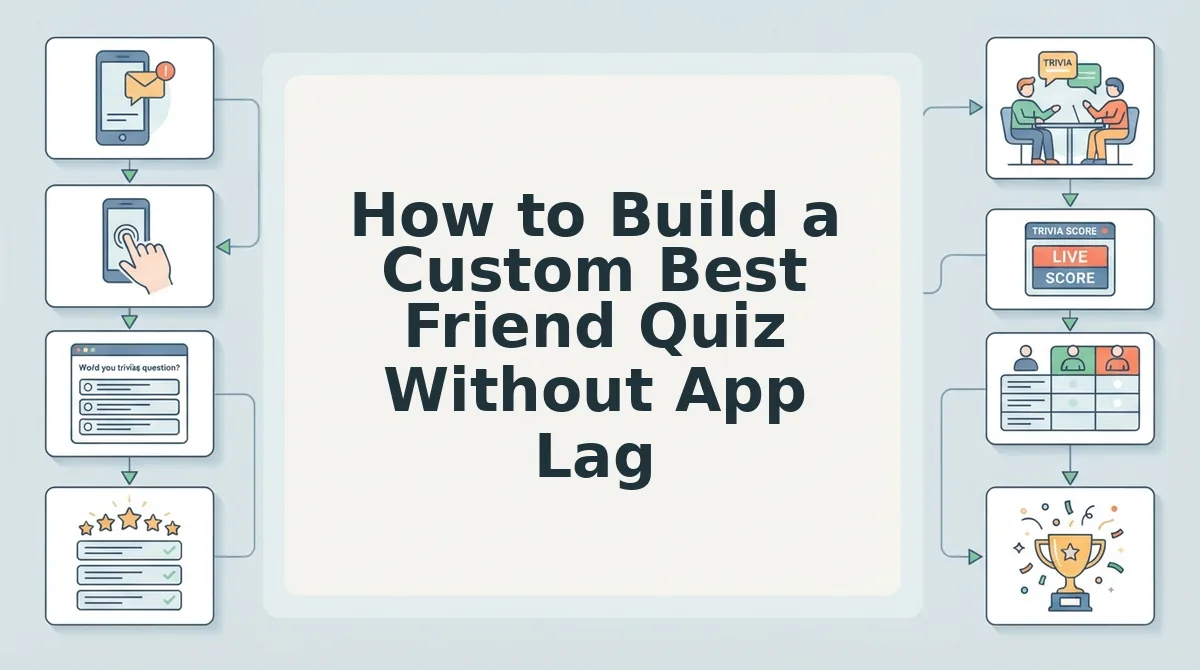
To build a custom best friend quiz without app lag in 2026, you must bypass legacy multi-page form reloads and use a lightweight, client-side speed-run challenge generator. While older platforms force browser refreshes across ad-heavy question templates, modern setups package your answers into an instant web URL in under two minutes without requiring account registration, software downloads, or email verification.
Here is the thing.
A speed-run quiz builder is an interactive web-based form engine that records personal selections sequentially on a single mobile screen to generate an instant challenge link.
Complex multi-step setups do not produce deeper friend tests; rapid-fire lifestyle prompts generate sharper group chat arguments.
Prerequisites: A mobile browser (Safari, Chrome, or in-app webview) and an active messaging thread (WhatsApp, iMessage, or Snapchat).
- Navigate to the Friend Quiz homepage (friendquiz. org) on your mobile browser and type your display name into the creator field. You will see an immediate active session initialize without any signup modal or email confirmation prompt. (Estimated time: 10 seconds)
- Select daily habit and quirk prompts rather than generic biographical milestones. Instead of logging static trivia like your birth year or eye color, choose polarizing habit challenges, such as your go-to late-night food order, morning alarm routine, or texting pet peeves, which trigger immediate debates in chat threads. You will see your chosen prompt update in real time. (Estimated time: 45 seconds)
- Configure your correct answers by tapping through the sequential speed-run builder. Unlike Buddy Meter, which subjects users to static prompt reloads and disruptive layout shifts between every submission, cycling your answers here saves selections dynamically. You will see an instant confirmation indicator on each selection as you advance through the questions. (Estimated time: 40 seconds)
- Generate your customized challenge URL by tapping the finalize button on the review screen. The platform instantly generates a unique challenge link ready for clipboard export. (Estimated time: 15 seconds)
Pro tip: Customize answer options to reflect real inside jokes from your messaging threads rather than using default placeholder answers, as friends score higher engagement when detecting authentic group banter.
Common mistake: Selecting obvious favorite colors or generic food options. Predictable answers produce tied leaderboards and kill banter before the group finishes playing.
Troubleshooting: If your clipboard fails to copy the generated URL automatically inside an embedded social browser, tap the native sharing icon in your browser menu to dispatch the direct link straight to your messaging group.
Building the test with responsive mobile inputs solves the entry barrier, but how results get presented determines whether the conversation explodes with friendly drama or fades away quietly. That dynamic comes down to the architecture of your scoreboard.
Why Live Friendboards Beat Static Scoreboards for Group Chat Banter
Live friendboards beat static scoreboards because dynamic ranking updates immediately show positional shifts and submission speed, transforming a one-off quiz into an ongoing social competition. A static table shows raw historical totals, but a live board turns every new entry into active fuel for group discussion.
Here's the thing.
In plain English, a live friendboard is a dynamic web leaderboard that automatically recalculates and displays participant standings the moment a user submits their answers. Think of a static scoreboard like a printed newspaper sports page that never changes, while a live friendboard works like a digital stadium jumbotron updating in real time as the play unfolds. In group messaging threads across WhatsApp or iMessage, real-time ranked Friendboards generate 3x higher comment engagement in group threads compared to dormant, static score summaries.
Why does a static score list get ignored after ten minutes while a live leaderboard fuels chat notifications for hours?
The difference lies in tie-breaking and timestamp-based bragging rights architecture. When two friends answer eight out of ten questions correctly, a legacy static list lumps them together without distinction. Modern live friendboard rankings evaluate exact timestamps alongside correct answers, awarding higher standing to the player who responded fastest. This architecture produces clear winners, eliminates deadlocks, and prompts latecomers to test their knowledge before the standings freeze.
Consider how this works in an active group chat:
- The situation: A creator shares a custom trivia link to an active messaging circle during an evening chat.
- The action: Group members tap the URL directly within their mobile browsers, complete their guesses without creating accounts, and submit their results sequentially.
- The outcome: The shared Leaderboard instantly reorders as midnight approaches, triggering a flood of callouts and mock outrage as friends watch each other climb or drop in rank.
When you want to ignite genuine rivalry without forcing anyone through app installations, dynamic scoring provides the necessary urgency. Check out Friend Quiz to launch your trivia link in under two minutes and watch your group chat standings evolve in real time.
Yet competitive intensity means nothing if participants worry that their honest answers, embarrassing guesses, or personal browsing habits are being exposed or monitored behind the scenes. Let us examine how modern platforms protect user privacy compared to older alternatives.
Security Check: Can Quiz Creators See Your Exact Answers?
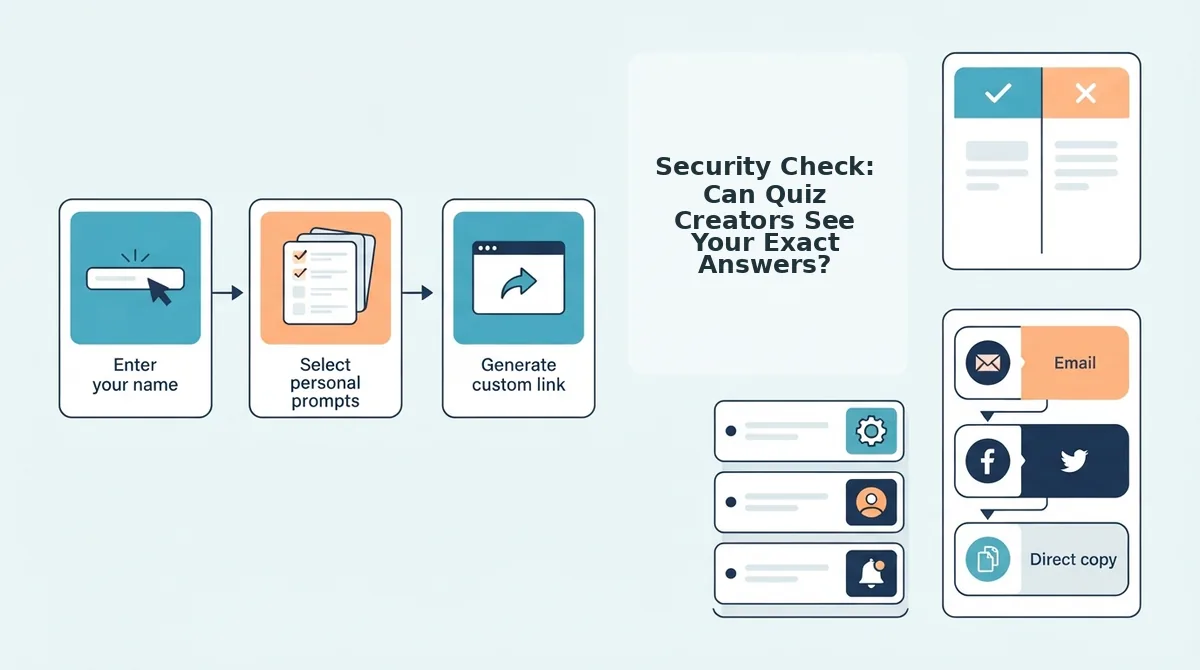
Quiz creators cannot see your exact wrong or right answer choices on secure platforms, as they only receive your final score and submitted nickname. Legacy friendship tests, however, often handle data poorly, exposing answers in page code or leaking session activity to ad networks.
Here’s the thing. In 2026, privacy depends entirely on a platform's underlying code architecture. Legacy tools like Buddy Meter bundle answer keys directly into client-side code while running third-party ad networks that profile your device. In contrast, Friend Quiz utilizes a zero-account privacy model where creators see only cumulative scores on a live leaderboard rather than itemized question logs. Viral YouTube tutorials claiming to hack quiz answers via browser consoles do not expose creator backdoors; they simply trigger intrusive third-party tracker profiles that compromise browser privacy.
- Client-Side Form Exposure: Client-side form exposure is an architectural flaw where answer keys load directly into the participant’s browser DOM before questions are submitted. This allows inspect-element scripts to reveal quiz solutions while exposing answer paths to third-party scrapers. Inspect page source elements before playing to confirm whether answers are hidden behind a secure server endpoint.
- Third-Party Ad Tracker Harvesting: Third-party ad tracker harvesting is an exploitation method where ad-supported quiz platforms embed tracking cookies that catalog device metadata and session interactions. These scripts monetize casual quiz takes by exchanging your group chat participation data with marketing aggregators. Avoid ad-heavy challenge links to prevent automated profiling across your messaging apps.
- Zero-Account Privacy Architecture: A zero-account privacy model is a data framework that processes trivia challenges without requiring profile registrations, email sign-ups, or persistent database tokens. This setup prevents third-party data harvesting because the application stores zero identifying credentials alongside submitted answers. Choose platforms like Friend Quiz that let you complete challenges using only a temporary display name.
- Scoreboard-Only Result Delivery: Scoreboard-only result delivery is a reporting protocol where creators receive only your cumulative point tally rather than a question-by-question audit. This keeps group chat banter lighthearted because friends can celebrate rankings without interrogating specific multiple-choice mistakes. Verify that the quiz results screen displays only final point totals before sharing your score.
With privacy verified and your challenge compiled, distributing the link properly is what turns quiet curiosity into an avalanche of submissions. Following a proven deployment routine guarantees that your link commands immediate attention.
How to Share Your Friend Challenge on WhatsApp and Snapchat
To share your Friend Quiz challenge on WhatsApp and Snapchat, paste your generated custom URL directly into a chat window or attach it via the native Link Sticker tool in your story screen. This delivers zero-account mobile participation straight to your friends' default in-app browsers without forcing them to register or download extra software.
Here is the thing. Dropping a raw link without proper formatting kills engagement before your friends even open the challenge.
Prerequisites: A custom challenge link generated from friendquiz. org (setup takes under two minutes) and an updated mobile installation of WhatsApp, Snapchat, or Instagram in 2026.
Deploying to WhatsApp Group Chats
- Copy your personalized challenge URL from the quiz completion screen to your device clipboard. Your system confirms the link is copied with an on-screen alert.
- Paste the URL into your target WhatsApp group chat field and pause for two seconds without pressing send. Waiting allows WhatsApp to fetch metadata and render an interactive card preview showing your quiz title.
- Tap the green Send arrow once the thumbnail renders. You should see a clickable preview box that opens directly in your friends' native chat browser.
Common mistake: Tapping send instantly before the preview box populates will post an unstyled, plain text URL that group members routinely scroll past.
Deploying to Snapchat and Instagram Stories
- Capture a background photo or video inside Snapchat or Instagram Stories that prompts your circle to test their knowledge.
- Select the native Link tool (the paperclip icon on Snapchat or the Link Sticker on Instagram) and paste your challenge web address into the field. The platform tests the URL and confirms a functional connection with a green checkmark or preview prompt.
- Position the link sticker centrally on the frame before publishing your story to public feeds or private circles. Placing the sticker within easy thumb reach maximizes completion rates by keeping friends inside the native social interface.
Pro tip: If the link preview fails to load on cellular networks, paste the full URL including the HTTPS prefix to ensure the social web browser validates the security certificate immediately.
Worked Example: Chat Deployment Workflow
A quiz creator completes their personalized habit trivia on friendquiz. org in two minutes. To maximize group banter, they paste the link into their active WhatsApp thread, pause for the link card to resolve, and hit send. Chat recipients tap the card directly within WhatsApp, answer sequentially across their mobile screens, and submit their scores instantly without registering accounts or leaving the thread interface.
Before launching your first challenge to a crowded group thread, taking a moment to address edge cases and technical questions will help you run the smoothest competition possible.
Frequently Asked Questions About Buddy Meter and Friend Quiz
The core difference in the Buddy Meter vs Friend Quiz matchup comes down to mobile responsiveness, security, and setup speed across modern messaging apps. Group chats move fast, and nobody wants technical friction or confusion to derail the competition.
Can you edit your quiz questions after sharing the link?
Neither Friend Quiz nor Buddy Meter lets you edit personal trivia questions once a live challenge URL is generated. Modifying questions mid-game would invalidate existing scores and corrupt the leaderboard rankings. If you make a mistake, you must build a fresh challenge link and post it to your group chat.
Can the quiz creator see your exact individual answers?
Quiz creators see your total score on the leaderboard, but cannot view individual question choices. Participant privacy is preserved through strict data separation:
- Visible data: Player nickname, completion time, and final score tally.
- Hidden data: Specific multiple-choice selections and individual wrong guesses.
Do friends need an account or app to take a Friend Quiz?
Friends do not need an account, app download, or login credentials to participate. Recipients simply tap the link inside WhatsApp, iMessage, or Snapchat to open the web challenge instantly. They type their name, make their trivia guesses, and log their score to the group leaderboard in under a minute.
Why does Buddy Meter lag inside mobile messaging apps?
Buddy Meter lags inside in-app messaging browsers due to legacy web architecture and heavy third-party banner ads. Multi-page reload scripts and video banners delay response inputs on mobile devices. In contrast, modern 2026 platforms like Friend Quiz eliminate ad bloat to load trivia prompts instantly inside chat browsers.
How do group friendship quizzes prevent cheating?
Friendship quizzes prevent cheating by concealing correct answer keys until the participant finishes the entire test. Players cannot inspect correct selections mid-quiz or backtrack to alter previous answers. Leaderboards display submission timestamps alongside scores, making it obvious if someone completed multiple repeat attempts to game the standings.
Weighing all technical factors, user retention metrics, and chat responsiveness brings us to a clear, actionable conclusion for anyone seeking the best group experience.
Final Verdict on the Best Friendship Quiz Maker in 2026
Friend Quiz wins the 2026 group chat showdown against Buddy Meter by eliminating mobile ad lag, mandatory accounts, and multi-page reload friction.
Here's the thing. Sticking with nostalgic quiz platforms is costing your group chat its best banter. When friends encounter banner ads that block submit buttons inside in-app browsers, participation collapses before the friendly rivalry even starts.
- Today: Build your two-minute Best Friend Quiz challenge without creating an account or verifying an email.
- This week: Share your custom link to WhatsApp or Snapchat to see which friends score at the top of your leaderboard.
- This month: Pass quiz-hosting duties to a different circle member to keep conversational momentum rolling across your group chats.
The speed test answered our opening question: zero-friction interfaces keep casual players engaged, while dated forms abandon them mid-quiz. You can launch your customized challenge completely free, with no app downloads and no logins required.
In 2026, group chat banter belongs to instant, zero-friction challenges, not nostalgic trivia makers weighed down by banner ads.