Buddy Meter vs Friend Quiz for guest players who skip signups
The link drops in the group chat. Three people fire back an emoji, one says "later," and nobody actually finishes the quiz. If that sounds familiar, the problem probably isn't your friends â it's how much the quiz asks of them before question one.
That is why the buddy meter vs friend quiz guest players question turns on one person: the friend who quietly refuses to sign up. This comparison looks at both tools from the guest's side of the link rather than the creator's dashboard, because creator friction and guest friction are two different products wearing one logo.
You'll get a role-by-role verdict, the criteria the decision actually rests on, and a walkthrough of what a friend sees after tapping a shared quiz link. One finding may surprise you: the deciding factor sits four taps before the first question â and it has nothing to do with how good the questions are.
If you'd rather skip ahead and see how a no-account friendship test handles guests, you can type your name, build the quiz, and share the link without an email, password, or download.
Is Buddy Meter or Friend Quiz better for friends who refuse to sign up?
For guests who refuse to sign up, Friend Quiz is the better pick on the one criterion that decides the outcome: the friend answers from the shared link without creating an account, installing an app, or logging in.
Short answer: Friend Quiz wins for no-signup guests because the friend taps a link and starts answering in a mobile browser. Buddy Meter is the better pick only when the creator and the whole group already have accounts, so the signup friction has already been paid.
Most comparisons blur two different products wearing one logo. Creator friction is everything the person making the quiz tolerates: signup, profile setup, dashboard navigation. Guest friction is everything their friends tolerate after the link lands, and it is the number that decides whether a 12-person group chat produces twelve results or two. A tool can be miserable to build a quiz in and effortless to answer, or exactly the reverse. When you ask which platform is better for friends who refuse to sign up, you are asking about one column only â what the guest meets between tapping the link and reading question one. Judge that column alone.
| Criterion | Friend Quiz | Buddy Meter |
|---|---|---|
| Guest account required | No â friends answer from the shared link | Check the first prompt; this cell decides the comparison |
| App install required | No â runs in the mobile browser | Confirm on the live guest flow |
| Taps before question one | Link opens straight into the quiz | Count them yourself; neither brand publishes a figure |
| Ad surface near the submit button | Positioned as popup-free and banner-free | Friend Quiz's stated positioning describes banner clutter and multipage reloads â unverified here |
| Opens inside WhatsApp or iMessage | Yes â built for group-chat sharing | Confirm in-app rather than in a desktop browser |
| Results visible without logging in | Shown in the browser; no login step in the flow | Confirm on the results screen |
The decision rule: if the guest has to create an account, that option is out â regardless of how good its questions are. Question quality only rewards people who reach question one.
- Best for the WhatsApp or iMessage instigator: Friend Quiz â the link is the whole onboarding, and friends answer in the browser they are already in.
- Best for a 12-person class or club thread: Friend Quiz â nothing to install means nobody drops out at a download screen.
- Best for a creator whose group already uses Buddy Meter: Buddy Meter â the friction has been paid and familiarity carries it.
That is the one honest case for Buddy Meter: when the creator and the entire group already have accounts, guest friction is already solved and brand familiarity is the only variable left. If your group lives there, the comparison is largely moot.
How does Buddy Meter's guest flow actually work?
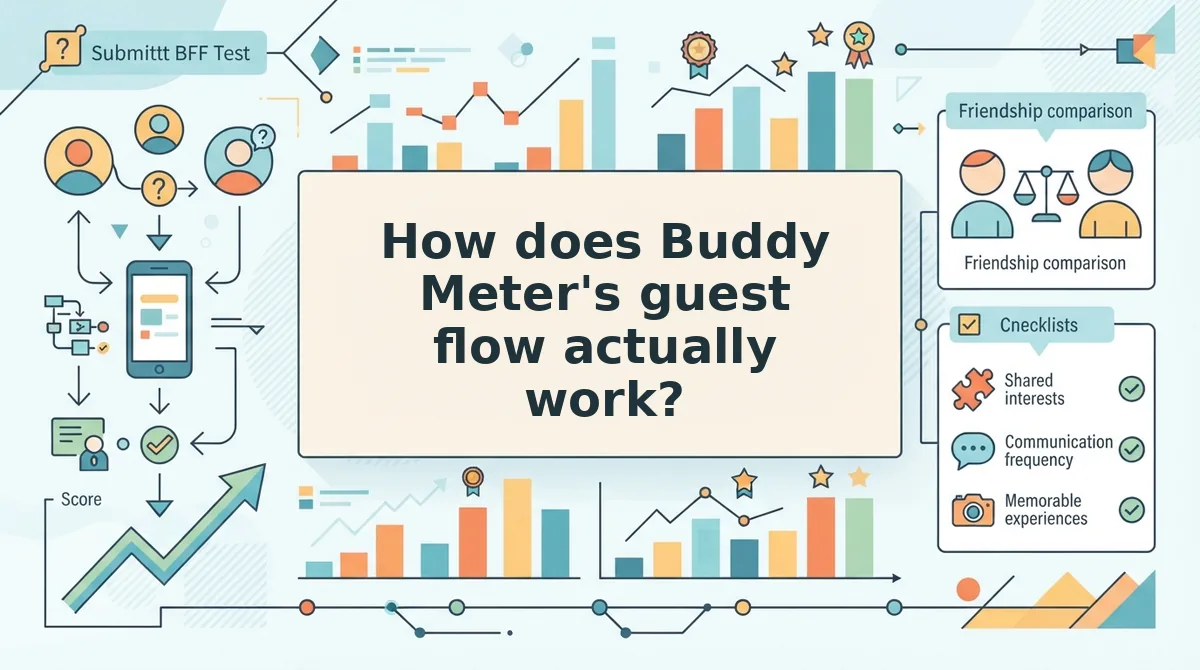
Buddy Meter's guest flow is what a friend meets after tapping your link, and it is the only part your group chat will judge. Here's where it gets practical: run these five checks from the guest's side yourself.
Prerequisites: a phone with WhatsApp or iMessage, one Buddy Meter quiz link, and the phone's timer.
- Open the link inside the messaging app where it arrived. Don't paste it into Safari first â in-app is how your friends tap it. You should see a quiz screen or a sign-in prompt, and that screen tells you which rung the guest starts on. About 5 seconds.
- Count every tap between the link and question one. Tally each screen: welcome card, name entry, notification request, cookie banner. You should end with a number. About 20 seconds.
- Scan the space around the submit button. Note banners, interstitials, or a reload that shifts the button mid-tap. Friend Quiz's own competitor positioning describes ad clutter and multipage reloads on mobile â treat that as stated positioning to verify, not a measured result. About 15 seconds.
- Answer one question and watch the page. If the whole quiz reloads between questions, guests lose their place; if the screen updates in place, they keep tapping. About 30 seconds.
- Finish and check the results screen without logging in. You should see a score or shareable card. A login wall here still costs you the answer. About 15 seconds.
If any step asks for an email, a password, or a store download, you have found the wall â and every friend behind it is a result you won't get.
Where Buddy Meter still wins
Brand recall is real: the name reads as familiar rather than suspicious in a group chat. Stocked quiz libraries let a creator borrow a format instead of writing prompts, and a recognisable format lowers the "what is this?" hesitation before anyone taps.
Running the same five checks on Friend Quiz's link shows where the difference sits â which is exactly what comes next: how its guest flow works when nobody wants an account.
How does Friend Quiz's guest flow work when nobody wants an account?
Friend Quiz's guest flow is one tap: the shared link opens inside the in-app browser of WhatsApp, iMessage, or Snapchat and question one loads with no account prompt, no install sheet, and no email field. The creator's path is the same length, which is why the whole loop closes in under two minutes.
What you need first: a phone with a messaging app on it, a name to display on the quiz, and nothing else â no login, no download, no email address. Open the group chat before you start so the link has somewhere to land.
- Open friendquiz.org in your phone's browser (about 5 seconds). You should see a single name field on the homepage, uncovered by a popup.
- Type your name into that field. You should see the first personal trivia prompt appear immediately, with no page reload.
- Answer each prompt in sequence â habits, quirks, likes, dislikes â tapping one option per screen. Budget 60 to 90 seconds. You should see progress advance through to the final prompt.
- Generate the quiz link. You should see a shareable URL you can copy in a single tap.
- Paste it into the group chat with a long-press, then Paste, then Send. You should see a link preview render in the thread.
- Have a friend tap it. The quiz should open over the chat in the in-app browser â no account wall, no App Store handoff. Question one should be tappable within seconds.
- Watch the Friendboard. Answers should land there as friends submit, and you should see scores appear without being asked to log in.
The in-app browser is why this survives a group chat at all: nobody leaves the thread, so nobody gets lost between "I'll do it later" and an install prompt. Results staying readable without a login is the detail that keeps the bragging rights in the chat instead of behind a wall.
Want to feel the guest side before you build your own? Take the BFF quiz â one tap to question one.
The guest friction ladder and why friends bail before question three
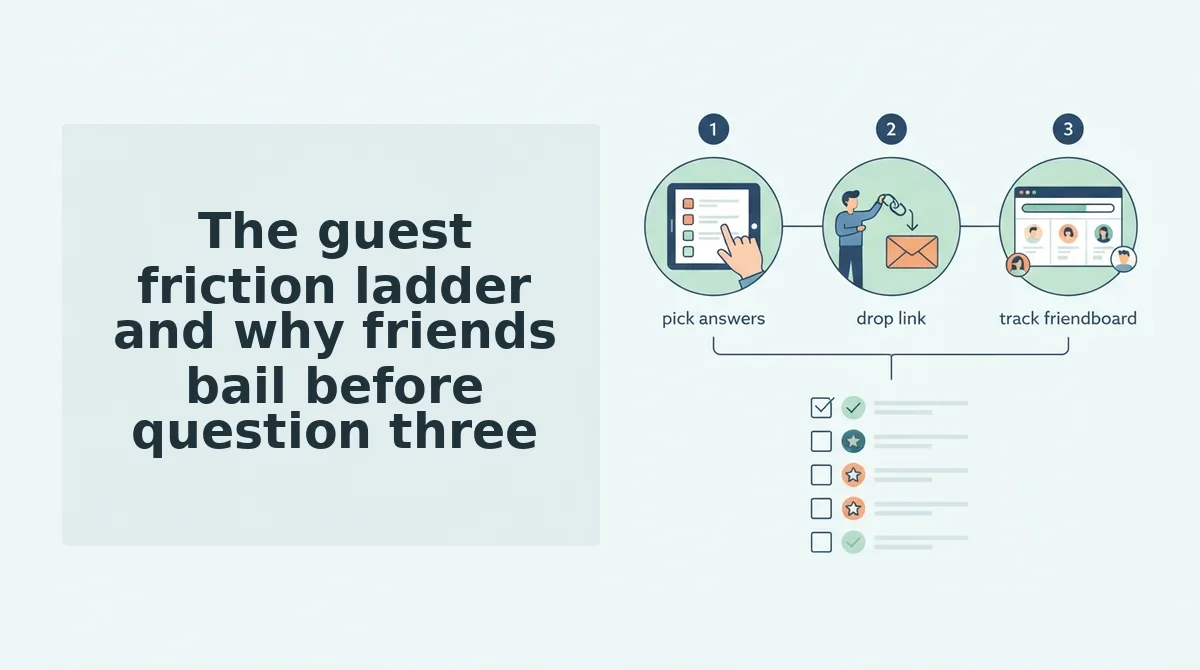
The guest friction ladder is the ranking of the four places a quiz link can lose a friend before question one: account wall, app install, multi-page reload, and in-app mobile browser, ordered worst to best. Each rung costs a different slice of a group chat.
Think of it like a queue outside a bar: every extra door between the street and the music thins the crowd, and the person at the back of the line feels the delay the person at the front created.
| Rung | Who pays the cost | What it looks like on a phone |
|---|---|---|
| 1. Account wall | Every guest | "Create an account to continue" before question one appears |
| 2. App install | Guests on iOS and Android | Store sheet slides up, password prompt, download, then reopen the chat |
| 3. Multi-page reload | Guests on weak signal | Submit button shifts under a banner ad, page refreshes, answers gone |
| 4. In-app mobile browser | Nobody | Question one loads on top of the chat thread in two taps |
Takeaway: rungs one through three charge the guest; rung four costs no one anything.
The Refusal Profile: four friends, four failure points
- The privacy-cautious stalls at rung one â a registration form reads as data collection, not fun.
- The low-patience tapper quits at rung two the moment a store sheet covers the chat.
- The lapsed gets to rung three, loses typed answers to a reload, and never returns.
- The lurker fails before the ladder starts: the link preview in the thread has to look safe enough to tap at all.
Momentum in a chat is shared, not individual â so the twelfth friend inherits the first friend's friction, and one stalled rung costs the whole twelve-person sitting.
A friendship quiz without an account works when neither role is asked to register. On the creator side that means no email field before the first prompt. On the guest side it means the link resolves straight to question one inside the browser the chat already runs in. If either side meets a registration form, the quiz is not account-free, whatever the landing page claims. The check takes ten seconds: send the link to a phone that is not logged in and count the taps before question one renders.
If the ladder explains the drop-off, the fix is choosing a link whose guest rung sits at the bottom â run the best friend test and watch where your own group stops.
Where Friend Quiz falls short and what to check before you send the link
That's the theory. The group chat doesn't care about theory.
So here are the limits before you find them yourself. Friend Quiz is not the incumbent, its prompt library is thinner than an established brand's, and the creator still writes every answer personally â a quiz is only as funny as the questions you put in it. None of it works if your friends never tap.
The teased finding, resolved: for guests who never sign up, the flatter path wins, and that is taps-to-first-question rather than brand history.
Five checks, 60 seconds, your own group:
- Count the taps from link to question one.
- Look for ad surface covering the submit button.
- Check whether results demand a login.
- Open the link inside WhatsApp, not an external browser.
- One more thing worth checking: whether progress saves if a friend backgrounds the quiz mid-way.
If all five pass on your phone, send it. When you want a second round ready before the first one dies down, the friendship dare quiz gives the same thread a different format. The group that finishes together is the one still arguing about the score tomorrow.