Friendship test link on Android and iPhone in one group chat
Half the group chat is on iPhone, one person is on Android, and the link you just dropped dies on the spot: "it won't open for me." That single message can end quiz night before question three.
You suspect the phone split is the problem. It isn't. Your iPhone friends and your Android friends are not running different quizzes, and the friendship test link android and iphone users share is one ordinary web address that loads the same questions on both phones.
What follows is why that works with no app involved, what your friend actually sees in the five taps after they hit the link, and the small browser-level differences that cause nearly every "it's broken" message â including the one that makes a finished score vanish.
Zero installs, zero accounts: your friend taps, types a name, and is answering inside the chat in seconds. Open friendquiz.org, type your name, and the quiz builds itself in under two minutes.
Does a Friendship Test Link Work on Both Android and iPhone?
Yes â one friendship test link works on both Android and iPhone. A friendship test link is an HTTPS address that opens a mobile web page, so the phone's operating system never enters into it; only the browser that opens the link can vary.
The operating system is not a variable
The questions live on a server, not on your phone. Safari on iOS and Chrome on Android both receive the same page from the same address, because it is built once, mobile-first, rather than rebuilt per platform.
Think of a restaurant posting one web menu: every diner reads the same dishes whether they hold an iPhone or a Pixel. Nobody prints a second menu for the other table.
The browser container is the variable
An in-app browser is the stripped-down viewer an app opens when you tap a link without leaving it â WhatsApp, iMessage, and Instagram each run their own. It draws the same page, but it keeps separate storage, and that isolation causes most reported breakage.
You need three things, all on your side: your name entered in the builder, the generated link copied, and one group chat to paste it into. To see the finished result before you share it, run the best friend test yourself.
Short version, if that is all you need: the link opens on iPhone and Android because it is a standard web address rather than a store download. The friend taps the URL, their phone hands it to Safari, Chrome, or the in-app viewer they tapped inside, and that viewer loads the quiz from the web. There is no iOS build and no Android build, so nothing can be missing from either phone. No sign-up is required either â the friend quiz without account logins approach is the whole point.
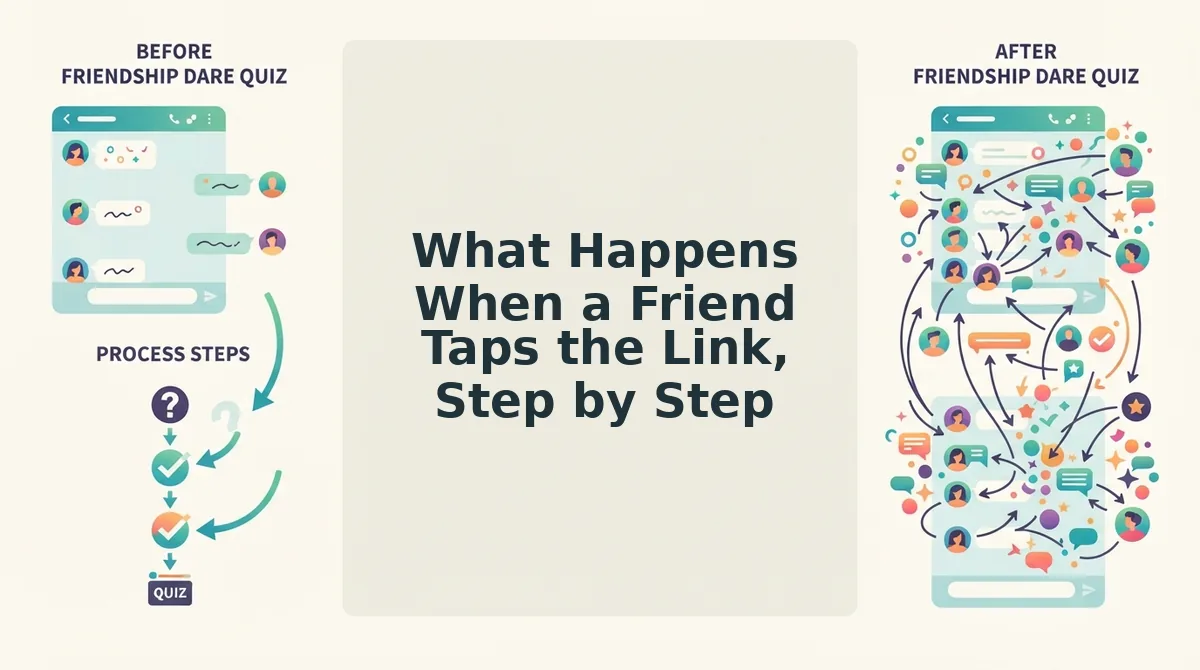
What Happens When a Friend Taps the Link, Step by Step
The whole sequence is five actions and about three minutes across two phones, with no install, no email address, and no password at any point. Before you start, have your name ready and one group chat open to paste into.
- Type your name into the field on the friendquiz.org homepage â about 10 seconds. The first personal prompt should appear immediately, with no account screen in between.
- Answer the prompts about your habits, quirks, likes, and dislikes â roughly 90 seconds. You should reach the end of the sequence with every answer attached to your quiz.
- Copy the link the builder generates â a couple of seconds. You should see a copy confirmation plus a preview of the challenge your friends will open.
- Paste it once into the group chat. Your friend should see a tappable link card in WhatsApp, iMessage, or Instagram, and tapping it should load the first question rather than an install prompt.
- Let your friend answer: they type their name and submit guesses â about 60 seconds. Their result should appear on your friendboard without a refresh and without a second message in the thread.
Notice what never appears in those five steps: the words iPhone and Android. The operating system never comes up, because the quiz is a page rather than a build â only the container drawing that page changes between phones.
Those container differences are where the next round of troubleshooting lives.
iPhone vs Android Side by Side in the Same Five Taps
The same five taps â open the link, read the prompt, tap an answer, tap next, tap submit â behave identically on iPhone and Android. The link is an HTTPS address that loads a mobile-first web page, so the operating system never enters the equation. Only tap-target sizing and viewport height visibly diverge.
| What you compare | iPhone | Android |
|---|---|---|
| Link format | Standard https:// address | Standard https:// address |
| Browser container | Safari, or the in-app view inside WhatsApp, iMessage or Instagram | Chrome, or the same in-app views |
| Answer button position | Sits higher, because Safari's toolbars collapse as you scroll | Sits lower on a small screen, because browser chrome eats more vertical space |
| Tap targets | Larger default hit areas throughout iOS | Varies with screen size, density and device skin |
| "Open in browser" control | Compass icon or share sheet â Open in Safari | Three-dot menu â Open in Chrome |
| Where the score is stored | Isolated per browser container | Isolated per browser container |
Best for the iPhone-owning creator: Safari, because the collapsing toolbar gives each question more visible height and the share sheet posts straight into WhatsApp. Our walkthrough of the friendship test maker on iPhone Safari covers the exact taps.
Best for the Android friend on a small screen: Chrome opened directly rather than the in-app view, since the extra vertical space puts the answer buttons back under the thumb. Neither setup is faster â the difference is comfort, not speed.
Verification takes under a minute and is the same on both phones: the friendboard shows your friend's name, and your friend can see their own rank.
Why the Link Fails on Some Phones and What It Still Can't Do
Almost none of these failures are iPhone-versus-Android failures â they are browser-container failures. Four symptoms cover nearly every report, and the fix differs by platform.
- The link will not open at all. The tap landed inside an in-app browser that truncated the address, or the link arrived as plain text nobody could tap. On iPhone, check the address bar shows the full https:// URL, then use the compass icon â Open in Safari. On Android, use the three-dot menu â Open in Chrome.
- The quiz opens but taps do not register. The in-app view renders the page at a different scale, so your thumb misses the button. On iPhone, pinch out once to reset zoom. On Android, reopen in Chrome, where the layout gets the full viewport.
- Answers will not submit. A private or incognito window isolates storage, so the page has nowhere to write the result. On both platforms, close the private tab and reopen the link in a normal window.
- The score disappears on return. Storage is per container, so a friend who answers in WhatsApp's viewer and later checks in Safari has two separate, unrelated records. Open the link in the same container twice and run the friendboard check before assuming a bug â or read why your score is not showing on the friendboard.
A friendship test link works on any modern iPhone or Android phone without an install, but it cannot verify who is answering. With no account, identity is a typed name â spoofable by anyone in the thread â and no push notification fires when a friend finishes, so the creator has to reopen the friendboard to see new scores. It also will not merge results from two separate chats. Those are trade-offs of the zero-login promise, not faults, and knowing them stops you blaming the phone.
How to Drop One Link in the Group Chat Without Splitting the Thread
The promised payoff holds: one HTTPS link clears both operating systems. The catch is what you paste â sending a screenshot instead of the link is the single most common way the quiz never reaches a friend's browser, because an image carries no URL to open.
- Paste the link, not a screenshot. Copy the share URL from the creator screen the moment the quiz is generated.
- Watch the preview render before the thread scrolls. If the card stays blank, the in-app browser has not resolved it â repost the raw address.
- Keep it in one thread. Every score lands on one friendboard instead of splitting across two chats.
Picture the common case: an Android creator builds the quiz, and the replies come from iPhones. Nothing breaks, as long as the paste is the link.
Ready to be answered? Try the BFF test link, or hand your group the friendship dare quiz instead. Send it to the group chat that has been dead since Tuesday, then enter your name and get your link â the friendboard does the rest.