Friend quiz without account logins for group chats that hate signups
You drop a quiz link in the group chat. It gets three heart reactions and one "doing this now," then silence. Nobody finishes, the friendboard stays empty, and the bit dies somewhere around question three.
That stall is rarely about effort. A friend quiz without account logins exists because every signup wall, email field, or app-store detour gives one friend a reason to quietly leave. Once a few people drop out, the shared result stops meaning anything because there is nobody left to rank against.
Keeping everything inside the browser tab the link already opened removes those exits. This guide shows who has to do what, how many taps stand between your friends and question one, and how to share the link so it actually loads.
You will get a straight yes-or-no answer, a host-versus-player friction breakdown, the 3-Tap Test, and sharing notes for each platform. Watch for the popular chat app that can quietly reset a guest session mid-quiz. The fix is in the platform section.
To start now, type your name on the no-account quiz platform homepage and build your quiz in under two minutes.
Can friends play a friend quiz without making an account?
Yes. A no-login friend quiz is a browser-based trivia challenge that friends finish in three taps: open the shared link, type a display name, and answer the questions before submitting. They never need an email, a password, or an app download.
The path is short enough to count:
- Open the link from WhatsApp, iMessage, Snapchat, or Instagram.
- Type a name so the score shows up on the Friendboard.
- Answer and submit. The quiz runs in the mobile browser, with no install and no email.
The three terms that explain how it works
A share link is the unique web address your quiz lives at. Anyone who taps it lands directly on your questions.
A guest session is the temporary memory your phone's browser keeps while a friend plays. It is like a name tag at a party: you write your name, wear it while you are there, and never fill out a membership form.
An in-app browser is the built-in mini browser that opens when you tap a link inside apps like Snapchat or Instagram, instead of opening Safari or Chrome. It works for most quizzes, but it can drop a guest session, which the platform section covers.
Do my friends need to download anything?
No. Your friends need nothing beyond the chat app they already used to receive the link, because Friend Quiz loads in whatever mobile browser opens when they tap it. The only prerequisites sit on the creator's side: a finished set of personal prompts and a share link that is copy-pasted into the chat, not screenshotted, since a screenshot of a URL cannot be tapped. Once both are in place, every friend who taps the link goes straight to question one, and their score lands on the real-time Friendboard the moment they submit.
Who needs an account, the host or the friends?
Neither one. The host types a name and answers personal prompts in a browser tab to generate a share link. Friends tap that link, enter a display name, and answer. Nobody on either side creates an account, downloads an app, or hands over an email address.
A lot of searchers assume their friends will be asked to register. This friction matrix separates creator effort from player effort:
| Role | Account | App download | What they actually do | |
|---|---|---|---|---|
| Creator (host) | Not required | Not required | Not required | Types a name, answers prompts about habits, quirks, likes and dislikes, then copies the link |
| Player (friend) | Not required | Not required | Not required | Opens the link, types a display name, answers, submits |
The creator carries the only real work, and all of it stays in one browser tab. Players keep a display name for the Friendboard and nothing else, so the leaderboard shows who scored what without collecting personal details.
Where account-based quiz makers still win
Quiz builders that use accounts usually offer something a guest setup does not: a saved profile tied to your login. That can make it easier to manage several quizzes or return to them from another device.
The tradeoff is the signup step itself. Every friend who hits a login screen is a friend who might not reach question one.
- Best for group chat instigators: a no-login tool like Friend Quiz, when you want everyone answering tonight and ranked on a live Friendboard.
- Best for people who want a saved quiz library: an account-based quiz maker, when long-term storage matters more than getting every friend to finish.
If you want a ready-made format for your closest friend, the BFF test follows the same no-account flow.
Knowing who does the work is half the picture. The other half is counting the taps.
What the 3-Tap Test measures about a no-login quiz
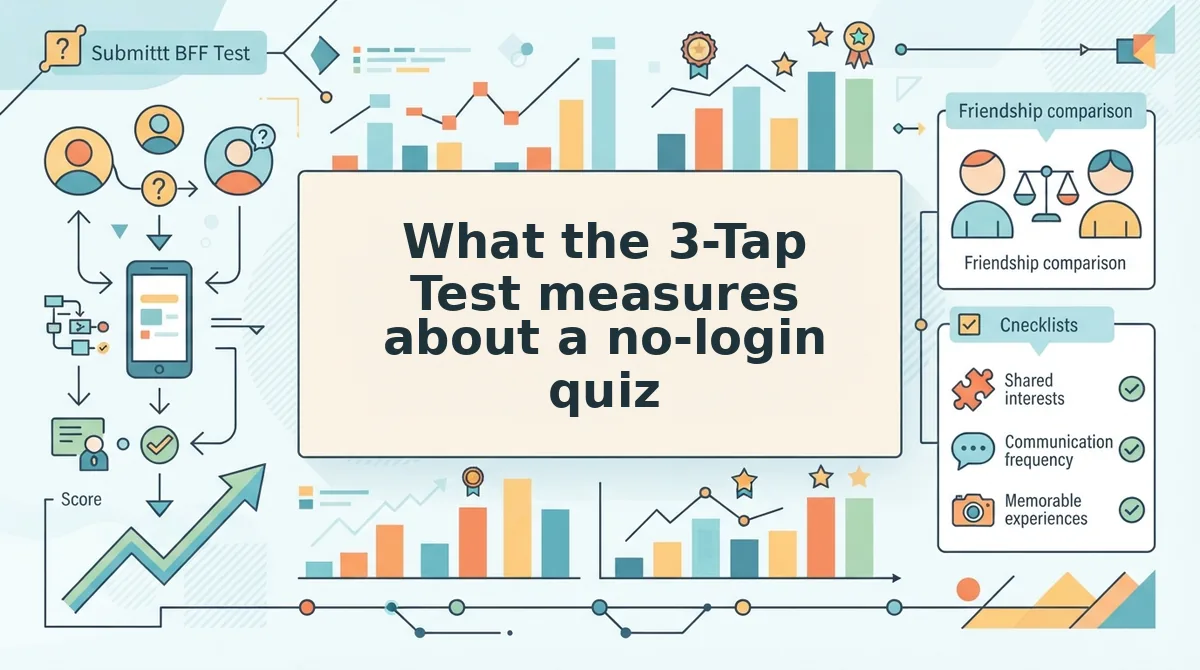
The 3-Tap Test is a friction count of every tap between a friend opening your quiz link and reaching question one. Three taps passes; anything more is time the chat spends waiting instead of playing.
- Tap 1, open the link. This measures whether the link renders inside the chat app the friend is already holding. If one tap swaps them to a browser or an app store page, arrival has already cost a decision. Paste your own link into a group chat and watch what a single tap does.
- Tap 2, type a name. The name field is the only identity a no-login quiz needs, and it exists so the friendboard can attribute answers to the right person. A second field for email, password or a verification code turns this tap into a form and fails the test.
- Tap 3, answer the first prompt. The count stops the moment question one is on screen and answerable, because that is where the friend starts playing instead of arriving. Fix that boundary before scoring, or two makers cannot be compared.
- Failed taps, meaning any screen before question one. Cookie walls, install prompts, newsletter interstitials and continue-with buttons all count as failed taps, even when a single click dismisses them. They interrupt the flow the test measures, and on a phone every one is a place to leave.
- The reset tap, when a session drops. Some in-app browsers lose the guest session after opening the link, so the quiz loads and then stalls; here that scores as a fourth and fifth tap, not a broken quiz. Worked example: a friend opens the link, the count clears, and the chat re-shares a cleaner link instead of arguing about whose phone failed.
- The host count, on your side. Score the build too: a name, a run of habit prompts, a share-ready link. Host friction decides how many quizzes you bother making, so keep it under two minutes of tapping.
- The group multiplier, where the score bites. Multiply per-friend taps by the size of the chat: ten friends at five taps each is fifty taps of arrival before anyone compares a score. Run that once and three taps versus five stops looking like a rounding error.
WhatsApp, iMessage or Snapchat, where does your quiz link really open?
WhatsApp renders your quiz link in its own in-app viewer and the guest session holds; iMessage hands the link off to Safari, where the session also survives. Snapchat and Instagram in-app views can drop the guest session, so a quiz that loaded fine yesterday appears to stall today.
| Chat app | How the link opens | Guest session | Best for |
|---|---|---|---|
| In-app viewer, with a browser hand-off on some links | Holds | Best for the group chat that lives in one thread all day | |
| iMessage | Hands off to Safari | Survives | Best for small iPhone friend groups sharing links one to one |
| Snapchat | In-app view from the chat or a story | Can drop | Best for casual story sharing where the quiz is a quick laugh |
| In-app view from DMs or a story link | Can drop | Best for cross-posting a quiz link to a wider circle |
None of these apps is the villain. Snapchat's in-app view is built to keep a story tap fast, and Instagram's DM browser keeps people from leaving the app, which is precisely why links get seen there. The trade is that a stateful guest session is among the first things those viewers shed.
Why did my quiz link open but the quiz not load? That symptom is usually a dropped guest session, not a broken quiz. The chat app's in-app browser fetched the page, then discarded the temporary session the quiz uses to remember which friend is answering, so the question screen has nothing to show. The fix takes one step: open the same link in Safari or Chrome instead of the in-app viewer, answer there, and re-share the link from an app that hands off to a full browser. Clearing the app cache rarely helps, and the quiz itself needs no repair.
Link preview quirks come from how the link is pasted, not from the friend's phone; a truncated URL or one buried in extra text renders a broken card that people scroll past.
If a completed run loses its score rather than its session, the guide to why is my score not showing on the friendboard covers that separate symptom.
Why one signup wall shrinks the whole group chat
A signup wall is an account-creation screen standing between a shared link and the content behind it, and on a friendship quiz it costs the whole chat, not just the one friend who hit it.
Picture a ten-person dinner where nobody sits down until every guest fills out a membership form at the door. Nine people are ready, the tenth is still typing an email address, and the table stays empty.
Now the arithmetic. Ten friends in a group chat, one signup wall, nine finishes. Nine out of ten sounds healthy until you remember what the quiz does: it compares friends' answers against each other. The tenth friend's answers never enter that comparison, so the friendboard ranks a group that is missing a member, and the chat that started the quiz cannot complete it.
The wall punishes the host too. The person who shared the link ends up with nine scores and a half-finished bragging right, then has to chase the tenth friend in a separate thread, which is the exact friction the link was meant to remove.
Seen that way, removing accounts is a completion feature rather than a privacy feature. Privacy is a welcome side effect of a guest session, but the real argument is that every field you delete returns a friend to the comparison. Friend Quiz takes a name and a run of habit prompts, then returns a share-ready link, so a ten-person chat stays a ten-person chat.
The build flow is the same on both sides of the link, and friendquiz.org asks for no account from either. Here is how to build and share a no-account quiz in under two minutes.
How to build and share a no-account quiz in under two minutes
To build a no-account quiz, type your name, answer your personal prompts, copy the share link, and drop it in the chat. The build takes under two minutes, and a 30-second self-test confirms the link works before your friends see it.
Before you start: you need a phone or laptop with a current browser and the group chat open in another app or tab. You do not need an email address, a password, or an app download.
- Open friendquiz.org and type your name into the name field on the homepage (about 10 seconds). Your first personal trivia prompt should appear right away, with no signup screen in between.
- Pick or write your answer for each prompt about your habits, quirks, likes, and dislikes (60 to 90 seconds). Choose answers only real friends would know. When you finish the last prompt, your quiz is packaged into a personal challenge link.
- Copy the share link (5 seconds). If you paste it into a notes app, the full link should appear.
- Test the link before you send it (about 30 seconds). Open it in a private or incognito tab, enter a test name such as "Test," and submit your answers as a player. Your test name should appear on the friendboard. If it does not, create the quiz again before you share it.
- Paste the link into WhatsApp, iMessage, or your group chat and send it (5 seconds). On most messaging apps, a link preview appears under your message.
- Watch the friendboard as friends finish. Each new name and score should appear without anyone logging in.
Scores depend on the browser session, so a friend who wants to replay on a different device needs a fresh link. Once the scores are in, you can share your best friend test score in a group chat. If you want a ready-made format with no setup, start with the best friend quiz.
What still goes wrong with a friend quiz without an account?
The signup wall is gone, but the session still causes problems. Most remaining issues come from closed tabs, switched devices, and in-app browsers, not from missing accounts. The 3-Tap Test from the intro measures the problem that matters most: whether the session survives from the first tap to the final score.
Will my friends see each other's answers?
The friendboard is the shared view. It ranks each player's name by score, so the group can see who knows you best. The point is the ranking, not a record of every pick. You know your own answers because you wrote them, and each friend sees how they scored against you.
How are scores tracked if nobody logs in?
Scores live with the browser session, not with an account. If a friend closes the tab or the in-app browser before submitting, their entry may never appear. Ask friends to finish in one sitting. If a link fails in Snapchat or Instagram, have them open it in their main browser.
When does a login actually help?
A login only helps if you want saved history across devices, such as past scores that follow you from phone to laptop. For a one-off challenge in a group chat, a login adds friction without adding much value. Repeat play on another device works better with a fresh link.
Your next step: run a quick friendship test, check your own link once, and send it. The fastest way to find out who really knows you is to drop a link in the chat and let the friendboard show you.