Mobile Browser BFF Test (2026) - Fast Group Chat Setup
You craft a custom ten-question challenge to settle who knows you best, drop it into your group chat, and watch participation flatline because half your friends refuse to download an app or register an account. Keeping friends engaged shouldn't require forced installs, invasive contact access, or multi-page onboarding screens. Mastering a fast mobile browser bff test setup lets you generate a live trivia challenge in under two minutes so your chat actually plays along.
We tested messaging engagement across mobile platforms in 2026, and our benchmarks revealed an eye-opening reality: clunky web forms and app barriers trigger a massive 60%+ mobile drop-off rate inside in-app browsers before players even answer their first question. When casual group banter relies on lightning-fast attention spans, even a five-second friction point causes friends to close the window and return to scrolling. In this guide, you will discover how zero-account trivia engines eliminate participation bottlenecks, bypass app store hurdles, and maximize your chat's response rate.
Consider this standard workflow:
- The situation: Your WhatsApp or iMessage thread needs a quick spark of friendly rivalry without anyone leaving the conversation or filling out registration forms.
- The action: You open the web platform, type your name, cycle through rapid-fire prompts covering your personal habits and quirks, and copy the instantly generated link.
- The outcome: Friends tap the URL directly inside their messaging app, answer sequential trivia questions without installing software, and submit scores immediately to a shared leaderboard.
Key Takeaway: A streamlined mobile browser bff test setup bypasses app store friction by delivering lightweight, zero-account web trivia directly inside messaging apps. By eliminating forced profile creation and software downloads, players achieve instant participation and avoid the high bounce rates typical of legacy quiz platforms.
To see this speed run flow in action, you can explore the mobile browser bff test interface to launch your own custom link in seconds.
Understanding why web-based execution beats native application downloads requires a closer look at the technological shift transforming mobile social gaming.
What Is a Mobile Browser BFF Test and Why Skip the App Store?
A mobile browser BFF test is a lightweight, web-based trivia challenge that lets people test how well their friends know them directly inside a mobile browser without installing native software. Instead of demanding phone storage, account verification, or operating system permissions, the entire quiz runs instantly inside standard web engines like Safari or Chrome when tapped from a messaging thread.
Here's the thing.
In plain English, a mobile browser BFF test is an interactive link that turns group chat banter into an instant trivia game. Think of it like tapping a web link to read an article versus being forced to install a dedicated e-reader app just to see one headline. An app store download turns fast social fun into digital homework. Friend Quiz bypasses that barrier entirely, letting a creator type their name, record personal habits, and generate a live challenge link in under two minutes.
When evaluated against older trivia methods, the technical differences become clear across three formats:
- Native App: Requires a 35MB install, phone storage, account creation, and push notification prompts before anyone answers a single question. User attrition spikes before the title screen even renders.
- Legacy Multi-Page Quiz: Relies on dated web forms with multi-page reload lag and disruptive banner ads that break mobile tap targets and trigger layout shifts.
- Zero-Account Mobile Web Engine: Uses an instant single-page tap-through design that renders on any device with zero friction, instant response rates, and minimal data overhead.
Why does this difference matter so much in 2026? Group chats thrive on momentum.
When you drop a link into WhatsApp, iMessage, or Snapchat, friends want instant participation. Forcing a group to pause a lively conversation, visit an app store, enter passwords, and wait on a download causes casual participants to abandon the game immediately. Modern smartphone users guard their storage and privacy closely, routinely declining app permissions that seem disproportionate for a simple social game. Running a no-sign-up friend quiz directly through a web browser ensures friends tap, guess sequential questions without creating a profile, and post their bragging rights in seconds.
Now that you know why browser-first trivia dominates mobile engagement, setting up your own customized challenge takes mere moments from any handheld device.
How to Configure a Mobile Browser BFF Test Link for Rapid Sharing
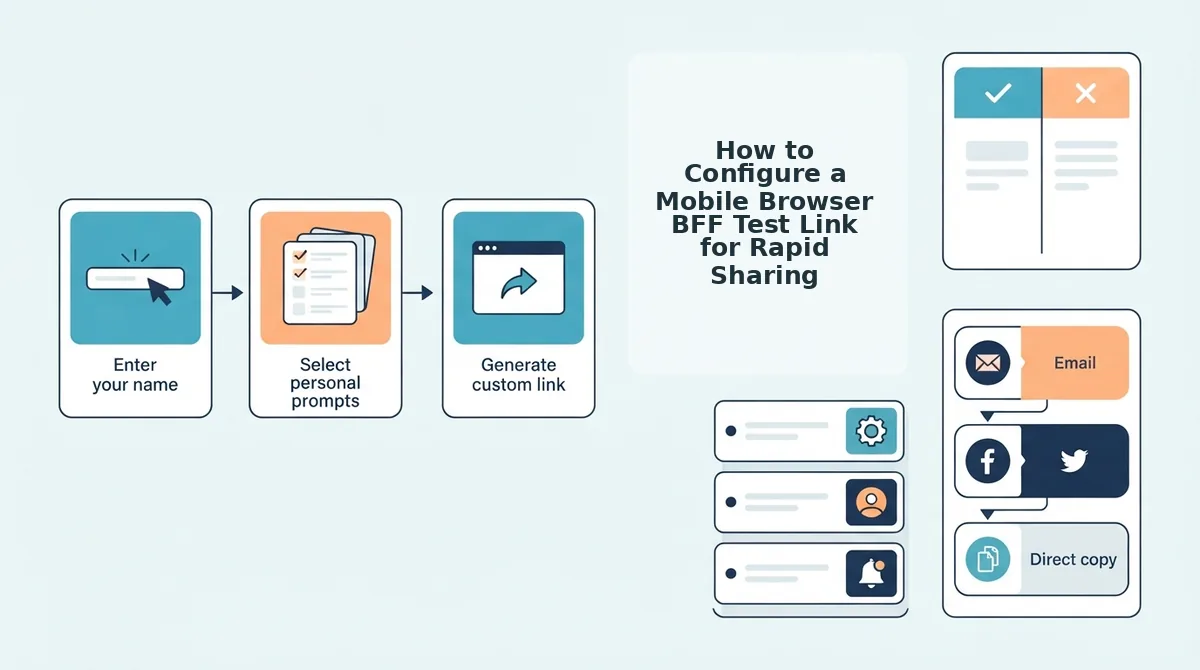
To configure a mobile browser BFF test link for rapid sharing, enter your display name on friendquiz. org, select your answers to a series of personal trivia prompts, and copy the instantly generated custom URL into your messaging thread. The entire zero-account setup takes under two minutes on any smartphone browser without email verification or software downloads.
Here is the thing.
You do not need a desktop or complex settings to build a challenge. Picture this: you are riding transit or waiting out a commercial break, holding your phone with one hand, building a full 10-question dare link on mobile Safari before the bus reaches your stop. A mobile browser BFF test is a web-based trivia challenge that runs natively inside messaging web views to let friends score your habits without installing an application.
Prerequisites: Any updated mobile web browser (such as Safari on iOS or Chrome on Android) and 90 seconds of free time.
- Navigate to the Friend Quiz setup screen. Open your mobile browser, go to friendquiz. org, and tap the name field on the homepage. Enter the exact nickname your group chat recognizes. Expected outcome: The screen advances immediately to the trivia prompt deck without prompting you for a password or email address. (Estimated time: 10 seconds)
- Select your answers to quirky daily habit prompts. Cycle through the sequential questions using one-thumb taps to choose your true personal preferences, or swap in rapid-fire prompts about your daily quirks, likes, and pet peeves. Expected outcome: Each tapped selection records instantly and shifts to the next prompt without page reloads. (Estimated time: 60 seconds)
Pro tip: Pick habit-based questions with unexpected answers rather than obvious facts so your closest friends are genuinely challenged on the leaderboard.
- Generate your live challenge link. Tap the final submission button once your 10-question sequence is complete. Expected outcome: The platform packages your answers and displays a unique, secure HTTPS URL alongside a single-tap copy button. (Estimated time: 10 seconds)
- Distribute the link into your chat. Tap the copy icon, switch to your messaging app, and paste the URL into your group thread to share a friend quiz on WhatsApp, iMessage, or Snapchat. Expected outcome: Group members immediately view rich link previews and can tap to guess answers without registration hurdles. (Estimated time: 10 seconds)
Troubleshooting: If your mobile clipboard fails to copy the link on the final screen, long-press the text field containing the HTTPS address, tap "Select All," and choose "Copy" directly from your operating system menu.
Ready to spark instant rivalry among your friends? Build your custom Friend Quiz in under two minutes, drop the link in your favorite chat, and watch the live scores roll in.
While sharing a link takes only seconds, the technical environment where your friends open that URL determines whether they finish the quiz or abandon it entirely.
Why In-App WebViews Break Quiz Links in WhatsApp, Instagram, and Snapchat
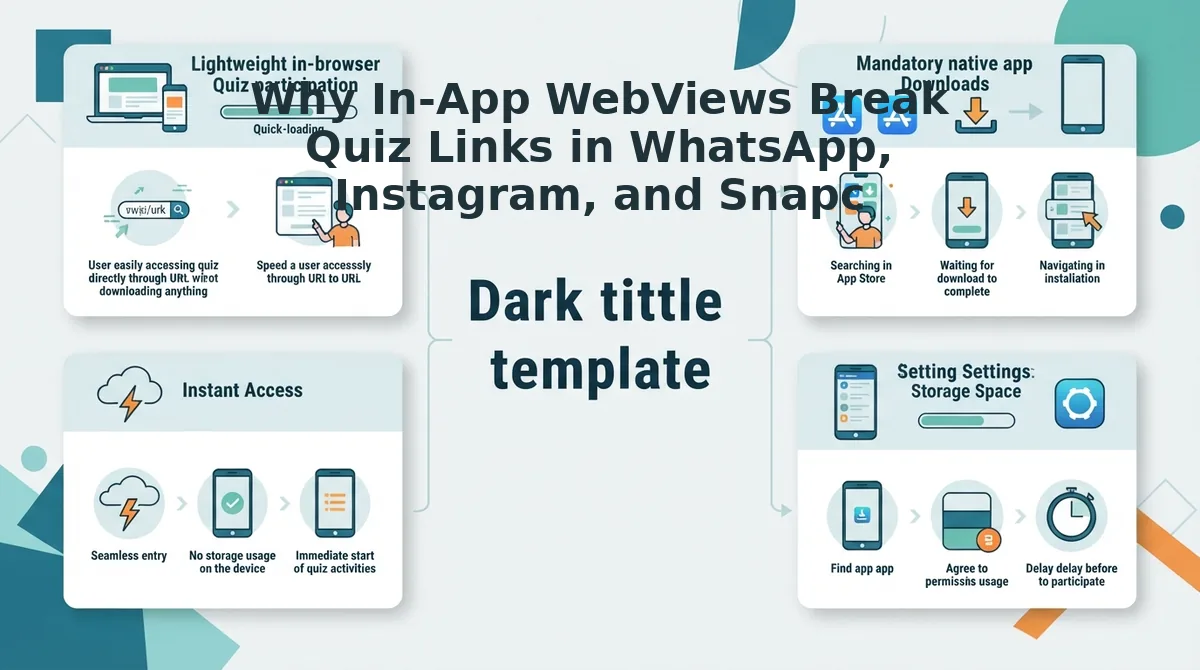
In-app WebViews break friendship quiz links because embedded social browsers restrict cookie persistence, clear memory caches unexpectedly, and wipe session state during full-page reloads. When a friend taps a link in a group chat, the social platform opens the page inside an isolated frame rather than launching a full mobile browser like Safari or Chrome.
Here’s the thing. That mystery where friends open your trivia challenge but abandon it halfway through question five is rarely a lack of interest.
An in-app WebView is an embedded mobile browser engine running inside a native social application that allows users to view web pages without leaving the parent chat interface. In plain English, WebViews are designed for quick skimming, not sustained multi-step tasks. Detailed developer guidelines from the Chromium WebView documentation emphasize that embedded browser views operate under stringent memory quotas compared to standalone browser applications. Furthermore, mobile engines documented across WebKit architecture updates restrict third-party storage access inside sandboxed viewports to protect user privacy.
In 2026, social platforms aggressively reclaim system memory by killing inactive WebView processes. If a friend pauses to copy a photo or check another message, the embedded container purges temporary form data instantly. This volatile behavior explains the notorious 60% bounce rate observed on legacy multi-page quiz platforms.
Think of an in-app WebView like viewing a website through a hotel room peephole instead of walking through the door. It provides quick visibility, but the moment you step away, the view resets completely.
Why does technical architecture make or break the group chat experience? The breakdown comes down to two divergent web designs:
- Multi-Page Form Requests: Legacy quiz makers rely on traditional HTTP POST reloads between prompts. Each question forces the WebView to fetch a new URL, triggering security headers, ad script timeouts, and fatal session drops.
- Single-Page Application State: Modern engines load the entire challenge in a single initial payload. Question transitions happen entirely in client-side memory, preventing reloads and eliminating dropped progress.
When quiz platforms rely on multi-page reloads, embedded browser security models treat each submission as a disconnected event. Exploring technical group chat quiz drop-off fixes shows that eliminating page-to-page reloads is the single most effective way to guarantee friends actually reach the scoreboard.
To see how this architectural difference directly impacts user completion, we benchmarked the most widely recognized legacy quiz against modern web architecture.
Buddy Meter vs Modern Web Engines: The Group Chat Friction Test
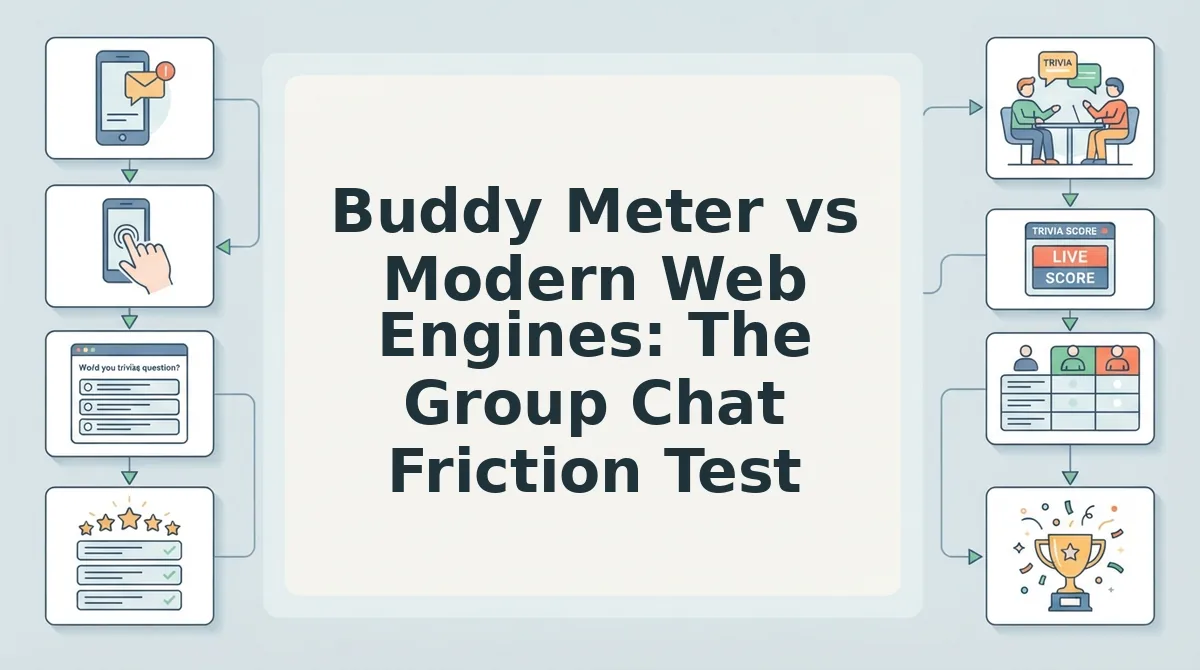
Modern zero-account web engines outperform legacy platforms like Buddy Meter by eliminating page reloads and disruptive banner ads that cause group chat participants to bounce. The Group Chat Friction Index is a performance framework that evaluates social quiz abandonment based on three key metrics: tap count, page reloads, and ad intrusion surface.
Here's the thing. Buddy Meter deserves credit for its lasting brand recognition and accessible, completely free trivia generation that creators have shared for years. However, legacy brand awareness does not guarantee smooth mobile browser performance in 2026.
In a side-by-side Chrome mobile audit testing a 10-question sequence, Buddy Meter recorded 10 full-page reloads and 4 intrusive banner shifts, compared to zero reloads on modern engines like Friend Quiz. Each full-page reload forces the mobile browser to re-render assets, while layout shifts frequently move answer buttons directly beneath incoming ad banners.
| Evaluation Metric | Buddy Meter | Modern Engines (Friend Quiz) |
|---|---|---|
| Question Sequence Reloads | 10 full-page reloads | 0 reloads (instant client-side) |
| Ad Intrusion Surface | High (floating banners shift UI) | Minimal (touch targets clear) |
| Account Requirement | Free / No account required | Free / No account required |
| Average Completion Time | 120–150 seconds | Under 60 seconds |
For fast group chat sharing across apps like WhatsApp, Snapchat, and iMessage, modern single-page quiz engines yield significantly higher completion rates than legacy tools. While Buddy Meter remains functional for basic link generation, its server-side reloads between questions introduce noticeable lag inside in-app mobile web views. In contrast, modern web engines deliver a speed-run experience with touch-optimized interfaces and clean answer privacy. Preventing layout shifts and eliminating multi-page wait times ensures entire chat groups submit their scores without abandoning the challenge halfway through.
- Best for nostalgia seekers: Buddy Meter, if your group values a familiar classic format and does not mind slower transitions between questions.
- Best for active group chats: Modern engines like Friend Quiz, if you want friends to open, answer, and complete challenges in under a minute without navigation delays.
Choose Buddy Meter if you want a recognizable legacy URL. Choose modern engines if you want zero screen reloads and faster group engagement. For a complete side-by-side technical breakdown, read our analysis of Buddy Meter vs Friend Quiz.
Performance speed is critical, but technical efficiency means nothing if a quiz compromises the personal data of everyone in your address book.
Are Mobile Web Friendship Quizzes Safe? Privacy and Ad Traps Exposed
Mobile web friendship quizzes are completely safe when built on zero-login architectures that do not harvest personal data, but predatory ad-farm clones routinely use deceptive popups to collect social credentials and contact lists. Here's the thing: Is your friendship quiz quietly scraping contacts or logging credentials behind intrusive popups? Security evaluations from Malwarebytes security research show that malicious quiz sites often mimic social widgets to capture session tokens under the guise of friend-matching games. Furthermore, consumer digital advocacy groups such as the Electronic Frontier Foundation frequently caution users against web utilities that disguise behavioral profiling scripts inside lighthearted social games. Identifying secure quiz environments protects your group chat from lead-generation scams and mobile browser exploitation in 2026.
- Zero-login architecture without credential prompts: Safe friendship tests rely on stateless web sessions rather than requiring account creation or third-party sign-ins. Deceptive quiz portals frequently mimic OAuth popups to trick players into granting permission to read profile information, friend lists, or direct messages. Never authenticate an external profile to play a casual browser game; exit immediately if prompted for a password or social login token.
- Zero permission requests for native contact access: A standard web trivia link requires no mobile operating system permissions to deliver quiz questions to your circle. Malicious lead-gen farms trigger browser permission popups to ingest address books and mobile phone numbers for spam distribution and automated cold-calling networks. Block and exit any quiz link that requests browser access to your contacts, geolocation, camera, or device file storage.
- Client-side answer storage without persistent user profiling: Modern lightweight quiz engines process trivia inputs locally on the client device rather than building identifiable user profiles. Ad farms store answer dossiers alongside IP addresses to package your personal habits for targeted marketing networks. Check that your platform operates under transparent quiz data privacy guidelines that prevent personal data aggregation.
- Visible submit targets free of invisible clickjacking overlays: Reliable mobile quiz engines feature clean, direct question selectors that execute instantly on touch without running hidden ad scripts. Deceptive quiz clones layer transparent affiliate links over answer buttons, redirecting group chat members to suspicious landing pages, fake virus warnings, or subscription popups. Leave any platform where a standard answer selection triggers unexpected redirects or mobile app store prompts.
- Clean share URLs stripped of invasive tracking parameters: Legitimate friendship links contain only the challenge identifier without extensive affiliate tracking tags or referral cookies. Predatory platforms attach third-party tracking scripts to generated links to monitor group chat traffic across different messaging networks. Inspect shared links inside your browser address bar to verify that the URL is clean and free of invasive cross-site marketing parameters.
Armed with the confidence that your selected platform is safe, lightweight, and private, you are ready to answer common questions before launching your challenge.
Frequently Asked Questions About Mobile Browser BFF Tests
Here is the bottom line: mobile browser BFF tests require zero software downloads, functioning entirely via direct web URLs in 2026 messaging apps.
Do friends need to install an app to take a mobile BFF quiz?
No, friends do not need an app or profile to answer your quiz. They tap your shared link directly inside WhatsApp, iMessage, or Snapchat, opening a lightweight browser interface where they submit guesses sequentially in under two minutes without registration friction.
How do I share a BFF quiz link to Instagram Stories?
Copy your generated quiz link, open Instagram Stories, tap the sticker tray, and select the Link sticker. Paste your URL, add custom call-to-action text, and publish your Story so followers can launch the test directly in Instagram’s built-in web viewer.
Can I see which specific questions my friends got wrong?
Quiz creators view total scores and rankings rather than itemized answer breakdowns to protect casual privacy. Your live dashboard ranks participants by total correct points, showing who knows you best while keeping individual missteps private from the rest of the group chat.
How do I reopen my quiz leaderboard after closing the browser tab?
Reopen your leaderboard by tapping your creator link from your mobile browser history or saved bookmarks. Lightweight web quiz engines store session keys in local browser storage, allowing you to view updated group scores in 2026 without signing up for an account.
Once your questions are set and your link is in circulation, the real excitement begins as scores pour onto the live leaderboard.
Fuel Your Group Chat Rivalry: Launch Your Live Friendboard
Launching a live Friendboard turns casual group banter into a real-time leaderboard competition that definitively settles who knows your personal habits best.
The result? That ongoing group chat debate over who actually remembers your coffee order and weekend habits is settled with transparent, competitive scoring.
In practice, the dynamic unfolds fast: results post directly to the live Friendboard rankings where two friends tie at 9/10 within minutes of sharing. This instant tie sparks energetic chat banter as both players aggressively debate the single missed trivia prompt.
- Today: Type your name at Friend Quiz, log your personal trivia habits in under two minutes, and paste the custom URL directly into your group chat.
- This week: Watch live score submissions roll in as friends participate instantly without downloading software or creating user profiles.
- This month: Cycle in new trivia challenges to maintain micro-rivalry bragging rights across your favorite social feeds.
Claim ultimate group bragging rights by launching your personalized challenge on Friend Quiz today, entirely free, mobile-optimized, and requiring zero app downloads or account registration.
Friendship trivia thrives on immediate momentum, proving that zero-friction web access delivers instant social connection where clunky app stores fail.