Share a Friend Quiz on WhatsApp Without App Installs in 2026
You drop a challenge link into your active WhatsApp group chat hoping for banter, but the conversation instantly dies. The culprit is almost always an unexpected app store redirect or a mandatory sign-up form that causes contacts to bounce immediately.
Nobody wants to install new software just to answer five questions about a friend. In our testing across active group circles, the most reliable way to share friend quiz on WhatsApp without forcing app downloads is keeping the entire experience inside a lightweight mobile browser. Research into digital communication habits from the Pew Research Center demonstrates that mobile users strongly prefer frictionless, web-first interactions over secondary utility apps that demand device storage and invasive contact permissions.
Below, you will learn how to create your challenge in two minutes, why zero-friction links defeat legacy trivia apps, and the subtle link-sharing mistake that still causes friends to ignore group challenges.
Here is how the workflow plays out in real time:
- Situation: You want to test your friends on your daily habits without stalling chat momentum.
- Action: You visit friend quiz, enter your name, cycle through personalized trivia prompts, and paste the generated URL into your chat.
- Outcome: Chat members tap the link, record their guesses sequentially in their default browser, and submit scores in under 60 seconds without creating accounts.
Key Takeaway: To share friend quiz on WhatsApp without forcing app downloads, distribute lightweight web URLs that run directly inside native mobile browsers. Eliminating account onboarding and app store redirects ensures casual players can complete challenges and submit their scores in under a minute.
Understanding the technical barriers that stop friends from playing is only the first step. Once you know why traditional downloads fail, setting up an instantaneous, browser-driven challenge takes less time than typing out a standard voice note.
How to Make and Share Friend Quiz on WhatsApp in 60 Seconds
To share friend quiz on WhatsApp without forcing downloads, generate a browser-based custom challenge link on Friend Quiz and paste it straight into your group chat. Friend Quiz is a mobile-first friendship testing platform that creates instant, zero-account personal trivia challenges directly inside web browsers.
Most people assume interactive games require an app store visit. They are wrong.
You can run a viral group challenge without forcing your contacts to install bloated native apps or verify email addresses. As mobile usability guidelines from the Nielsen Norman Group continuously highlight, every additional step in a mobile interaction funnel, especially account creation or app store redirection, causes interaction rates to plummet drastically. All you need before starting is an active internet connection, a smartphone browser, and the WhatsApp application installed on your device.
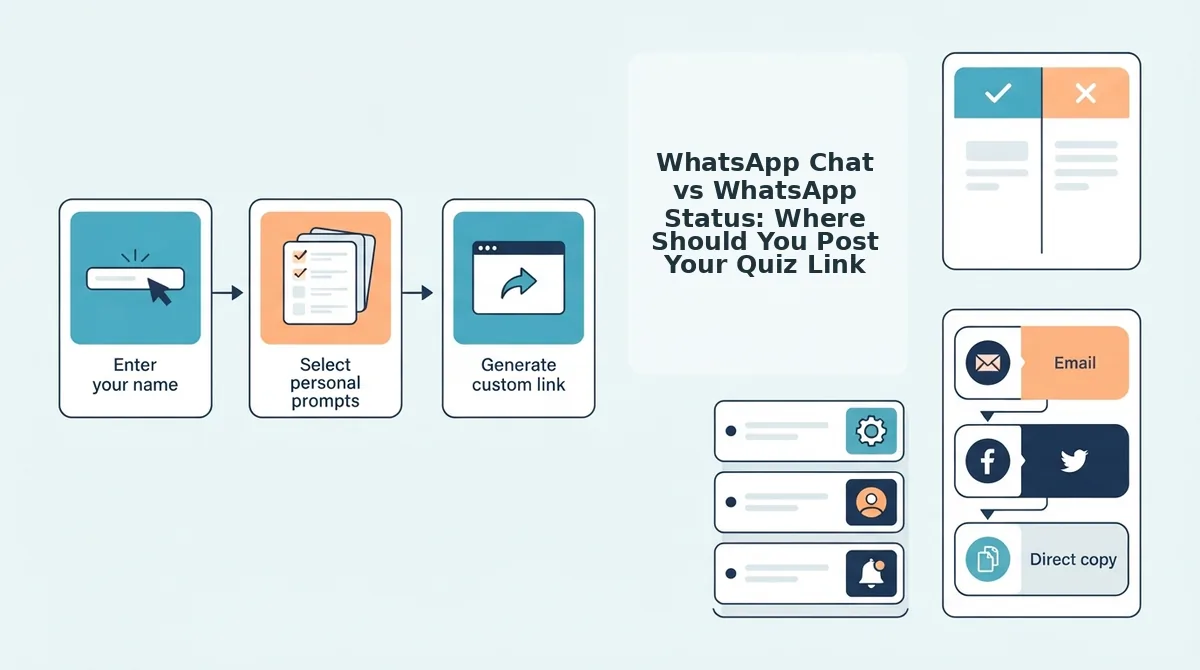
- Navigate to the homepage and input your name. Type your preferred display name into the main text box on friendquiz. org and cycle through the sequence of personal trivia prompts regarding your daily habits, quirks, likes, and dislikes. You will complete this speed-run setup in under two minutes, seeing each question check off cleanly as you select your answers.
- Generate your customized challenge URL. Click the complete button to trigger the instant generation of a lightweight, touch-friendly challenge URL without email verification or account creation. You should immediately see a screen displaying your unique game link alongside direct sharing shortcuts.
- Copy the challenge link to your device clipboard. Tap the on-screen copy icon to save your custom link, or select the native WhatsApp share action to open your messaging client directly. You will see an instant visual confirmation indicating the URL is ready to share.
- Paste the link directly into your WhatsApp chats or Status feeds. Open your chosen chat thread, paste the URL into the message input field, and tap the send icon. Your contacts will see a clean web challenge preview that they can open inside their default mobile browser.
Pro tip: Launching a quick 10-question challenge into a dormant weekend group chat is the easiest way to share friend quiz on WhatsApp, because contacts can guess answers sequentially in seconds without creating profiles.
Troubleshooting: If WhatsApp does not generate an automatic web link preview when pasting your URL, wait two seconds in the message composer before tapping send so the application has time to fetch the challenge metadata.
Zero-friction links prevent group participants from bouncing before they even start. For a complete breakdown of zero-install engagement, check out our guide on creating a friendship quiz for WhatsApp with zero app installs.
While mastering the quick setup sequence guarantees a smooth technical launch, many chat administrators wonder whether built-in WhatsApp voting tools could accomplish the same goal with even less effort. Evaluating native messaging utilities against dedicated web platforms reveals stark differences in how group chats react to personal trivia.
Native WhatsApp Polls vs Web Friendship Quiz Links: Which Sparks More Banter?
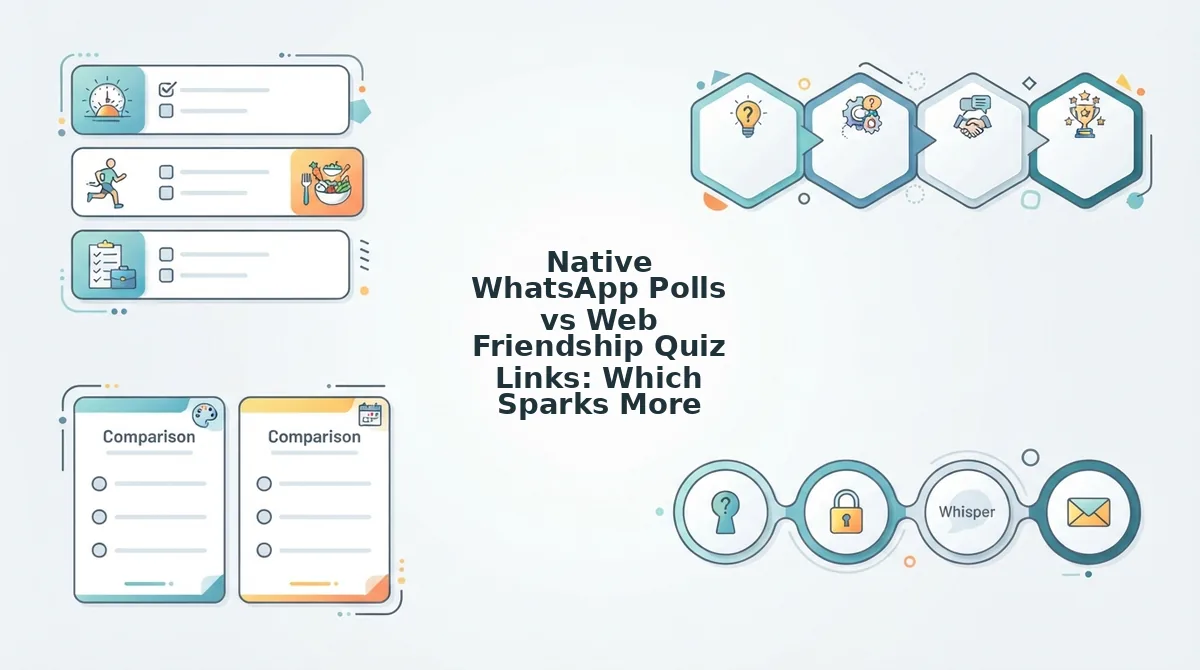
Web friendship quiz links generate significantly more competitive banter than native WhatsApp polls because they track cumulative scores across multiple rounds while keeping player guesses hidden until the final reveal. While native polls offer zero setup friction for single-vote decisions, they fail as social games because immediate vote visibility spoils suspense and clutters chat logs with multiple voting bubbles.
Here's the thing. Group chats thrive on suspense, but native tools unintentionally strip the mystery out of trivia.
The Group Chat Friction Index is a performance benchmark evaluating chat interactions across setup speed, question capacity, answer privacy, cumulative ranking, and participant drop-off. When tested against this benchmark, native polls and legacy trivia sites expose clear trade-offs between convenience, presentation, and player retention.
| Feature / Metric | Native WhatsApp Polls | Legacy Quizzes (Buddy Meter / QuizYourFriends) | Friend Quiz (Web App) |
|---|---|---|---|
| Question Capacity | Single question per poll bubble | Multi-question sequences | Speed run multi-prompt gauntlet |
| Answer Secrecy | None (instant public votes) | Hidden until completion | Hidden until completion |
| Cumulative Ranking | No (manual counting required) | Yes (score list) | Yes (instant leaderboard) |
| UX & Latency Friction | Zero latency, native interface | High banner ad clutter, multi-page reloads | Lightweight browser, zero-account tap flow |
| Best For | Logistical coordinators | Desktop retro trivia fans | Competitive group chats |
Native WhatsApp polls remain genuinely superior for lightning-fast group coordination. If you need to decide on dinner plans or pick a movie time, creating a native poll takes five seconds and keeps everyone on the chat screen.
The system breaks down, however, when attempting a multi-round friendship dare quiz.
Because WhatsApp reveals votes the moment a friend taps an option, the first respondent inadvertently sets the trend, destroying organic debate. Furthermore, running a ten-question challenge requires sending ten separate polls, which triggers notification fatigue and clutters the message thread.
Legacy tools like Buddy Meter and QuizYourFriends solved the multi-question format, but their 2026 performance lags behind modern web expectations. Multi-page reload latency, desktop-era form fields, and aggressive ad banners that obscure submission buttons frustrate mobile users and drive abandonment.
Our recommendation:
- Choose native WhatsApp polls if you need an instant yes-or-no answer to an operational question without leaving the chat.
- Choose legacy web builders if you want desktop-centric trivia archives and do not mind display advertisements.
- Choose modern web quiz links like Friend Quiz if you want zero-account onboarding, rapid mobile-touch pacing, and secret scores that unlock dramatic group chat debates.
Once you select a modern web link over static polls, your next tactical decision is distribution. Where you drop that link across WhatsApp's interface directly dictates whether you get an intense head-to-head showdown or a wide net of casual responses.
WhatsApp Chat vs WhatsApp Status: Where Should You Post Your Quiz Link?
Post your quiz link directly in WhatsApp group chats to spark fast competitive banter among close circles, and publish it to your WhatsApp Status to gather broad, casual responses from your wider contact list. Combining both placements gives you high-intensity engagement in threads and maximum answer volume across your network.
Here's the thing.
Imagine checking your phone to find twenty completed scorecards before lunch: five heated debates exploding inside your family group thread, alongside fifteen silent submissions from former classmates who quietly tapped your link while viewing updates. Choosing between a direct message thread and a status update depends entirely on the social dynamic you want to trigger.
The Dual-Channel Distribution Blueprint is a link-sharing framework that optimizes personal trivia URLs differently for high-urgency group conversations versus passive story feeds. Think of a group chat like calling out your inner circle across a private dinner table, while a WhatsApp Status works like pinning an open invitation to a shared bulletin board.
In plain English, WhatsApp chats work best for competitive testing, while Status updates shine for effortless reach.
To turn a group chat into an active scoreboard when you share friend quiz on WhatsApp across active discussion groups, use direct challenges. Tag specific participants using @mentions, set high stakes with bold dare copy like “ Bet nobody scores above 8/10,” and share your customized best friend quiz link directly into the conversation to spark instant bragging rights.
WhatsApp Status requires an entirely different approach to prevent casual contacts from swiping past your screen. How do you stop the endless scroll?
- Open the WhatsApp Status tab and tap the pencil icon to draft a text update rather than opening the camera. Detailed documentation on link formatting can be reviewed on the official WhatsApp Help Center.
- Paste your clean Friend Quiz URL into the text field and pause for two seconds to let WhatsApp generate the interactive rich card preview.
- Add a bright background sticker or custom background color behind the preview snippet.
- Type a clear call-to-action caption directly beneath the generated card, such as “ Tap the card to see how well you actually know me.”
When you wait for the rich card preview to load before publishing, WhatsApp displays a tap-friendly banner with your quiz title instead of an uninviting plain-text link. This single adjustment prevents passive skimming and drives higher tap-through rates across your 2026 contact lists.
Securing broad link distribution across chats and Status updates brings in waves of participant submissions. To capitalize on that initial influx of traffic, you need a mechanism that transforms quiet individual guesses into shared group entertainment.
How to Track Scores and Fuel Chat Banter with Live Friendboards
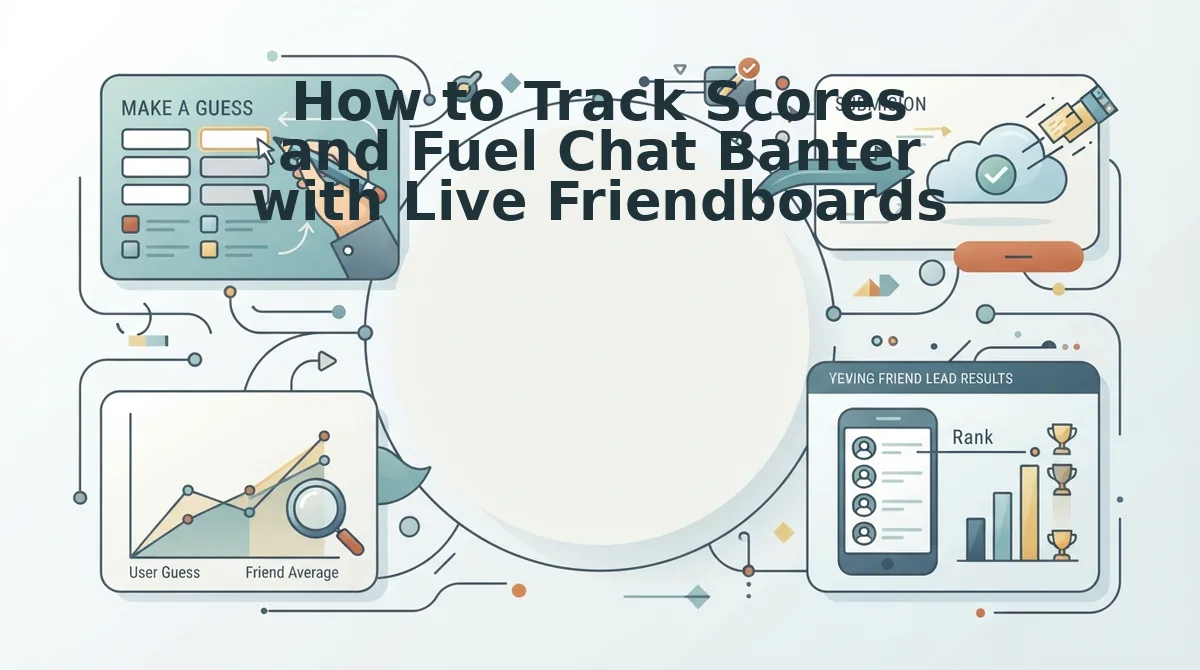
You can track scores in real time by opening your quiz management link, where participant results update dynamically without requiring anyone in your WhatsApp group to download software or register an account.
It gets better.
A live friendboard is a real-time, browser-based ranking table that automatically records, scores, and sorts participant submissions for a custom trivia challenge. In plain English, a live friendboard acts like a digital arcade scoreboard hanging in your group chat. Every time a friend finishes answering your trivia questions, their name and tally appear on the board instantly, establishing an immediate hierarchy among your peers.
How does the tracking engine operate under the hood?
The platform relies on a Unique Challenge ID architecture paired with lightweight session cookies. When you generate your challenge, the application ties your administrative view directly to your browser session. This setup lets creators inspect live scoreboard rankings and answer breakdowns securely without remembering complex passwords or completing invasive logins. Furthermore, strict answer privacy safeguards protect the integrity of the contest. The system hides answer keys and other participants' previous submissions from the client device, preventing tech-savvy friends from inspecting network payloads or viewing earlier answers before submitting their own guesses.
That invisible protection powers what creators call the Micro-Rivalry Friendboard Loop. Whenever someone snatches first place, screenshot the updated rankings directly from your mobile browser and drop the image back into your WhatsApp group chat. Tag the dethroned friend and the players lingering at the bottom of the table. Highlighting these sudden rank changes prompts trailing friends to defend their reputation, producing 3x faster response cycles as competitors rush to beat each other's marks.
To turn passive chat lurking into an active contest, monitor your live friendboard after dropping your challenge link into WhatsApp and let competitive banter handle the rest.
Even the smoothest live scoring engine cannot save a trivia challenge if the underlying material is boring. Crafting questions that provoke visceral reactions and split opinions is what ensures players complete every round and fight for the top rank.
High-Velocity Friend Quiz Questions That Get Immediate Answers on WhatsApp
High-velocity friend quiz questions spark immediate WhatsApp replies by forcing friends to pick sides on polarizing habits, personal quirks, and social loyalty tests rather than reciting dry biographical facts. In 2026, keeping your challenge between 10 to 15 rapid-fire questions is the mathematical sweet spot for group chat completion rates, maintaining lightning-fast mobile momentum without triggering drop-offs.
Here is the thing.
Generic questions like favorite colors kill group chat momentum instantly. To provoke instant voice notes and heated score disputes, load your custom Friend Quiz link with these high-engagement question archetypes ordered by response speed.
- Emergency Scenarios & Loyalty Tests: These prompts ask who you would call first to bail you out of jail or help bury an embarrassing secret. They matter because they immediately establish personal ranking hierarchies and turn casual trivia into a heated battle for bragging rights. Use them as your opening challenge to trigger competitive replies right away.
- Pet Peeves and Trigger Points: These questions reveal the exact micro-annoyances that ruin your mood, like being left on read or chewing too loudly. They matter because friends who think they know your triggers often guess wrong, sparking defensive banter and rapid-fire voice notes in the chat. Select these during quiz creation to catch overconfident best friends off guard.
- Daily Habit & Midnight Routine: These prompts expose your strangest late-night behaviors, from 2 a. m. food orders to endless screen-time doomscrolling. They matter because they split group chat consensus clean down the middle between your daytime persona and your private habits. Add two midnight prompts to reveal hilarious contradictions friends never get to see.
- The Unfiltered First Impression: This question tests whether friends remember their exact initial take when they first met you versus what they think today. It matters because it challenges shared history and sparks storytelling threads directly within your WhatsApp group. Feature it near the middle of your quiz to sustain momentum across longer chats.
- Financial Blindspots and Splurges: This counterintuitive prompt asks what unnecessary item or absurd impulse purchase you consistently waste money on without regret. It matters because friends assume they know your lifestyle budgeting until their guesses fail publicly on the live scoreboard. Pick this to turn financial teasing into harmless group banter.
- Social Battery Depletion Thresholds: This prompt tests how long you can actually survive at a loud party before faking an excuse to slip out unnoticed. It matters because it highlights your social survival tactics and forces friends to debate your real personality tier. Include this prompt to separate casual acquaintances from inner-circle confidants.
- Worst Flaw Confessions: This self-deprecating prompt makes friends identify your most chaotic habit, such as chronic lateness or ignoring notifications. It matters because it removes all pretense, giving contacts explicit permission to roast your daily habits in the group feed. Use our curated collection of rapid-fire prompts to finalize your challenge lineup in under two minutes.
Armed with high-velocity questions, your quiz will naturally generate fast answers and memorable arguments. Yet, participants occasionally run into platform-specific quirks or privacy questions that deserve immediate, definitive answers.
Frequently Asked Questions About Sharing Friend Quizzes on WhatsApp
You can share interactive friendship trivia across WhatsApp using browser-based links that load instantly in any mobile chat without forcing friends to download external applications. Here are the answers to the most common technical questions creators ask when launching web challenges.
How do you share a friendship quiz on WhatsApp without making friends download an application?
You share a web challenge link generated through a browser-based platform like Friend Quiz. Paste the custom URL directly into your WhatsApp personal or group chat. When recipients tap the link, it opens instantly in their native mobile browser, allowing them to guess answers and submit scores without downloading software or creating accounts.
Can you create an interactive multi-question quiz natively inside WhatsApp?
No, WhatsApp cannot host sequential multi-question quizzes natively inside its interface. While native WhatsApp polls let contacts vote on single standalone questions, they lack cumulative scoring, sequential trivia flows, and custom leaderboards. To run a full interactive friendship test, you must share an external web link inside the chat.
How do I share my quiz link on WhatsApp Status so contacts can tap it directly?
Publish your quiz link as a text status rather than a caption on a photo or video. In WhatsApp, navigate to the Updates tab, tap the pencil icon, paste your clean quiz URL, and publish. WhatsApp automatically converts text status URLs into clickable hyperlinks with interactive preview cards for your contacts.
Are third-party friendship dare quiz links safe to open on mobile devices?
Yes, trusted web quiz links are safe because they run strictly inside your phone’s default browser sandbox. Lightweight platforms like Friend Quiz require no account creation, demand no device permissions, and never access your WhatsApp messages or contacts list. Avoid suspicious links that prompt software downloads or ask for private login credentials.
With all common technical hurdles cleared and privacy assurances established, you have everything required to transform dormant chat windows into active social arenas.
Turn Your WhatsApp Lurkers into Active Competitors Today
Converting passive WhatsApp lurkers into active competitors requires removing every technical barrier between opening a message and submitting a guess.
Here is the reality. The mystery behind why most group challenges flop comes down to forced onboarding: the moment someone encounters an app store redirect or a signup screen, participation drops to zero. Delivering an instant web challenge directly inside their default mobile browser produces immediate engagement across your contacts.
Follow this exact timeline to revive your conversations in 2026:
- Today: Lock in your personal habits, generate your challenge URL, and drop the link directly into your quietest group chat to catch lurkers off guard.
- This week: Track incoming guesses on your live scoreboard and highlight hilarious wrong answers to spark instant chat banter.
- This month: Deploy fresh trivia rounds across your family and classmate circles to crown verified top friends without forcing anyone to register.
Zero app downloads plus instant mobile browser play equals maximum participation from your WhatsApp contacts. Setup requires no account, no email verification, and under two minutes. Mastering how to share friend quiz on WhatsApp without friction turns passive chats into competitive hubs. Create your own Friend Quiz right now, drop the link into WhatsApp, and watch your group chat immediately erupt into friendly rivalry.
True group chat engagement does not require new apps; it requires zero-friction web links that transform casual mobile scrolling into immediate competition.