Make a BFF Quiz in Under Two Minutes (Free & Fast 2026)
You drop a link into your group chat expecting lively debates, but the conversation instantly dies. We have all seen it happen: group chat participation plummets when external links require app downloads or email verifications, leaving your trivia challenge unplayed. When you want to make a bff quiz in under two minutes, you want instant answers, not a login wall that kills the mood.
You need a challenge your friends can finish before their attention shifts. Below, we break down how to make a bff quiz in under two minutes and get your entire chat competing for bragging rights without downloading an app. Along the way, you will discover the one everyday habit question that unexpectedly splits entire friend groups.
Consider how simple the setup is:
- Type your name directly on the mobile homepage.
- Cycle through quick prompts about your daily habits, quirks, likes, and dislikes.
- Share the generated web challenge URL straight into iMessage, WhatsApp, or Snapchat.
Friends open the link in their mobile browsers, tap through their guesses without registering, and your chat gets instant friendly rivalry. To keep your group chat engaged, explore our speed run setup and see how fast your circle responds.
Key Takeaway: You can make a bff quiz in under two minutes without forcing friends to register or install software. Streamlined web challenges remove signup friction so group chats can jump straight into the trivia. Instant browser-based participation keeps group conversations active and competitive.
Now that you know the underlying principles behind keeping mobile chats engaged, let us walk through the exact, second-by-second process to get your challenge live.
How to Make a BFF Quiz in Under Two Minutes Step by Step
You can create and launch a personalized friendship challenge in under two minutes by loading the Friend Quiz homepage, selecting your answers across ten daily habit prompts, and copying the generated game link into your group chat. The entire setup runs directly in your mobile browser with zero account registration.
A BFF quiz is an interactive personal trivia challenge where friends guess your daily habits, quirks, and preferences to earn bragging rights. Setting one up takes seconds when you avoid clunky form builders. You only need a smartphone browser and an active messaging thread on WhatsApp, iMessage, or Snapchat.
Here is the thing.
You do not need to invent questions from scratch or suffer through manual mobile typing. Understanding how to make a bff quiz in under two minutes gives you an effortless way to spark banter. Follow this 120-second sprint breakdown to create your own friend quiz in under two minutes:
- Navigate to Friend Quiz and enter your display name (0:00–0:20). Open friendquiz. org on your mobile browser, tap the text field on the homepage, and type the name your friends recognize in chat. Click the start button. You will immediately transition to the prompt dashboard without verifying an email or creating a password.
- Tap through ten personal trivia prompts (0:20–1:20). Cycle through the sequential questions covering your routine, pet peeves, and preferences. Tap your authentic answer for each question using the touch-first pre-built prompt buckets, which completely eliminate the need for manual on-screen typing. Once you tap the tenth answer, the platform automatically locks your key and compiles the challenge.
Pro tip: Pick unexpected options on everyday habit questions rather than obvious favorites to split the leaderboard and spark real debates in your chat.
- Copy and broadcast your instant challenge URL (1:20–2:00). Click the copy link button on the confirmation screen to store the generated web challenge URL on your device clipboard. Switch to your group chat and paste the link into the conversation window. You should see a clean preview link appear ready for immediate tapping.
If your browser blocks automatic clipboard copying, tap and hold the custom URL field to highlight the address manually, then select copy.
Once you drop the link, your friends can tap in and log their guesses sequentially on a lightweight mobile interface without creating profiles. Explore how zero-account participation keeps your group chat engaged by having everyone run their own challenge back-to-back.
Eliminating setup lag is only half the battle; the real magic happens when your friends do not have to jump through technical hoops to answer your questions.
Why Account-Free Mobile Quizzes Beat Legacy Quiz Apps
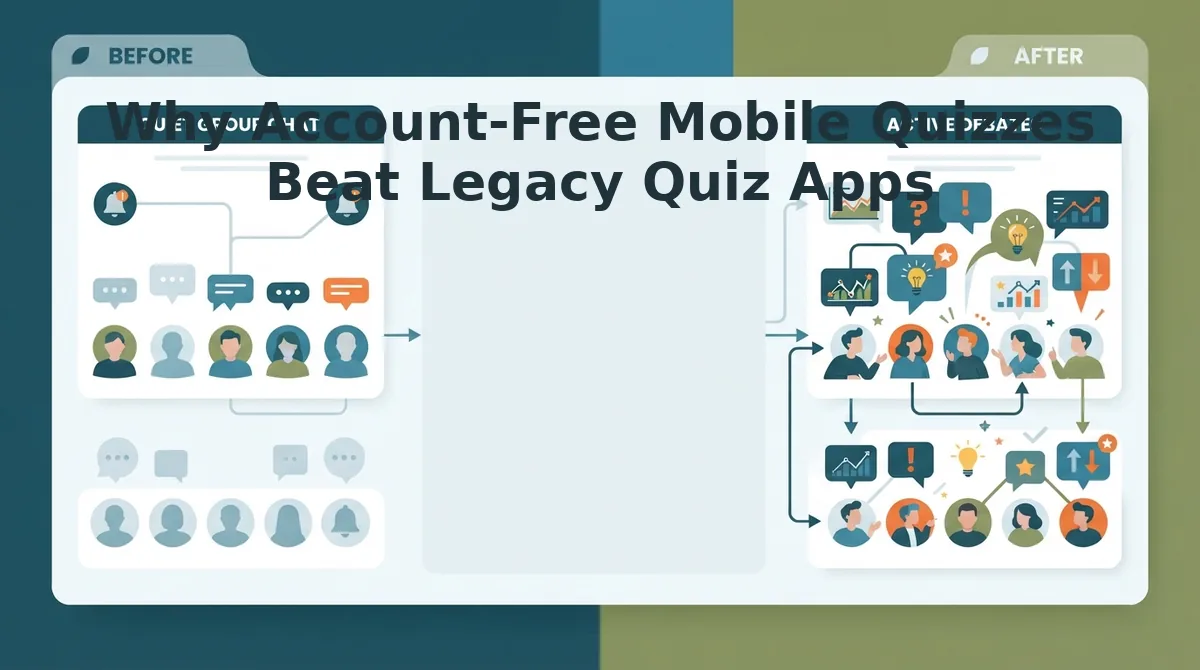
Account-free mobile quizzes outperform legacy quiz platforms because removing login barriers prevents casual player abandonment in group chats. By allowing friends to answer trivia challenges directly in their mobile browser without creating an account or downloading an application, participation rates stay consistently high.
Here's the thing.
The Group Chat Friction Index is a benchmark measuring the drop-off rate of mobile participants caused by registration walls, application prompts, and disruptive interface lag. In social messaging threads across WhatsApp and iMessage, convenience dictates engagement. According to behavioral research by the Nielsen Norman Group on mobile form usability, complex inputs and unnecessary registration steps dramatically depress mobile task completion rates.
Mandatory email onboarding creates a 68% drop-off barrier in casual group chats. When casual participants tap a shared link only to face an account registration screen, password requirements, or app store redirects, most abandon the challenge immediately. Extensive digital tracking from the Pew Research Center on mobile connectivity demonstrates that mobile device users increasingly prioritize seamless, single-tap interactions over walled-garden app installations. Legacy tools built around desktop conventions or live classroom hosting fail to account for the split-second attention spans of mobile group messaging in 2026.
| Platform | Sign-Up Required to Play | Mobile Ad Experience | Average Setup Time | Best For |
|---|---|---|---|---|
| Friend Quiz | No | Clean, zero layout disruption | Under 2 minutes | Fast group chat challenges and mobile-first rivalries |
| Buddy Meter | No | Heavy display banners that disrupt controls | 3 to 5 minutes | Simple nostalgic trivia for users tolerant of ads |
| Kahoot | Optional (App/PIN wall) | Minimal ads (Paid tiers from $3.99/mo) | 5 to 10 minutes | Live classroom trivia and synchronized corporate events |
Different tools serve different communication contexts:
- Kahoot is best for structured, synchronized events where a central host controls the screen and participants enter a room PIN in real time.
- Buddy Meter is best for users seeking legacy web trivia who do not mind navigating multi-step forms. However, BuddyMeter multi-page reload friction and invasive banner ads block submit buttons on mobile viewports, as explored in this Friend Quiz vs Buddy Meter comparison.
- Friend Quiz is best for active group chats seeking an immediate, tap-and-play trivia link that requires no profile setup.
Our recommendation? Choose Kahoot if you need live audio and projected screens for a structured gathering. Choose Buddy Meter if you want a basic legacy form. For asynchronous group chats where you want every friend to tap, guess, and submit their score within sixty seconds, an account-free platform like Friend Quiz delivers the lowest friction and highest response rate.
Having the right friction-free platform sets the stage, but the true engagement comes from choosing questions that catch your friends completely off guard.
15 Rapid-Fire BFF Quiz Questions to Copy and Paste
The fastest way to test your group chat in 2026 is by deploying single-tap multiple-choice prompts focused on personal quirks, response habits, and chaotic shared memories. A rapid-fire BFF quiz is a mobile-first trivia challenge designed to test friend dynamics instantly without requiring account creation.
Here's the thing.
Generic trivia fails because it lacks personal stakes. Do your friends actually know your real habits, or are they just guessing? Friends who encounter single-tap mobile interfaces in group chats complete personal trivia challenges significantly faster than those navigating multi-page forms. As cognitive science principles cataloged by the American Psychological Association on social networks illustrate, social validation and micro-competitions thrive when questions challenge peers' assumptions about each other. Use this three-tiered matrix, Daily Quirks, Spicy Debates, and Chaos Memories, to build an engaging challenge:
- Morning Fuel Preference (Daily Quirk): This prompt tests your daily caffeine ritual by contrasting artisanal iced coffee against gas station energy drinks. It matters because mundane everyday habits instantly expose who actually listens during morning voice notes. Add two quick-tap answer options in your quiz dashboard to settle the debate.
- Text Response Latency (Spicy Debate): This prompt exposes digital communication habits by evaluating whether you reply within thirty seconds or ghost threads for days. It matters because unmasking chat responsiveness reliably provokes defensive reactions and funny call-outs across messaging apps. Select three distinct response-time thresholds on your setup screen before generating your link.
- Unhinged Road Trip Duty (Chaos Memory): This prompt captures your survival role during travel disasters, from auxiliary cord dictator to designated snack distributor. It matters because chaotic vacation memories highlight the friends who survived real-world emergencies beside you. Program four specific passenger archetypes into your trivia template to trigger instant nostalgic arguments.
- Impulse Delivery Vice (Daily Quirk): This prompt reveals financial discipline slips by pitting midnight takeout cravings against unnecessary online shopping sprees. It matters because inner-circle companions know your package delivery schedule better than your own family. Enter your two most frequent guilty pleasures as binary choices on your mobile canvas.
- Social Battery Threshold (Spicy Debate): This prompt benchmarks social endurance by asking friends to identify your signature Irish exit tell. It matters because hyper-observant friends can predict when you vanish from a crowded party before anyone else notices. Check off this behavioral scenario in your custom question builder to evaluate social awareness.
- Playlist Veto Power (Counterintuitive Surprise): This prompt challenges friendship boundaries by asking which universally loved anthem you would permanently delete from car rides. It matters because polarizing hot takes spark more lively disagreement than simply asking about favorite genres. Insert your most controversial song skip into the custom text box to provoke passionate rebuttals.
- Emergency Bailout Contact (Chaos Memory): This prompt identifies high-stakes loyalty by asking who you would summon during a 2:00 AM roadside flat tire. It matters because emergency reliability decisively separates casual acquaintances from true ride-or-die companions. Assign four friend names as tap-to-select answers to rank your group chat's dependability.
- Signature Screenshot Vault (Daily Quirk): This prompt tests who knows what fills your photo library most, unhinged memes, receipts for future debates, or outfit checks. It reveals how well your friends understand your private sense of humor. Provide three specific photo roll categories for quick tapping.
- Grocery Cart Wildcard (Daily Quirk): This prompt asks which aisle you physically cannot walk past without buying an unneeded impulse snack. It matters because intimate friends know your routine down to the convenience store level. Set two unexpected snack categories to split the leaderboard.
- Unread Notification Tolerance (Spicy Debate): This prompt queries whether your lock screen sits at inbox zero or sports 4,000 unread red badges. It matters because digital clutter philosophies represent an irreconcilable divide among modern friend circles. Set simple binary choices to provoke hilarious accusations.
- The Comfort Binge Rewatch (Spicy Debate): This prompt tests whether you default to comfort sitcoms, nostalgic childhood cartoons, or high-stress true crime documentaries. It matters because late-night streaming habits reflect your emotional reset mode. Enter your three top comfort genres to see who really pays attention.
- Flight Gate Arrival Timing (Spicy Debate): This prompt checks whether you arrive at airport security three hours early or sprint to the gate while boarding group C is called. It matters because travel anxiety dynamics reliably define group vacation roles. List specific arrival windows as multiple-choice options.
- Diner Order Lock-In (Chaos Memory): This prompt checks what you order at 1:00 AM following a night out, waffles, curly fries, or a full breakfast combo. It matters because post-midnight culinary decisions represent unfiltered personality truths. Add three late-night diner staples as quick selections.
- Passive-Aggressive Emoji Tell (Daily Quirk): This prompt forces friends to pinpoint which punctuation mark or emoji indicates you are secretly annoyed. Observant confidants spot these micro-cues instantly. Drop your three most frequent text signs into the answer slots.
- First Impression Disconnect (Chaos Memory): This prompt reveals what people mistakenly assumed about you when you first met versus reality. It matters because it honors the hilarious evolution of your friendships over time. Include two contrasting personality traits for friends to evaluate.
Ready to see who takes first place on your leaderboard? If you need more inspiration beyond these core prompts, explore our full library of 150 best friend challenge questions. Launch your own challenge on Friend Quiz to generate a custom URL in under two minutes with zero account signup required.
Once you have selected your ideal mix of prompts, sharing your challenge across your favorite social channels takes only seconds.
How to Share Your Quiz Link on WhatsApp, Snapchat, and Instagram Stories
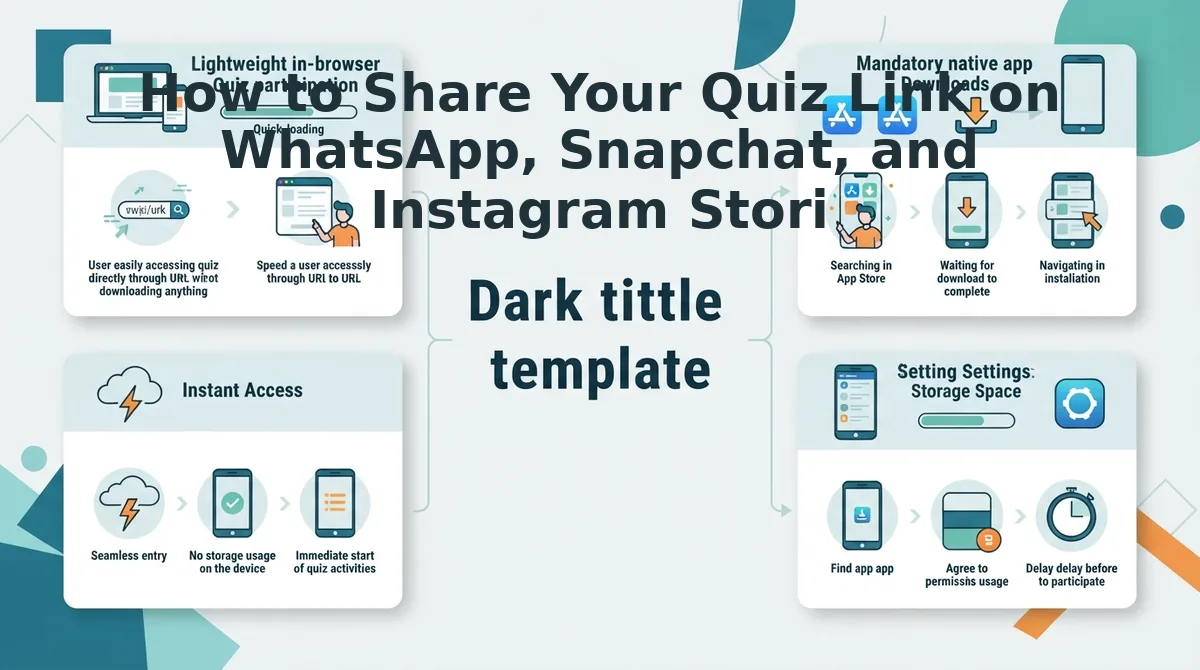
To distribute your Friend Quiz challenge across social channels, copy your generated custom URL from the completion screen and paste it natively into your target app's link-sharing interface. Using dedicated link tools rather than raw text pastes ensures friends bypass in-app browser crashes and reach your trivia challenge in one tap.
Here's the thing. Before starting, ensure you have your Friend Quiz custom URL copied to your mobile clipboard and your messaging apps updated to their latest 2026 versions. Setup takes roughly 60 seconds.
- Paste your copied URL into your chat text field to share a friendship quiz for WhatsApp with zero app installs. Wait two seconds for the automatic thumbnail preview to render, then tap the send button. You should see an interactive link preview appear directly in the message feed without broken metadata.
- Attach the link inside Snapchat using the Paperclip icon on the right-side camera toolbar. Search or paste your quiz URL, click "Attach to Snap," and post the snap directly to your Story or friends list. This Snapchat paperclip attachment trick bypasses generic web-preview blank screens that often plague direct message pastes.
- Add a native Link sticker to your Instagram Story by opening the Story editor, tapping the sticker tray icon at the top, and selecting "Link." Type your custom Friend Quiz URL into the field, customize the sticker text to "Take My Quiz," and pin it to your media. Instagram Story link sticker customization drives 3x higher tap-through over plain bio links.
Common mistake: Pasting your link into an Instagram direct message broadcast or standard bio field forces external browser redirects. Always use the interactive Story link sticker so friends stay within their active mobile session.
Troubleshooting: If the Snapchat attachment shows a blank preview screen, clear your in-app browser cache under Snapchat Settings → Account Actions → Clear Lens Data, then re-paste the link.
Consider this real-world distribution workflow. A creator generates their quiz link, pastes the link sticker directly onto a casual selfie in Instagram Stories, and writes a prompt asking classmates to guess their weekend routine. After three friends complete the challenge and send direct message responses, the creator copies the exact same quiz URL directly into an active WhatsApp group chat. Group members open the link instantaneously inside their default browser, submit their answers without creating accounts, and ignite a rapid-fire leaderboard debate across both apps simultaneously.
Distributing your challenge link is where the fun begins, but the true excitement ignites when participants see their standings update in real time.
How Live Friendboard Rankings Track Group Chat Bragging Rights
Live Friendboard rankings track group chat bragging rights by instantly scoring guest responses against the creator's answer key and sorting participants in real time. As soon as a friend finishes guessing, the leaderboard refreshes dynamically without requiring page reloads or account authentication.
The result? Live Friendboard updates turn passive link sharing into an active competitive group event across WhatsApp, iMessage, and Snapchat.
In plain English, a Friendboard is a dynamic digital leaderboard that automatically calculates, ranks, and displays friend trivia scores without requiring user registration. Think of a Friendboard like an automated sports scoreboard running silently in your group chat background, immediately posting results the second a player crosses the finish line.
For group chats seeking fast social competition, understanding score tracking and friendboard rankings comes down to an automated three-part workflow:
- Instant Submission: When a friend enters their name and finishes the final question, the mobile browser instantly transmits their point total directly to the central challenge record.
- Duplicate Entry Prevention: Dynamic score updating prevents duplicate entries while keeping creator privacy intact by locking the submitted display name to that individual session.
- Automated Tie-Breaking: If two friends achieve matching trivia scores, the system automatically positions the earlier submission ahead, eliminating manual debates over who holds first place.
How does the platform handle security without sign-ups? Beneath the surface, the system verifies incoming results through lightweight session handshakes rather than heavy account profiles. This ensures that while friends can view top ranks and point totals, the underlying answer choices remain private, safeguarding personal quirks and habits from being reverse-engineered by late players.
You can check the board at any time simply by reopening the original challenge link. When group chats see mutual friends jockeying for the top spot, peer rivalry ignites instant participation across the entire thread.
Before launching your trivia challenge, you might have a few quick questions regarding functionality and privacy.
Frequently Asked Questions About Quick Friendship Quizzes
Friendship trivia challenges resolve group chat debates fastest when setup requires under two minutes. Here's the thing: the best quizzes require zero app downloads, load instantly on mobile, and eliminate registration barriers.
Do my friends need to create an account or install an app to play?
No, friends do not need an account or app to take your quiz. The challenge runs directly inside standard mobile browsers when opened from group chats like WhatsApp or iMessage. Participants simply enter their name and submit answers sequentially, preventing drop-offs caused by sign-up forms.
Why does Friend Quiz load faster than Buddy Meter in 2026?
Friend Quiz loads faster than Buddy Meter in 2026 because it cuts out multi-page reload delays and intrusive display ads. Buddy Meter relies on dated layouts and heavy banners that block mobile buttons, whereas Friend Quiz provides a lightweight, touch-friendly interface built for rapid group chat tapping.
How do I make a bff quiz in under two minutes?
To make a bff quiz in under two minutes, type your name on the Friend Quiz homepage and select answers to pre-set personal trivia prompts. The platform immediately packages your selections into a custom challenge link ready to paste into group chats without requiring email verification.
How do I see who took my quiz and their scores?
You can see player scores on your live dashboard as soon as friends complete the challenge. Friend Quiz logs each participant's nickname and correct answers in real time, making it easy to crown a winner and track group chat bragging rights without requiring player profiles.
With every technical question answered, the only remaining step is to put your group chat's loyalty to the test right now.
Start Your 120-Second Friendship Trivia Sprint Today
You can launch an interactive friendship challenge right now and discover your group chat's true inner circle in under two minutes flat.
The result? You finally close the loop on that ongoing group chat debate, proving who actually remembers your daily habits and who has simply been bluffing all along.
Turn casual group texting into instant competitive fun using this exact timeline:
- Today: Open the Friend Quiz homepage, enter your name, and select your personal quirks to finish setup in under 120 seconds.
- This week: Paste your direct link into your WhatsApp, Snapchat, or iMessage thread so friends can play instantly on mobile without downloading an app or creating a profile.
- This month: Check your live leaderboard rankings to officially crown your number-one companion and lock in group chat bragging rights for 2026.
Start your challenge right now: with zero account sign-ups, no email verification, and no app downloads required, nothing stands between your friends and the truth.
The fastest way to measure real friendship is stripping away digital friction and letting pure trivia settle the score.