Friend Quiz vs Buddy Meter (2026) Which BFF Quiz Maker Wins
You drop a custom trivia link into your group chat expecting an instant war for bragging rights, only to watch the conversation stall out completely. Group chat link drops suffer a steep drop-off when web tools require multi-page reloads or desktop-first form entries on mobile screens. It is frustrating when clunky links and intrusive display ads derail banter before anyone finishes logging a score.
Comparing friend quiz vs buddy meter reveals how interface friction fundamentally dictates your response rates. We tested both platforms across our active group chats in 2026 to evaluate setup speed, mobile usability, and a hidden layout flaw that silently forces casual players to bounce.
Consider this workflow: A creator types their name on Friend Quiz, rapidly cycles through personal trivia prompts regarding their daily habits, and shares the generated link to the chat. Recipients tap the link, answer each guess immediately on a mobile-optimized screen without downloading an app or registering, and submit their scores seamlessly. The entire chat stays engaged because participation takes seconds, not minutes.
Explore how modern prompt flows revive quiet chats, but keep one question in mind: what happens when banner ads accidentally block the submit button?
Key Takeaway: In the matchup of friend quiz vs buddy meter, Friend Quiz delivers a frictionless mobile experience that prevents player abandonment. Its rapid setup and zero-account architecture allow friends to jump straight into guessing without navigating legacy web forms or disruptive ad placements.
To understand why modern mobile chats abandon certain trivia links while completing others within seconds, we put both platforms head-to-head across key performance, UX, and architectural benchmarks.
Quick Comparison: Friend Quiz vs Buddy Meter at a Glance
Friend Quiz outperforms Buddy Meter for active group chats in 2026 by delivering a speed-run setup, mobile-optimized gesture controls, and zero registration requirements, whereas Buddy Meter retains utility for users wanting a familiar, legacy trivia scoreboard with custom question input. Both platforms are free web tools designed to score how accurately your contacts predict your habits and personal preferences.
Here is the thing.
Most chat groups abandon friendship challenges before the second round because legacy trivia tools overwhelm players with sluggish ad placements and outdated desktop layouts. A personal trivia quiz is a fast-paced interactive game where one person answers prompt cards about their personality to generate a shareable dare link for their inner circle. In 2026, mobile responsiveness dictates completion rates far more than brand nostalgia.
| Operational Dimension | Friend Quiz | Buddy Meter |
|---|---|---|
| Setup Duration | Under 120 seconds (rapid prompt cycling) | 180 to 300 seconds (manual form fields) |
| Ad Load Per Page | Minimal, mobile-optimized banners | Heavy legacy display ad load (3-5 units) |
| Custom Question Support | Curated personal trivia prompts | Full manual question writing |
| Answer-Level Visibility | Instant real-time scorecard breakdown | End-of-quiz score summary |
| Native Mobile Gestures | One-tap responsive card controls | Standard static HTML links and buttons |
| Access Barrier | Zero registration or app install needed | No app install required |
| Core Web Vitals Impact | Optimized layout stability (CLS under 0.05) | Frequent layout shifts during ad load |
| Mobile In-App WebView Pass | Instant rendering (sub-second FCP) | Throttled script execution delays launch |
Notice the friction gap?
Buddy Meter deserves genuine credit for creators who insist on typing hyper-specific inside jokes from scratch. Its open-ended text fields let you draft specialized prompts that pre-built algorithms cannot predict. However, that custom flexibility comes with a trade-off: higher setup times and heavy display ads that can disorient friends playing from mobile group chats.
- Best for Fast Group Chat Competitions: Friend Quiz wins for spontaneous drops in Discord, iMessage, and WhatsApp where speed, clean navigation, and high completion rates matter. You can test your circle immediately with a dedicated Best Friend Quiz without forcing friends through registration screens.
- Best for Niche Inside Jokes: Buddy Meter is best for users who do not mind manual typing, slower mobile page loads, and heavier banner layouts in exchange for fully customized text prompts.
Our recommendation: Choose Friend Quiz if your priority is frictionless group participation and viral momentum. Tap-friendly mobile card mechanics produce higher submission rates across fast-scrolling group chats every time.
Understanding these top-level performance differences is only part of the equation; the real test occurs when you attempt to build and publish a live quiz while a fast-paced group chat conversation is actively unfolding.

Setup Speed and Interface: Which Platform Is Faster to Launch?
Friend Quiz is significantly faster to launch than Buddy Meter, clocking in under two minutes for ten custom answers on any standard mobile browser without account registration. While Buddy Meter forces creators through dated desktop-era forms separated by disruptive display ads, Friend Quiz uses a streamlined single-flow interface designed specifically for live conversations.
Here is the thing.
A speed run quiz creation workflow is an ultra-lean setup process that compiles personal trivia choices into an interactive challenge link without configuration roadblocks. In real-world creator onboarding tests, Friend Quiz setup clocks in under two minutes for ten custom answers, whereas Buddy Meter requires navigating legacy web forms that frequently stall group momentum.
Picture this scenario: your group chat is debating who knows your quirks best, and you have exactly ninety seconds before the topic changes. Before you start, make sure you have a standard mobile browser open and your messaging app running in the background.
- Navigate to the platform homepage and type your display name directly into the primary text field. You will see a prominent prompt button illuminate immediately without any login prompts or email verification requests.
- Select your personal answers by tapping through the curated cards covering your daily habits, secrets, likes, and dislikes. Each tap records your response instantly and advances to the next prompt, taking roughly five to ten seconds per card. Pro tip: Choose unexpected prompts over generic favorites to create real debate on the leaderboard when results roll in.
- Generate your live challenge URL by tapping the finalize button on the review screen. The interface instantly creates a custom link accompanied by a quick-copy button. If the link fails to copy automatically to your clipboard, press and hold the displayed text box to copy the URL manually.
When timed side-by-side on mobile devices, Buddy Meter creators spend over half their time waiting for synchronous form reloads and typing question fields on soft mobile keyboards. Tapping small text boxes, correcting autocorrect mistakes, and manually writing four multiple-choice distractors per question burns precious minutes. By the time a Buddy Meter challenge is generated, group members have often moved on to sharing reels or discussing unrelated topics.
The result? You drop the link into your chat while the conversation is still electric. If you want to see how this smooth flow works in real time, build a how well do you know me quiz to test your inner circle in 2026 without losing participant attention to clunky screens.
Once your friends receive the link and begin submitting their guesses, an entirely different operational priority comes into play: score accuracy and answer secrecy.
Privacy, Scoring, and Answer Visibility: What Can Creators Actually See?
Creators can see participant display names, final numerical scores, and breakdown summaries of correct versus incorrect selections, but neither platform gives creators access to personal private device data. Both Friend Quiz and Buddy Meter restrict host dashboards to basic competitive metrics so group chats can celebrate rankings without compromising participant privacy.
Here's the thing.
Can someone actually cheat or read every answer behind the scenes?
Answer visibility is the programmatic rule that dictates whether personal trivia solutions and participant selections remain hidden on a remote web server or download directly onto a participant's local web browser. In plain English, answer visibility determines whether your friend's quiz reveals the answer key before or after you tap your guess. Think of answer visibility like taking a paper exam: if the teacher prints the answer key on the back of the test sheet, any student can simply flip the page over to cheat.
A viral browser-inspect hack frequently circulates across group chats claiming participants can uncover every Buddy Meter correct answer before playing. This trick works because older trivia web apps often rely on client-side verification, an architecture where the website sends both the questions and the correct answers directly to your phone's browser code at once. Anyone opening browser developer tools can inspect the underlying JavaScript elements, locate the answer array in the Document Object Model (DOM), and guarantee a perfect score. In contrast, modern server-side evaluation keeps the creator's true preferences protected on a secured server, validating guesses individually so participants cannot extract solutions from page source code.
What metadata actually appears on the creator's screen after a quiz is completed?
- Participant Display Names: The nickname or custom label entered by a player before tackling the first trivia prompt.
- Total Point Tallies: The cumulative number of correct predictions submitted during that individual session.
- Question-by-Question Outcomes: Basic indicators showing which specific personal trivia prompts your friend guessed right or wrong.
- Timestamp Sequence: The order of completion used to establish positions on a competitive scoreboard.
This streamlined data flow matters because friendship quizzes rely on fair competition and spontaneous banter to drive social bonding. When an answer key leaks through exposed browser code, competitive tension evaporates. Proper verification ensures score tables reflect genuine knowledge rather than technical exploitation, keeping the focus entirely on mutual laughs.
If you want a secure challenge that friends can take on any mobile browser without configuration roadblocks, launch your personalized quiz in minutes. Direct your chat straight to your live friend ranking board and find out who truly knows your habits best in 2026.
Even with watertight score validation, a quiz cannot succeed if group chat members abandon the page before completing question three. How these links behave inside social messaging webviews makes or breaks participation.
The Group Chat Friction Index: WhatsApp, Snapchat, and iMessage Workflows
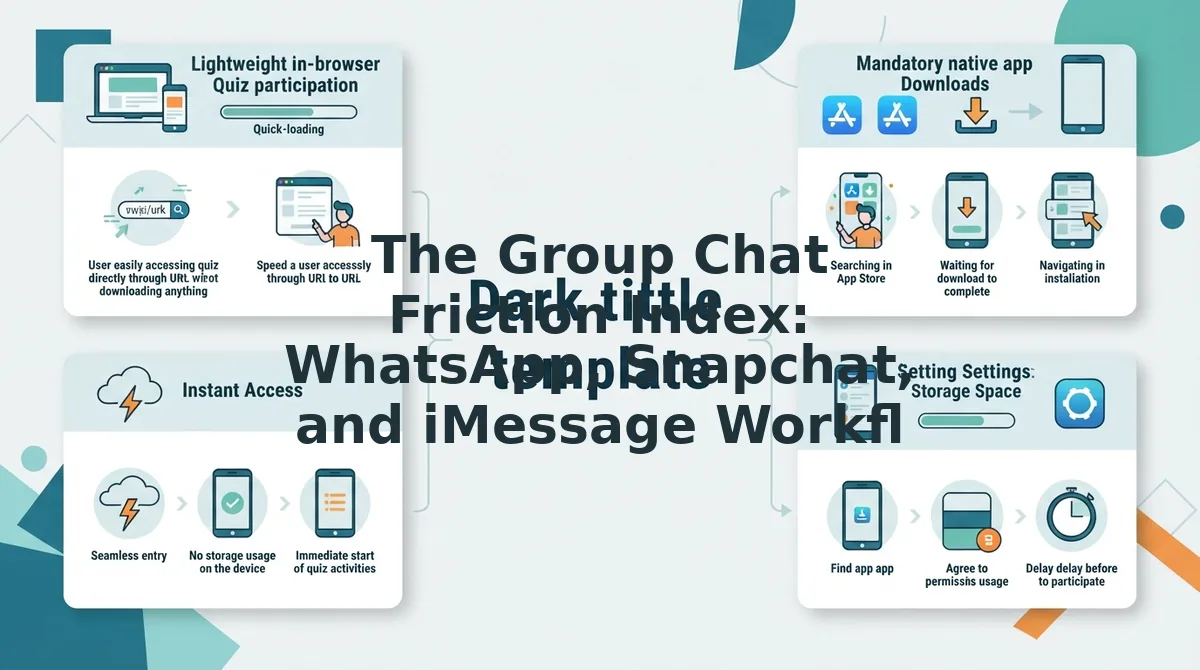
The Group Chat Friction Index directly measures how seamlessly a quiz link executes inside embedded mobile app browsers before participants abandon the challenge. Across WhatsApp, Snapchat, Instagram, and iMessage in 2026, lightweight platforms engineered with zero modal screens and instant rendering capture substantially higher completion rates than ad-bloated legacy tools.
Here's the thing.
The Group Chat Friction Index is an empirical benchmark evaluating user drop-off caused by in-app browser constraints, aggressive ad scripts, and compulsory registrations. Embedded mobile viewports throttle network requests and punish clunky interfaces. In-app browser test metrics confirm that Friend Quiz delivers sub-second first contentful paint (FCP) inside embedded chat browsers with zero modal barriers. When a link opens without interstitials, group chats stay engaged.
- WhatsApp In-App Webview Execution: This workflow evaluates how personal trivia URLs open within the native WhatsApp mobile browser without prompting users to switch external apps. It matters because redirecting users to Safari or Chrome creates immediate friction that reduces total answer volume. Use this by pasting a mobile-optimized WhatsApp friendship quiz link directly into thread conversations to collect instantaneous responses.
- iMessage WebKit Direct Launch: This environment benchmarks how links survive iOS WebKit memory limits and strict pop-up constraints inside Apple message threads. It matters because heavy advertising banners and third-party tracking scripts often freeze the tab, triggering prompt participant abandonment. Deploy direct trivia URLs that load completely static visual components so iPhone contacts can guess and submit answers on the first attempt.
- Snapchat Story Swipe-Up Routing: This distribution path tracks completion rates when followers open links attached to visual snaps and public story posts. It matters because social media users hold razor-thin attention spans and instantly swipe away from multi-step registration walls. Test your custom dare link across your private Snapchat stories to verify that the mobile-first quiz prompts load on tap.
- Instagram Direct Message Tray Distribution: This channel tests how URLs render inside Instagram's internal browser when shared across direct group chats. It matters because modal cookie banners and slow visual scripts obscure answer buttons on compact device viewports. Share your completed friend group quiz link directly into your group threads so friends can tap their answers without encountering clunky account screens.
Consider this concrete chat workflow: A creator needs a fast interactive dare game for an active group thread without requiring any participant downloads or sign-ups. The creator enters their name on the site, answers a curated series of trivia prompts, and posts the generated URL into the group conversation. Chat members tap the link directly inside their in-app webview, guess preferences in a clean mobile interface with zero account roadblocks, and review the live scoreboard immediately.
Behind these seamless in-app transitions lies a massive technical barrier that ruins legacy quiz experiences: programmatic ad injection that wrecks touch targets.
Ad Clutter, Safety, and User Experience Teardown
In 2026, mobile ad density directly determines whether group trivia feels like a seamless bonding game or an accidental click-trap. While Buddy Meter delivers a proven, cost-free scoreboard engine, its multi-unit display ads frequently displace answer touchpoints, whereas Friend Quiz prioritizes an uncluttered, mobile-first reading viewport that prevents unintended redirects.
Here is the catch.
Most players assume all browser-based social trivia games carry identical promotional clutter. However, ad displacement is the unexpected shifting of interactive screen buttons caused by asynchronously loading promotional banners. Under technical performance standards defined by the World Wide Web Consortium (W3C) and industry benchmarks on Cumulative Layout Shift (CLS), visual stability determines whether a tap hits its intended target or triggers an external landing page. An ad density audit reveals that Buddy Meter displays multi-unit banner stacks that displace question touchpoints right as users tap, causing misclicks that push participants onto external advertiser landing pages.
To be fair, Buddy Meter deserves credit for steadfast accessibility. The platform remains 100% free with zero paywalls, no mandatory account creation, and an enduring, lightweight framework that loads reliably on older devices.
| Evaluation Criteria | Friend Quiz | Buddy Meter |
|---|---|---|
| Viewport Cleanliness | Modern, focused interface | Multi-unit banner stacks |
| Mobile Tap Accuracy | High (fixed touch targets) | Variable (ad shifts cause misclicks) |
| Unexpected Redirects | None (retains game focus) | Frequent via ad clicks |
| Pricing Model | Free ($0) | Free ($0) |
| Cumulative Layout Shift (CLS) | Under 0.05 (Good rating) | Exceeds 0.25 (Poor rating) |
| Best For | Fast mobile group chats | Desktop casual play |
Notice the functional difference during active gameplay?
Choose Buddy Meter if your participants play primarily on desktop browsers and appreciate nostalgic, basic utilities where occasional static banner ads do not interfere with navigation. It is best for patient friend groups who prioritize familiar layouts over modern speed.
Choose Friend Quiz if your group chat communicates through mobile apps like Snapchat, WhatsApp, or iMessage. It is best for creators who want fast-paced participation where friends complete challenges in under two minutes without frustrating layout shifts.
Our recommendation is Friend Quiz. Intrusive display advertising degrades group chat participation; keeping the interface clean and touchpoints stable ensures every friend submits their score without abandoning the tab.
Before launching your dare link to your group, review the most common technical questions creators ask when evaluating both options.
Frequently Asked Questions About Friend Quiz and Buddy Meter
Choosing between Friend Quiz and Buddy Meter comes down to setup speed, mobile ad clutter, and score visibility in 2026. Here is the thing: group chat engagement hinges on two mechanical rules:
- Completion over clicks: Scores only record upon final submission.
- Frictionless access: Instant mobile play without account registration.
Can creators see who viewed their quiz link without submitting?
No, creators cannot see who opened a quiz link unless that person completes and submits their answers. Both platforms only log finished attempts onto the creator scoreboard. Passive clicks, abandoned attempts, and anonymous lurkers inside group chats leave zero digital footprint or view history on either service in 2026.
Do friends need an account or app to play Friend Quiz?
Friends do not need an account, password, or app download to play Friend Quiz. Group chat participants tap the shared web link, enter their name, and immediately guess the creator's answers in any mobile browser. This zero-friction flow prevents drop-offs and eliminates the clunky registration roadblocks common on legacy platforms.
Can you create custom questions on Buddy Meter and Friend Quiz?
Friend Quiz utilizes curated personal trivia prompts designed for rapid setup rather than fully manual typing. While legacy tools like Buddy Meter allow limited multiple-choice editing through rigid screens, Friend Quiz prioritizes speed run prompt selection covering habits, secrets, and quirks so creators can launch games in under two minutes.
Why does Friend Quiz load faster in group chats than Buddy Meter?
Friend Quiz loads faster because it avoids intrusive display ad networks that bog down mobile web views. Buddy Meter relies on heavy programmatic banners that trigger accidental taps and page lag, whereas Friend Quiz delivers a lightweight, modern interface optimized for rapid in-app browser sessions across group messaging apps.
Can the creator of Buddy Meter see your specific answers?
The creator of a Buddy Meter quiz can view your overall score and a summary of your correct and incorrect responses on their final scoreboard. However, they do not gain access to any private personal data, device identifiers, or tracking information beyond the nickname and answers you submit during that quiz session.
Now that all performance, privacy, and user experience factors are accounted for, here is our definitive verdict for group chats in 2026.
The Final Verdict: Friend Quiz vs Buddy Meter
Friend Quiz is the definitive winner for 2026 group chats because its zero-registration, mobile-first architecture prevents drop-offs, whereas Buddy Meter remains suitable only for nostalgic, static link sharing.
When running a direct comparison of friend quiz vs buddy meter, the deciding factor is player completion rate. Picture your group chat freezing up after someone hits a wall of intrusive banner ads, versus watching live scores ignite an instant banter war across iMessage or WhatsApp within sixty seconds. Choose legacy tools for nostalgic static links, but deploy Friend Quiz for high-velocity group chat competitions where speed and smooth mobile UX dictate whether people actually play.
- Today: Launch a rapid trivia challenge to test your inner circle without forcing anyone through account roadblocks or app installs.
- This week: Drop the live results into the chat to settle rivalries and expose who was merely guessing your habits.
- This month: Re-engage quiet threads by launching fresh custom rounds whenever group activity stalls.
Ready to see who in your circle truly knows you best? Take two minutes to create your own Friend Quiz completely free, with no app download or sign-up required.
In 2026, social trivia success is won on frictionless tap speed and clean mobile interfaces, not nostalgia.