Buddy Meter Instagram Story Link vs a Friend Quiz Link
You post a Story, slap a quiz link on it, and wait for your friends to prove they know you. A follower taps the sticker, Instagram opens the page, and within a few seconds they either finish the quiz or swipe back to the next Story. That moment is the real test of any buddy meter instagram story link, and almost nobody writes about it from the follower's side.
You're right that posting is the easy part. People clearly want help with the rest. A HappyAthing YouTube tutorial on how to play and sign up for Buddy Meter on Instagram has 13,252 views, and an Indonesian tutorial frames it as "cara bermain dan mendaftar," which means how to play and register. That framing suggests followers expect a signup step before they can answer.
This guide follows one path tap by tap: the creator places a link sticker, a follower taps it, and the page has to hold their attention. You'll get a direct verdict, a five-checkpoint audit you can run yourself, and the honest limits of each option. One of those five checkpoints decides whether your follower finishes, and it isn't the one most people would guess.
Is a Buddy Meter or Friend Quiz Link Better for Instagram Stories?
For a Story link that followers answer on the spot, Friend Quiz fits better because it needs no account, no email, and no app, and a quiz takes under two minutes to set up. Buddy Meter is the more recognizable name, which helps if your followers already know it and trust the format.
A link sticker is the tappable Instagram Story element that sends viewers to an outside web page. An in-app browser is the mini browser Instagram opens inside its own app instead of switching to Safari or Chrome.
The Story context changes which quiz link works best because three pressures stack up at once. First, the quiz loads inside Instagram's in-app browser, so any reload, popup, or login prompt feels heavier than it would in a full browser. Second, Stories expire after 24 hours, so you get one short window to collect answers before the sticker disappears. Third, followers are mid-scroll with very little patience. A tap from a Story is an impulse, not a plan, which means account walls, ad clutter, and multi-page reloads cost far more here than on a link shared directly in a group chat.
| Criterion | Buddy Meter | Friend Quiz |
|---|---|---|
| Account needed to answer | Verify in test (see flow at buddymeter.com) | No account, email, or app download |
| Setup time | Verify in test | Under two minutes |
| Ads and reloads inside the in-app browser | Verify in test | Mobile-first flow; verify on your own device |
| Results or leaderboard | Verify in test | Real-time Friendboard rankings |
| Brand familiarity | Widely recognized format | Newer name |
| Best for | Creators whose followers already know Buddy Meter | Creators who want instant answers and a live ranking |
Neither option wins on every row. Buddy Meter's recognition is a real advantage, because a familiar name can earn the first tap. Cells marked "verify in test" are left open on purpose, since reports of reload lag or banners covering buttons should come from your own phone and not from secondhand claims.
Best for Buddy Meter: the creator whose audience grew up on it and expects that exact format. Best for Friend Quiz: the group chat instigator who wants a best friend quiz answered within the 24-hour window, with a Friendboard that keeps the bragging going after the Story expires.
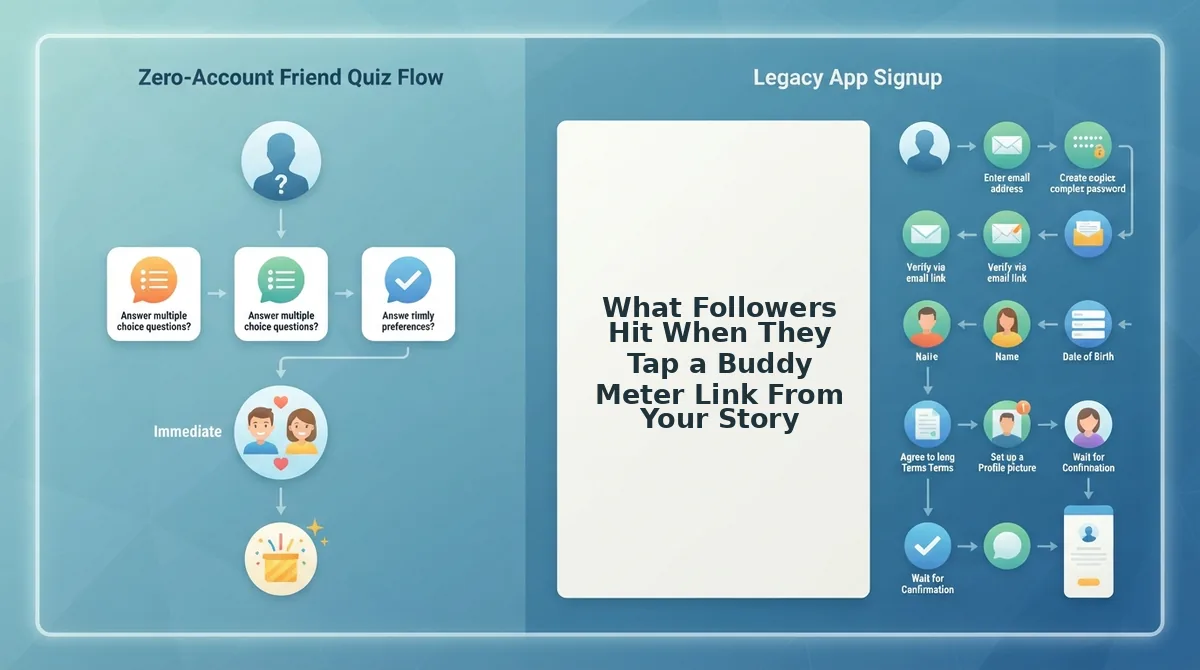
What Followers Hit When They Tap a Buddy Meter Link From Your Story
Followers pass through five checkpoints: the sticker tap, the page load inside Instagram, name entry, answering, and the results page. Buddy Meter starts strong on the first one because its name is widely recognized and its share link is simple to post.
Buddy Meter is a friendship quiz site where a creator answers questions about themselves and shares a link so friends can guess the answers. Its own flow is documented at buddymeter.com. To audit it, post a test Story from your phone and walk through each checkpoint as a follower would.
- Sticker tap. Note whether the link preview looks familiar enough to tap. Recognition is Buddy Meter's clearest strength here.
- Load inside Instagram's browser. Record whether the page appears in one load or reloads before the first question.
- Name entry. Check whether you only type a name or get asked to create an account.
- Answering. Watch for ad banners near the answer buttons or a reload between questions.
- Results page. See whether the score and any ranking show up without another step.
The in-app browser explains why checkpoints two and four matter so much. Think of it like a fitting room inside a store: stepping out to fix a problem means leaving the store entirely. A reload or a banner that hides a button inside Instagram has no tabs or address bar to help, so many followers simply swipe back.
Name entry is half of the open loop. The YouTube tutorials frame Buddy Meter as "play and sign up," so followers may expect a registration step before it even appears. Confirm on your own device whether that step exists. Even the expectation of one can make a mid-scroll follower hesitate. For ranking options beyond a single score, see this Buddy Meter leaderboard alternative.
Next, run the same five checkpoints on a Friend Quiz link.
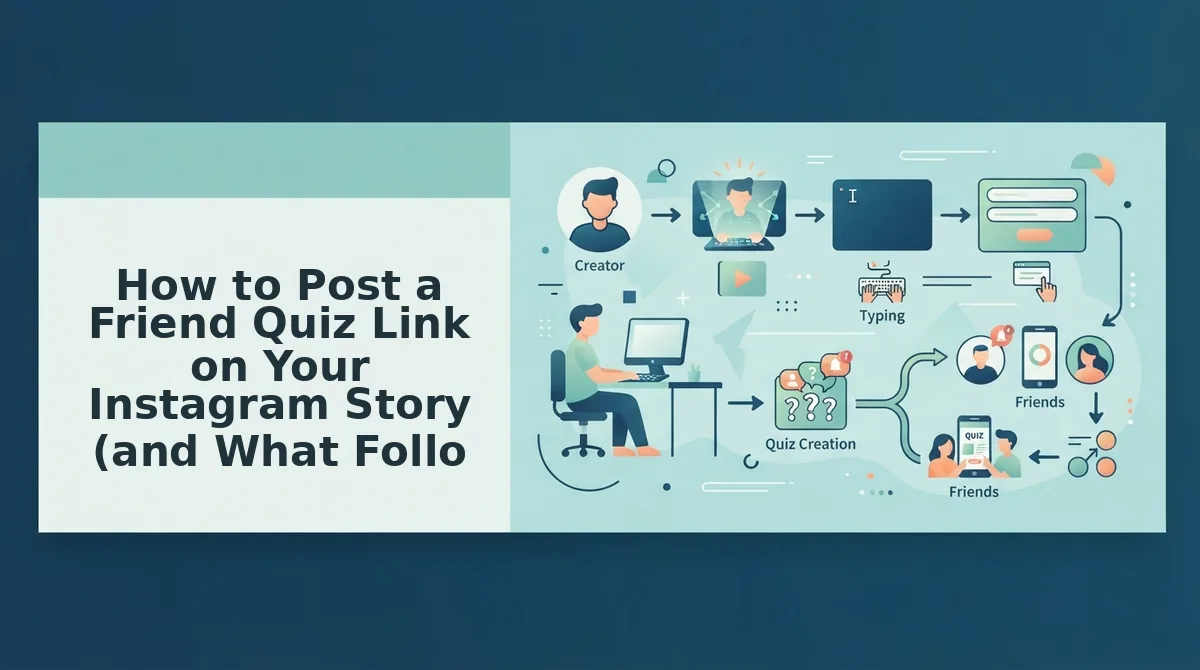
How to Post a Friend Quiz Link on Your Instagram Story (and What Followers See)
You can post a Friend Quiz link to your Instagram Story in a few minutes. Build the quiz in under two minutes with no account, email, or app download, then add it with Instagram's Link sticker.
Prerequisites: a phone with the Instagram app, a mobile browser, and your first name. You do not need a Friend Quiz account.
- Open https://friendquiz.org and type your name on the homepage. The first personal trivia prompt appears.
- Answer each prompt about your habits, quirks, likes, and dislikes. This takes under two minutes, and your share link appears at the end.
- Tap Copy Link. Your quiz URL is now on your clipboard.
- Open Instagram, tap the + icon, then choose Story. Add a photo or a plain background. The Story editor opens.
- Tap the sticker icon, select Link, paste your URL, and tap Done. A link sticker appears on your Story.
- Drag the sticker to the middle of the screen, away from the top and bottom edges where taps get missed, then post. Your Story is now live.
What Followers Hit When They Tap Your Friend Quiz Sticker
Here is the same set of checkpoints from the follower's side:
- Tap: the quiz opens in Instagram's in-app browser.
- Account wall: there is none, so they do not log in or sign up.
- Name entry: they type a name and the first question loads.
- Answers: they answer each question in order inside the mobile browser.
- Result: they land on your Friendboard.
A Friendboard is Friend Quiz's real-time leaderboard. It ranks everyone who took your quiz by how many of your answers they got right. A follower who taps the sticker, enters a name, and finishes the questions sees their score and their place against everyone else who has played. You can open the same Friendboard after your Story has run to see who placed first. That gives you a winner to shout out in your next Story.
For Instagram, zero accounts means zero drop-off at a login screen. If you want a version made for followers, try the BFF test for your Story and post it before your next group chat argument about who knows you best.
Where Friend Quiz Falls Short on Instagram Stories
Friend Quiz has four real limits on Instagram Stories. None of them stop it working, but each one changes how you should share it.
- Less name recognition than Buddy Meter. Some followers already know Buddy Meter and will tap it without thinking twice. With Friend Quiz, add a line of text like "Beat my best friend's score" so followers know what they are tapping.
- Still opens in Instagram's in-app browser. Every link sticker opens inside Instagram, so Friend Quiz cannot avoid that. Its no-login flow keeps the in-app session short, but followers can still swipe away mid-quiz.
- Names run on the honor system. Without accounts, anyone can type any name, including a joke one or a friend's. Call out suspicious Friendboard entries in your next Story, or share the link privately when accurate names matter.
- Stories expire after 24 hours. Followers who miss the Story lose the sticker. Paste the link into group chats or your bio, or follow up with a friendship dare quiz to restart the challenge.
Which Link to Use When
| Factor | Friend Quiz | Buddy Meter |
|---|---|---|
| Audience size | Close friends to large followings | Followers who already know the brand |
| Privacy | No account or email required | Check its current terms before posting |
| Leaderboard need | Real-time Friendboard ranking | Fine if you only want simple scores |
| Setup time | Under two minutes | Quick if you have used it before |
Buddy Meter is a fine choice for simple sharing when your followers recognize it.
Buddy Meter and Friend Quiz Story Link FAQ
These answers cover the questions people ask most about sharing quiz links on Instagram Stories.
Why does a quiz look or load differently when opened from a Story?
Story links open in Instagram's in-app browser, not in Safari or Chrome. That browser can handle scripts, cookies, and popups differently, which is a common reason for "Buddy Meter not loading on Instagram." If a quiz stalls, tap the menu and choose to open it in your phone's default browser.
Do followers need an Instagram account or a quiz account to answer?
No, followers do not need a Friend Quiz account. They only need the link and a name to type. They need Instagram to see your Story sticker, but anyone you send the URL to directly can play in any mobile browser.
Can I put the quiz link in my bio instead of a Story?
Yes, a bio link stays up after your Story expires at 24 hours. Paste the same quiz URL into your profile's Links field. Then post a Story pointing to it, so you get both the Story's quick taps and a link that stays up.
Can friends see each other's answers or only scores?
On Friend Quiz, the Friendboard shows names, scores, and rankings so everyone can compare. For Buddy Meter, check what its results page shows on a test run before you share it with followers.
With these answers covered, it is time to pick your link and post your Story.
Pick Your Link and Post Your Story
Post the link that gets followers from tap to first answer fastest. For most Stories, that's a Friend Quiz link: no app, no account, no login wall.
Use this three-line rule before you hit share:
- Post Buddy Meter if your followers already know its flow and you want the classic format.
- Post Friend Quiz if you want friends answering in their mobile browser with zero sign-up.
- Post Friend Quiz if bragging rights matter and you want scores ranked on a live Friendboard.
Place your link sticker near the middle of the frame. Instagram's reply bar and profile header crowd the edges, and followers skip a sticker they can't easily see.
Then set a reminder. Stories disappear after 24 hours, so check your Friendboard before yours expires and screenshot the leader for a follow-up Story.
Here's where the rivalry actually starts. Enter your name on the homepage to make your own friend quiz, answer the prompts about your habits and quirks, and get a shareable link in under two minutes.
The best Story link isn't the most famous one. It's the one your friends can finish before they swipe away.