How to Share Live Friendboard Standings in WhatsApp Chats
You drop a quiz screenshot in your WhatsApp group, wait for a reaction, and watch the conversation go completely silent within three minutes. Static images bury group banter because nobody wants to manually calculate scores or download bulky apps just to settle a rivalry. To successfully share live friendboard standings, post a persistent, dynamic challenge link that automatically ranks participants in real time without logins.
You will learn the exact steps to broadcast these real-time leaderboards into your chat and maintain continuous competition across every round. We cover mobile link generation, automated chat updates, and the precise boundaries of browser-based tracking.
Why do static image tallies fail where dynamic URLs thrive?
- Zero friction: Classmates tap directly into the web challenge without app installs.
- Instant rankings: Each completed attempt recalculates standings automatically on the Friendboard.
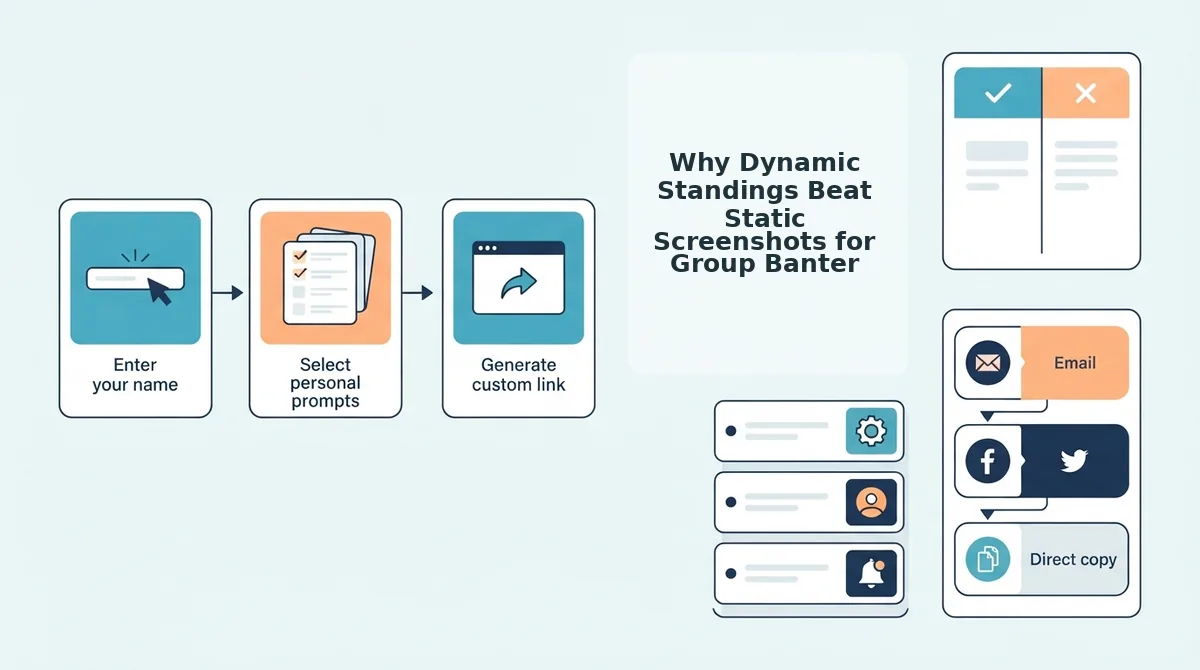
Consider this setup: a creator enters their name on the mobile site, locks in personal trivia prompts regarding their daily quirks, and pastes the generated URL into WhatsApp. Friends tap through the questions on their own phones, and the Friendboard immediately updates rank positions for everyone viewing the challenge URL. You can build your own custom challenge using a free friend quiz to start collecting dynamic rankings in seconds.
Uncovering how these dynamic URLs synchronize player positions reveals why traditional screenshots fail to keep chat momentum alive.
What Are Live Friendboard Standings and How Do Dynamic Links Work?
Live Friendboard standings are real-time, browser-based leaderboards that automatically rank your friends by score the moment they complete your personalized trivia challenge. Dynamic links direct players to a centralized web address that recalculates positions in the background without requiring manual refreshes, account logins, or native app store downloads.
A Friendboard is a real-time web leaderboard that tracks and displays participant rankings based on their trivia challenge scores. Most creators assume you need an app store download or a shared spreadsheet to host a live group scoreboard. In reality, a modern web-based best friend quiz runs entirely inside mobile browsers via dynamic links. Every time a friend finishes answering your trivia questions, the platform triggers instant background score recalculation. This zero-friction browser ranking sheet architecture automatically updates the creator's central standings page without forcing a single manual page reload, eliminating lag and bloated installations.
Think of dynamic leaderboard links like a live digital scoreboard at a basketball court. When a player scores, the numbers shift immediately on the overhead board for everyone watching, rather than handing every spectator a printed piece of paper that becomes outdated thirty seconds later.
Under the hood, these links use clean URL parameters to pair every incoming quiz attempt directly with the creator's profile.
- Zero-Account Entry: Friends simply tap the link, type their name, and answer the prompts without registering an account.
- Background Synchronization: Submissions write directly to a cloud database that updates standings immediately.
- Persistent Results: The link remains active across group chat threads so players can check shifts in rank as new rivals finish.
This automated flow keeps competitive banter alive across WhatsApp groups by giving everyone instant, undisputed proof of who knows you best. Moving these standings directly into your chat takes only a few quick taps.
How to Share Live Friendboard Standings in WhatsApp Step by Step
To share live Friendboard standings in WhatsApp, generate your challenge on friendquiz.org, copy the direct leaderboard URL from your creator dashboard, and paste it into any group thread. The dynamic web link updates friend rankings automatically every time a contact completes the quiz.
Why waste ten minutes typing scores when a single URL updates everyone's rank automatically?
Before you start, make sure you have an active mobile web browser and the WhatsApp application installed on your device. You do not need an account, app download, or email address to launch your challenge.
- Build your personal quiz prompts in your mobile browser. Open friendquiz.org on your smartphone, type your display name on the homepage, and tap the answer options across the trivia prompts covering your personal habits and quirks. This step takes under two minutes. Success looks like an immediate completion screen displaying your unique shareable links.
- Copy your creator live standings URL. Locate the direct results link on your generated summary screen and tap the copy button to save the web address to your device's clipboard. You should see a confirmation notification confirming the URL is copied. A Friendboard is a real-time web leaderboard that tracks peer scores and displays bragging rights without requiring manual refreshes.
- Drop the dynamic preview into your WhatsApp thread. Switch to WhatsApp, open your target group chat, paste the link into the message field, and pause for two seconds to let the rich metadata card load before tapping the send icon. Your group chat will display a visible card preview showing your personalized quiz title.
- Pin the broadcast message to trigger repeated peer submissions. Tap and hold the sent quiz message in WhatsApp, select the three-dot menu icon on Android or the context menu on iOS, and choose the Pin option for 24 hours or 7 days. You should see the message lock directly beneath the chat header, ensuring every active group member clicks through to answer.
Sharing your link lets you track friendboard rankings live as your friends submit their answers throughout the day.
Ready to see who in your inner circle genuinely knows your habits best? Launch your free quiz challenge on friendquiz.org now and claim immediate bragging rights in your favorite group chat.
Static scorecards lose their momentum the second another contact answers a question.
Why Dynamic Standings Beat Static Screenshots for Group Banter
Dynamic standings beat static screenshots because live leaderboard links update in real time every time a contact finishes a quiz, maintaining chat momentum instead of freezing the results at a single point in time. Sharing a live link keeps rankings active across the entire friend circle as new scores arrive, whereas an image capture instantly goes obsolete.
A dynamic link is an online score URL that automatically refreshes participant ranks without requiring the quiz creator to capture or upload new files. Static screenshot shares stop driving replies after the first submission, while live links spark continuous rank flips across your group chat.
Dropping a static image into WhatsApp is fast, offline-accessible, and entirely free of data use. However, once the third or fourth friend takes the challenge, that screenshot no longer reflects who holds bragging rights.
By contrast, ad-heavy legacy platforms like Buddy Meter often frustrate participants with intrusive ad bloat and reload lag that slow down mobile browsers. A clean, zero-friction dynamic setup keeps the competition moving quickly.
| Feature | Static Screenshot | Legacy Quiz Tool (e.g., Buddy Meter) | Zero-Friction Live Friendboard |
|---|---|---|---|
| Update Mechanism | Manual re-capture | Auto-refresh with page reloads | Real-time automatic sync |
| Mobile Speed | Instant view | High ad bloat, slower script loads | Mobile-first speed run, no downloads |
| Chat Longevity | Decays after first submission | Moderate, but users bounce from popups | Multi-day rank flipping |
| Best For | Best for offline archiving | Best for users accustomed to legacy layouts | Best for active WhatsApp instigators |
How does your group handle the fallout when an underdog takes first place?
Choose static screenshots if you simply want a permanent, immutable image stored locally in your camera roll for personal memories. Choose dynamic Friendboard links if you want real-time competition, zero app installs, and an ongoing scoreboard that sparks immediate responses every time someone gets bumped off the podium.
Our recommendation is to share the dynamic link directly in your group chat to fuel competitive rivalries while saving a final screenshot only after everyone has completed their run.
Once you distribute an auto-updating leaderboard, you can tap into targeted competitive prompts to keep your chat engaged.
3 Ways to Reignite Group Chat Rivalry Using Friendboard Rankings
You can reignite group chat rivalry using Friendboard rankings by synchronizing dynamic leaderboard updates with peak chat hours, pinning low-scorer recaps, and instigating head-to-head tie-breaker challenges. Timed leaderboard drops transform stagnant group threads into active competition hubs by directly challenging members to defend their positions.
Imagine your active group chat sitting completely silent for two weeks, until you suddenly drop the live link and expose your closest friend's last-place score. The Banter Loop Distribution Framework is a timed sharing strategy that schedules dynamic quiz results during peak morning commute and evening wind-down hours to maximize conversational engagement. Deploying your live standings during these high-velocity windows instantly restarts the banter cycle.
- Deploy the morning recap callout to expose trailing scores: This tactic highlights whoever crashed into the bottom tier overnight to trigger fast defensive replies. Dropping a live standings link between 8:00 AM and 9:00 AM catches friends during their morning scroll when response rates surge. Copy your Friendboard link directly into WhatsApp alongside a targeted message calling out the lowest score to force an immediate reaction.
- Issue an evening spike dare using head-to-head tie-breaker rules: This approach uses high-traffic evening hours to pit tied players against one another in a direct showdown. When two chat members share identical scores, tie-breaker rules require both participants to complete a new friendship dare quiz to settle bragging rights once and for all. Post the updated standings link between 7:00 PM and 9:00 PM with an @mention challenge naming the tied contenders.
- Invert the leaderboard by crowning the ultimate underdog: This counterintuitive move shifts attention away from first place to celebrate the friend who performed the worst. Highlighting poor results removes competitive pressure, prompting quieter chat participants to jump in and beat the low bar. Share the live link with a congratulatory message directed at the bottom rank to bait competitive lurkers into proving they know you better.
Before launching these tactics across your group, you must ensure your scoreboard reflects every recent attempt correctly.
How to Verify Your Friendboard Is Updating in Real Time
To verify that your Friendboard updates in real time, compare your current leaderboard rankings against a newly submitted score on the live standings URL without reloading your administrative session. Friend Quiz records dynamic score logs instantly across all connected mobile browsers without requiring account authentication.
Did your friend actually finish the test, or is their score stuck in a browser cache? A Friendboard is a dynamic web leaderboard that ranks participants automatically by accuracy and completion speed. Before testing, ensure you have your active quiz link, an open WhatsApp chat window, and a second mobile browser tab or separate device ready.
- Open your quiz URL in a secondary private or incognito window to simulate a new participant. Completing this setup takes roughly 15 seconds, and you should see the initial question screen without any saved creator cookies.
- Submit a dummy test submission by answering each personal trivia question quickly under a placeholder name like "TestRunner". This step takes about 45 to 60 seconds, and you should see the final confirmation screen displaying your test score upon completion.
- Switch back to your primary mobile browser tab where your admin view is active to check live friendship quiz results. The leaderboard shifts instantaneously, placing "TestRunner" into the exact ranking tier earned by that score.
- Verify the live timestamp alongside the username to confirm dynamic database ingestion. You should see the new score entry populated on the board without tapping manual refresh buttons.
Local mobile network caches sometimes retain older page states during heavy group chat sessions.
Troubleshooting Cache Lag: If a participant insists they finished the challenge but their points do not display, request that they hard-refresh their mobile browser or clear their session cache. On Safari for iOS, tap the address bar icon and select Reload Without Content Blockers; on Chrome for Android, open Settings, select Clear Browsing Data, and clear cached images and files. Once cleared, the real-time Friendboard reflects every pending score immediately.
Review the standard solutions below to address other common scoring and leaderboard display questions.
Frequently Asked Questions About Live Friendboard Standings
Still running into setup questions before you paste the link into your chat?
Do live friendboards update automatically when someone submits?
Yes, live Friendboards update instantly in real time whenever a participant submits their completed quiz. Anyone opening or refreshing the shared web link immediately views the revised rankings, recalculated positions, and updated scores without the creator needing to re-share a new URL or manually approve incoming entries.
Do my friends need to create an account or download an app?
No, your friends do not need to download an application or register an account to take the challenge or view the Friendboard. The entire experience runs directly within mobile web browsers, allowing participants to enter their display name, answer the prompts, and view the rankings with zero friction.
Can I reset or delete low scores from the leaderboard?
Scores cannot be selectively modified, reset, or deleted once a friend finishes the challenge and posts their total to the board. Because results log permanently to maintain authentic group chat rivalries, creators wanting a completely clean slate must generate an entirely new challenge link on the platform.
Does the dynamic standings link expire in WhatsApp?
No, the dynamic Friendboard standings link does not expire after being posted inside a WhatsApp thread. The generated web address remains permanently active, meaning group members can tap the pinned link days or weeks later to view the final standings or settle unresolved bragging rights.
Every shared link sets the stage for continuous competition across your favorite messaging threads.
Turn Your WhatsApp Group into an Active Leaderboard
A quiet group chat is not dead, it just needs a competitive score to fight over. Static screenshot updates fail because they freeze the action, while a dynamic Friendboard transforms your feed into an ongoing competition that fuels natural banter without forcing anyone to download an app.
Reigniting that dormant thread requires only three simple actions:
- Type your name to speed-run your custom personal trivia challenge.
- Paste your generated dynamic link directly into your WhatsApp chat thread.
- Watch the live scoreboard update instantly as your friends battle for bragging rights.
You can create a personalized trivia challenge on Friend Quiz right now to discover who genuinely knows your daily habits best. The fastest way to transform silence into competitive banter is giving your group a shared ranking they cannot ignore.