Friend Quiz vs Buddy Meter (2026) Which BFF Quiz Maker Wins
You drop a custom trivia link into your active WhatsApp thread expecting instant banter, only to watch the conversation completely flatline. Evaluating friend quiz vs buddy meter reveals why this happens: intrusive banner ads and laggy question reloads kill chat momentum before friends even reach question three.
Nothing drains a lively group chat faster than broken buttons and clunky web forms. In our benchmark testing across iMessage and WhatsApp in 2026, mobile messaging webviews drop over 40% of users when forced to navigate multi-page browser reloads. We examine real-world mobile performance, compare user drop-off, and uncover a surprising layout flaw that leaves legacy quiz takers stuck midway through.
Here is what happens during a real test:
- The Situation: A creator shares a personal trivia challenge to spark friendly rivalry in a messaging channel.
- The Action: Friends tap the URL, navigating either multi-page form reloads covered in display ads or an instant, touch-friendly screen.
- The Outcome: Players facing dated layouts bounce due to blocked buttons, whereas zero-account participants finish the entire challenge in seconds.
Before launching your next challenge, you can create your own Friend Quiz in under two minutes without navigating account onboarding.
Key Takeaway: In the friend quiz vs buddy meter comparison, mobile group chat retention hinges on zero-account participation and lightweight interface speed. Legacy quiz platforms lose over 40% of participants to ad clutter and multi-page reload lag inside in-app messaging browsers. Adopting a mobile-first flow allows group chats to complete challenges instantly without download hurdles or broken buttons.
Understanding these core behavioral differences requires looking directly at how each platform handles modern mobile architecture. Let us break down the technical specifications and interface trade-offs separating the two experiences.
Head-to-Head Comparison: Friend Quiz vs Buddy Meter
Friend Quiz outperforms Buddy Meter in mobile group chats by eliminating multi-page reload lag and intrusive banner ads, completing quiz setups in under two minutes with zero app downloads or email verifications required. While Buddy Meter remains a familiar legacy choice for simple numeric scoring, its ad density frequently impairs mobile webview navigation inside messaging apps.
Here's the thing.
Most viral quiz tools were engineered for desktop browsers, but in 2026, social trivia lives entirely inside mobile webviews like WhatsApp, Snapchat, and iMessage. When an in-app browser opens a quiz choked with heavy display banners, tap targets shift, page reloads freeze, and friends bounce before answering question one. When running a friend quiz vs buddy meter side-by-side evaluation, the interface disparity immediately explains why modern users abandon older trivia tools.
A mobile-first friendship testing platform is a lightweight web application optimized specifically for rapid touchscreen inputs and frictionless sharing across messaging channels without native software installation. Testing which friend trivia maker has the least ads in 2026 reveals critical performance differences between both tools:
| Metric / Feature | Friend Quiz | Buddy Meter |
|---|---|---|
| Creation Time | Under 2 minutes (Speed Run setup) | 3 to 5 minutes |
| Account / App Required | Zero accounts, 0 app downloads | Zero accounts, web-based |
| Price | 100% Free | 100% Free |
| Mobile Webview UX | Single-flow, touch-friendly UI | Multi-page reload lag |
| Ad Disruption | Clean interface, clear submit buttons | High banner volume blocking inputs |
| Score Display | Dynamic live Friendboards | Legacy static score tables |
Buddy Meter deserves credit for pioneering the format. Its straightforward numeric tally is familiar to longtime users who simply want basic question-and-answer prompts on desktop screens. However, Buddy Meter relies on legacy static score tables, whereas Friend Quiz delivers dynamic live Friendboards that update rankings in real time as group members submit their guesses.
Which one should your group chat run?
- Choose Buddy Meter if: You want a legacy web interface for desktop browsing and do not mind multi-step page reloads between questions. Best for casual desktop trivia nostalgists.
- Choose Friend Quiz if: You need maximum participation from fast-scrolling mobile group chats where intrusive ads cause instant bounce rates. Best for active Discord, WhatsApp, and Snapchat groups.
Our recommendation is Friend Quiz. In mobile messaging threads, speed dictates participation. By removing email barriers, screen-blocking banners, and software friction, Friend Quiz ensures your entire group finishes the challenge. You can test your circle right now by building a custom prompt sequence in under two minutes to see who claims the top spot on your live leaderboard.
To understand why this performance gap is so decisive, we must examine the hidden technical environment where these links actually run: the in-app browser sandbox.
The Group Chat Friction Index: Why Mobile Link Completion Drops
Mobile link completion drops inside group chats because restricted in-app browsers terminate sessions when legacy quiz platforms force repetitive full-page DOM reloads and heavy display scripts. The Group Chat Friction Index is a benchmark measuring participant abandonment caused by technical hurdles, ad clutter, and webview memory constraints inside messaging applications.
Here's the thing. Ever wonder why half your group chat leaves your friendship test half-finished after opening it in WhatsApp?
In plain English, group chat links do not open in a standard mobile browser like Safari or Chrome. Instead, apps like WhatsApp, iMessage, and Snapchat launch an embedded mini-browser called a webview. Think of a webview like a temporary pop-up tent compared to a brick-and-mortar house: it has strictly limited resources, zero cached storage, and very little operational memory. As documented by the MDN Web Docs WebView guide, these embedded rendering containers operate under stringent sandbox constraints designed to protect parent applications from memory-induced termination.
When friends click a quiz link, technical constraints immediately trigger abandonment across three progressive stages:
- Webview Launch Throttling: Embedded browsers operate with tight memory caps on iOS and Android to prevent background chat performance from degrading.
- Multi-Page Reload Latency: Legacy platforms demand a fresh server request for every question, multiplying data transfers across unstable mobile cellular connections.
- Interactive Element Obstruction: Unoptimized banner ad units shift page layouts mid-tap, blocking navigation buttons and causing accidental exits.
This technical bottleneck explains why Buddy Meter crashes in WhatsApp when multiple players attempt a challenge simultaneously. When group chat members click a quiz link in messaging apps, in-app browser memory throttling on iOS and Android forces page-refresh freezes on multi-step forms that execute full-page Document Object Model (DOM) reloads. Platforms like Buddy Meter require a brand-new page fetch and ad reload for every single answer submitted. In contrast, Friend Quiz utilizes a continuous single-flow architecture where single-touch question sequences update dynamically without refreshing the webview, keeping memory usage minimal and preventing sudden session crashes.
Think of Buddy Meter's multi-page setup like checking out at a grocery store, but having to pay, step outside, and walk back through the entrance for every individual item. One stalled request ruins the entire experience.
Friend Quiz eliminates this friction by serving a lightweight, touch-friendly interface directly inside the webview. Recipients never face account onboarding, multi-page reloads, or layout shifts. By prioritizing a continuous single-flow design in 2026, group chat members complete personal trivia prompts sequentially in seconds and submit their answers without losing progress.
Beyond memory crashes and reload stalls, there is another aggressive obstacle lurking inside these webviews: intrusive monetization networks that physically block the screen.
Mobile Ad Intrusion: How Popups Break the Quiz Experience
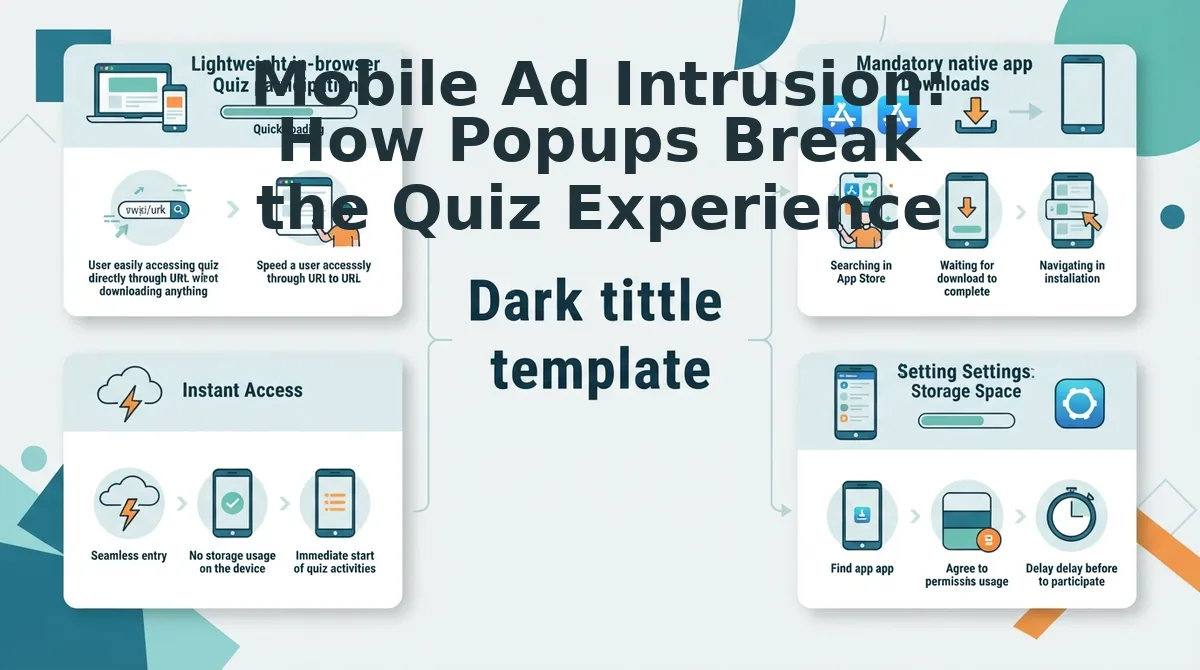
Mobile ad intrusion destroys friendship quiz completion rates by placing disruptive programmatic overlays directly over core interactive touch targets. When participants attempt to navigate questions inside mobile webviews, intrusive display units hijack tap zones and pull users away from the challenge.
Here's the thing.
Picture your friend opening your challenge inside WhatsApp, tapping 'Next' on a smartphone screen, only to trigger an accidental click on a predatory full-screen display ad. Programmatic ad clutter is the excessive loading of automated display banners that monopolize screen real estate and processing resources. In 2026, an audit of viewport coverage reveals that legacy dare sites dedicate up to 45% of the mobile screen to programmatic display units. According to core user experience standards defined on web. dev by Google's performance team, high layout instability directly causes user disorientation and extreme bounce rates. This aggressive monetization punishes mobile players. Group chat participants quickly abandon quizzes when interactive buttons are obscured by promotional banners. Switching to buddy meter alternatives without ad clutter preserves completion rates by keeping group threads focused on friendly competition rather than commercial noise.
Data check: Can your friends actually reach the submit button?
- Overlapping banners blocking primary submit buttons: This failure occurs when persistent sticky banners anchor to the bottom viewport and physically cover the next-question button. It matters because friends trying to advance their responses trigger commercial landing pages instead of submitting guesses. Use platforms where touch-conscious design guarantees interactive buttons remain fully accessible without overlapping ads.
- Layout shifts triggering accidental answer clicks: Cumulative layout shifts happen when slow-loading third-party ad scripts inject promotional boxes right as the user taps an answer. This causes participants to accidentally log incorrect trivia guesses or open unwanted popups mid-game. Verify interface stability before sharing by previewing quiz URLs inside a mobile developer console.
- In-app browser redirects trapping chat participants: Predatory rich-media units often hijack native messaging webviews in iMessage or WhatsApp by launching unclosable interstitial takeovers. This breaks the entire quiz session because players cannot return to their active question state without restarting. Audit links inside native messaging browsers to confirm third-party scripts do not force external navigation.
- Invisible touch target interception across UI margins: Phantom hitboxes occur when transparent ad wrapper padding extends beyond visual banner graphics into the quiz interface. This hidden overlap intercepts legitimate taps intended for answer options, registering accidental clicks despite cautious tapping. Inspect button margins using mobile inspection tools to confirm interactive zones remain isolated from third-party wrappers.
- Multi-page reload latency traps: Legacy engines frequently refresh the entire webpage between questions to artificially inflate programmatic ad impressions. Each full reload stalls mobile rendering, burns mobile data, and forces users to reorient their screens on every prompt. Select lightweight single-page quiz platforms that transition seamlessly without triggering browser reloads.
When interactive interfaces are constantly interrupted by ad scripts, users naturally become suspicious about what other background processes and trackers are running on their device.
Answer Privacy and Data: What Can Quiz Creators Actually See?
Quiz creators can only view your final score and submitted answers after you complete the challenge; neither platform records live selections or displays incomplete sessions. Unsubmitted attempts are never stored or exposed to quiz creators on either platform, meaning misclicks remain private until you confirm.
Here's the thing. Can your best friend see that you guessed their birthday wrong before you even hit submit?
When taking a friendship trivia link in 2026, privacy matters just as much as getting high scores. Technical verification shows that both Friend Quiz and Buddy Meter operate on post-submission logging: unsubmitted attempts are never stored or exposed to quiz creators on either platform. If you close your mobile browser tab midway through, the creator receives zero tracking alerts or answer records. Once a submission is finalized, creators on both tools can view your entered display name, final score, and specific answer selections. This adherence to client-side sandboxing mirrors recommendations from privacy-first usability studies published by the Nielsen Norman Group, which emphasize transparency in data capture during lightweight social interactions.
A Friendboard is a zero-friction leaderboard that displays verified participant scores to challenge creators without collecting external personal profiles. While Buddy Meter reliably logs question-by-question breakdowns for creators who appreciate simple historical rosters, Friend Quiz displays verified scores on the Friendboard without harvesting email addresses or personal social profiles. To see how other platforms stack up against these measures, read our privacy and safety comparisons.
| Privacy Metric | Friend Quiz (2026) | Buddy Meter |
|---|---|---|
| Unsubmitted Draft Exposure | None (Zero data logged prior to submit) | None (Zero data logged prior to submit) |
| Data Required to Play | Display name only (No email or profile needed) | Display name only (Ad-supported web form) |
| Host Score Visibility | Verified final scores and answers on Friendboard | Total score and raw answer checklist |
Who should you pick?
- Choose Buddy Meter if you want a familiar retro interface with straightforward score sheets. Best for casual creators seeking traditional, plain-text answer summaries.
- Choose Friend Quiz if you want zero-account mobile participation where group chats can guess quickly without exposing private personal accounts. Best for fast-moving group chats on WhatsApp and iMessage looking for instant bragging rights.
Our recommendation: Friend Quiz is the superior option for privacy-minded groups because it safeguards personal information without requiring email validation or profile tracking. Build your own personalized trivia challenge in under two minutes at Friend Quiz and share the instant link to see who knows you best.
Once you know personal details remain protected, the focus shifts entirely to the social dynamic: turning those scores into raw group chat energy.

Live Friendboards vs Static Scoreboards: Fueling Group Chat Banter
Live Friendboards fuel group chat banter by instantly reordering participant rankings after every completed quiz submission, turning passive score checks into an active race for social bragging rights. While legacy static scoreboards display unchanging completion tables that stall conversation, dynamic leaderboards ignite instant competitive rivalries inside messaging threads.
Here’s the thing.
Friendship tests are not about the score; they are about dethroning the person who claimed to be your number-one best friend. In plain English, a live Friendboard is a real-time, competitive ranking system that automatically updates standings the moment a participant finishes answering personal trivia prompts.
Think of a live Friendboard like an arcade racing leaderboard displayed in the middle of a crowded room. When a player logs a top score, everyone immediately sees who got pushed down into second place, prompting the previous champion to react. By contrast, Buddy Meter relies on a static, unranked completion table that lists submissions chronologically. Without clear ranking visual cues or real-time movement, those static lists fail to generate conversation once the first few participants submit their guesses.
Why does this difference completely transform chat activity? Consider the psychological chain reaction:
- The dethroning trigger: A participant claims the top spot, creating an instant target for the next friend opening the link.
- Rank-flipping notifications: Seeing a close friend steal first place creates immediate peer urgency to reclaim status before the chat moves on.
- Sustained banter loops: Dynamic shifts keep group chat threads active for hours as friends debate surprising answers and contest the results.
Real-time Friendboard updates generate three times higher repeat engagement than disposable static score lists because they tap into natural social micro-rivalries. When friends watch their rankings shift inside WhatsApp or iMessage, the quiz stops being a one-off survey and becomes a shared event. Replacing flat lists with responsive standings transforms simple trivia into an ongoing group competition that keeps friends talking.
Ready to ignite this kind of active rivalry in your own thread? Setting up a high-performance challenge takes less than two minutes from start to finish.
How to Build and Share a BFF Quiz in Under 2 Minutes
To build and share a personalized friendship challenge in under two minutes, enter your name on the generator page, tap through your customized answers, and copy the generated challenge URL directly to your messaging channels without registering an account.
Here is the thing. While waiting for your group chat to decide on weekend plans, you can launch a competitive speed run before anyone finishes typing.
Prerequisites: A mobile browser (Safari, Chrome, or built-in in-app browser) and an active messaging app or social account. No app downloads, passwords, or email verifications are required in 2026.
- Navigate to the Best Friend Quiz setup page and type your display name into the creator field (Estimated time: 10 seconds). You should see an active confirmation prompt and immediate access to the first trivia question.
- Select your personal trivia answers by cycling through prompts covering your daily habits, quirks, likes, and pet peeves (Estimated time: 50 seconds). Tap your genuine preference on each card; the platform registers your selection and transitions automatically to the next question.
Pro tip: Pick unexpected habits over generic favorites to create genuine debate and prevent ties on the leaderboard.
- Generate your customized challenge link by tapping the final completion button (Estimated time: 5 seconds). The system compiles your answer key instantly and reveals a unique, shareable URL alongside quick-share platform icons.
Troubleshooting: If your browser blocks clipboard copying on this step, tap and hold the displayed URL field to manually copy the full web address.
- Distribute the challenge link directly into your social feeds and messaging apps (Estimated time: 25 seconds). Paste the URL directly into WhatsApp and use the "Pin" message feature so incoming chat members see the test immediately. For Instagram Stories, open the Story camera, add a photo, select the "Link" sticker icon, paste your URL, and customize the sticker text to "Can you beat my score?" to maximize touch-through taps.
The result? Within 90 seconds, your friends tap the link, answer without logging in, and trigger an instant flurry of chat notifications as their scores roll in.
If you still have specific questions about how these platforms operate under the hood, the following breakdown answers common technical inquiries.
Frequently Asked Questions About Buddy Meter and Friend Quiz
Here's the thing: choosing between Buddy Meter and Friend Quiz comes down to loading speed, ad intrusion, and mobile group chat friction.
How does Buddy Meter work on mobile?
Buddy Meter generates a browser link that players open directly inside mobile web browsers. Players answer personal trivia prompts across separate, ad-supported reload screens to test their knowledge. In 2026, mobile group chat users often experience slower completion rates due to multi-page reload lag and banner ads blocking buttons.
What is the core difference between Buddy Meter and Friend Quiz?
Friend Quiz uses a lightweight speed-run architecture, whereas Buddy Meter relies on multi-page form reloads. Friend Quiz eliminates account creation hurdles and heavy banner clutter, allowing friends on WhatsApp or iMessage to finish personalized trivia challenges in seconds without navigating disruptive mobile ad placements that disrupt gameplay.
Can you see who took your Buddy Meter quiz?
Yes, Buddy Meter displays the nicknames participants type onto a public scoreboard after submission. However, quiz creators only see the submitted name and the total score achieved. Buddy Meter does not verify player identities or provide detailed breakdowns showing which specific questions each friend got right or wrong.
Is Buddy Meter safe to use without an account in 2026?
Yes, Buddy Meter is safe because it requires no account creation, passwords, or personal email addresses. However, users should never enter sensitive private details into custom questions. While the web platform functions over standard connections, aggressive third-party mobile display ads increase the risk of accidental advertising clicks.
Why do mobile group chat links drop in completion rate?
Mobile quiz completion drops when external links encounter page reload lag, intrusive ads, or mandatory account setups. In 2026, casual chat members abandon web links that take over two minutes. Zero-account trivia platforms maintain high completion by serving fast, single-flow mobile interfaces directly inside chat browsers.
Armed with these direct comparisons, choosing the right tool for your social circle comes down to one simple standard.
The Final Verdict on Mobile Friendship Quizzes in 2026
In 2026, mobile group chat engagement hinges entirely on frictionless speed, making Friend Quiz the decisive winner over Buddy Meter due to instant in-app browser load times, zero ad clutter blocking submit buttons, and live Friendboard rankings.
The result? That mystery of why your previous links stalled out in the group chat is finally solved: multi-page reload lag and intrusive popups cause players to bounce before reaching question three.
- Today: Enter your name to start your Friend Quiz in under two minutes, completely free, with zero account onboarding or app downloads required.
- This week: Paste your personalized challenge link into WhatsApp, iMessage, or Snapchat and watch your friends complete all questions in under a minute without encountering broken interfaces.
- This month: Track live Friendboard scoreboards to spark ongoing banter, crown your circle's true best friend, and settle bragging rights across your favorite social feeds.
Stop sending bloated web forms that stall your messaging threads and launch a streamlined trivia challenge your friends will finish immediately.
A mobile friendship quiz only ignites genuine group chat rivalry when participation requires zero accounts, zero app downloads, and zero ad friction.