How to Check Live Friendship Quiz Results Fast
You sent the link. Your phone is buzzing. Who's winning? If you're refreshing a chat thread or reopening a quiz tab just to check live friendship quiz results, you're losing seconds that could go toward trash talk. The frustration is real: most quiz platforms force you to manually reload pages or wait for a final summary email that arrives hours after the banter has died.
You're right to expect better. This guide shows you exactly how to pull up live scores in under three seconds, how the Friendboard actually updates as submissions roll in, and what to do when your results screen seems frozen. You'll also learn why the refresh button is the enemy, and one surprising reason your friend's score might appear before they even finish answering.
If you haven't built a quiz yet, create a friendship quiz in under a minute and share the link to your group chat. Then come back here to master the live results screen.
How to Check Live Results in 3 Seconds
To check live friendship quiz results, open the quiz link you shared, tap the Friendboard tab, and scores update automatically as each friend submits. No manual refresh is required.
The 3-Second Check: open link to tap Friendboard to read rank. Here's the exact sequence, including what you should see at each step.
Prerequisites
- Your quiz link is already shared to at least one group chat or direct message.
- You're on the same device where you created the quiz, or you have the quiz link handy.
- A stable internet connection, live updates push through in real time, so airplane mode will freeze the board.
- Open the quiz link you shared. Tap the same URL you sent to friends. The quiz loads in your mobile browser, no app install or login required. You should see the quiz title and your name at the top within one second.
- Tap the Friendboard tab. Look for the Friendboard button near the top of the quiz screen and tap it once. You should see a ranked list of friends who have already submitted, ordered from highest to lowest score.
- Read the rank and watch for live updates. Scores appear instantly as each friend finishes. You should see new names slide into position without pressing refresh. A green checkmark or timestamp next to a name confirms the submission just landed.
Total time from opening the link to reading the current leader: about three seconds. The Friendboard is built for mobile-first speed, so you can check between messages in a group chat without breaking the conversation flow. If you don't have a quiz running yet, create a friendship quiz and share it now, the Friendboard activates the moment your first friend submits.
How the Friendboard Works (Live vs. Static Results)
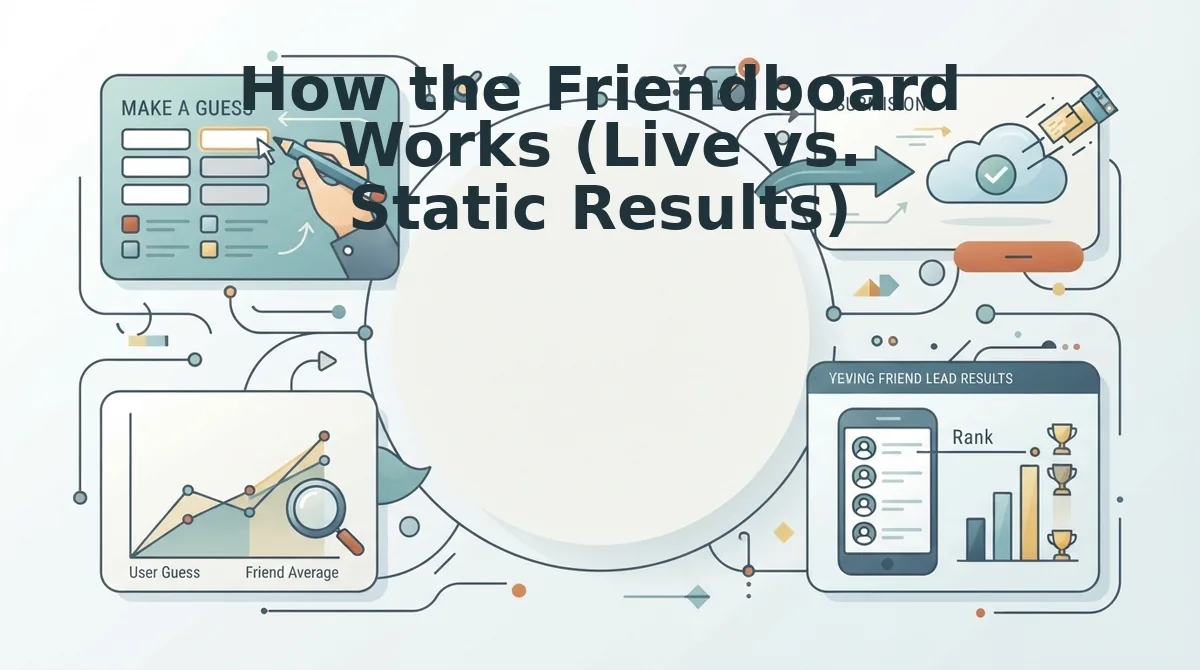
Live results update as submissions arrive; static results show the final tally only. The Friendboard belongs to the live category, it refreshes automatically with every new submission, showing rank changes and submission timestamps in real time.
Most quiz platforms treat results as an afterthought. You build a quiz, friends answer, and everyone waits for a summary screen or email after the quiz closes. That's a static model: the leaderboard is frozen until the creator manually ends the quiz or the platform generates a final report. Static results work fine for classroom quizzes or formal assessments where the goal is a final grade, not ongoing banter.
The Friendboard inverts that model. Every time a friend submits answers, their score is calculated instantly and pushed to the board. The rank order reshuffles live. A friend who was first at 2:14 PM can drop to third by 2:17 PM when two sharper friends finish. Submission timestamps appear next to each name, so you can see exactly when someone overtook the leader. This creates a rolling, competitive feed that keeps group chats active while the quiz is still open.
| Feature | Live Friendboard | Static Final Results |
|---|---|---|
| Score updates | Instant, as each friend submits | Only after quiz closes or creator ends it |
| Rank changes | Visible in real time | Not shown, only final order |
| Submission timestamps | Displayed next to each name | Typically not shown |
| Manual refresh needed | No, automatic push updates | Yes, or wait for final report |
| Best for | Group chat banter, live rivalries, bragging rights mid-quiz | Formal assessments, final rankings, closed competitions |
Best for group chat instigators: the live Friendboard. If your goal is to keep friends engaged and arguing about who knows you best while the quiz is still open, live updates are non-negotiable. Best for teachers or event hosts: static results. When you need a clean, final ranking without mid-quiz distractions, a closed quiz with a summary screen is the better fit.
For a deeper look at how live boards compare to global leaderboards for engagement, see our breakdown of Friendboard vs. global leaderboard.
But what happens when the board doesn't update, even though your friend swears they just submitted? That's the next fix.
Why Your Friendboard Might Not Update (and How to Fix It)
A Friendboard is the live leaderboard that refreshes every participant's score and rank the moment they submit answers. If it looks frozen, the cause is almost always one of three link-sharing, caching, or tab-management issues, not the quiz itself.
Start with the simplest fix: make sure every friend opens the quiz link in a mobile browser like Safari or Chrome. No app download is required, but if someone tries to preview the link inside a messaging app's built-in web viewer, live updates can stall.
Next, check for browser caching. Think of a cached page like a photocopy of a menu taped to a restaurant window, it shows yesterday's specials until someone replaces it. A hard refresh or opening the link in a private tab forces the browser to pull the newest Friendboard data.
Finally, the advanced culprit: multiple tabs. If a friend keeps the quiz open in two tabs, the older tab can hold a stale score state and overwrite the newer one. Close all but one tab, then re-open the link to track Friendboard rankings live without conflicts.
This matters because real-time visibility is the entire point, the Habibi Squad's group-chat energy depends on everyone seeing the same leaderboard shift at the same moment, not three different frozen versions of it.

The Group-Chat Reaction Playbook
Live score changes are fuel for group-chat banter. These seven reactions turn a simple ranking update into a rivalry your friends will want to settle immediately.
- Screenshot the overtake moment. When you pass someone on the Friendboard, capture the exact second your name moves up. Send the screenshot with a one-line dare like "Beat that", the visual proof makes the rivalry feel official and impossible to ignore.
- Call out the current leader by name. Tag the person sitting at the top of the board and challenge them directly. A public call-out in the group chat raises the stakes and pressures the leader to defend their spot with a rematch.
- Share a rematch link to settle the score. If someone disputes a result or claims they misclicked, don't argue, send a fresh quiz link. A rematch turns a one-off quiz into an ongoing competition and keeps everyone engaged longer.
- Post a "wrong answers only" reaction. Screenshot the most absurd wrong answer you see on the board and caption it as if it were correct. This lowers the pressure for friends who scored low and keeps the tone playful rather than punishing.
- Dare the lowest scorer to take a friendship dare quiz. Turn a bad score into a fun penalty. The dare quiz gives the group a reason to keep playing even after the original results are in.
- Create a side bet on the next best friend quiz. Announce that whoever wins the next round picks the group-chat name for a week. Attaching a real, low-stakes prize makes every future quiz feel like an event.
- Send a "receipts" screenshot to the group chat. When someone claims they knew you better than the board shows, post their score as evidence. The Friendboard is the receipt, use it to end debates with data, not feelings.
Pick one reaction per score update and rotate them. The goal is to keep the quiz link circulating, because every new reaction is a new reason for someone to open the Friendboard again.
FAQ
Do friends see each other's scores on the Friendboard?
Yes. The Friendboard shows all participants' rankings and scores in real time, so everyone who opens the quiz link can see how they compare to each other. This public ranking is what fuels the group-chat rivalry and bragging rights.
Can I check results without the quiz link?
No. You need the exact quiz link you shared or received to view the Friendboard. If you lost it, ask the quiz creator to resend the link, there is no account login or search function to recover results.
How long do quiz results stay live?
Results stay live as long as the quiz link remains active. There is no automatic expiration, so friends can open the link days or weeks later and still see the same Friendboard with everyone's final scores.
What does my score actually mean?
Your score reflects how many answers you got right about the quiz creator's habits, quirks, likes, and dislikes. A higher score means you know that friend better, it is a direct measure of your friendship test accuracy.
Why does my score change when I refresh the page?
Your score updates whenever a new participant submits answers, because the Friendboard recalculates rankings in real time. If your rank shifts on refresh, it means someone else just finished the quiz and changed the leaderboard order.
Your Friendboard Is the Scoreboard. Start the Game
The 3-Second Check isn't just a habit, it's the fastest feedback loop in friendship gaming. You already know how to refresh, read the live ticker, and fire off the right reaction before the group chat moves on. That speed is the advantage.
But here's the synthesis most people miss: the Friendboard doesn't measure who knows you best, it measures who's paying attention right now. Live results turn a static quiz into a social event. The moment someone's name climbs the board, the chat ignites. That's the payoff the intro teased: speed isn't a convenience, it's the entire game.
So what's your next move?
- Refresh once, react fast. Check the Friendboard, screenshot the leaderboard, and drop it in the chat before anyone else does.
- Ride the momentum. When scores shift, call it out. A single "Sarah just took the lead" message doubles engagement.
- Launch a new round. The best time to create a friendship quiz is while the current one is still buzzing. Keep the streak alive.
Create your quiz now and watch the Friendboard light up in real time. The group chat is already waiting, give them something to fight over.
Live results don't just reveal friendships; they accelerate them.