How to Announce Friendboard Winners in a Group Chat
You just posted your Friendboard results, and the group chat went dead silent. That awkward pause after a braggy quiz score is a social minefield, and most people step right on it.
Learning how to announce friendboard winners in group chat without killing the vibe is a skill nobody teaches but everyone needs. A Friendboard is a live leaderboard showing who scored highest on a friendship quiz, and the way you reveal it determines whether your friends laugh with you or mute the thread.
You want the bragging rights without the side-eye. This guide gives you a drama-free playbook: a 3-part announcement formula that prevents winner announcements from reading as bragging, five ready-to-send scripts for every group dynamic, and a timing strategy that maximizes reactions. Stick around for the rematch trick at the end, it turns one win into a week of engagement.
Every script below works with any Friendboard you create on Friend Quiz, no app download or login required.
What Is the 3-Part Drama-Free Announcement Formula?
The 3-Part Drama-Free Announcement Formula is a structured way to share Friendboard results that celebrates the winner, credits the group, and invites a rematch, all without triggering defensiveness or chat silence. It works like a good toast at a wedding: you lift up the honoree, acknowledge everyone in the room, and end with a reason to keep celebrating.
Think of the formula like a sandwich. The win is the filling, but the bread, group credit on one side, rematch challenge on the other, is what makes it easy to swallow. Skip the bread and you are just shoving bragging in people's faces.
Part 1: Celebrate the Win
State the result plainly and with enthusiasm. Name the winner, the score, and one specific detail that made the quiz fun. Example: "Maya took the top spot on my Friendboard with 9/10, she even knew my go-to gas station snack." The specificity signals genuine delight, not gloating.
Part 2: Credit the Group
Acknowledge that the competition was close or that everyone brought their A-game. This is the empathy layer that prevents winner announcements from reading as bragging. Example: "Honestly, the gap between first and fourth was two points. You all know me disturbingly well."
Part 3: Challenge the Rematch
End with an open invitation to flip the script. Example: "Someone make their own quiz so I can prove this wasn't a fluke." This converts a single announcement into ongoing engagement and gives losers a face-saving next move.
How do I announce friendboard winners in a group chat without causing drama? Use a three-part structure: lead with the winner's name and score, immediately credit the group for a close competition, then challenge everyone to a rematch by creating their own quiz. This sequence frames the result as a shared moment rather than a solo victory lap. The group credit step is the critical buffer, it tells everyone they competed well, which softens the sting of losing. The rematch challenge redirects competitive energy toward the next round instead of resentment toward the winner. When you compare a friendboard vs global leaderboard, the friendboard's intimacy makes this social framing even more important, since everyone in the chat knows each other personally.
5 Ready-to-Send Winner Announcement Scripts
Copy, paste, and tweak these scripts for your specific group dynamic. Each one follows the 3-part formula in a different tone, so pick the one that matches your chat's energy.
- The Hype Script, for close friends who celebrate each other. This script leans into pure excitement and works best in chats where wins are shared victories. Use it when the group already hypes each other up: "Y'all. I just took #1 on the best friend quiz Friendboard with a perfect 10. The fact that three of you were one point behind proves this group is elite. Who's making the next quiz so I can defend my crown?"
- The Humble Script, for mixed groups where you don't know everyone equally well. This script dials down the bravado and emphasizes the closeness of the competition. Use it in larger chats or groups with acquaintances: "Apparently I know [Name] better than I thought, top of their Friendboard with 8/10. It was genuinely close though; half the chat scored 7 or higher. If you haven't made a quiz yet, do it so I can see how well you know me."
- The Roast Script, for competitive groups that thrive on trash talk. This script weaponizes humor to keep the rivalry friendly. Use it only in chats where roasting is the love language: "Not to flex, but I just owned [Name]'s Friendboard. 9/10 while the rest of you were fighting for scraps. I respect the effort, even if the results were embarrassing. Run it back. I'll even let someone else pick the quiz topic."
- The Rematch-Bait Script, for streak-loving groups that need a reason to keep playing. This script frames the announcement as an unfinished story. Use it when you want to extend engagement beyond one result: "Round one goes to me on [Name]'s Friendboard. But one win proves nothing. I'm calling it now: whoever wins the next three quizzes gets permanent bragging rights in this chat. Someone step up and make a quiz."
- The Tiebreaker Script, for when the Friendboard ends in a dead heat. This script turns an ambiguous result into a dramatic event. Use it when two or more players share the top score: "We have a problem. [Name] and I both scored 9/10 on [Creator]'s Friendboard, and the chat needs a tiebreaker. Same creator, new quiz, sudden death. Loser buys the winner a coffee next time we hang out."
Each script works with any Friendboard you generate on Friend Quiz, just swap in the names and scores. Now that you have the words, the next question is when to send them.
When to Post Results (The Timing Decision Matrix)
Post your Friendboard winner announcement when the most people are actively looking at the chat, timing alone can double the reactions you get. Here's the thing: a perfectly worded reveal sent at 2 a.m. still flops.
Prerequisites: the final Friendboard standings from your quiz link and a rough sense of your group's active hours. No extra tools needed.
- Check your group size. Count active participants, not total members. You should know whether fewer than 10 or more than 20 people actually respond to messages.
- Assess activity level. Scroll back through the last three days of chat. You should see either frequent back-and-forth replies (active) or long gaps between messages (quiet).
- Apply the 2x2 matrix. Small active group: post immediately after the quiz closes. Large active group: post at peak chat hours, typically 7-9 p.m. local time. Small quiet group: schedule the reveal for evening when people unwind. Large quiet group: post with a poll or challenge attached to force engagement.
- Send the announcement. Paste your winner script and the Friendboard link in one message. You should see reactions or replies within 10 minutes in an active group.
Professional team chats follow scheduled update norms, a WorkRoster video on shift announcements shows workplace timing is deliberate and formal. Casual friend groups run on impulse and FOMO, so speed beats polish in small active chats, while larger quiet groups need a scheduled nudge.
How to Turn a Winner Reveal Into a Rematch
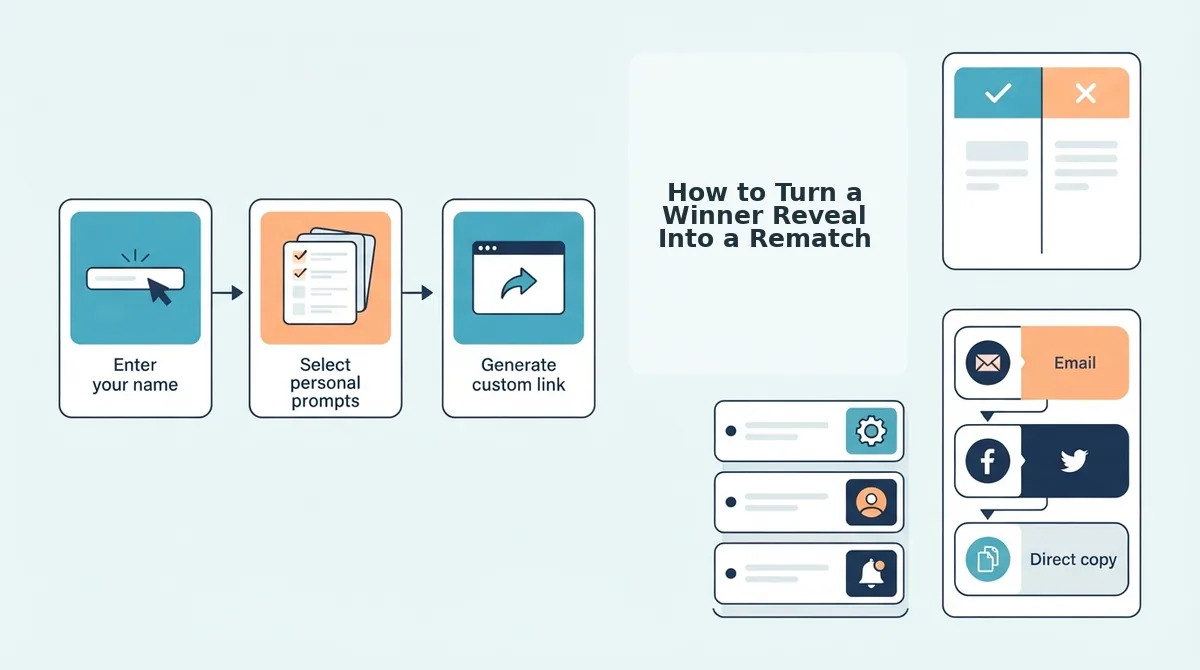
A winner reveal is not the end of the game, it's the opening move for a rematch loop that keeps your group chat engaged for days. The loop is simple: announce to challenge to new quiz to announce again.
Prerequisites: the winner's name, the final Friendboard standings, and a fresh quiz link ready to drop. Total setup time: under 3 minutes.
- Post the winner announcement. Use one of the ready-to-send scripts from the previous section and tag the winner directly. You should see the winner respond with a reaction or boast within minutes.
- Frame the rematch as a challenge. Type a follow-up message like "Think that was luck? Prove it." You should see at least one runner-up accept the challenge.
- Drop a new quiz link immediately. Paste a fresh Friend Quiz link in the same message thread, don't wait for consensus. You should see participants click through within the hour.
- Raise the stakes with a friendship dare quiz. Swap standard trivia for dare-based questions to make the rematch feel higher-risk. You should see bolder answers and more screenshot-worthy moments.
- Repeat the announce step. When the new Friendboard fills, post the next winner reveal using the same formula. You should see a self-sustaining cycle where friends ask for the next round unprompted.
If your group chat goes quiet after a single quiz, the rematch loop is the fastest way to revive it, one new link turns a one-off game into a recurring ritual.
What If There's a Tie? (The Tiebreaker Protocol)
A tiebreaker protocol is a short, pre-agreed sequence for resolving identical Friendboard scores without killing the group's momentum. Think of it like a penalty shootout in soccer: the main game is over, but the sudden-death round is where the real drama lives.
Start simple: announce the tie as a shared win. Post a message like "We have co-champions, both of you nailed it." You should see both winners celebrate together, which doubles the positive reactions in the chat.
Next, propose a sudden-death question. Pick one trivia fact about yourself that neither tied player answered during the quiz, and ask them to guess it in the chat. The first correct answer takes the crown. For a more structured approach, use the tie-breaker rules for friend quiz rankings to set a fair rematch format.
Advanced move: frame the tie as a gift, not a problem. A tied Friendboard gives you a built-in excuse to run a rematch quiz immediately, which keeps the engagement loop alive without any extra prompting. Now let's answer the most common questions about announcing Friendboard winners in group chats.
FAQ: Announcing Friendboard Winners in Group Chat
A winner announcement works best when it lands in under 10 seconds: name the winner, show the Friendboard, and invite a rematch. These answers cover the most common group chat scenarios.
Should I tag the winner in the group chat announcement?
Tag the winner if your group chat culture is playful and competitive, it guarantees they see the result and sparks immediate reactions. Skip the tag if the winner tends to feel singled out or if the group prefers low-key updates. A middle path: tag them in a follow-up comment, not the main announcement.
How do I announce a winner without sounding like I'm bragging?
Credit the group instead of yourself. Say "You all made this quiz brutal, somehow I edged out the Friendboard this round" rather than "I won." Framing the result as a group effort keeps the tone celebratory and invites a rematch instead of resentment.
What's the best app for sharing friend quiz results?
Any messaging app works because a Friend Quiz link opens instantly in a mobile browser, no app download or account required. Paste the link into WhatsApp, iMessage, Snapchat, or Discord and the Friendboard loads directly for everyone in the chat.
How do I get friends to retake the quiz after announcing a winner?
Post the Friendboard screenshot with a one-line challenge: "Current standings. Who's fixing this before Friday?" Naming a deadline and a specific person to beat converts passive viewers into active retakers. The BFF test format makes rematches feel like a fresh round, not a repeat.
Why does my Friendboard show different scores than I expected?
Friendboard scores update in real time as each friend submits answers, so late entries shift rankings instantly. If someone retakes the quiz, their newest score replaces the old one. Announce results only after the chat confirms everyone has finished their first attempt.
The Winning Formula: Celebrate, Credit, Challenge
Every great Friendboard announcement follows the same three-beat rhythm: celebrate the winner by name, credit the group for making the quiz competitive, and challenge someone specific to a rematch. Skip any beat and the energy fizzles, hit all three and the chat turns into a recurring game night.
The 3-part drama-free formula from earlier isn't just about avoiding awkwardness. It's a loop: announcement creates tension, the reveal releases it, and the rematch challenge restarts it. Groups that run this loop weekly report their quizzes getting sharper and their Friendboards getting tighter.
Your next step is simple: create a friendship test, send the link to your group chat, and run the formula on your first winner reveal. The rematch cycle starts the moment you hit send.