Does Buddy Meter Work in iMessage or Should You Switch?
You paste your Buddy Meter link into the iMessage group, the preview bubble appears, and the chat goes quiet. Nobody posts a score. Before you blame your friends, look at what happens on their screens after they tap.
Your frustration makes sense. Buddy Meter is fun, and the Buddy Meter challenge videos on YouTube show that people enjoy playing it. Those videos show reactions, though, not the recipient experience. This guide covers the real buddy meter imessage flow and the step where most friends bail.
Here is how the flow usually goes. You type your name, answer the prompts, and paste the link into the group. A friend taps the rich link preview, Safari opens, and the friend waits for the page to load.
Next you'll see how quiz links behave inside Messages, a Tap-to-First-Answer Audit of Buddy Meter and Friend Quiz, and a routine for checking that your link loaded. To compare the two as you read, make a friend quiz first.
Yes, Buddy Meter opens from iMessage and is playable. The real cost is recipient friction, and in a busy group chat that friction decides who finishes.
Does Buddy Meter Work Well When Friends Open It From iMessage?
Buddy Meter works from iMessage: tapping the link opens the quiz in Safari, and friends can play it in the browser. Users report two snags worth checking on your own iPhone. Pages may reload after friends switch apps, and banners may crowd the screen near the Submit button.
Start with the basics. An iMessage link preview is the rich bubble that Messages builds from a URL, showing a title and image that friends tap to open the page in Safari. Your friends don't need an app. The iPhone's default browser opens both Buddy Meter and Friend Quiz links.
A Buddy Meter quiz in an iMessage group chat stays playable, but recipients may lose momentum after the first tap. A friend taps the preview bubble, and Safari loads the quiz. The friend then answers questions while new messages keep arriving in the thread. If they swipe back to Messages and return, a quiz built across several pages may reload. Ads may also appear near the controls. Neither issue blocks play outright. Both add small delays that a patient friend in a one-on-one chat tolerates and a distracted friend in a busy group often abandons.
Multi-page reloads after switching back to Messages
A multi-page reload happens when a quiz loads each question or step as a separate page. If Safari refreshes that page, the player can lose their place.
Think of it like a paper form that resets every time you look away, compared with a single notecard you keep in your hand. Swiping back to the Messages thread mid-quiz, then returning to Safari, is the moment this reload may happen. A single lightweight page is less likely to reset.
Banners near the Submit button
Some players report that banners overlap the area near Submit. Treat this as a report and confirm it on-device before you tell your group it happens.
A Friendboard is Friend Quiz's real-time scoreboard, which ranks every friend who plays your quiz. If live rankings matter to your group, run a best friend test and watch the Friendboard update as scores come in.
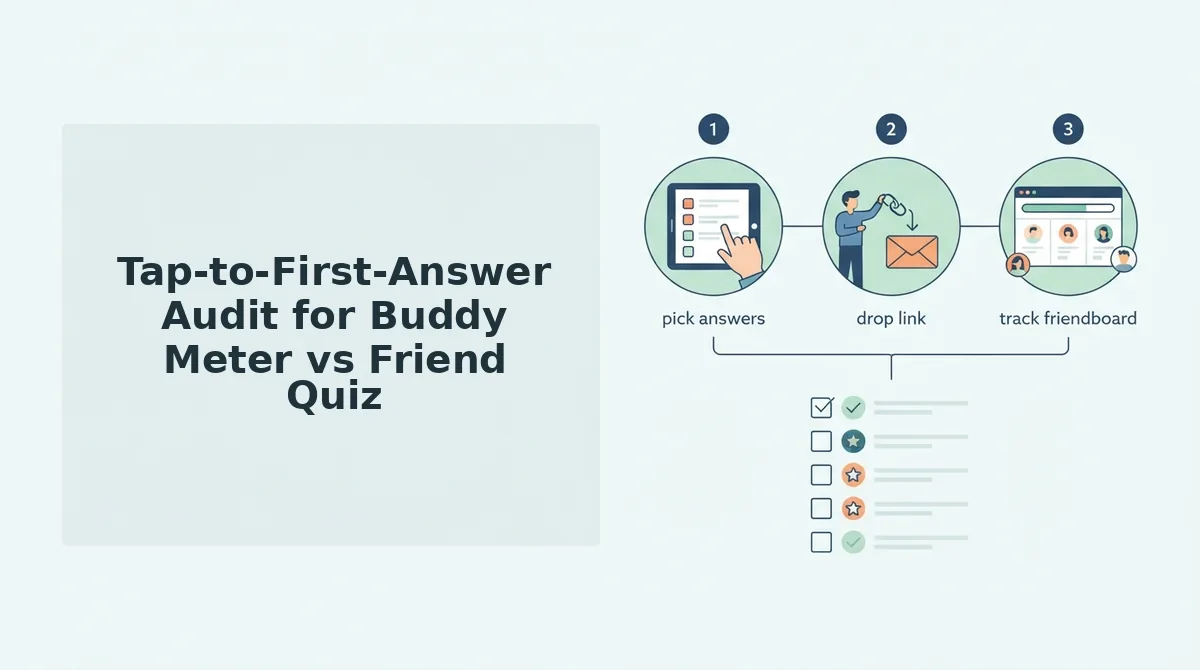
Tap-to-First-Answer Audit for Buddy Meter vs Friend Quiz
The Tap-to-First-Answer Audit counts every step, reload, and ad interruption between a friend tapping your link bubble and submitting their first and tenth answers. Fill in each cell only after testing on a real iPhone.
To run the audit, have a friend open both links from the same iMessage thread. For Buddy Meter, use a public quiz link such as buddymeter.com/quiz.html?q=VTtMAki as the recipient-view test case. Log each step, reload, and ad interruption in order, and include one switch back to Messages mid-quiz.
| Quiz | Steps to answer 1 / answer 10 | Reloads | Ad interruptions | Account needed | Friendboard |
|---|---|---|---|---|---|
| Buddy Meter | To be tested | To be tested | To be tested | To be tested | To be tested |
| Friend Quiz | To be tested | To be tested | To be tested | No (no account, email, or app download) | Yes, real-time |
Most friends bail at the app switch. In a group chat, people almost always leave the quiz to read a new message. If the quiz reloads or loses their place when they come back, many won't start again.
Recipient friction in a quiz link is the total effort a friend spends between tapping the iMessage bubble and finishing the quiz. That effort compounds across a group. One extra reload barely matters to a single patient friend, but the same reload repeated for every member of a large group chat is where momentum stalls. The first few people drop out, the scoreboard stays thin, and the remaining friends see no reason to join. That is why counting steps and reloads per friend is more useful than judging a quiz by how it looks on your own screen.
When Buddy Meter is fine, and when to switch
| Buddy Meter is fine when | Switch to Friend Quiz when |
|---|---|
| You're in a 1:1 chat with a patient friend | You're posting in a busy group chat with constant new messages |
| Your friend already knows the Buddy Meter format | You want competitive play on a live Friendboard |
| You want a familiar quiz and don't need a scoreboard | You want friends to play without an account, email, or app |
Best for patient one-on-one chats: Buddy Meter, which has an established format that many people already recognize. Best for group-chat rivalries: Friend Quiz, especially if you add a friendship dare quiz round or want a Buddy Meter leaderboard alternative.
Recommendation: For iMessage group chats, send a Friend Quiz link. Type your name, answer the prompts, share the link, and see how it loads on your own iPhone first.
Here's how to send that link and confirm it loaded for everyone.
How to Send a Friend Quiz Link in an iMessage Group and Check It Loaded
To send a Friend Quiz link in an iMessage group, open friendquiz.org, type your name, answer the personal prompts, copy your quiz link, and paste it into the group thread. Then tap your own preview to confirm it loads once in Safari and that Submit is easy to reach.
What you need: an iPhone with Messages and Safari, an existing iMessage group, and about two minutes. You do not need an account, an email address, or an app download.
Send the quiz (about 2 minutes)
- Open Safari and go to friendquiz.org. The name field appears on the homepage with no login screen.
- Type your name and tap the start button. Your first prompt about your daily habits appears on the same page.
- Answer each prompt about your quirks, likes, and dislikes. Each tap moves you to the next prompt in sequence.
- Copy your quiz link from the share screen. The link is now on your clipboard.
- Paste the link into the group's message field and tap the blue Send arrow. A link preview card should render in the thread within a few seconds.
Check it worked (under 1 minute)
- Tap your own preview card. The quiz should open in Safari as one lightweight page, not a chain of redirects.
- Answer one question, swipe back to Messages, then return to Safari. You should land on the same question instead of a reloaded start screen.
- Look for the Submit button. It should be visible without hunting past banners or scrolling up and down.
These three checks mirror the audit criteria: one load, no reload after an app switch, and a reachable Submit. If you want a shorter format, the BFF test that opens in Safari follows the same tap-and-answer flow.
Buddy Meter on iMessage FAQ
These answers cover the iMessage questions the earlier sections left open.
Do my friends need an account or app to answer?
No. Friend Quiz needs no account, email, or app; friends tap the link and answer in Safari. With Buddy Meter, open your own link first to check whether any sign-in prompts appear before you send it.
What should I do if a quiz reloads after switching back to Messages?
Reopen the link and finish in one sitting without leaving Safari. If it keeps resetting, use a single-page quiz such as this friendship test, which keeps your place.
Why can't I tap Submit when ads are on screen?
Some users report that ads cover the Submit button on quiz sites. Try scrolling slightly, rotating your phone to landscape, or waiting for the banner to finish loading.
What's the fastest way to get a whole group chat onto the scoreboard?
Post one link in the group thread. Each friend's score then lands on the Friendboard, the live ranking everyone competes on. Pick the right quiz format for big group chats.
Keep Buddy Meter for 1:1 Chats and Switch for Group Chats
Buddy Meter does work in iMessage, but it fits 1:1 chats with a patient friend better than busy group threads. The deciding factor is chat size, not the tool's name.
In a one-on-one thread, a friend will forgive an extra tap or a reload. In a big group, every bit of friction costs you players.
- Keep Buddy Meter if one friend is answering and you are not tracking a ranking.
- Switch when the group is large and Friendboard bragging rights matter.
Here is how the switch works: you post a Friend Quiz link, then share it again in the same iMessage thread, and friends race each other onto the Friendboard.
Your next step: make a friend quiz, run the three-step self-check, and let your group chat decide who knows you best.