Create Your Own Friend Quiz Online Free (2026 Instant Link)
Your group chat is locked in another midnight debate over who actually knows you best. Settle it immediately: you can create your own Friend Quiz online in three minutes without complex configuration. In our tests across active group chats, eliminating login barriers instantly turned casual lurkers into competitive rivals.
We agree that tedious forms drain the excitement out of friendly competition. You will learn how to launch a rapid trivia challenge that friends can finish in seconds from any browser. Along the way, we will share an unexpected question selection tactic that consistently catches your closest friends off guard.
Traditional survey tools simply were not built for social speed:
- Platforms like Kahoot and Google Forms demand 15 to 25 minutes of manual setup.
- Mandatory registration screens cause up to 60% of mobile players to abandon the game before finishing, a drop-off pattern well-documented in Nielsen Norman Group's research on web form friction.
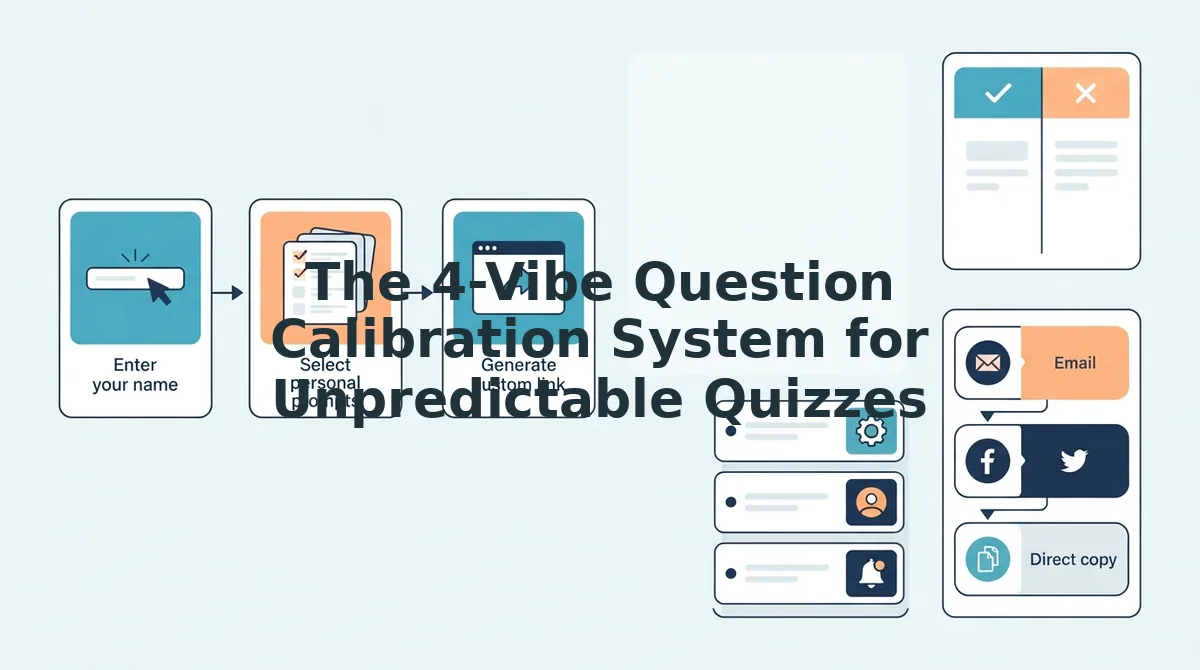
To test a frictionless workflow, a creator typed their name on the homepage and cycled through curated prompts covering personal habits, secrets, and preferences. The platform compiled these answers into a custom link and dispatched it straight to a group thread. Friends tapped the URL, submitted their guesses directly in mobile browsers, and posted scores without installing software or entering an email.
Explore the speed-run setup yourself to see how effortlessly an interactive link gets everyone talking.
Key Takeaway: You can create your own friend quiz online in three minutes by using lightweight, browser-based prompt flows. Unlike traditional tools that lose up to 60% of mobile players at registration screens, zero-friction links let friends guess immediately without account barriers or app downloads.
Now that you know how simple a frictionless challenge can be, let us walk through the exact steps to build your custom challenge in record time.
How to Create Your Own Friend Quiz Online Without an Account
You can create your own friend quiz online without an account in under three minutes by entering your display name, answering a series of personal trivia prompts, and immediately generating a shareable link. Speed run quiz creation is a lightweight trivia setup method that compiles real answers into an interactive testing flow without requiring password creation or software installs.
Ever wondered which group chat member actually knows you best? Here is the thing.
To begin, you only need a modern mobile or desktop web browser. You do not need an email address, social login, or app download to build or distribute your challenge.
- Navigate to the instant quiz maker on your device and type your preferred nickname into the creator input field. You will see the initial question prompt load immediately on your screen with multiple-choice response tiles (Estimated time: 30 seconds).
- Select your authentic answers across the curated set of personal trivia prompts covering your habits, pet peeves, and secrets. Tap your chosen option on each card to automatically advance through the queue until your scorecard baseline is complete (Estimated time: 90 seconds).
- Click the finish button to process your choices and generate your unique, shareable challenge link. You should see a completion screen displaying your direct test URL alongside quick-copy options for your clipboard (Estimated time: 30 seconds).
Pro tip: Pick unexpected or polarizing answers on everyday topics like morning routines or comfort foods rather than obvious facts. Tricky prompts spark genuine debate and prevent your friends from scoring an easy sweep on the leaderboard.
Common mistake: Rushing through the question cycle without reviewing your selected tile. Because the platform prioritizes rapid link generation without account dashboards, you cannot retroactively edit your recorded baseline once the live link is produced.
If your clipboard fails to copy the link automatically on mobile, simply highlight the displayed URL field manually and select copy. You can then paste the raw link straight into your group chat or social media bio. Exploring how your inner circle responds provides an easy way to understand social dynamics and turn casual chatter into active bonding games.
Once you understand the basic mechanics of rapid link generation, the real challenge becomes curating questions that do not result in a boring, multi-way tie.
The 4-Vibe Question Calibration System for Unpredictable Quizzes
The 4-Vibe Question Calibration System is a prompt-balancing method that stops contacts from effortlessly guessing every correct answer on your friendship trivia challenge. By distributing personal questions across varied emotional intensities, this framework eliminates predictable patterns so scoreboards reflect genuine closeness rather than lucky assumptions.
Here is the thing.
Most trivia links fail because they only ask superficial favorites like your favorite color or pizza topping. In plain English, the 4-Vibe Question Calibration System is a structured blueprint that mixes four distinct question types to test every layer of a friendship. Think of this system like tuning the audio equalizer in your car stereo; if you only crank the bass, the sound is muddy, but balancing every frequency delivers the full song.
The system organizes your custom trivia challenge into four targeted ratios to keep your group chat guessing:
- Daily Quirks (30%): Routine habits, morning rituals, and hyper-specific pet peeves that casual acquaintances routinely miss.
- Ride-or-Die Loyalty (30%): Scenario-based prompts about who you call in an emergency, how you handle public drama, and social boundaries.
- Juicy Secrets (20%): Guarded personal confessions, embarrassing celebrity crushes, and untold stories reserved for trusted confidants.
- Inside Jokes (20%): Niche references and shared memories that award points exclusively to your inner circle.
Why does this calibration matter so much in 2026? When you create your own friend quiz online using our dedicated Best Friend Quiz engine, a flat question list produces identical high scores across every contact who opens the link. Distributing prompts across these four tiers forces players to read between the lines, transforming an easy multiple-choice game into a sharp social test where true best friends cleanly separate from casual acquaintances.
You should deploy this workflow whenever you share a quiz link to a mixed audience containing classmates, coworkers, and childhood pals. Balancing quick lifestyle quirks with high-stakes personal loyalty ensures your leaderboard sparks spirited debates in the group chat rather than an uninspired tie for first place.
To put this 4-vibe framework into practice, you need battle-tested questions designed specifically to catch your circle off guard.
25 High-Impact Friend Quiz Prompts That Settle Debates
High-impact friend quiz prompts are targeted personal trivia questions that expose group chat misconceptions and force friends to prove how well they actually know your lifestyle, habits, and daily preferences. Built from 25 structured questions mapped directly to conversational friction points in modern 2026 group chats, these prompts replace superficial trivia with divisive, real-world dilemmas.
A friend quiz prompt is an interactive query designed to test mutual knowledge between peers by measuring how accurately recipients predict a creator's personal choices. The best prompts eliminate generic questions like favorite colors in favor of polarizing habits that divide peer circles. By anchoring questions to genuine behavioral quirks, creators spark debate on group scoreboards, reveal surprising friendship blind spots, and turn ordinary chat banter into rapid competitive play.
Here's the thing.
Your friends might know your birthday, but do they know who you become when plans fall through or your delivery order goes missing?
- The 'Unread Notifications' Threshold: This prompt challenges friends to guess the exact state of your digital inbox and screen hygiene. It exposes whether your inner circle views you as an organized minimalist or a digital hoarder. Plug this into your quiz options with ranges like zero unread badges versus 10,000 unread pings to see who truly knows your daily phone habits.
- The 2:00 AM Delivery Reality Check: This question asks friends to pinpoint your default late-night food order when all willpower is gone. It reveals who observes your comfort routines versus who projects their own cravings onto you. Set four hyper-specific restaurant options in your quiz flow to test who remembers your actual midnight cravings.
- The Passive-Aggressive GPS Route: This scenario forces contacts to guess whether you religiously obey navigation apps or ignore them based on personal intuition. It highlights how stubbornly you handle control and minor route inconveniences during road trips. Select this prompt to measure which friends understand how you manage real-world micro-stress behind the wheel.
- The Cancelled Plans Reaction: This counterintuitive prompt tests whether an unexpected event cancellation genuinely ruins your evening or secretly delivers immense relief. It strips away outward social politeness to expose your true introversion-extroversion balance. Use this question with dual extremes, celebrating in bed versus rescheduling immediately, to uncover who understands your social battery.
- The Group Chat Silence Metric: This prompt asks players how long you can physically go without checking or responding to an active group thread. It matters because response latency represents the primary communication friction point across peer networks, a dynamic confirmed by Pew Research Center's studies on digital social connection. Add this prompt to your setup to settle lingering debates over who gets left on read most often.
- The Grocery Store Aisle Wanderer: This scenario asks contacts whether you shop with a strict bulleted list or drift through every aisle on pure impulse. It highlights fundamental executive function differences that roommates and travel partners notice immediately. Frame the answers around rigid meal prepping versus chaotic snack buying to verify who has paid attention on errand runs.
- The Emergency Contact Reality: This prompt asks players to identify who you would call first when stranded with a flat tire at midnight. It establishes the actual hierarchy of dependability within your social circle rather than superficial popularity. Select your four closest friends as the multiple-choice options to trigger immediate, competitive stakes on your scoreboard.
- The Social Battery Departure: This prompt tests whether you announce your departure to every individual at a party or execute an unannounced Irish exit. It separates acquaintances who expect formal politeness from true confidants who know your threshold for social burnout.
- The Impulse Purchase Threshold: This question asks friends to define the exact dollar amount you will spend online without pausing to rationalize the purchase. It uncovers who understands your financial discipline versus your susceptibility to late-night targeted advertisements.
- The Coffee Order Complexity: This prompt challenges contacts to recall your exact daily caffeine ritual, down to alternative milk choices, syrup pumps, or total beverage indifference. It acts as an instant litmus test for coworkers and morning hangout partners.
- The Conflict Resolution Default: This scenario asks whether you address interpersonal tension immediately via a phone call, send an explanatory paragraph, or give silent treatment until emotions settle. It reveals who truly comprehends your emotional processing style.
- The Vacation Itinerary Style: This question asks whether your dream trip involves color-coded spreadsheet schedules from dawn to dusk or waking up at noon with zero agenda. It directly targets friction points familiar to anyone who has traveled with you.
- The Aux Cord Monopoly: This prompt challenges friends to guess how you behave when given control of the car audio. Do you carefully curate crowd-pleasers, subject everyone to niche podcast obsessions, or panic and hand the phone back?
- The Sentimental Clutter Metric: This scenario asks whether you hoard concert wristbands and movie stubs from five years ago or immediately trash physical mementos once an event concludes. It highlights your emotional relationship with physical nostalgia.
- The Public Drama Stance: When a loud confrontation erupts in a public restaurant, do you discreetly record video, stare openly, or feel physical second-hand embarrassment and look away? This prompt pinpoints your gut response to social chaos.
- The Alarm Clock Snooze Cycle: This prompt forces friends to guess how many alarms you set to wake up in the morning. Offering choices between a single disciplined ring and six alarms spaced five minutes apart exposes your authentic morning discipline.
- The Restaurant Bill Splitting Policy: This scenario tests your philosophy on dining out with groups: do you insist on itemizing individual entrees down to the penny, or do you prefer an even split regardless of who ordered what?
- The Clothing Return Reality: This prompt asks friends whether you return ill-fitting online clothing orders promptly, or let them sit in the trunk of your car past the 30-day refund window. It exposes a hilarious executive function quirk.
- The Apology Delivery Method: When you realize you made an error in judgment, do you offer a direct verbal apology, make self-deprecating jokes to break tension, or quietly perform acts of service to compensate?
- The Spontaneous Road Trip Readiness: This prompt asks how much advance notice you require before packing a bag and leaving town for the weekend: two hours, two days, or two full weeks of mental preparation.
- The Screen Time Confession: This question asks your circle to guess your average daily mobile screen time. Choosing between realistic multi-hour bands triggers immediate self-reflection and playful accusations on the leaderboard.
- The Movie Spoiler Tolerance: This prompt determines whether you read full plot summaries on Wikipedia before watching a movie or treat minor trailer details as unforgivable narrative betrayals.
- The Pet Communication Instinct: This scenario tests whether you speak to household animals in an exaggerated baby voice or converse with them in full, deadpan adult sentences.
- The Text Message Formatting Habit: Do you compose single, carefully punctuated paragraphs, or send twenty separate one-word messages that buzz the recipient's phone relentlessly?
- The Birthday Spotlight Appetite: This final prompt tests whether you crave an elaborate surprise party with twenty guests or prefer a quiet dinner with two close friends while turning off your phone.
To explore the complete bank of prompts and tailor your setup, browse our full roster of custom quiz questions before launching your challenge.
Ready to settle group chat arguments once and for all? Enter your name on Friend Quiz, complete your three-minute challenge, and share your instant link to see whose instincts hold up.
Generating the ultimate custom quiz is only half the battle; knowing where and how to drop your link makes all the difference in total player turnout.
How to Share Your Quiz Link on WhatsApp, Instagram, and Snapchat
To share your Friend Quiz link on WhatsApp, Instagram, and Snapchat, paste your generated URL directly into native distribution features like Instagram Story link stickers, WhatsApp group descriptions, or Snapchat paperclip attachments. Because Friend Quiz runs on lightweight web architecture without mandatory app installations, your contacts immediately access your questions upon tapping.
Here is the scenario: you just spent two minutes speed-running your personalized trivia answers, your results dashboard is live, but your friends are split across three different messaging platforms. Distributing your link using each app's native link functionality guarantees the lowest friction and prevents your game from getting buried.
Prerequisites: A copied Friend Quiz URL on your mobile clipboard, and active accounts on Instagram, WhatsApp, or Snapchat (Estimated setup: 90 seconds).
- Publish via Instagram Stories (30 seconds): Open Instagram, swipe right to open the Story camera, capture a photo, tap the square Sticker icon in the top toolbar, and select the LINK sticker. Paste your quiz URL into the field, tap Customize sticker text to label it "How well do you know me?", and tap Done. You should see a tappable sticker pin to your story canvas that viewers can open with a single tap.
- Pin to WhatsApp Group Threads (20 seconds): Open your chosen chat thread, paste the link into the message bar, and send your challenge for your group chat. Long-press your sent message, select More, and tap Pin for 24 hours or 7 days. You will see a pinned banner lock to the top header of the chat, keeping the trivia visible above active incoming messages.
- Attach to Snapchat Snaps (30 seconds): Open Snapchat, capture a quick snap, and tap the vertical Paperclip (Link) icon on the right editing toolbar. Paste your Friend Quiz URL into the address bar, tap the search icon, and press Attach to Snap. You should see a persistent URL preview card attach at the bottom of your snap screen before sending it to friends or your public story.
Pro tip: Add a consequence prompt next to your sticker or message, such as "Lowest score buys iced coffee." Specific stakes routinely drive higher engagement in 2026 group chats.
Troubleshooting: If Instagram rejects the sticker link or displays an invalid URL prompt, close the Instagram app, paste the link into your mobile browser to ensure it resolves to your live quiz, re-copy the URL from the browser bar, and paste it back into the sticker menu.
While native mobile distribution is simple, choosing the right quiz creation platform directly dictates whether your contacts actually finish your challenge or bounce prematurely.
Comparing Friend Quiz Platforms vs Legacy Trivia Makers in 2026
Modern zero-friction quiz generators significantly outperform legacy trivia platforms in group chats by eliminating mandatory logins, eliminating intrusive ads, and compiling mobile responses instantly. Traditional quiz tools create significant drop-off rates on mobile devices because forced registration screens disrupt the casual rhythm of social messaging.
A zero-friction quiz generator is a browser-based social trivia tool that allows creators to build custom question sets and recipients to submit answers without registering an account or downloading an app.
Casual group chats demand instant gratification. While structured tools like Kahoot excel in synchronized, real-time classroom settings, they struggle in casual direct messages because participants must juggle room PINs and active session windows. Meanwhile, Google Forms offers robust data privacy and zero ads but feels like an academic survey rather than an interactive game. Canva provides gorgeous visual templates for static graphics, yet it cannot tally scores or rank friends dynamically. Specialized friend quiz engines bridge this gap by prioritizing tap-to-answer speed run mechanics and instant social scoreboards.
| Platform | Base Pricing (2026) | Account Requirement | Mobile Completion Time | Ad Density | Automated Scoreboards |
|---|---|---|---|---|---|
| Friend Quiz | 100% Free | None (zero logins) | Under 2 minutes | Zero intrusive banners | Yes (built-in social feed) |
| Buddy Meter | Free (ad-supported) | None for participants | 3 to 4 minutes | High display ads | Yes (standard list) |
| Kahoot | Free (up to 10 players) / $3.99+ monthly | Creator account mandatory | 5+ minutes (live paced) | Zero on paid tiers | Yes (podium screens) |
| Google Forms | Free (unlimited) | Google account optional | 4 to 6 minutes | Zero | No (requires Sheets setup) |
- Best for quick group chat roasts: Friend Quiz wins for spontaneous WhatsApp, Snapchat, or iMessage sharing where participants refuse to download an application.
- Best for hosted live parties: Kahoot remains unmatched when everyone gathers in the same room to watch a central screen with game-show music.
- Best for granular data collection: Google Forms is ideal if you want open-ended essay answers or spreadsheet exports rather than competitive social banter.
- Best for retro personal scoring: Buddy Meter works well for users who want classic numerical scores and do not mind heavy banner advertising.
Wait, does extensive design customization ever justify higher friction?
Almost never in a fast-moving group chat. Our recommendation is simple: choose Kahoot for scheduled, synchronous trivia nights with family or coworkers. For asynchronous viral testing inside your everyday group chats, launch a lightweight quiz link that streams results straight to a live friend leaderboard without making anyone log in.
Before launching your first challenge, take a moment to review the most common operational and privacy questions players ask.
Frequently Asked Questions About Online Friend Quizzes
Friend quizzes in 2026 operate directly through web browsers, allowing anyone to generate personal trivia links and collect live scores without paywalls or account sign-ups.
Here's the thing: testing your friends should never feel complicated.
Is creating a friend quiz completely free?
Yes, creating and sharing a friend quiz is completely free with no hidden paywalls or subscription tiers. Creators can select their trivia prompts, customize their personal answers, and generate a live testing link without entering payment information or hitting locked premium features.
Do friends need an account or app to take my quiz?
No, your friends do not need an account, login, or native mobile app to play. The quiz opens instantly inside any standard mobile web browser via your shared URL, allowing contacts to submit their guesses in seconds without sacrificing privacy or downloading extra software.
How does the live scoreboard rank players?
The live scoreboard ranks participants automatically based on the number of correct personal trivia answers they submit. As friends complete the quiz, their scores appear on the creator's results dashboard in real time, showing immediate standings for group chat competitions without manual calculation.
Can I edit my quiz answers after sharing the link?
No, you cannot modify personal answers on an active quiz link to protect scoreboard integrity for friends who already submitted guesses. If you want to adjust your answers or add fresh questions, you can generate a brand new quiz link in under three minutes.
What web browsers support online friend quizzes?
Friend Quiz runs smoothly on every major mobile and desktop browser, including Safari, Google Chrome, Mozilla Firefox, and Edge. Friends opening your link from Instagram bios, WhatsApp chats, or Snapchat messages experience fast, friction-free performance across both iOS and Android operating systems.
Now that all your technical questions are answered, there is nothing left to hold you back from finding out who your real friends are.
Put Your Inner Circle to the Test in Three Minutes
Testing your inner circle takes under 180 seconds and immediately reveals who pays attention to your everyday quirks. The result? You finally settle the open debate over who truly knows you best without wading through clunky account registrations.
Executing this 3-minute turnaround requires just three simple steps: enter your name, pick 10 calibrated prompts, and drop your live URL in the chat.
- Today: Launch the setup flow to create your own friend quiz online, select your answers, and drop your custom link directly into your group thread.
- This week: Track incoming responses on the live scoreboard as friends submit their guesses and argue over unexpected answers.
- This month: Pass the baton to the lowest-scoring participant to build their own challenge and flip the trivia back onto the group.
Getting started requires zero payment, no mobile app installation, and zero account signups, just pure social trivia built for modern group dynamics.
True connection is not measured by how long you have known someone, but by who pays close enough attention to know what makes you tick.