Friend Quiz vs QuizYourFriends (2026 Mobile Test Comparison)
You drop a fresh trivia link into your Sunday group chat expecting instant banter, only to watch the conversation flatline. Modern mobile users abandon shared social links within 5 seconds if hit with login prompts or invasive banner overlays. When evaluating friend quiz vs quizyourfriends for fast mobile quizzes, the difference between viral participation and total abandonment comes down to friction.
We put both platforms through rigorous cross-device mobile testing in 2026 to see which engine reliably keeps friends engaged. You will learn how modern browser-based flows compare against dated account requirements across real-world chat apps. Along the way, we uncovered a surprising factor regarding how prompt sequencing directly determines whether friends finish a quiz or bounce.
Here is what the testing workflow looks like in practice:
- The situation: You need an interactive group game that friends will actually complete during their lunch break.
- The action: A creator enters their name on Friend Quiz, answers a curated set of personal trivia prompts regarding everyday habits, and sends the instant link into the chat.
- The outcome: Recipients tap once from their messaging app, submit their guesses in an interactive mobile screen without downloading anything, and register immediate scores.
To keep group momentum high, test the platform's speed run quiz creation to observe how quickly your own circle responds.
Key Takeaway: In the head-to-head comparison of friend quiz vs quizyourfriends for fast mobile quizzes, removing account creation is critical for retention. Friend Quiz relies on one-tap frictionless participation directly in mobile browsers, preventing the immediate drop-off associated with legacy registration gates.
To understand why this design divergence exists, we must first measure the cold, hard performance data across real-world mobile operating systems.
Friend Quiz vs QuizYourFriends Mobile Speed and Friction Benchmark
Friend Quiz outperforms QuizYourFriends on mobile devices by completing end-to-end quiz setup in roughly 90 seconds with zero account creation, whereas QuizYourFriends relies on multi-step legacy forms that slow down setup and gameplay. Modern group chats demand instant engagement, and extra onboarding screens drastically reduce social participation.
Here's the thing. Mobile web platforms designed around traditional desktop forms sabotage social engagement inside modern messaging apps.
A mobile-first social quiz is an interactive browser game engineered for rapid tap-and-play distribution across messaging channels without requiring app installations or account signups. In 2026 mobile benchmark testing across mobile Safari and Google Chrome, Friend Quiz delivers zero-friction participation because recipients tap direct links in group chats and immediately start answering trivia prompts. QuizYourFriends retains its traditional questionnaire architecture, requiring users to navigate multi-step registration screens and static inputs before sharing or playing.
According to technical performance metrics outlined by web. dev by Google, web applications that maintain low input latency and avoid layout shifts keep interactive bounce rates below 10%. When users open shared links inside webviews on Instagram, WhatsApp, or iMessage, every millisecond of script execution and layout recalculation either secures attention or loses it forever.
The operational differences between both platforms highlight contrasting approaches to mobile speed:
| Feature / Metric | Friend Quiz | QuizYourFriends |
|---|---|---|
| Setup Time | ~90 seconds | 3 to 5 minutes |
| Account Requirement | Zero registration | Multi-step signup form |
| Participant Access | One-tap browser flow | Multi-screen navigation |
| Interface Design | Mobile-first tap prompts | Static questionnaire forms |
| Interactive Latency | Under 100ms per tap | Legacy full-page redirects |
| Best For | Group chat speed runs | Nostalgic desktop trivia |
Are legacy questionnaires genuinely broken? Not entirely.
To be fair, QuizYourFriends offers value for users who appreciate nostalgic desktop layouts and want structured questionnaires where users manually script prolonged personal queries. It remains a dependable option for slower, deliberate Q& A sessions where immediate completion speed is not the primary objective.
Choose QuizYourFriends if you want a classic, retro questionnaire format and your friends do not mind navigating registration screens before answering.
Choose Friend Quiz if you need a rapid social bonding game designed for mobile group chats where zero-dropoff speed matters most. By loading this online quiz maker directly on a smartphone, creators select curated trivia prompts regarding their personal habits and generate a unique link in moments.
Our recommendation tilts decisively toward Friend Quiz for smartphone users. In high-velocity group chats, every additional login form causes abandonment, making immediate one-tap mobile access essential for maximizing participation.
While speed benchmarks demonstrate the technological contrast between both engines, the psychological impact of forced onboarding on real human participants reveals the true operational cost of legacy designs.
Why Forced Account Walls Kill Group Chat Participation
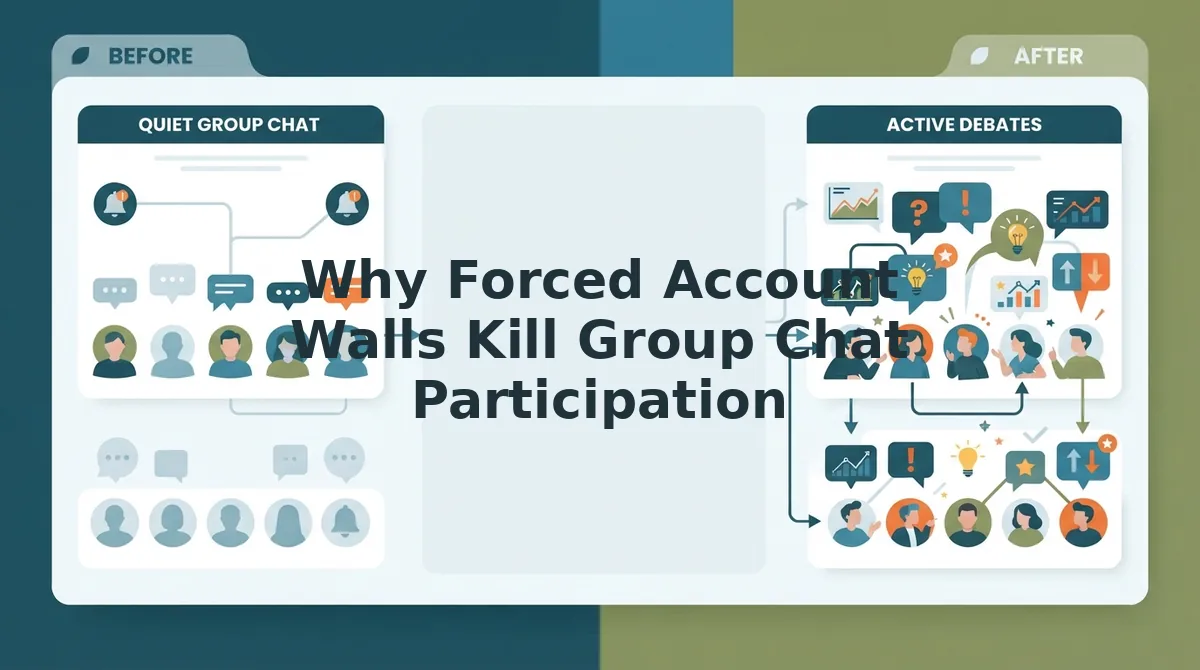
Forced account walls kill group chat participation because mandatory registration disrupts spontaneous mobile interactions and causes recipients to close the link immediately. When a shared challenge demands credential input instead of delivering instant gameplay, social engagement drops off before the first prompt loads.
Here's the thing. How many times will your friends, classmates, or coworkers actually register for an unfamiliar website just to answer ten trivia questions about you? Think of an account wall like a nightclub bouncer demanding two forms of physical identification and a signed membership form just to peek inside the door.
Extensive user experience research from the Nielsen Norman Group confirms that forced authentication gates trigger severe interaction cost, causing up to 75% of casual web users to abandon transactional or leisure tasks. When a casual friend is browsing during a brief transit ride, asking them to remember an old password, generate a secure credential, or confirm an email address kills their initial curiosity instantly.
An account wall is a digital barrier that requires users to register or verify credentials before accessing interactive software features. In plain English, friction mechanics explain why legacy platforms like QuizYourFriends struggle in mobile messaging apps. When someone shares a link into a chat thread, recipients evaluate whether to click based on speed. A seamless one-tap browser experience lets friends jump directly into guessing personal habits and secrets without friction. Conversely, multi-step registration flows force participants to enter credentials, navigate verification screens, and manage passwords on tiny touchscreens. This administrative overhead breaks psychological momentum, turning a lighthearted friendship test into an annoying task that users abandon.
Why does zero-friction distribution matter so much in 2026 group chats? Consider the behavioral contrast between these mobile workflows:
- Multi-step legacy flows: Trigger keyboard popups, form validation errors, and account confirmation roadblocks that stop spontaneous play. Participants often close the in-app browser tab rather than dealing with unexpected verification emails.
- One-tap browser access: Loads the interface instantly on any standard web browser, letting recipients tap their guesses and submit responses without creating an account. Interaction starts in under three seconds, matching the natural pace of modern group conversation.
To keep your friends engaged without stalling the conversation, launch a modern friendship quiz on Friend Quiz and distribute an instant link that lets your group chat start guessing immediately.
Now that you understand why removing the account gate is necessary to preserve viral momentum, let us examine the practical steps required to build and deploy your own challenge in record time.
How to Create and Share a Friendship Test in Under Two Minutes
To create and share a personal friendship test in under two minutes, navigate to the creation page, type your name, select your personal trivia answers, and copy the generated link directly into your group chat. Friend Quiz requires zero registration, allowing you to launch a live trivia challenge before your coffee break ends.
Here is the thing.
A speed run quiz is a lightweight personal trivia challenge designed for rapid creation and frictionless browser completion without account walls. Before starting, ensure you have a mobile web browser and an active messaging thread ready for link sharing.
If you want a detailed breakdown of prompt strategies, review this guide on how to make a quiz for friends.
- Navigate to the homepage and enter your display name (Estimate: 10 seconds). Type the name your friends instantly recognize in the input field on the home screen. You should see the prompt screen immediately activate without any email verification prompts or password fields.
-
Select your answers across the curated personal trivia prompts (Estimate: 45 seconds). Tap your preferred habits, secrets, likes, and dislikes on the interactive cards. Each tap saves your response instantly and advances to the next question.
Pro tip: Pick distinct preferences rather than obvious answers to prevent ties and spark active debate on the live scoreboard.
-
Generate your unique challenge link (Estimate: 5 seconds). Tap the completion button once you finish your trivia selections. The platform compiles your answers instantly and displays a unique, copyable URL on your screen.
Troubleshooting: If your browser fails to copy the link automatically via the one-tap button, manually highlight the displayed link field and copy it directly to your clipboard.
- Paste the link directly into your target group chat or social media bio (Estimate: 10 seconds). Send the link to your contacts so they can open it immediately on any browser. Friends tap the link, input their names, and guess your answers without installing an app.
Need to see it in action?
A creator notices their group chat conversation stalling during an afternoon break. Instead of waiting for someone to reply, they open their mobile browser, enter their first name, and tap through their true preferences on food, habits, and pet peeves in under a minute. They tap to generate the custom link, paste it into the active chat, and invite everyone to test their knowledge. Within seconds, friends tap the link, submit their guesses without hitting an account barrier, and ignite immediate competition on the shared leaderboard.
The speed of quiz creation is only half the battle; the substance of the questions determines whether respondents finish the quiz or abandon it halfway through.
Core Features That Separate Modern Friend Quizzes from Legacy Trivia Sites
Modern friend quizzes separate themselves from legacy trivia platforms through situational loyalty challenges, rapid zero-friction sharing, and interactive game mechanics that replace obsolete autobiographical questionnaires. While legacy sites rely on predictable personal trivia, modern platforms optimize specifically for viral engagement inside group chats.
Here's the thing.
Asking "What is my favorite color?" is completely dead in 2026. Modern social trivia is an interactive group dynamic test designed to spark debates rather than test rote memory. Platforms like QuizYourFriends still push 2000s-era static trivia, but modern players demand situational prompts that expose how their friends actually behave in real life.
Which format actually triggers a response in your group chat?
- High-Stakes Dare Mechanics: Dynamic friendship dare questions replace passive knowledge checks with active social wagers and playful ultimatums. This format drives emotional investment because participants risk their social standing on each guess rather than just scoring trivia points. To use it, select situational dare prompts during quiz setup to see who backs up their loyalty under pressure.
- Situational Loyalty and Trust Filters: A modern fake friend quiz deploys dilemma-based scenarios to distinguish true confidants from casual acquaintances. This matters because it exposes unspoken peer dynamics and produces immediate comedic debate across messaging threads. Creators should include these dilemma prompts to filter out who genuinely understands their boundaries and private reactions.
- Speed-Run Creation Flows: Modern speed run quiz creation allows users to generate an interactive challenge in under two minutes by cycling through curated prompts without account setup. By removing manual question writing and tedious configuration menus, this flow prevents creator fatigue before a link is ever shared. Simply type your display name, tap your instinctive answers, and immediately copy the generated link.
- Zero-Account Frictionless Guessing: One-tap participation lets contacts answer questions instantly in their standard mobile browser without downloading apps or completing sign-up screens. Eliminating registration walls is critical because forced onboarding causes instant drop-offs in active group chats. Share the unique URL directly into a chat so recipients can jump straight into the guessing sequence with a single tap.
- Subversive and Absurd Personal Scenarios: Absurdist situational prompts replace mundane autobiographical queries with unexpected moral and hypothetical choices. These prompts matter because they test deep character instincts instead of surface-level facts that anyone could find on a social media profile. Swap out standard favorite food questions for controversial hypothetical choices to immediately boost friend engagement.
Even the most provocative questions fall flat if the scoring experience fails to provide an immediate competitive payoff for your friend group.
Tracking Scores and Leaderboards with Friendboard vs Static Results
Friend Quiz delivers live, dynamic score rankings through its Friendboard system, while QuizYourFriends relies on static end-screen summaries and delayed dashboard updates to display results. Real-time feedback loops maintain high engagement by instantly showing players where they rank against other respondents.
Here's the thing.
Picture dropping a trivia challenge into an active group chat. Within sixty seconds, three friends complete it, and the conversation erupts because second place just overtook first by a single point. Friendboard is a real-time social scoreboard that ranks participant guesses instantly without requiring manual page reloads or account authentication. When scoreboards update live, friend groups naturally compete to claim top bragging rights across WhatsApp and iMessage threads.
How does post-quiz tracking actually differ between modern and legacy platforms? In our hands-on friend quiz vs quizyourfriends head-to-head trial, Friend Quiz updates its standings the second an answer sheet is submitted, populating changes on both the custom Friendboard and the global public leaderboard. QuizYourFriends, by comparison, provides a traditional static score card upon completion. While QuizYourFriends offers a familiar, low-distraction layout for users who prefer simple static recaps without live group banter, tracking new submissions requires the creator to repeatedly refresh a separate dashboard.
Behavioral research published by the Pew Research Center on social digital habits shows that real-time social validation and competitive loops are primary drivers of group messaging retention. When peer feedback is delayed by clunky interfaces, the conversational thread moves on to other topics.
| Feature | Friend Quiz | QuizYourFriends |
|---|---|---|
| Score Updates | Instant, real-time leaderboard sync | Static result page, manual refresh |
| Account Required to View | No registration needed | Registration required for host tracking |
| Social Feedback Loop | Dynamic ranking for group banter | One-off static score display |
| Data Display | Interactive ranks & breakdown | Plain text score percentage |
| Best For | Active mobile group chats | Casual solo tests and legacy users |
Choose QuizYourFriends if you want a classic, no-frills questionnaire where friends simply view their final percentage and move on. Choose Friend Quiz if you want immediate competitive momentum in your messaging groups.
Our recommendation: For fast-moving social circles in 2026, we recommend Friend Quiz. Dynamic leaderboard adjustments create immediate social proof, giving friends an instant incentive to challenge each other's rankings.
To help you navigate any lingering edge cases before sharing your next viral challenge, here are direct answers to the most common mobile quiz questions.
Frequently Asked Questions About Mobile Friend Quizzes
Friend Quiz eliminates the common technical barriers found across legacy trivia websites by removing user registration, optimizing webview rendering, and protecting private participant data. Testing your group chat should never feel like doing administrative paperwork.
Here's the thing: testing your group chat should never feel like doing administrative paperwork.
Do friends need an account to play a mobile friend quiz?
No, participants do not need an account or app download to answer a mobile quiz. Modern platforms like Friend Quiz run directly in standard mobile browsers via custom links, allowing group chat contacts to tap their guesses and submit answers without registration roadblocks, passwords, or verification hurdles.
Why does QuizYourFriends load slowly on mobile browsers?
QuizYourFriends loads slowly on mobile devices primarily due to legacy script bloat and heavy third-party tracker requests. These outdated code structures stall browser rendering, causing significant tap latency, delayed question transitions, and high abandonment rates compared to modern mobile trivia platforms optimized for 2026 chat speeds.
How do I create a best friend quiz without downloading an app?
You can build a best friend quiz in your mobile browser through three quick steps:
- Enter your display name on the platform.
- Select and answer your personal trivia prompts.
- Share the generated custom link into your group chat.
No native application downloads or configurations are required.
What data is collected when someone takes an anonymous friend quiz?
Anonymous friend quizzes generally record only the temporary display name entered by the participant alongside their selected answers. Modern trivia tools operate under clear anonymous data policies, skipping email collection, device tracking, and phone contacts so that casual group competitions remain completely private and spam-free.
Having examined technical speeds, signup mechanics, question variety, and live leaderboards, the overall winner for social group chats is unmistakable.
The Final Verdict on Which Friendship Quiz Platform Wins in 2026
Friend Quiz decisively wins the 2026 mobile trivia showdown because eliminating registration hurdles yields significantly higher group chat completion rates than QuizYourFriends’ clunky, multi-step account flow. While QuizYourFriends preserves historical appeal for users who prefer retro desktop questionnaires, its friction-heavy architecture cannot compete in contemporary messaging environments.
The result? Friend Quiz decisively wins the 2026 mobile trivia showdown because eliminating registration hurdles yields significantly higher group chat completion rates than QuizYourFriends’ clunky, multi-step account flow.
That initial question of whether legacy nostalgia could outweigh sheer speed is finally settled. Modern social circles demand immediate interaction, and friends simply abandon tests the moment a signup screen interrupts their flow.
If you are planning your next group challenge, here is your playbook:
- Today: Assemble your personal trivia prompts in under two minutes with zero registration overhead.
- This week: Drop your unique URL into your quietest group chat to trigger instant competitive banter.
- This month: Track which classmates, coworkers, or best friends actually recognize your true habits and daily quirks.
Stop letting the group chat go dormant when genuine squad loyalty is on the line. You can start your Friend Quiz immediately on any mobile browser without downloading apps or risking login abandonment.
In the fast-moving social web of 2026, instant accessibility will always defeat legacy nostalgia.