QuizYourFriends vs Friend Quiz Rankings for Who Knows You Best
You drop a quiz link in the group chat and three friends answer. Then everyone argues over screenshots, because nobody can tell who actually knows you best.
The scores are fun, and the banter is half the point. A pile of separate results is not a ranking, though, and this guide to QuizYourFriends vs Friend Quiz rankings closes that gap.
Drop-off makes the problem worse. Quiz platforms that demand sign-ups, throw popups or reload pages can kill chat momentum before friends reach question three. A ranking with only two names on it settles nothing.
By the end, you will know which tool ranks a group more clearly and why. You will get three things:
- A criteria table built around ranking mechanics
- A walkthrough of both result flows
- A fix for the board size most people get wrong
Read the verdict below first. Then use the table to pick the tool that fits your chat.
Does QuizYourFriends or Friend Quiz Rank Who Knows You Best Better?
Friend Quiz is the better pick for ranking a group. Its Friendboard is a real-time leaderboard of friends' scores, and friends join it from a mobile browser with no account. QuizYourFriends centres on a per-player result. Confirm its current result and ranking display on its live site before deciding.
The difference only matters when more than one friend plays. If a single friend takes your quiz, any score answers the question. Once five people answer, you need a ranked list, not five isolated numbers.
Two terms that decide the ranking
Friendboard is a real-time leaderboard of friends' quiz scores. Think of it like the scoreboard at a bowling alley: every lane's total updates on one screen, so you never compare scorecards by hand.
Zero-account participation means friends answer in their mobile browser without a sign-up, email or app download. This matters for rankings. Every login wall removes a name from the board before that friend scores.
Worked example: building a ranked quiz
- Type your name on the Friend Quiz homepage.
- Answer the prompts about your habits, quirks, likes and dislikes.
- Copy the generated link and drop it in your WhatsApp group.
- Friends open the link and answer directly in their browser.
You can create a best friend quiz in under two minutes. Each finished player then lands on the same Friendboard, so the group sees one ranking instead of scattered screenshots.
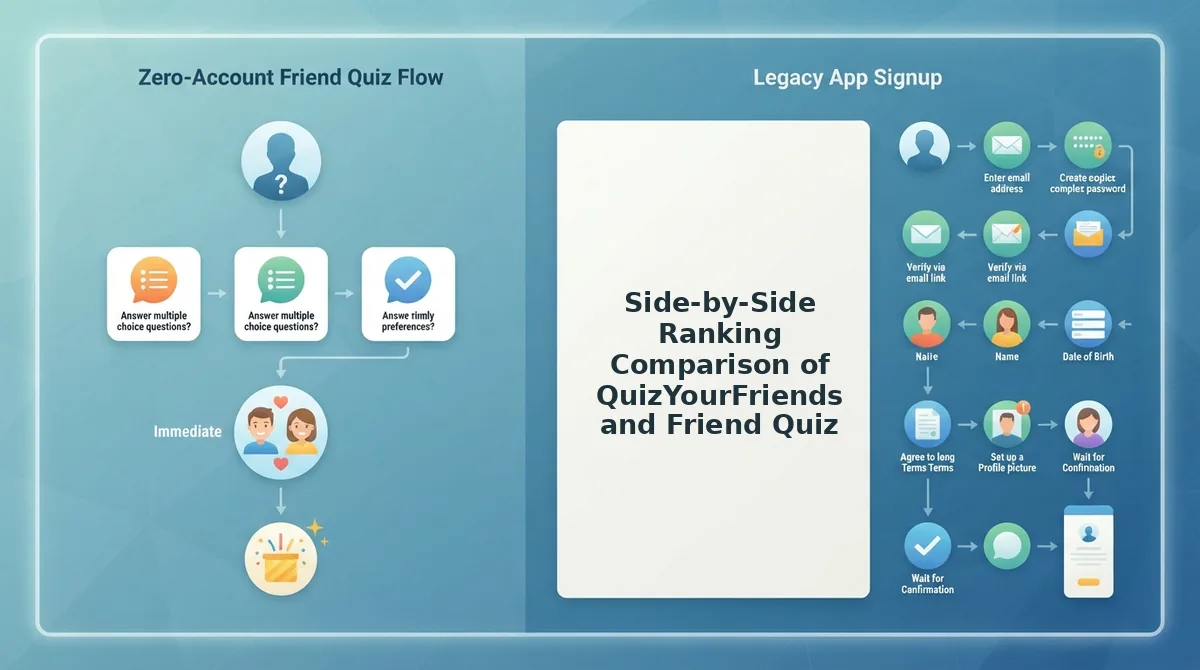
Side-by-Side Ranking Comparison of QuizYourFriends and Friend Quiz
Ranking quality depends on six mechanics: live updates, account requirements, mobile load, ad interruptions, answer privacy and board-size fit. The matrix below scores both tools on those criteria. Every QuizYourFriends cell is marked "verify live" because its current behaviour should be checked on its own site.
| Ranking criterion | QuizYourFriends | Friend Quiz |
|---|---|---|
| Live ranking updates | Verify live | Real-time Friendboard updates as friends finish |
| Account required for friends | Verify live | No account, email or app download |
| Mobile load and reloads | Verify live | Mobile-first web app; friends answer in their browser |
| Ad interruptions | Verify live | Check the current quiz page before sharing |
| Answer privacy | Verify live | Check what the Friendboard displays before sharing |
| Board-size fit (pair vs group) | Verify live; per-player result suits pairs | Shared leaderboard suits group chats |
The account row matters most for completion. Friends who hit a sign-up wall often never reach the board. See how each tool handles friends who refuse to sign up.
QuizYourFriends has a fair strength of its own. A focused per-player result gives one friend a clean, personal score without any group context. For a one-on-one challenge, that simplicity can be exactly what you want.
- Best for group chat rivalry: Friend Quiz. Its live Friendboard ranks every player who answers from the shared link.
- Best for a quick solo result: QuizYourFriends. Confirm its current result screen first.
Next, look at how QuizYourFriends shows results to each friend.
How QuizYourFriends Shows Results to Each Friend
QuizYourFriends appears to use a static result flow: each friend answers the quiz and sees their own individual score, with no shared, updating ranking that prompts replies. Before relying on this walkthrough, confirm every detail on quizyourfriends.com, including whether the site is still active, because flows can change.
What you need: a phone or desktop browser and a quiz link shared by the creator.
- Open the quiz link from your group chat or feed (about 5 seconds). The quiz page should load in your browser with the creator's name shown.
- Type your name in the name field if the quiz asks for it, then tap the start button (about 10 seconds). The first question should appear on screen.
- Select an answer for each question and move to the next one (1 to 3 minutes, depending on quiz length). A progress indicator or the next question should confirm each choice was saved.
- View your score on the results screen after the final question. You should see how many answers you got right, shown as your personal result.
- Check for a score list on the quiz page. Some versions may list other players' scores for that quiz, but verify this on the live site before counting on it.
Where the loop stops: after step 4 or 5, the flow ends. Nothing changes after you play, and nothing nudges the next friend to take their turn, so a static result becomes a dead end for chat momentum.
How Friend Quiz Friendboard Rankings Keep a Small Group Chat Competing
Friend Quiz keeps a group chat competing because its Friendboard ranks every player in real time, so each new answer can change who sits on top. That visible shift gives friends a reason to reply, rematch, and pass the link along.
Here's where it gets competitive: a Friendboard is a live ranking that lists every friend who took your quiz, ordered by score, and updates the moment someone new finishes. Think of it like the high-score screen on an arcade machine, except every name on it belongs to someone in your chat.
The Friendboard Loop
The competitive loop runs in four beats: a friend answers, the board updates, someone screenshots it into the chat, and the next friend plays. Each screenshot works as a fresh invitation, so the quiz keeps circulating without the creator re-posting the link.
How to Track Friendship Quiz Scores
- Create your quiz by typing your name on the homepage and answering the personal prompts. You should get a shareable quiz link in under two minutes, with no account, email, or app download.
- Share the link in WhatsApp, iMessage, or Instagram. Friends open it straight in their mobile browsers.
- Watch the Friendboard as results come in. Each finished quiz should appear as a new ranked entry.
Why Small Leaderboards Keep Group Chats Active
Small leaderboards keep group chats active because of what we call the Small Board Effect: with roughly 3 to 8 friends, every new answer has a real chance of reshuffling the top spots. A friend sitting at #2 can see exactly who is beating them and how close the gap is, which turns into messages like "I'm #2, who's beating me?" and an instant rematch. On big boards, most players land far from first place, so one more result rarely moves anything worth talking about. This is reasoning about how chats behave, not a formal study, but it explains why tight groups stay engaged longer.
Worked example: a friend finishes your quiz, sees the Friendboard update with their name one spot below the leader, and screenshots it into the iMessage thread. The next friend opens the link to defend their place.
If your group thrives on that kind of rivalry, send a Friendship Dare as another competitive format that turns answers into challenges the whole chat can react to.
When Friend Quiz Rankings Are Not the Right Pick
Friend Quiz rankings are not the right pick for one-on-one quizzes, huge public groups, or friends who want a casual play-along with no scoring. A Friendboard works best specifically in small group chats.
But there's a catch. Rankings are not always better, and admitting that helps you choose the right format faster.
- Skip rankings for one-on-one partner or BFF quizzes. When only one person plays, a leaderboard of one adds nothing a simple score cannot show. Send your partner or best friend the lighter BFF test and compare results directly.
- Skip rankings for huge public groups. The Small Board Effect fades as dozens of players drift far from first place. If you are posting to a large public audience, expect most people to check their own score and move on.
- Skip rankings for friends who just want a play-along. Some groups prefer guessing along without any scoring pressure. A YouTube-style BFF test video works fine here, since those videos are play-along only with no peer rankings.
When Does a Simple Score Beat a Leaderboard?
A simple score beats a leaderboard when there is no real competition to display. For couples, best-friend pairs, and one-off solo checks, a single result answers the only question that matters: how well does this person know me? Adding a ranking with one or two names creates no tension, no reshuffling, and no reason to screenshot. Leaderboards earn their place when three or more friends can realistically overtake each other, which is why a Friendboard fits group chats while a quick score suits pairs.
So which format should your crew actually use?
Which Should You Use for Your Group Chat?
For a group chat rivalry, use Friend Quiz. Its real-time Friendboard ranks every friend who answers, so the competition stays visible after the first score lands.
In one line: the more friends in the chat, the more a shared ranking matters.
- Group chat rivalry: the Friend Quiz Friendboard.
- Quick solo or pair result: either tool works. Check QuizYourFriends live before you commit, because its results view may have changed.
- Lighter pair test: try the BFF test or the friendship test.
What This Looks Like in Practice
Your Snapchat group keeps arguing about who knows you best. Type your name into the field on the Friend Quiz homepage.
Next, work through the prompts about your habits, quirks, likes, and dislikes. Then share the generated link to Snapchat. Creating the quiz takes under two minutes, with no account, email, or app download.
Friends open the link in their mobile browser and answer. Each score lands on the Friendboard, and the whole group sees who comes out on top.
Across this comparison, the deciding factor was visibility, not the questions themselves. The best friend quiz is the one whose ranking the whole chat can see and fight over.
Enter your name and send the link.