The method, not a template gallery
Making a quiz for friends on FriendQuiz.org is a short sequence, not a project. You enter a name, lock about ten answers about yourself, copy one unique link, share it in a chat or a story, and watch that quiz’s own Friendboard fill in as people finish. There is no account on your side. Friends do not create accounts either. They open the link in a browser, guess, and get a score out of ten.
This page is the how-to. The product underneath is the same friend quiz maker. What you are making is a friendship quiz: friends try to match your locked answers. It is not Myers-Briggs, not a themed Google Form, and not a paid teaser. In 2026 the path still takes about two minutes if you stop arguing with yourself about question seven. The five steps below are the real order.
Step 1 - Enter your name
Type the name friends actually call you. That string is what players see on the quiz and what sits next to the idea of “whose answers am I guessing?” A display name you never use in the group chat will get you a board full of people who thought they opened the wrong link.
You do not need an email, a password, or a profile. The name field is the whole identity step. If you share a first name with three other people in the chat, add the nickname they already use. This is also the last moment to decide whose quiz this is. The product is you answering about yourself - not a vote about the friend group. If you want people guessing you, put your name on it and keep going.
Step 2 - Answer ten questions about yourself
You will see about ten questions. For each one, mark the real answer and lock it. Friends later guess those locked answers. If you pick the cool answer instead of the true one, the Friendboard rewards whoever knows your performance, not you. Lock what is true on a Tuesday, not what you would put on a dating profile.
You can write the prompts yourself or tap from a library. The hub is question libraries. A solid general bank is friend quiz questions. If you want binary speed instead of writing four options, switch the format to a this or that quiz and still follow the same share steps after you lock A or B.
Ten is the whole test. Do not treat it like a midterm. The people opening your link are in a chat, on a phone, possibly walking. Long stems and long options get skimmed. Short labels get actual guesses.
A mix that people finish: three easy, four medium, three hard
The difference between a quiz that gets forty plays and one that gets four is almost always the questions. Specificity wins. “What’s my favourite food?” is answerable by anyone who has seen you eat once. “What do I order every time at our usual place?” separates people. Aim for three easy questions, four that require paying attention, and three only your closest people should get. That spread keeps casual friends playing to the end while still giving your inner circle something to prove.
Easy means observable: sleep schedule, coffee order, chronically early or late. Medium means patterns: the rewatch, the overused excuse, the snack that vanishes. Hard means a detail someone would only know if they have been paying attention - not secrets, not medical history, not a password. Hard is “which city I will not shut up about.”
Step 3 - Copy your unique link
When the ten answers are locked, the tool gives you one shareable URL. That URL is the quiz. There is no second step where you export a file, no PDF, no classroom code. Copy it. That is the whole distribution object.
Friends do not need an account to open it and they do not install an app. Browser play is why a whole chat participates instead of the usual three people who already have every social app. Keep the link handy and paste it once in the place you actually want scores from. One URL can be opened many times; five private DMs just split the social proof. The Friendboard is per quiz, so the scores still land together, but the pile-on is weaker if nobody can see that other people already finished.
Step 4 - Share it in the chat or story
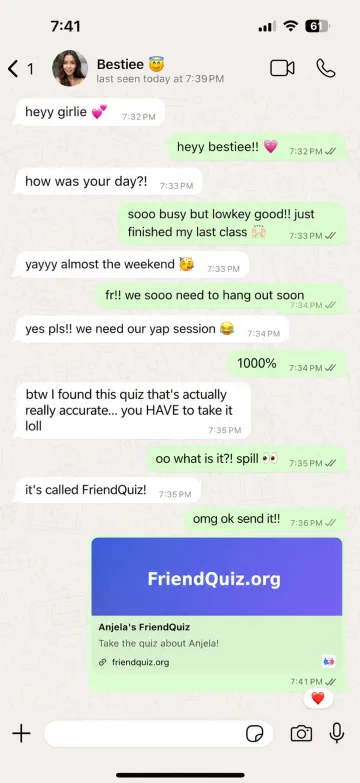
Send a challenge, not an announcement. “I bet you can’t get 10/10” outperforms “made a quiz, please take it” because the first one is a dare and the second one is homework. Keep the caption short enough to read without expanding the message. People decide in a second whether this is a tap or a mute.
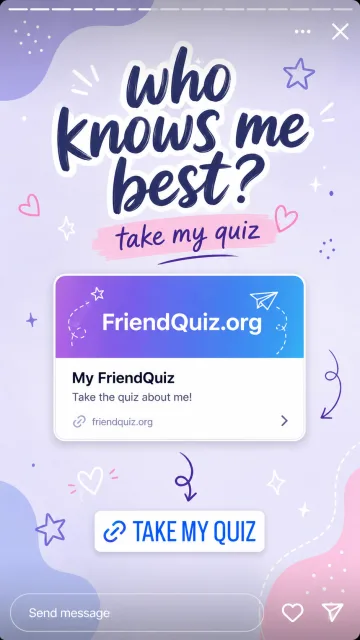
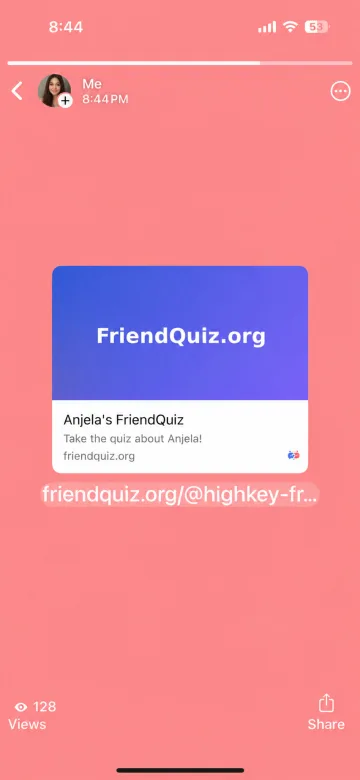
Group chats are the fastest habitat. Stories reach beyond the inner circle. Either door is fine. Do not bury the link under instructions. The play path is obvious: open, type a name, guess, see a score out of ten. On a story, wait until the preview card looks like your quiz, then use the same challenge line. Ask people to beat a number. Do not ask them to “support” you.
Captions that get plays vs captions that get ignored
- Challenge: “First 10/10 gets bragging rights. I do not think it will be you.”
- Board bait: “Names go on the Friendboard. Do not let [name] sit at the top unchallenged.”
- Homework (skip): “Please take my quiz when you have time, no pressure, means a lot.”
- Essay (skip): a caption that explains scoring, friendship, and your childhood before the link.
Step 5 - Watch the Friendboard
Every finish lands a name, a score out of ten, and a country flag on that quiz’s own scoreboard, ranked as people complete it. You do not collect results in a sheet. You do not text people asking what they got. The board is the recap.
This Friendboard is not the site-wide list of most-played quizzes. It belongs to this quiz. Mixing those two up is how people think they “aren’t on the leaderboard” after eight friends played. They are on the Friendboard. Ranks update as friends finish. Screenshot when the argument is good; there is no official lock time unless you announce one. The product keeps accepting players who have the link.
How to write questions people actually finish
Keep answer options short. One funny wrong answer per question does more for completion than a clever stem. Write like the player is on a bus. If the question needs a footnote, it is too inside-joke. Save the deepest cuts for the three hard slots, and even those should be guessable without a briefing. “What do I always tell the waiter” works. “What happened in the group chat on 14 March after the voice note” does not, unless the entire audience was in that chat. Read the set once as a stranger who has hung out with you twice. If they would DNF at question three, rewrite question three. A brutal quiz with four finishes looks worse than a fair quiz with thirty names on the Friendboard.
A practical pass before you share
- Count the easy / medium / hard split. If you have eight hard questions, cut five of them down.
- Shorten every option you would not want to read in a noisy chat.
- Remove anything you would not want screenshotted next to someone’s dinner.
- Confirm you locked the true answers, not the flattering ones.
- Write the challenge caption before you paste, so you do not send “please take this.”
What not to ask
Do not ask for secrets, medical details, passwords, PINs, recovery codes, or a question whose wrong answer would out someone else. The link is shareable; chats forward; stories get screenshots. Skip cruelty prompts - “who in this chat do I actually dislike” is a trap - and skip essay-length options. If the honest answer is a paragraph, pick a shorter tell.
Picking from a library vs writing custom
Libraries exist because the longest part of this process is deciding ten prompts while a conversation is still moving. If you are in a chat right now and you want the quiz live before the topic changes, tap from friend quiz questions or browse the other banks under questions, lock your real answers, and share. Custom writing is better when you have a specific circle and specific tells. It is worse when you stall for twenty minutes and never send the link.
Hybrid is normal. Grab six library items, write four custom ones, lock all ten. Friends are scoring against your locked answers, not against your poetry. If you hate writing options, binary pairs are the honest shortcut - a this or that quiz is still ten locked answers and still a Friendboard, just faster when your audience will bounce on long multiple choice.
Why not Google Forms for this job
Google Forms is good at forms. It is free. If you need raw rows in a sheet, quiz mode with an answer key, or a classroom assessment, use Forms. The honest comparison lives on the friend quiz maker page because that is the product-versus-product writeup.
The gap for a friend quiz is what happens after someone finishes. Forms was designed to collect data, so results go to you privately. A friend quiz is a social object: everyone sees a ranked scoreboard and tries to beat a name they recognize. Setup here is about two minutes, no Google account to create, no account for players. Forms needs an account to create and gives you a spreadsheet instead of a live Friendboard. Use Forms if you need the dataset. Use this if you want the group chat to argue.
After it is live, you cannot patch the questions
Changing questions after friends have played would invalidate scores already on the board, so the quiz stays fixed once it is live. If you want a different set, make a fresh quiz. That still takes about two minutes. There is no paid “edit my live quiz” tier because there is no paid tier.
That is why the pre-share pass matters. You are not going to sneak in a better question four after the first 8/10. Read the set, lock the truth, copy the link, send the challenge, watch the Friendboard. Name friends actually use, ten true answers, one link, a challenge caption, a Friendboard that belongs to this quiz. No app, no sign-up, no Myers-Briggs, no email wall. In 2026 that is still the entire method.
FAQs (People Also Ask)
How do you make a quiz for friends for free?
Enter your name, lock about ten answers about yourself, copy the unique link, share it, and watch the Friendboard. No account, no app, no paid unlock. About two minutes if you stop rewriting question seven.
What are the steps to make a friend quiz?
1) Type the name friends actually call you. 2) Lock ten real answers. 3) Copy the URL. 4) Send a challenge in the chat or Story. 5) Read scores on that quiz’s Friendboard as people finish.
Do I need Google Forms or an account?
No Google account and no FriendQuiz account. Forms is fine for spreadsheets and class keys. A friend quiz needs a shared scoreboard, which is why this tool exists. The comparison lives on the friend quiz maker page.
How many questions should I use?
Ten. Aim for three easy, four medium, three hard. All-hard quizzes lose casual friends. All-easy quizzes give everyone an 8 and no story.
Where can I get questions instead of writing them?
Open question libraries or the broad friend quiz questions bank. Tap ten, then build. Binary pairs are faster via a this or that quiz.
What should I not ask?
Secrets you would not want screenshotted, medical details, passwords, money panic you have not said out loud, and anything that outs a third person. Specific grocery orders already separate listeners from guessers.
How do I get friends to actually play?
Send a dare, not homework. “I bet you can’t get 10/10” beats “please take my quiz.” The first score on the Friendboard is the marketing.
Can I edit the quiz after I share the link?
No. Editing would invalidate scores already on the board. Make a new quiz for a rematch. Still about two minutes.
Do my friends download an app?
No. The link opens in the browser they already have. That is why a whole chat can play instead of the three people who install everything.
Where do results go?
To that quiz’s Friendboard: name, score out of ten, country flag, rank. Not a private spreadsheet. Not the site-wide leaderboard unless you open that separate page.
Enter your name above, lock ten answers about yourself, and share the link. The Friendboard fills in as friends finish - no app, no sign-up.