Dare2026 Generator vs Friend Quiz for Clean Tracking
You send a dare quiz link to the group chat, the chaos unfolds, and then… nothing. No record of who answered, who scored what, or whether anyone even finished. That's the exact frustration that makes the dare2026 generator vs friend quiz tracking comparison worth having before you hit send.
You're right to expect more from a quiz tool. A link that evaporates after one use might feel fast, but it leaves you with zero bragging-rights evidence. This guide breaks down what Dare2026 actually tracks, how Friend Quiz's persistent Friendboards work, and which tool gives you clean, verifiable answer history.
Here's the roadmap: first, we'll expose what Dare2026's disposable link model really does after someone answers. Then, we'll walk through Friend Quiz's tracking mechanics step by step. Finally, you'll see a side-by-side comparison that settles the question. One finding might surprise you: the tool that feels faster is often the one that loses your data entirely. If you want a friendship dare quiz that actually remembers who showed up, keep reading.
What Dare2026 Actually Does (And What It Doesn't Track)
Dare2026 is a dare prompt generator that produces one-shot viral quiz URLs designed for quick social sharing, but it does not store post-answer history, scores, or participant identities. If you want to know who actually completed your dare quiz, Dare2026 cannot tell you.
Think of Dare2026 like a paper flyer you hand to a friend at a party. The flyer has a fun dare written on it, and your friend might laugh and do it. But once the moment passes, the flyer is crumpled in a pocket or tossed aside. There's no guestbook, no scoreboard, no record of who showed up. That's the disposable link model in action.
The workflow is simple: you generate a dare prompt, copy a link, and paste it into a group chat. Each link is built for one-shot virality, a friend opens it, sees the dare, and that's where the tracking ends. There is no persistent dashboard, no answer log, and no way to compare results across friends. The link either expires or simply doesn't record anything beyond the initial view.
Compounding the problem, Dare2026's interface is typically cluttered with ad placements that interrupt the flow before a friend even reaches the answer submission step. A friend who clicks your link might close the tab before finishing because an interstitial ad blocks the dare itself. That's a tracking failure by design: if the answer never gets submitted, there's nothing to record.
For a deeper look at which platforms minimize interruptions, see our breakdown of which friend trivia maker has the least ads. The core distinction is the Disposable Link vs Living Leaderboard framework: Dare2026 gives you a link that dies after one use, while a living leaderboard keeps a running, visible record of every answer and score. If your goal is clean tracking, a disposable link is the wrong tool.
How Friend Quiz Tracking Works
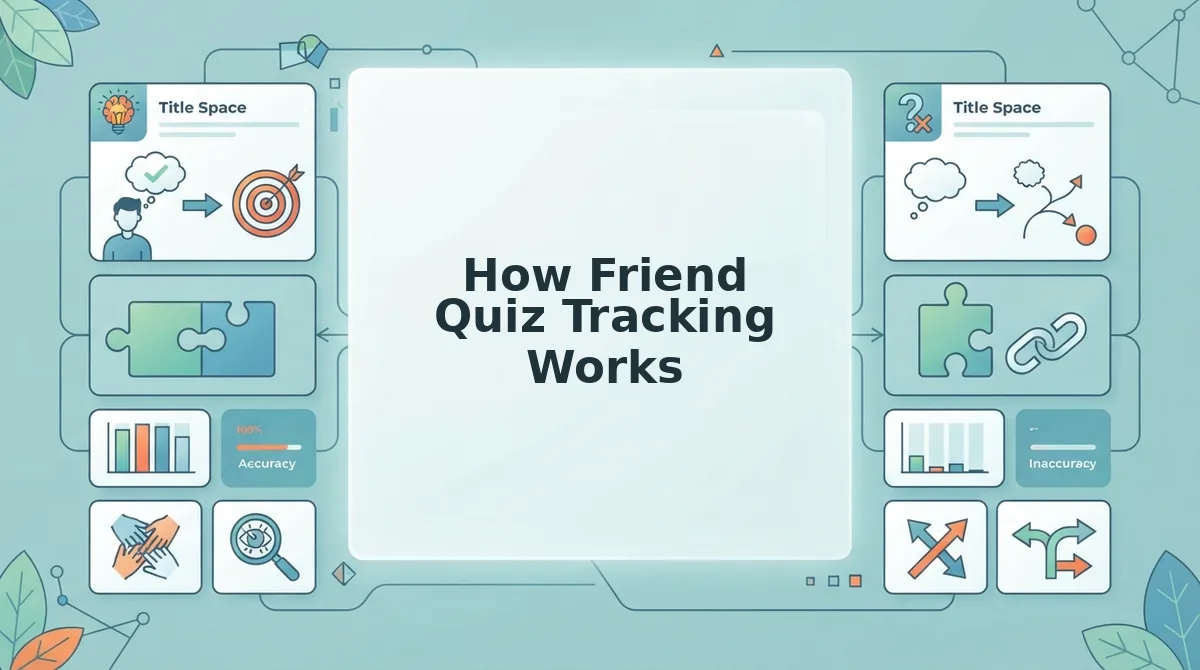
Friend Quiz tracking works by attaching every quiz to a persistent Friendboard, a live micro-leaderboard that records who answered, what they scored, and when they finished. Unlike disposable dare links, Friend Quiz keeps your results visible and verifiable for as long as you want to reference them.
You need only a phone or desktop browser and a quiz link you've already created. No account, no app download, no login. Here's the exact workflow:
- Create your quiz. Open the Friend Quiz homepage, type your name, and cycle through the personal trivia prompts about your habits, quirks, likes, and dislikes. The platform packages your answers into a personalized quiz link in under a minute.
- Share the link. Copy the generated URL and paste it into your group chat on WhatsApp, iMessage, or Snapchat. Friends tap the link and answer immediately, no sign-up wall blocks them.
- Watch the Friendboard populate. As each friend submits answers, the Friendboard updates in real time. You should see names appear alongside their scores, ranked from highest to lowest. This is your living leaderboard.
- Check answer privacy vs score visibility. Friends see each other's scores on the Friendboard, but only you, the creator, can see the specific answers each friend gave. This split keeps the banter public while protecting individual responses from group scrutiny.
- Reference results anytime. Return to your quiz link days or weeks later. The Friendboard retains the full answer history, so you can settle disputes or crown a winner long after the initial buzz fades.
The Friendboard is the mechanism that makes tracking clean. Every submission is tied to a name and a score, and the leaderboard updates without any manual refresh on your part. If you want to see exactly who scored highest and how to verify it, follow our guide on how to see who scored highest on friend quiz.
For a quiz format built specifically around score visibility and bragging rights, try the best friend quiz with score tracking. The key difference from Dare2026 is persistence: Friend Quiz treats every answer as a permanent record, not a fleeting click. Next, we'll put both tools side by side to see exactly where they diverge.
Side-by-Side: Dare2026 vs Friend Quiz
Dare2026 and Friend Quiz solve different problems: one generates disposable dares for a single burst of chaos, the other records who answered what so bragging rights actually stick. The right pick depends entirely on whether you want a one-off laugh or a trackable friendship test.
Dare2026's strength is volume and shock value. It spins up random dares instantly, needs zero setup, and works fine when nobody cares who said what afterward. Friend Quiz's strength is persistence: every answer, score, and name gets recorded on a live Friendboard that survives after the group chat scrolls past.
Tracking Mechanics Matrix
| What Gets Recorded | Dare2026 | Friend Quiz |
|---|---|---|
| Individual answers | Not tracked, dares are shown, not answered | Every answer recorded per participant |
| Scores | None, no scoring system | Automatic scoring per quiz taker |
| Participant names | Not collected | Captured on the Friendboard |
| Timestamps | Not recorded | Logged per submission |
| Leaderboard persistence | None, link is disposable | Live Friendboard persists after quiz ends |
Setup Speed and Mobile Experience
Dare2026 wins on raw speed: open the link, get a dare, move on. There is no form, no name entry, and no friction between tapping and laughing. For a group chat that wants instant chaos, that is genuinely valuable.
Friend Quiz requires the creator to cycle through personal trivia prompts first, which takes a few minutes but produces a quiz tailored to one specific person. Participants then answer without creating an account, and results appear on a live Friendboard without reload lag or ad-blocked submit buttons, a contrast to Buddy Meter-style interfaces where ad clutter interrupts the flow. Our Friend Quiz vs Buddy Meter comparison breaks down that difference in detail.
Best for spontaneous group chat chaos: Dare2026, when the goal is a quick dare, not a record of who completed it.
Best for friendship bragging rights: Friend Quiz, when you want scores, names, and a leaderboard that settles the argument permanently.

Which Should You Pick? A 30-Second Decision Guide
Run both platforms through the Zero-Friction Audit below, then match your goal to the recommendation. The audit scores five things: no app install, no account creation, no reload lag, no ad-blocked submit, and one-tap shareability.
- Pick Friend Quiz if you want proof of who knows you best. Friend Quiz records every answer, score, and participant name on a live Friendboard, so the winner is verifiable long after the group chat moves on. Use it when the goal is settling a friendship rivalry with receipts.
- Pick Dare2026 if you want a dare in under five seconds. Dare2026 skips setup entirely and serves a random dare immediately, which is perfect for a spontaneous group chat moment. Use it when nobody needs to track who did what afterward.
- Pick Friend Quiz if your group refuses to download apps or make accounts. Friend Quiz participants join via a shareable link with zero account creation, matching the zero-friction standard most group chats demand. Our friend quiz without account guide explains how the instant link works.
- Pick Dare2026 if the dare itself is the entire point. Dare2026's disposable link model means no names, no scores, and no follow-up, just the dare. Use it when tracking would actually kill the vibe.
- Pick Friend Quiz if you want a friendship dare quiz that blends both worlds. Friend Quiz's dare-style prompts can be answered and scored, giving you the chaos of a dare with the tracking of a quiz. Use it when you want the best of both formats in one link.
Zero-Friction Audit results: Dare2026 passes on speed and simplicity but fails on tracking and persistence. Friend Quiz passes on no-account participation, one-tap sharing, and leaderboard persistence, with setup time as its only tradeoff.
Frequently Asked Questions About Dare2026 and Friend Quiz Tracking
These answers cover the tracking questions readers ask most when comparing dare generators to friendship quiz platforms.
Does Dare2026 show who answered?
No. Dare2026 uses a disposable link model that displays dares without collecting participant names, answers, or submission data. Once the link is closed, there is no record of who saw or completed any dare.
What is a Friendboard?
A Friendboard is Friend Quiz's live micro-leaderboard that displays participant names, scores, and rankings in real time as each person submits answers. It persists after the quiz ends, so the winner stays visible instead of disappearing with the chat scroll.
How do I track who took my friendship quiz?
Use Friend Quiz. Every participant's answers, score, and name are recorded automatically when they submit through the shareable link, and results appear on the Friendboard without requiring anyone to create an account.
Why does my dare generator link stop working after one use?
Disposable dare generators like Dare2026 are built for single-session virality, not persistence. The link serves a dare and moves on, with no database storing who opened it or what happened next.
Can I see live results from a BFF test?
Yes. Friend Quiz's BFF test displays live results on the Friendboard as each friend submits answers, with automatic scoring and ranking updates in real time. No refresh or account login is required to view the standings.
The tracking difference comes down to one question: do you want a dare that vanishes or a score that sticks? The verdict below settles it.
The Verdict: Clean Tracking Wins for Group Chat Bragging Rights
Dare2026 is fun for a single chaotic night. Friend Quiz is built for the rematch, the scoreboard, and the screenshot that ends the argument.
The disposable link model works when nobody cares who actually completed the dare. The moment your group chat wants proof, who answered, who scored, who actually knows you, only persistent Friendboards deliver. That's the difference between a dare that evaporates and a rivalry that lives on.
Here's the synthesis: one-off dares create moments; tracked quizzes create leverage. You can't brag about a dare nobody verified. You can brag about a Friendboard that updates in real time.
Your next move:
- Create a quiz in under two minutes with your name and a few personal quirks.
- Drop the link in your group chat and watch scores populate the Friendboard.
- Screenshot the leaderboard. That's your receipt.
Dare2026 still earns its place for one-off dares where tracking doesn't matter. But when the goal is knowing who actually knows you, clean tracking isn't a feature, it's the entire point.
Dares test courage for a night; Friendboards test friendship forever.