Create Your Own Friend Quiz Online Free
You just fired off a "how well do you know me" link into the group chat, and the first reply is "what's the login?", and just like that, the momentum is dead. That friction is exactly why you need to create your own friend quiz online free instant link without hitting an account wall first.
You're right to be annoyed. Platforms like Quizizz and AhaSlides force signup before you can build anything, which kills the spontaneous energy that makes friend quizzes fun in the first place. The YouTube video "how to make ur bestfriend quiz link" has 16,526 views, proof that people are actively hunting for a faster way to get a shareable link into their chats.
Here's the promise: by the end of this guide, you'll know the exact step-by-step workflow to build a personal trivia challenge in under two minutes, share it instantly, and track who actually knows you best on a live Friendboard. You'll also see a side-by-side comparison of the major quiz platforms, and one finding about ad clutter may surprise you.
Start with the best friend quiz maker that skips signup entirely, then follow the steps below.
How to Create Your Own Friend Quiz Online Free (Step-by-Step)
You can create your own friend quiz online free in under two minutes by entering your name, answering personal trivia prompts, and copying an instant share link, no account, email, or app download required.
Prerequisites: A smartphone or desktop browser and roughly two minutes. You do not need an account, an email address, or a credit card.
- Open the quiz builder. Go to friendquiz.org/best-friend-quiz on any mobile browser. The homepage loads directly into the creation flow, no signup modal, no email gate. You should see a name field immediately.
- Type your name. Enter the name your friends know you by. This is what appears on the quiz link and the Friendboard, so use your group chat nickname if that's how people recognize you.
- Answer the personal trivia prompts. Cycle through questions about your daily habits, quirks, likes, and dislikes. Each tap advances instantly to the next prompt. Expect to spend 60-90 seconds here. You should see your selections building into a personalized challenge in real time.
- Generate your instant link. Tap the final confirmation. The platform packages your answers into a unique quiz URL immediately. You should see a share button appear on screen.
- Share the link to your group chat. Copy the link and paste it into WhatsApp, iMessage, Instagram, or Snapchat. Friends open it in their mobile browsers and answer instantly, no installs, no logins.
- Watch the Friendboard update. As friends submit answers, scores appear on a live leaderboard. You should see rankings refresh in real time, giving you bragging rights ammunition for the rest of the day.
The entire workflow, from opening the site to pasting a link in your group chat, takes under two minutes. That speed matters because of the 3-Second Rule of Quiz Sharing: if a quiz link takes more than three seconds to open and start, the group chat moves on. Every extra tap, login prompt, or loading screen costs you participants. Friend Quiz removes those barriers by design, which is why the link opens directly into the first question on any mobile browser.
Why Most Friend Quiz Makers Slow You Down
Most friend quiz platforms put an account wall between you and your first shareable link, and that single step is the biggest momentum killer in group chat culture.
To be fair, the major players each bring something to the table. Quizizz offers polished classroom-grade quiz templates and analytics. AhaSlides excels at live polling and presentation-style engagement. ProProfs provides robust scoring and reporting features for professional training use. None of these are bad products, they're just built for different jobs than a spontaneous friendship test.
The problem is the signup requirement. Quizizz, AhaSlides, and ProProfs all require account creation before you can build a quiz. For a teacher preparing a lesson plan, that's reasonable. For someone trying to fire a "do you actually know me?" link into a group chat at 11pm, it's a dealbreaker. Buddy Meter, another popular option, compounds the issue with ad clutter and multi-page reloads that interrupt the flow, a pain point identified in competitor analysis.
| Platform | Account Required | Time to First Link | Mobile Experience | Best For |
|---|---|---|---|---|
| Friend Quiz | No | Under 2 minutes | Zero-friction, instant open | Group chat banter and spontaneous friend challenges |
| Quizizz | Yes | 5-10 minutes | Functional but setup-heavy | Teachers running classroom quizzes |
| AhaSlides | Yes | 5-10 minutes | Presentation-first, not chat-native | Workshop facilitators and event hosts |
| ProProfs | Yes | 10+ minutes | Desktop-oriented | Corporate trainers needing scored assessments |
| Buddy Meter | Varies | 3-5 minutes | Ad clutter, multi-page reloads | Casual users tolerant of interruptions |
The metric that matters most for friend quizzes is time-to-first-link. Every second between "I want to make a quiz" and "here's the link" is a second your friends spend scrolling to something else. Friend Quiz's zero-account flow means the link exists before the group chat even knows you're making something.
If you've tried Buddy Meter and bounced off the ad interruptions, explore Buddy Meter alternatives that strip away the noise. Then jump into the best friend quiz maker and have a shareable link in your chat before your coffee cools.
Once your link is live, the real challenge begins: writing questions your friends will actually want to answer.
Friend Quiz Questions That Actually Get Answered
The highest-response friend quizzes use concrete, specific prompts from four categories Friend Quiz cycles through: daily habits, quirks, likes, and dislikes. Pre-planning questions in these buckets keeps your quiz fast to build and impossible for friends to skip.
- Daily habits, "What do I do first when I wake up?" Habit questions get answered because friends have actually witnessed the behavior, so they feel confident guessing. Use one or two habit prompts early in your quiz to hook responders before they lose interest.
- Quirks, "What's my weirdest food combination?" Quirk prompts trigger the strongest reactions in group chats because they invite playful roasting. Pick a quirk your closest friends tease you about, since that shared joke becomes the reason they finish the quiz.
- Likes, "Which show have I rewatched more than three times?" Like-based questions reward friends who pay attention to your recommendations and rants. Choose likes you have mentioned repeatedly in chat, not obscure favorites only one person knows.
- Dislikes, "What food will I never order at a restaurant?" Dislike prompts separate real friends from acquaintances because they require remembering your complaints. Use one strong dislike as a mid-quiz difficulty spike that fuels friendly rivalry.
- Inside jokes, "What phrase do I say when I'm annoyed?" Inside-joke questions create the highest share-back rate because responders screenshot their score to prove they know you. Borrow a catchphrase your group already repeats so the answer feels obvious to the right people.
- Hypotheticals, "If I won a free trip, where would I go?" Hypothetical prompts test how well friends predict your personality, not just your history. Keep the scenario simple and tied to a preference you have stated before, so it stays answerable in under five seconds.
- Wildcards, "What's my most-used emoji?" Wildcard questions add a low-stakes guessing element that keeps casual friends engaged. Place one wildcard near the end so even acquaintances who missed earlier answers can still score a point and stay invested.
If you want a ready-made question set instead of writing your own, the BFF test on Friend Quiz uses these same prompt categories with pre-built options you can cycle through in under two minutes.
How to Share Your Friend Quiz Link for Maximum Responses
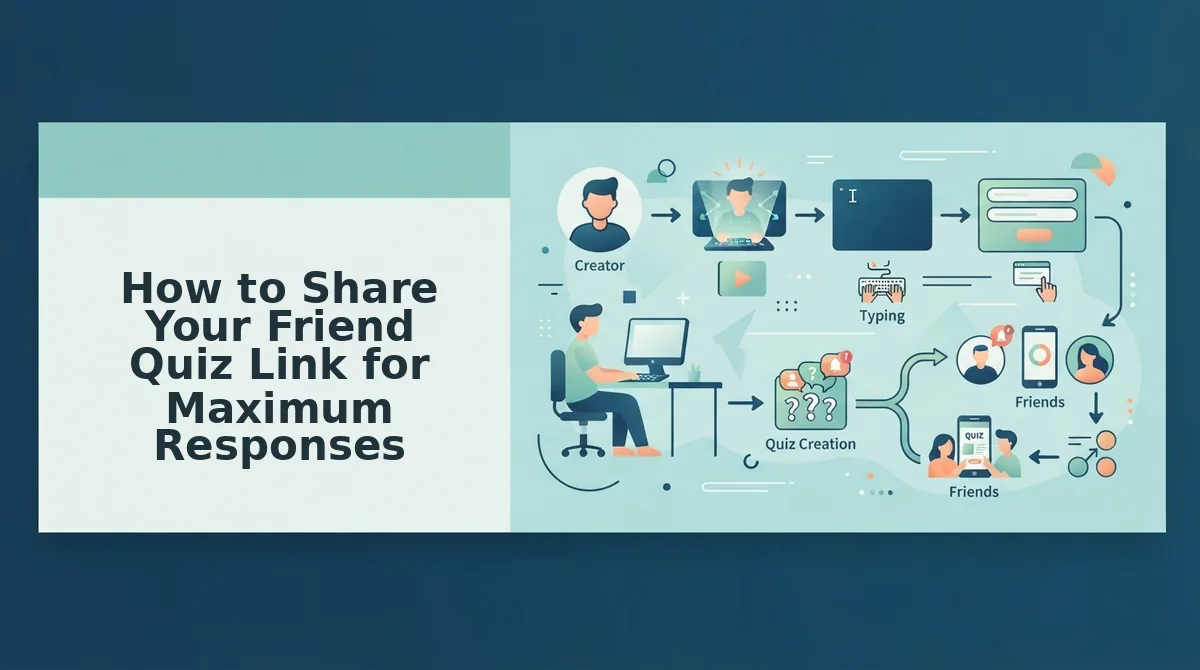
A friend quiz share link is the URL Friend Quiz generates after you finish building your quiz, and it is the only thing your friends need to open and start answering. The 3-Second Rule of Quiz Sharing applies here: if a quiz link takes more than three seconds to open and start, the group chat moves on.
Start simple: paste the link directly into your WhatsApp or iMessage group with one short line like "How well do you actually know me?" Think of the link like a movie trailer, it must hook attention in the first frame, not after a paragraph of setup text.
For intermediate reach, send the link to one close friend first and ask them to reply with their score in the group chat. That public score creates social proof, the same way a crowded restaurant makes you want to eat there, and turns your quiz into a challenge instead of a request.
For advanced timing, post the link when your group chat is most active, weekday evenings or weekend afternoons, and avoid early mornings when messages get buried. Before you send anything, check what to fix before you send a friend quiz link so a broken preview or slow load does not kill your first impression.
FAQ
Direct answers to the most common questions about creating and sharing a friend quiz online.
Where can I create my own friend quiz online for free with an instant link?
Friend Quiz at friendquiz.org lets you create a personalized friend quiz for free and generates an instant shareable link in under two minutes. You enter your name, answer a short sequence of prompts about your habits and preferences, and the platform packages everything into a mobile-ready quiz link with no account, email, or app download required.
Do I need an account to make a friend quiz?
No. Friend Quiz requires no account, email address, or app installation to create or share a quiz. You open the site, build your quiz by cycling through personal trivia prompts, and receive a link immediately. Friends answering the quiz also need no login, which keeps the experience friction-free for group chats.
How do I share a friend quiz link on WhatsApp?
Copy the quiz link Friend Quiz generates and paste it directly into any WhatsApp chat with a short hook like "Prove you know me." The link opens instantly in the recipient's mobile browser. Send it when your group chat is most active, and ask one friend to reply with their score first to trigger a response chain.
What makes a good friend quiz question?
Good friend quiz questions are specific, observable, and tied to shared history. Friend Quiz organizes prompts into four categories, daily habits, quirks, likes, and dislikes, because these are the details friends actually notice and remember. Avoid vague questions like "What's my favorite color?" and choose prompts your group has joked about or witnessed.
Is a friend quiz the same as a friendship test?
A friend quiz and a friendship test serve the same core purpose: measuring how well someone knows you through personalized questions. Friend Quiz uses the terms interchangeably, with the friendship test framing emphasizing the score-based bragging rights and friendly rivalry that come from comparing results in a group chat.
Your Friend Quiz Is Two Minutes From Its First Response
You started this article wondering whether a zero-friction friend quiz was actually possible. The answer is yes, and the proof is in the workflow itself. No account. No email. No app download. Just your name, a few personal prompts, and a shareable link that works in any mobile browser.
That speed changes the math. A quiz you can build in two minutes gets shared in two seconds. A quiz that demands signups never leaves the group chat.
Here's your next move:
- Create your quiz now, type your name on the homepage and answer the prompts. The link generates instantly.
- Drop it in your group chat. WhatsApp, iMessage, Instagram. Wherever your people already are.
- Watch the Friendboard update, scores roll in live, and bragging rights sort themselves out.
Want something with more edge than trivia? The friendship dare quiz turns the same zero-friction format into a spicier challenge, perfect when your group chat has already exhausted "what's my favorite food."
The best friend quiz isn't the one with the most questions. It's the one your friends actually finish.