Generate a Friend Quiz Link Fast for Group Chats
Your group chat has 47 unread messages, three people typing, and exactly zero patience for a quiz link that demands an email signup before question one. Group chats die when quiz links take longer to open than the chat's attention span, and most quiz makers haven't figured that out yet.
You're right to be frustrated. Every account wall, ad interstitial, and multi-page reload between you and your friends answering "What's my go-to coffee order?" is a friendship-testing moment wasted. The whole point is instant banter, not a bureaucratic onboarding flow.
Here's the fix: Friend Quiz lets you generate a friend quiz link fast for group chats in under two minutes, no account, no email, no app download. This guide walks you through the exact two-minute creation flow, then breaks down why Friend Quiz beats other quiz link makers on speed and friction. Stick around for the sharing section, there's a timing trick that determines whether your quiz actually gets answered or left on read.
How to Generate a Friend Quiz Link in Under 2 Minutes
You can generate a friend quiz link fast for your group chat in under two minutes by typing your name, answering a short sequence of personal prompts, and tapping the share button, no account, email, or app download required at any step.
Prerequisites: A phone or desktop browser and a rough idea of your own habits, quirks, and preferences. That's it. No login credentials, no email verification, no app store visit.
- Open friendquiz.org on your phone (10 seconds). Navigate to friendquiz.org in any mobile browser. The homepage loads directly into the quiz builder, no splash screen, no popup, no redirect. You should see a name field front and center.
- Type your name and tap start (10 seconds). Enter the name your friends know you by, your real first name, your group chat nickname, whatever they'll recognize instantly. Hit the start button and the first prompt appears immediately.
- Answer the personal trivia prompts (90 seconds). Cycle through questions about your daily habits, likes, dislikes, and quirks, things like your coffee order, your go-to late-night snack, or your most controversial pizza topping take. Each tap advances instantly to the next prompt with no page reload. You should see your progress moving forward with every tap.
- Generate and copy your quiz link (20 seconds). After the final prompt, the platform packages your answers into a personalized challenge and displays your shareable link. Tap copy or share. You should see the link ready to paste into any chat app.
How do I generate a friend quiz link fast for my group chat? Open friendquiz.org in your mobile browser, type your name, and answer a short sequence of personal trivia prompts about your habits and preferences. The platform packages your answers into a personalized quiz link automatically, no account creation, no email verification, and no app download required. The entire flow takes under two minutes: roughly 10 seconds for name entry, 90 seconds for the prompts, and 20 seconds for link generation. Once generated, copy the link and paste it directly into WhatsApp, iMessage, Snapchat, or any group chat. Friends tap the link and answer instantly in their own mobile browsers.
Why Friend Quiz Beats Other Quiz Link Makers for Group Chats
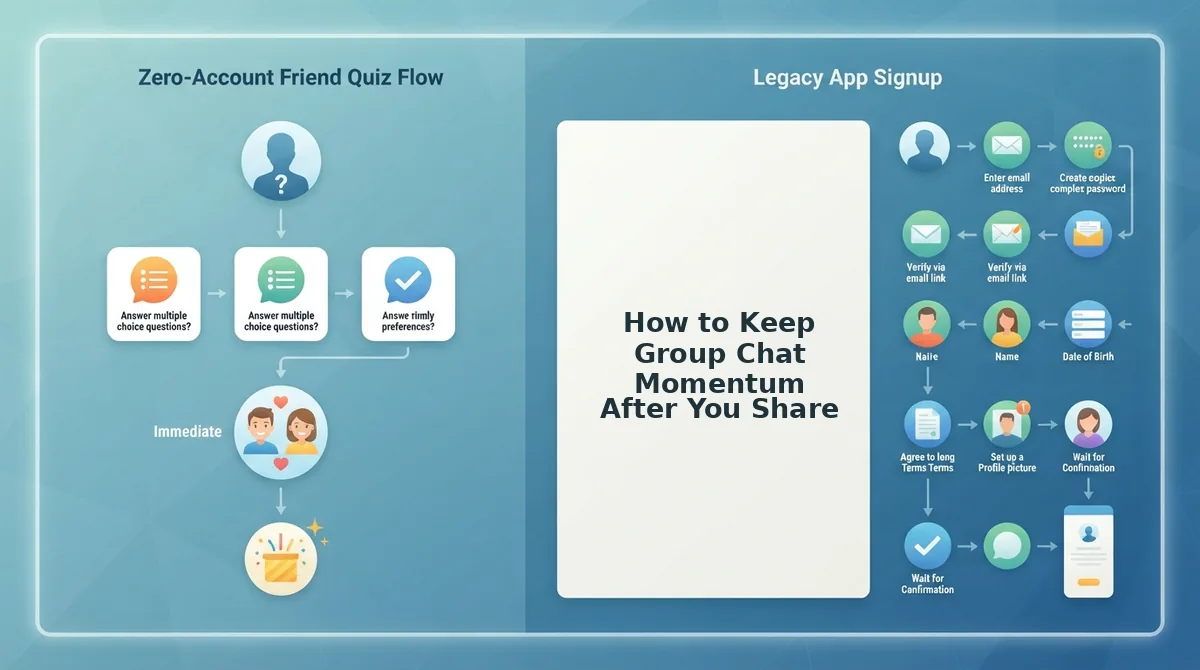
Friend Quiz wins on group chat speed because it requires zero account creation, zero email verification, and zero app downloads, the three friction points that kill quiz momentum before friends reach question three. Competitors like Buddy Meter and QuizYourFriends offer solid quiz experiences, but each adds setup steps that slow down the exact moment that matters most: getting the link into the chat.
Buddy Meter deserves credit for its polished question library and detailed results pages. If you want a more elaborate quiz with deeper analytics, it's a legitimate option. QuizYourFriends similarly offers a straightforward quiz flow that works well for casual use. The honest tradeoff is setup friction: both require more steps before a shareable link exists.
| Feature | Friend Quiz | Buddy Meter | QuizYourFriends |
|---|---|---|---|
| Account required | No | Yes | Yes |
| Email verification | No | Yes | Yes |
| App download | No | No | No |
| Setup time to shareable link | Under 2 minutes | Longer (account setup) | Longer (account setup) |
| Ad clutter during creation | None | Present | Present |
| Mobile-first flow | Yes | Partial | Partial |
Best for instant group chat banter: Friend Quiz. The zero-account, zero-email, zero-app-download triple means the link lands in your chat before the conversation moves on. Best for detailed quiz analytics: Buddy Meter, if you're willing to trade setup speed for richer results. Best for casual one-off quizzes: QuizYourFriends, when account creation isn't a dealbreaker.
If you want a best friend quiz maker that respects your chat's attention span, Friend Quiz's no-friction flow is built for exactly that. The Friendboard tracks bragging rights in real time, so the rivalry doesn't end when the last answer lands. Next up: how to share your quiz link in WhatsApp, iMessage, and Snapchat so it actually gets answered.
How to Share Your Quiz Link in WhatsApp, iMessage, and Snapchat
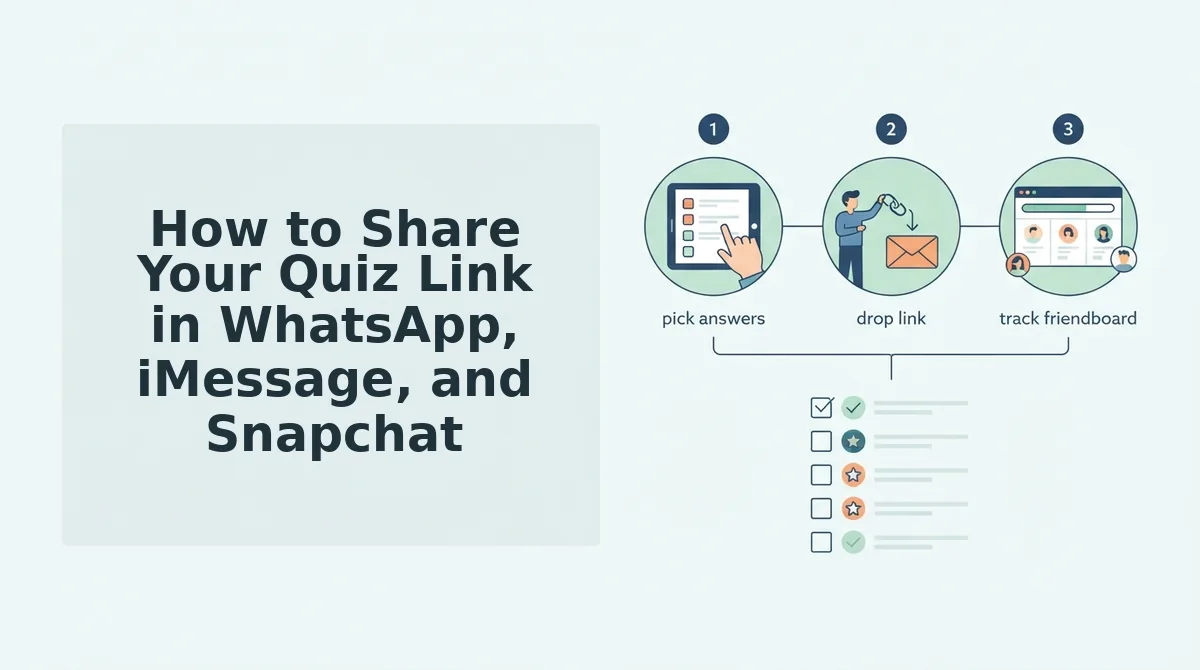
Copy your generated link once, then tailor the share text per platform so it gets tapped before the group chat scrolls past it. The right preview, caption, and timing turn a bare URL into an unskippable challenge.
- WhatsApp: Paste the link with a dare-style caption so the rich preview does the selling. WhatsApp automatically pulls a preview card from friendquiz.org, which shows the quiz title and a tappable thumbnail. Send the link on its own line after a one-liner like "I made a quiz about myself. Score 7/10 or admit you don't know me." The preview makes the link look native to the chat, not like a random URL drop.
- iMessage: Send the link as a standalone bubble so tap-to-open works with zero friction. iMessage renders friendquiz.org links as inline rich links that open in the in-app browser, meaning friends never leave the conversation. Send the link alone after a short tease like "Prove you're actually my best friend." Avoid bundling the link with a long paragraph, because a clean bubble gets tapped faster than buried text.
- Snapchat: Screenshot your quiz link and overlay it on a selfie with a sticker arrow. Snapchat does not make URLs tappable in chat, so friends must screenshot or memorize the link. Paste the link onto a snap using the text tool, add a sticker arrow pointing at it, and caption it "Screenshot this and beat my score." The visual cue converts a dead URL into a scannable challenge.
- Group chat timing: Drop the link when the chat is already active, not at 2 a.m. Quiz links live or die on the group's attention span, which is highest during lunch breaks, evening wind-down, or right after someone shares a story. Send the link immediately after a joke or photo so it rides the existing momentum instead of starting cold.
- Add a personal stake to the caption so the link feels like a dare, not homework. A bare "here's my quiz" gets ignored; "Loser buys coffee Friday" or "Only my real friends score above 5" creates a reason to click. The stakes do not need to be serious, just specific enough to trigger competitive instinct.
- Resend the link once after 30 minutes with a scoreboard update, not a repeat of the same message. If only two friends have answered, post "Sarah got 8/10 and she's not even my best friend. Embarrassing for the rest of you." The live Friendboard score gives you a concrete reason to nudge without sounding desperate.
- Pin the link in WhatsApp or iMessage so latecomers find it without scrolling. In WhatsApp, long-press the message and select Pin; in iMessage, use the pin feature on the link bubble. Pinning keeps the quiz at the top of the chat for 24 hours, which matters because friends check group chats at different times.
Once the link is out, the next challenge is keeping the energy alive long enough for everyone to answer. That is where the Friendboard earns its keep.
How to Keep Group Chat Momentum After You Share
Chat momentum is the window of attention between when you drop a quiz link and when the group moves on to the next meme, and it collapses the moment opening the quiz feels slower than scrolling past it. Friend Quiz is built to compress that window into three steps: speed to open, speed to answer, and speed to results.
Think of a quiz link like a spark in a campfire. If the kindling is damp, the spark dies before anyone feels warmth. If the kindling is dry, one spark becomes a flame everyone gathers around. Your job is to keep the kindling dry at each step.
Start simple: send the link when the chat is already active, then answer your own quiz first so the first result appears instantly. Move to intermediate: call out specific friends by name in the chat and challenge them to beat the current top score. The Friendboard, a live scoreboard showing who answered correctly and how fast, gives you named ammunition for every nudge.
Advanced momentum comes from turning the Friendboard into a running leaderboard. Post a screenshot after every three new answers, crown a temporary winner, and let the banter about wrong answers carry the quiz further than any single message could. The quiz stops being a link and becomes a live event the group does not want to miss.
Frequently Asked Questions About Friend Quiz Links
Friend Quiz links work without accounts, apps, or email signups, and they open directly in any mobile browser. Here are the questions people ask most before sharing their first quiz.
Do I need an account to make a friend quiz link?
No. Friend Quiz requires no account, no email address, and no app download. You type your name, answer a short sequence of personal trivia prompts, and the platform generates a shareable link immediately. Your friends open the link in their mobile browser and answer without signing up either.
Why does my quiz link load slowly in WhatsApp?
Friend Quiz pages are built mobile-first with zero ad clutter and no heavy scripts, so slow loading usually comes from the in-app browser cache or a weak connection. Close and reopen the WhatsApp preview, or open the link in your phone's default browser. The quiz itself is lightweight by design to prevent reload lag in group chats.
How do my friends answer the quiz on their phones?
Friends tap the link you share, which opens the quiz directly in their mobile browser. They answer the same personal trivia questions you answered about yourself, then see their score instantly. No installation or login interrupts the flow, which keeps the group chat momentum alive.
How do I get my friends to actually click my quiz link?
Send the link with a dare-style caption and a personal stake, like "Loser buys coffee" or "Only real friends score above 5." Drop it when the chat is already active, and follow up with a Friendboard score update naming the current leader. A named challenge beats a bare URL every time.
Is a friend quiz the same as a bff test?
A bff test is a specific type of friend quiz focused on best-friend knowledge, while a general friend quiz can cover any social circle. Friend Quiz lets you create either style by choosing which personal prompts to include, so the same link works for a best friend or a whole group chat.
Ready to put these answers to work? Make your friend quiz link now and see who actually knows you.
Make Your Friend Quiz Link Now
You've seen the mechanics, the sharing tactics, and the momentum tricks. The missing piece is the two minutes it takes to actually generate your link. That's the entire barrier between you and a group chat that won't stop buzzing.
Here's the payoff: a quiz link created now lands in your chat before the conversation moves on. Timing beats polish every time.
- Generate your friend quiz link in under two minutes, type your name, answer the prompts, copy the link.
- Drop it in your most active group chat. WhatsApp, iMessage, or Snapchat, wherever the banter already lives.
- Watch the Friendboard fill up, scores update in real time, and bragging rights sort themselves out.
Already ran a quiz and want to raise the stakes? The friendship dare quiz turns correct answers into dares, which is the natural escalation for returning players who think they've seen it all.
The friend quiz link isn't the product. It's the spark. The real outcome is the inside jokes, the disputed answers, and the screenshot-worthy scoreboard your group will reference for weeks.
A quiz link shared in the right chat at the right moment turns a two-minute creation into a friendship artifact.