What to Fix Before You Send a Friend Quiz Link
You spent ten minutes building a quiz about your own life, dropped the link in the group chat, and got two replies plus a "seen." The most common friend quiz setup mistakes that kill group banter happen before anyone answers question one, and most quizzes die before question three because of setup friction, not bad questions.
Agree: if your quiz link has ever landed flat, you already know the awkward silence that follows. Promise: this guide shows you exactly what to fix before you hit send, so your next quiz actually sparks the chaos you wanted. Preview: we'll cover why friends open the link and never answer, how many questions is too many, and the friction points that kill a quiz before question one.
Here's the open loop: Mistake #3 is the one almost everyone makes, and it has nothing to do with your questions. Friend Quiz lets you build and share a quiz in under two minutes with zero account walls, but even a fast tool can't save a link that trips on the way in.
Why Do Friends Open the Quiz Link and Never Answer?
A friend quiz link is a micro-commitment: your friend taps it, scans the first screen, and decides within seconds whether finishing is worth their thumb energy. When they open and abandon, the cause is almost always one of four friction points. Length, Friction, Exclusivity, or Stakes, what we call the Banter Kill Switch framework.
Think of a quiz link like a party invitation. If the door is hard to find, the line is long, and the host asks for your email before you can enter, most people turn around. The same applies to a quiz that loads slowly, demands an account, or starts with a wall of text.
Mobile UX research shows bounce rates spike after 3+ seconds of load time, 5+ questions, or any account prompt. That means a quiz with a redirect chain, a sign-up wall, or a ten-question opener is already fighting three separate kill switches before your friend reads a single answer option.
The four diagnostics work like this: Length is how many questions stand between your friend and the result screen. Friction is every extra tap, load, or login that isn't answering a question. Exclusivity is whether the quiz feels personal to the creator or generic enough to be about anyone. Stakes is what the friend gets at the end, a score, a ranking, or a reason to screenshot and reply. When any one of these four fails, the quiz dies in the chat. When all four hold, the quiz becomes the conversation.
Technical causes compound the problem. A slow-loading page, a redirect through an app store prompt, or a quiz that asks for a name before showing question one all add friction. Content causes matter too: if the first three questions feel like small talk instead of inside jokes, the quiz reads as homework, not banter.
How Many Questions Is Too Many for a Friend Quiz?
Five to eight questions is the sweet spot for group chat completion. Attention drops sharply after question 10 because mobile users switch apps the moment a quiz feels like a chore, the 8-Question Ceiling is the rule to follow.
Before you build, you need a quiz topic and a rough idea of the inside jokes or personal facts you want to test. No account or app download is required on Friend Quiz.
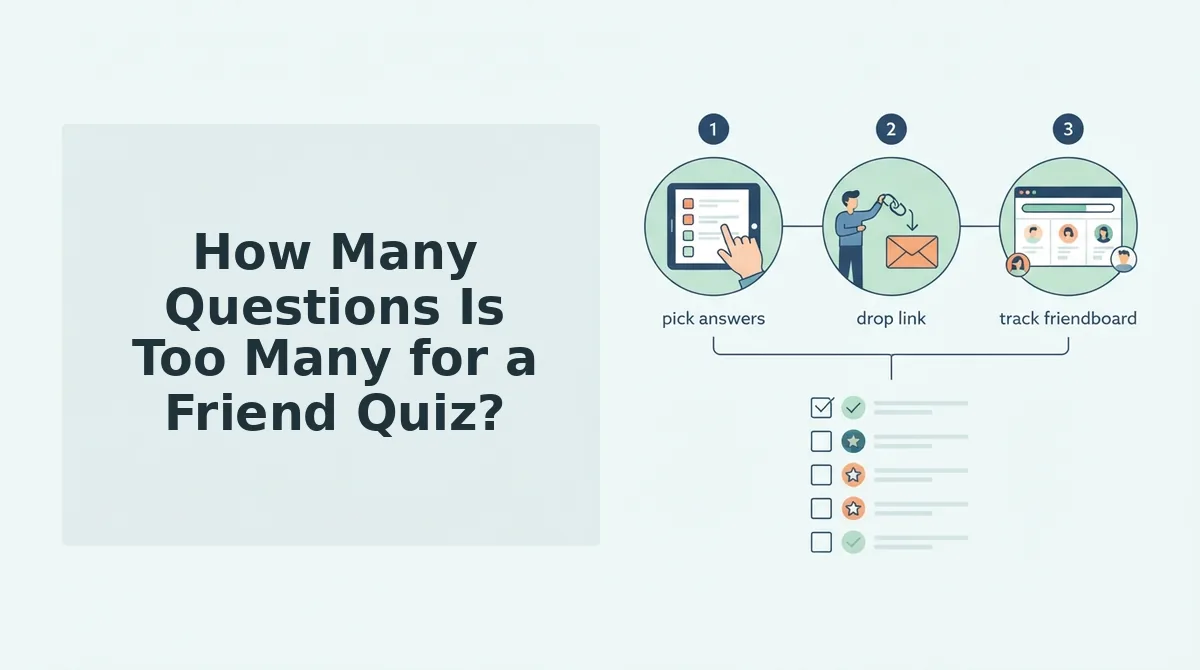
- Open the quiz builder and enter your name. Type the name your friends actually call you in the group chat, not your full legal name. You should see the first prompt appear instantly.
- Answer 5 to 8 personal trivia prompts. Select the quirks, habits, likes, and dislikes that feel specific to you. Each answer should take under 10 seconds to choose. If a prompt feels generic, skip it, specificity is what makes friends want to prove they know you.
- Stop at question 8, even if the builder offers more. The 8-Question Ceiling keeps the quiz under two minutes of answering time. You should feel like the quiz ends right as it gets fun, not after it gets repetitive.
- Preview the quiz link on your own phone. Tap the link exactly as a friend would. You should land directly on question one with no login prompt, no app store redirect, and no loading spinner longer than a blink.
- Send the link with a one-line challenge. Write something like "Prove you actually know me" or "Score higher than [name]." You should get your first answer within a few minutes, not hours.
Now that length is handled, the next killer is what happens before question one even loads.
What Setup Friction Kills a Quiz Before Question One?
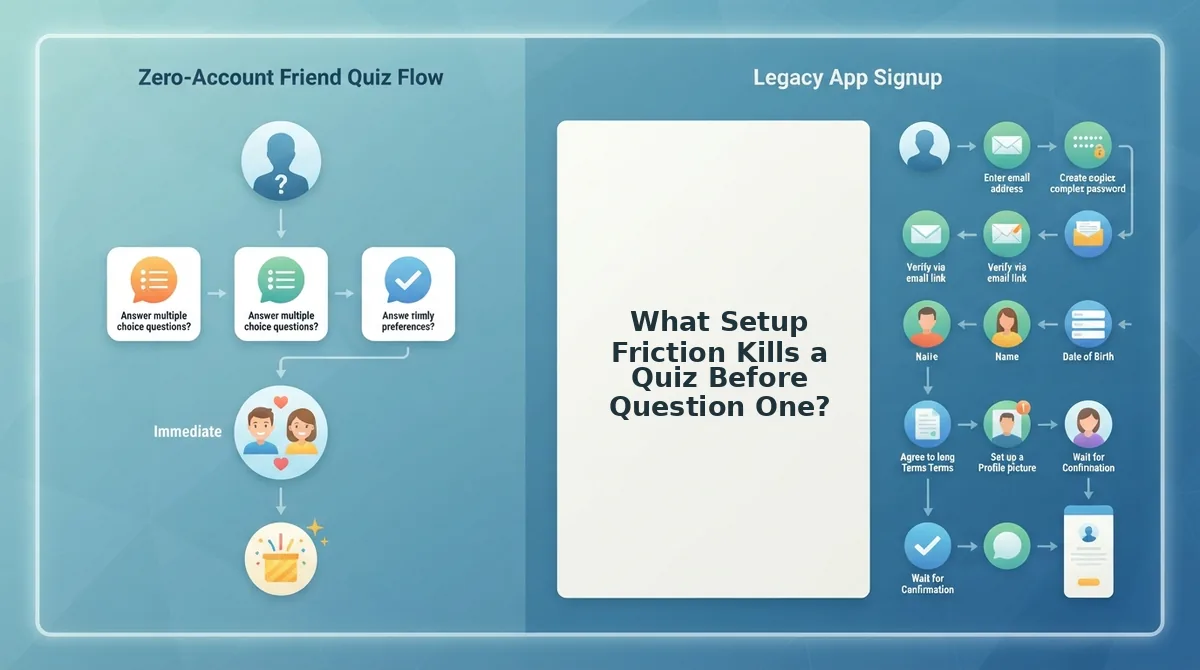
Setup friction is any barrier between tapping your link and seeing the first question. If a friend hits an account wall, app-store redirect, or email prompt in the first ten seconds, most will close the tab and never return.
Run the First 10 Seconds test before you send anything: the page loads in under 3 seconds, the first question is visible immediately, and zero taps are required before question one. If your quiz fails that test, fix the friction before sharing.
- Account walls. A "sign in to play" screen is the single fastest way to lose responders. Friends on mobile want instant access, not a password reset flow. Use a quiz tool that requires no login, like Friend Quiz, where anyone can build a friend quiz in under two minutes and share a link that opens straight into the questions.
- App download prompts. Forcing friends to install an app before answering adds a multi-minute detour. Most group-chat momentum dies during the install. Choose a web-based quiz that runs entirely in the mobile browser.
- Email capture gates. Asking for an email before revealing results feels like a data grab, not a game. Friends will abandon the quiz or enter a fake address. Skip the gate entirely and let results display instantly.
- Redirect chains. Every intermediate landing page or "continue" button between the link and question one costs responders. Each extra tap filters out another slice of your group. The link should land directly on the first question.
- Slow load times. A quiz that takes more than 3 seconds to load on mobile data loses impatient friends. Optimize images, avoid heavy embeds, and test on a real phone before sending.
- Confusing first screen. If the first screen shows instructions, branding, or a menu instead of question one, friends hesitate. The first question should be the first thing they see.
- Broken preview metadata. When the link preview in WhatsApp or iMessage shows a blank box or generic URL, the quiz looks untrustworthy. Send yourself the link first and confirm the preview renders correctly.
If you want a zero-friction baseline, build a friend quiz in under two minutes on Friend Quiz: no account, no app, no email gate, and the first question loads immediately after the tap.
Should You Use Inside Jokes in Your Quiz Questions?
Inside jokes are references that only a small subset of your friend group understands. They feel personal to the creator, but they shrink the responder pool to the two or three people who share the memory.
Think of an inside joke like a locked room at a party. The people inside are laughing, but everyone else is standing at the door wondering whether to knock or walk away. In a quiz, that locked room becomes a participation filter: friends who do not get the reference cannot answer confidently, so they either guess randomly or drop out entirely.
The exclusion mechanic is simple. A question like "What did I order at that diner in March?" only works for the friends who were at that diner. Everyone else faces a pure guessing game, which feels less like a friendship test and more like a lottery. Guessing is not banter; it is filler.
The alternative is universal-but-specific questions. These reference habits, quirks, and public moments that the whole group has observed. Instead of "What did I order at that diner in March?", ask "What is my go-to diner order?" Instead of "Remember the beach incident?", ask "What is my most annoying beach habit?" The first version excludes; the second invites everyone to compete.
Universal-but-specific questions maximize group participation because every responder has a plausible answer. The quiz becomes a test of attention, not attendance. That is the dynamic that sparks group-chat banter: everyone can score, everyone can argue, and everyone has a stake in the result.
If you want question prompts that balance personal detail with group-wide playability, best friend quiz questions that spark banter are built into the Friend Quiz flow. Save the inside jokes for the victory lap after results are in.
How Do You Share a Friend Quiz Link Without Killing the Vibe?
Sharing a quiz link badly is the fastest way to get left on read. The fix is a Challenge Frame: a one-line message that sets stakes, names the prize, and makes answering feel like a dare instead of homework.
Prerequisite: build your quiz first, then send yourself the link to confirm it loads correctly and the preview renders in your chat app.
- Open the right chat. Pick the group where everyone knows you, not a random broadcast list. A quiz in the wrong chat reads as spam; in the right chat it reads as a challenge.
- Paste the link with a Challenge Frame. Type your frame before the link: "I made this quiz. First to score 8/8 gets bragging rights. Losers buy coffee." You should see the link preview appear below your message.
- Send and wait 10 minutes. Do not spam follow-ups. Give the group time to answer, then post your own score to restart the competition.
Success looks like at least two friends replying with their scores within the first hour. If nobody answers, re-send the link once with a shorter frame like "No one has beaten my score yet."
Send It When It Survives Question Three
Every fix in this article points to one framework: the Banter Kill Switch. Length, friction, exclusivity, and stakes. If any one of those four flips the wrong way, your quiz dies in the group chat before question three loads. The First 10 Seconds test is your final pre-send check, open your own link on mobile data, not Wi-Fi, and count what happens before the first question appears. If you're not answering by second ten, neither are your friends.
Here's the synthesis that ties it together: a friend quiz isn't a survey, it's a social object. It only works when it feels like a dare wrapped in a compliment. That's why the fixes aren't cosmetic, they're structural.
- Cut your question count to the number you'd tolerate from someone else. Usually under twelve.
- Strip every tap between link tap and question one. No account, no app, no email gate.
- Keep one inside joke max per quiz. The rest must be answerable by anyone who actually knows you.
- Share with a one-line stake attached: "Loser buys coffee Friday." That's the exclusivity and stakes in one sentence.
Run the First 10 Seconds test once more. Then send it. If you want a built-in escalation path, a friendship dare quiz for the revenge round gives the loser a structured way to strike back, which keeps the banter loop alive long after the first quiz closes.
Build your quiz now: no account, no app, under two minutes. The friends who finish it are the ones who'll demand a rematch.
A quiz that survives question three isn't the one with the best questions, it's the one that respects the ten seconds before question one.