Make a BFF Quiz in Under Two Minutes Free and Fast
Your group chat is dead. You have 90 seconds to fix it. The fastest way to make a bff quiz under two minutes free fast is already sitting in your browser, no app store visit, no signup form, no "verify your email" dead end. Most quiz platforms kill momentum with account walls and app downloads before your friends ever see a single question.
You're right to be annoyed. You wanted to send something fun, not fill out paperwork. Here's the fix: by the end of this guide, you'll know exactly how to build a shareable BFF quiz in under two minutes, which questions actually get answered, and why skipping the account wall matters more than you think. One surprising finding ahead: the quiz link itself does the heavy lifting, and most people never realize how much friction they're adding by choosing the wrong tool.
Start now at Friend Quiz and make your BFF quiz now, no email, no download, just your name and a few prompts.
The 90-Second Speed-Run: How to Make a BFF Quiz Fast
You can make a BFF quiz in under two minutes by entering your name, answering a few personal prompts, and copying a share link, no account, no email, no app download. The quiz link works instantly in WhatsApp, iMessage, and Instagram group chats.
Prerequisites: A phone or laptop with a browser, and roughly 90 seconds of uninterrupted time. That's it.
- Enter Your Name (10 seconds). Open the best friend quiz maker on your phone. Type your first name into the single field on the homepage. You should see the next prompt appear immediately, no loading spinner, no redirect.
- Answer Personal Prompts (45 seconds). Tap through the personal trivia prompts about your habits, quirks, likes, and dislikes. Select the answer that's true for you on each screen. Expect to cycle through roughly 8-12 quick prompts. Each tap advances instantly to the next question.
- Copy Your Quiz Link (5 seconds). When you finish the final prompt, the platform generates your personalized quiz link automatically. Tap the copy button. You should see a confirmation that the link is on your clipboard.
- Drop It in the Group Chat (instant). Open WhatsApp, iMessage, or Instagram and paste the link into the group chat. Friends tap it and answer in their mobile browsers, no app install, no login. Their scores appear on a real-time Friendboard so the bragging rights start immediately.
That's the entire workflow: name, prompts, copy, share. The quiz link itself carries all the personalization, which is why there's no setup screen, no theme picker, and no account dashboard slowing you down. If a quiz tool asks for your email before showing you a share link, it's adding friction your group chat doesn't need.
15 BFF Quiz Questions Your Friends Will Actually Answer
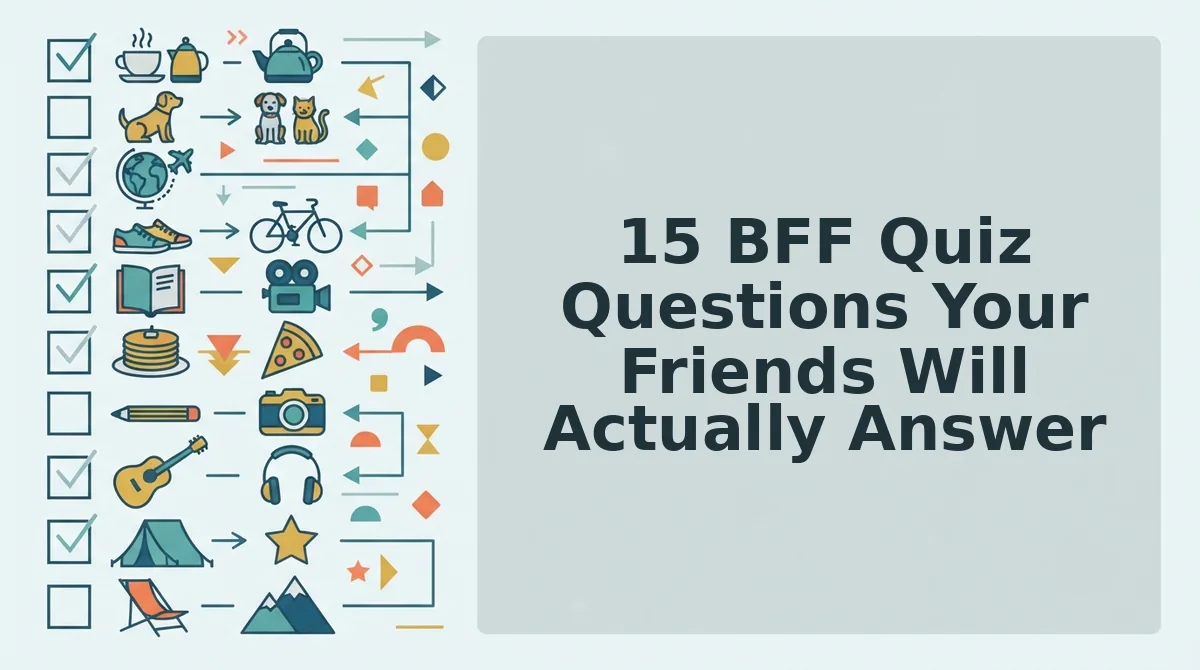
The best BFF quiz questions fall into three categories: habits, quirks, and shared memories. Each one is fast to answer, hard to fake, and guaranteed to spark a reaction in the group chat.
- What is my go-to coffee order? This habit question reveals how closely friends pay attention to your daily routines. Use it early, it's easy enough to keep people engaged but specific enough to separate real friends from acquaintances.
- What time do I usually wake up on weekends? A habit question that tests whether friends know your real schedule, not the one you claim. It works because weekend behavior is more honest than weekday routine.
- What is my most-used emoji? This quirk question is instantly recognizable and easy to answer from chat history alone. It rewards friends who actually read your messages.
- What is my comfort food? A habit question that taps into emotional memory. Friends who've seen you stressed or sad will know this one immediately.
- What is my default Friday night plan? This habit question separates friends who know your current life from those who remember an outdated version of you. Expect debate in the group chat.
- What is my weirdest pet peeve? A quirk question that surfaces the small, irrational things only close friends witness. The more specific the pet peeve, the better the reactions.
- What song do I sing in the shower? This quirk question is playful and low-stakes, but only someone who's lived with you or heard you through a thin wall would know. It's a sleeper hit for revealing true closeness.
- What is my irrational fear? A quirk question that balances vulnerability with humor. Friends who answer correctly earn instant credibility.
- What is my go-to dance move? This quirk question is pure entertainment. It works best when the answer is embarrassing enough that everyone pictures it immediately.
- What is my most controversial food opinion? A quirk question designed to start arguments. Pineapple on pizza is the classic, but the more personal the take, the better the banter.
- What was our most chaotic group trip moment? A shared memory question that rewards friends who were actually there. It also resurfaces photos and stories everyone forgot about.
- What inside joke do we still reference? This shared memory question is the ultimate BFF test, if someone doesn't know the inside joke, they're not in the inner circle. Expect it to reignite the joke for another week.
- What was the first thing I said when we met? A shared memory question that tests origin-story knowledge. Most people can't answer this, which makes the friends who can feel special.
- What is my most embarrassing moment you witnessed? This shared memory question raises the stakes. It's best placed near the end of the quiz when friends are already invested.
- What is our group chat's unofficial mascot? A shared memory question that celebrates the group's identity. It could be a pet, a meme, or a random object that became legendary, the answer always gets a laugh.
Mix all three categories when you build your quiz, habits test attention, quirks test intimacy, and shared memories test history. Once you've picked your questions, run them through the BFF test flow and see which ones your friends actually get right. Next, let's look at why the platform you choose matters as much as the questions you ask.
Why Account Walls Kill Quiz Momentum (and How to Avoid Them)
Account walls kill quiz momentum because every signup step, email verification, password creation, app download, or multi-page reload, filters out participants before they answer question three. The friction isn't a bug; it's a retention strategy that prioritizes the platform's user base over your group chat's energy.
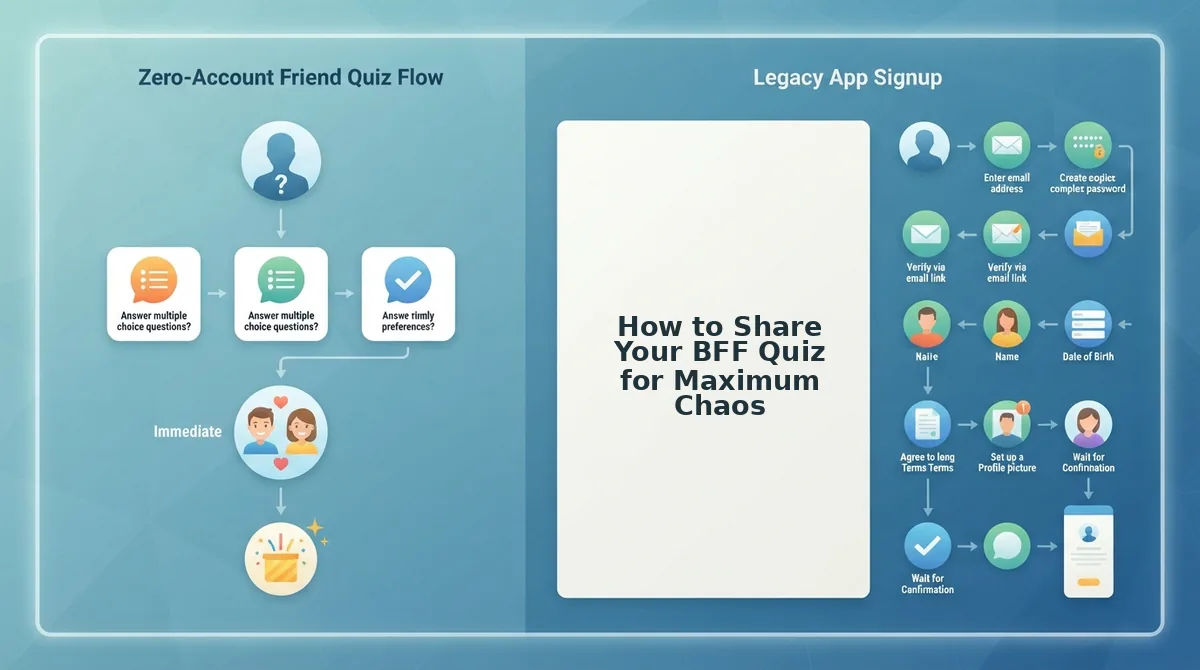
Here's the part most quiz platforms don't want you to notice: the Account Signup Path forces your friends through email verification, password creation, app downloads, and multi-page reloads before they can answer a single question. Each step costs attention. The Zero-Account Path, enter your name, answer prompts, copy the link, share, is ready before your coffee cools. That difference is the entire ballgame when you're trying to spark banter in a group chat at 11 p.m.
To be fair, account-based platforms offer real value for specific use cases. BuzzFeed-style quiz sites let you browse massive libraries of pre-made personality tests. Kahoot-style classroom tools give teachers attendance tracking and graded reports. Dedicated friendship apps offer persistent profiles and long-term score history. None of these are wrong, they're just optimized for a different job than instant, shareable chaos.
| Platform Type | Signup Required | Time to First Answer | Best For |
|---|---|---|---|
| Account-based quiz sites | Email + password | 3-5 minutes | Browsing large pre-made quiz libraries |
| Classroom quiz tools | Teacher account + student codes | 5-10 minutes setup | Educators tracking graded participation |
| Friendship quiz apps | App download + profile creation | 5+ minutes | Long-term friend networks with persistent scores |
| Friend Quiz (friendquiz.org) | None, no email, no app | Under 2 minutes to create, instant to answer | Group chat instigators who want a shareable link right now |
Best for group chat instigators: Friend Quiz's zero-account path, because the link works the moment you paste it. Best for teachers: classroom quiz tools with graded reporting. Best for quiz browsers: account-based sites with massive pre-built libraries. Best for long-term friend networks: dedicated apps with persistent profiles.
If your goal is a friendship test that lands in the group chat and gets answered within the minute, skip anything that asks for an email before the first question. Your friends' attention span is the real currency, don't spend it on a signup form.
How to Share Your BFF Quiz for Maximum Chaos
Sharing your BFF quiz strategically turns a simple link drop into a group chat event. The platform you choose changes the tone, urgency, and participation rate.
- WhatsApp: Attach a dare to the link. Drop the quiz link with a challenge like "First one to score under 50% buys coffee." The stakes convert passive scrollers into active participants, and WhatsApp's read receipts let you see exactly who's ignoring the challenge.
- iMessage: Add a countdown for urgency. Send the link with a message like "You have 60 seconds to answer before I reveal the Friendboard." The time pressure creates a race dynamic that iMessage group chats thrive on, especially with the typing indicator building anticipation.
- Instagram Stories: Pair with a poll sticker. Share the quiz link to your story alongside a poll sticker asking "Who knows me best?" The poll captures casual engagement while the link drives serious attempts, and story replies give you instant feedback on who's confident.
- Snapchat: Send as a snap with a reaction prompt. Attach the quiz link to a snap of your face mid-laugh and caption it "Prove you actually listen to me." Snapchat's ephemeral nature creates FOMO, friends know the challenge disappears, so they act fast.
- Group chat timing: Drop it at peak scroll hours. Share the quiz between 7-10 p.m. local time when group chats are most active. A quiz dropped at 9 a.m. on a Tuesday gets buried under work messages; a quiz dropped at 8 p.m. on a Thursday becomes the evening's entertainment.
- Re-share the Friendboard results. After friends finish, screenshot the real-time Friendboard rankings and post it back to the chat. Public scoreboards trigger instant rematches, nobody accepts last place without demanding a do-over.
- Tag the competitive friend directly. Send the quiz link to your most competitive friend with a one-liner like "Bet you can't beat Sarah's score." Direct challenges outperform broadcast links because the target feels personally called out and must respond.
FAQ: BFF Quiz Speed, Sharing, and Scores
A BFF quiz on Friend Quiz takes under two minutes to create and zero seconds for friends to start answering, no account, no email, no app download required.
How fast can I make a BFF quiz for free without signing up?
You can make a BFF quiz in under two minutes by entering your name, answering a few personal prompts, and copying a share link, no account, no email, no app download. The quiz link works instantly in WhatsApp, iMessage, and Instagram group chats, so your friends can start answering the moment you paste it.
Do my friends need to download an app to take the quiz?
No, the link opens directly in their mobile browser. There's no app store redirect, no account creation, and no email verification. Friends tap the link, answer the questions, and see their score immediately without installing anything.
Can I see who scored highest?
Yes, real-time Friendboard rankings show who answered correctly and how everyone stacks up. The Friendboard updates as friends submit answers, so you can watch the leaderboard shift live and screenshot the final standings for the group chat.
What if I want to change my answers later?
Create a new quiz link in seconds. Since there's no account tying you to a saved profile, you can re-enter your name, adjust any personal prompt answers, and generate a fresh link whenever your answers change or you want a rematch.
Why does my quiz link expire or stop working?
Quiz links on Friend Quiz are designed for instant sharing and don't require login, so they stay live as long as the quiz exists. If a link ever stops working, the fastest fix is to create a new quiz in under two minutes and share the fresh link.
Is a friendship test the same as a BFF quiz?
A friendship test and a BFF quiz serve the same core purpose, measuring how well someone knows you, but a BFF quiz is typically shorter, more playful, and built for quick group chat banter. Both work without accounts or downloads on Friend Quiz.
The 90-Second Framework Pays Off Every Time You Hit Send
You started with a dead group chat and a two-minute window. You now have a repeatable speed-run: pick your prompts, skip the account wall, share one link, and let the Friendboard do the trash-talking for you.
But here's the synthesis most quiz guides miss: speed isn't a shortcut, it's the entire product. Every second between "I should make one of these" and "link's in the chat" is a second your friends spend scrolling elsewhere. The 90-second framework isn't just faster. It's the difference between a quiz that gets answered and one that gets abandoned.
So here's the only next step that matters:
- Open friendquiz.org right now. Type your name. Answer the prompts. Copy the link.
- Drop it in the group chat that's been quiet since Tuesday. No preamble. No "hey guys." Just the link.
- Watch the Friendboard light up. Scores roll in live. Someone gets defensive. The chat revives itself.
Your group chat is waiting. Make your BFF quiz now, no account, no app, just a link.
A friendship quiz only works if it reaches your friends before their attention moves on, so the fastest quiz is the only quiz that counts.