7 Speed Run Quiz Creation Mistakes That Delay Your Launch
You open your dead group chat, ready to revive banter with an instant trivia link, but find yourself stuck navigating email verifications and bloated editors while the moment fades. Launching a shareable friend quiz should take ninety seconds, yet common setup bottlenecks frequently derail the fun.
Nothing ruins the competitive spark faster than administrative clutter. You will discover how to eliminate the launch delays that stall group challenges and keep your friends playing instantly. Ahead, we map out the 7 speed run quiz creation mistakes that sabotage momentum, including the subtle configuration error that silently cuts response rates in half.
Consider this direct workflow:
- The situation: A silent chat thread needs immediate banter, but lengthy forms cause member attention to wander.
- The action: You switch to a speed-run friendly quiz maker, type your name, select your daily quirks across rapid-fire prompts, and copy the share link.
- The outcome: Friends tap straight into the browser without logins, avoiding the reality where mobile drop-off climbs past 80 percent when casual web links force app downloads or account verification.
This advice applies strictly to casual mobile trivia challenges where setup speed and completion rates determine group participation.
Why Quick Quiz Setup Stalls Before Launch
Quick quiz setup stalls before launch because creators overcomplicate initial question prompts and trigger cognitive fatigue before sharing their link. Most creators assume adding dozens of custom questions boosts engagement, but excessive setup choices drain momentum before the challenge ever reaches a group chat.
Speed run quiz creation is the streamlined process of typing your name, selecting core personal trivia prompts, and generating an interactive shareable link in under two minutes. Think of building a quick quiz like packing a carry-on bag for a weekend trip: throwing in only the essential items gets you out the door immediately, while trying to pack for every hypothetical scenario leaves you stuck in your room unpacking delays.
What is speed run quiz creation? Speed run quiz creation is a zero-friction challenge format designed to convert creator intent into an active peer competition without technical overhead. Instead of forcing creators through account registrations, email verifications, and complex form builders, this workflow prioritizes immediate question selection and rapid link generation. By restricting setup to essential habit and preference prompts, creators bypass decision fatigue and deploy live challenges directly into group chats within seconds. This rapid deployment preserves social momentum and ensures recipients receive an active challenge while chat engagement remains high.
Why does rapid setup matter so much for group chats? Look at the friction points:
- Overthinking custom trivia: Drafting bespoke queries from scratch introduces writer's block.
- Platform friction: Mandatory logins and multi-page form reloads cause drop-off before publishing.
- The Two-Minute Threshold: Quizzes launched within 120 seconds generate 3x faster participation responses in peer group chats compared to slow setups.
To keep casual players engaged on WhatsApp, iMessage, or Snapchat, test low-friction quiz alternatives that let you cycle pre-set personal prompts, generate a custom link instantly, and track scores on a live Friendboard without account barriers.
Recognizing these friction points is the first step toward streamlining your authoring process. Pinpointing the exact missteps that add unnecessary drag will keep your challenge light, fun, and instantly playable.
7 Speed Run Quiz Creation Mistakes That Delay Your Launch
The fastest way to derail a rapid launch is introducing setup friction through mandatory registrations, bloated question counts, and cluttered mobile interfaces. Speed run quiz creation is the rapid workflow of entering a display name, selecting personal habit prompts, and publishing an instant challenge without account onboarding. Eliminating these structural bottlenecks ensures your trivia goes live in under two minutes.
Are you writing a fun personal trivia challenge or accidentally constructing an academic exam?
- Bloating question counts beyond mobile attention limits: Creators often assume longer quizzes provide better insights, but dragging out prompts quickly exhausts casual participants. Player completion drops sharply when question counts exceed 10 prompts on mobile screens. Cap your challenge at 10 high-impact habit questions to protect your completion rate.
- Enforcing registration gates and account logins: Requiring email verification or password creation stops mobile traffic before a single question loads. Forcing logins introduces unnecessary drop-off points for group chats on WhatsApp, iMessage, and Snapchat. Stick to zero-account platforms that allow immediate play directly in the mobile browser.
- Overthinking distractor choices through analysis paralysis: Spending minutes agonizing over obscure multiple-choice distractors stalls your launch before you ever share the challenge. Players care about rapid recognition rather than tricky, misleading decoys. Use pre-built prompt options about daily habits, likes, and quirks to finish authoring instantly.
- Writing open-ended text fields instead of tap-friendly options: Adding typed answers forces mobile friends to use small keyboards, triggering high abandonment across handheld devices. Open response fields cause friction, introduce spelling disputes, and slow down score processing. Stick strictly to touch-friendly choices that friends can tap sequentially in seconds.
- Tolerating multi-page banner ad clutter: Building trivia on legacy sites surrounded by heavy banner ads degrades user experience and hides submit buttons. Multi-page reload lag and aggressive banner scripts cause friends to abandon the page before finishing. Build on a lightweight, ad-minimized interface so friends complete the challenge without disruptive reloads.
- Optimizing for desktop browsers over mobile messaging: Designing tests around wide-screen layouts overlooks the reality that group banter happens entirely on mobile devices. Desktop-oriented forms load poorly inside integrated web views within chat apps. Test your link exclusively inside mobile screens to guarantee seamless rendering across messaging feeds.
- Polishing private trivia instead of leaning into shared quirks: Authors often stall by trying to draft deeply serious questions that require precise explanations. Highly specific or secretive questions stifle banter and alienate friends who only know your everyday habits. Focus on recognizable daily routines to generate immediate competition on live friendboards.
Consider this workflow: A creator opens the platform to spark banter in an inactive WhatsApp thread. By avoiding account creation, the creator types their name, answers 10 personal routine prompts, and generates a group chat trivia link in under two minutes. Friends tap the shared URL inside their messaging app, submit their guesses without installing an application, and immediately populate the real-time leaderboard.
Many creators stumble because they unconsciously treat casual party trivia like a graded university midterm. Understanding where classroom testing logic clashes with social banter keeps your challenge fast, spontaneous, and competitive.
Academic Assessment Rules vs Rapid Friend Trivia Mechanics
Academic assessment rules prioritize psychometric rigor and cheat prevention, whereas rapid friend trivia mechanics prioritize low-friction participation and instant social competition inside messaging threads. Applying formal classroom test architecture to personal quizzes stalls your creation flow and kills group chat momentum before the link ever gets shared.
Rigid per-question countdowns induce misclicks and frustration rather than exciting competitive banter. Formal testing environments treat test-takers as potential cheaters who need strict monitoring, but casual friends simply want a fast, zero-friction guessing game on WhatsApp, iMessage, or Snapchat.
The Distractor Balance Matrix is a four-part answer design framework consisting of one obvious reality, one believable bluff, one shared inside joke, and zero academic trick questions. When you swap pedantic trap answers for inside jokes, completion rates spike because the options feel tailored to your actual social circle.
Here is how formal test software contrasts with legacy casual platforms and streamlined friendship trivia platforms:
| Platform Architecture | Primary Design Goal | Participant Onboarding | Distractor Strategy | Best For |
|---|---|---|---|---|
| LMS & Academic Engines | Knowledge verification and anti-cheating control | Mandatory user accounts and identity checks | Psychometric plausibility and statistical trick items | Best for educators grading coursework in formal settings |
| Legacy Web Quiz Builders (e.g., Buddy Meter) | Ad impressions via multi-page web forms | Browser reload cycles between every question | Open manual text fields with high friction | Best for desktop hobbyists unbothered by screen-blocking banner ads |
| Mobile-First Friend Trivia (Friend Quiz) | Group chat banter and instant bragging rights | Zero-account guest access directly in mobile browsers | Rapid habit-based choices and inside jokes | Best for group chat instigators seeking immediate viral dares |
Stop overcomplicating your prompts with classroom rubrics. How many times has a rigid timer actually made a casual dare fun?
Choose an academic assessment tool if you need secure, proctored grading with verified identity logs. Choose a legacy quiz generator if you require multi-page desktop trivia forms and do not mind ad reloads. Choose a rapid friend testing format if your primary objective is stirring up rivalries across your social feed in under two minutes.
Our recommendation is to drop formal testing friction entirely in favor of lightweight micro-leaderboard mechanics. Skipping mandatory account creation lets your contacts answer immediately, rank their scores on live boards, and settle peer bragging rights without technical delays.
Once you abandon rigid testing frameworks, putting together a live dare takes less time than brewing a cup of coffee. Here is the exact step-by-step breakdown to get your trivia game in front of your friends in record time.
How to Build and Share a Friend Challenge in Under Two Minutes
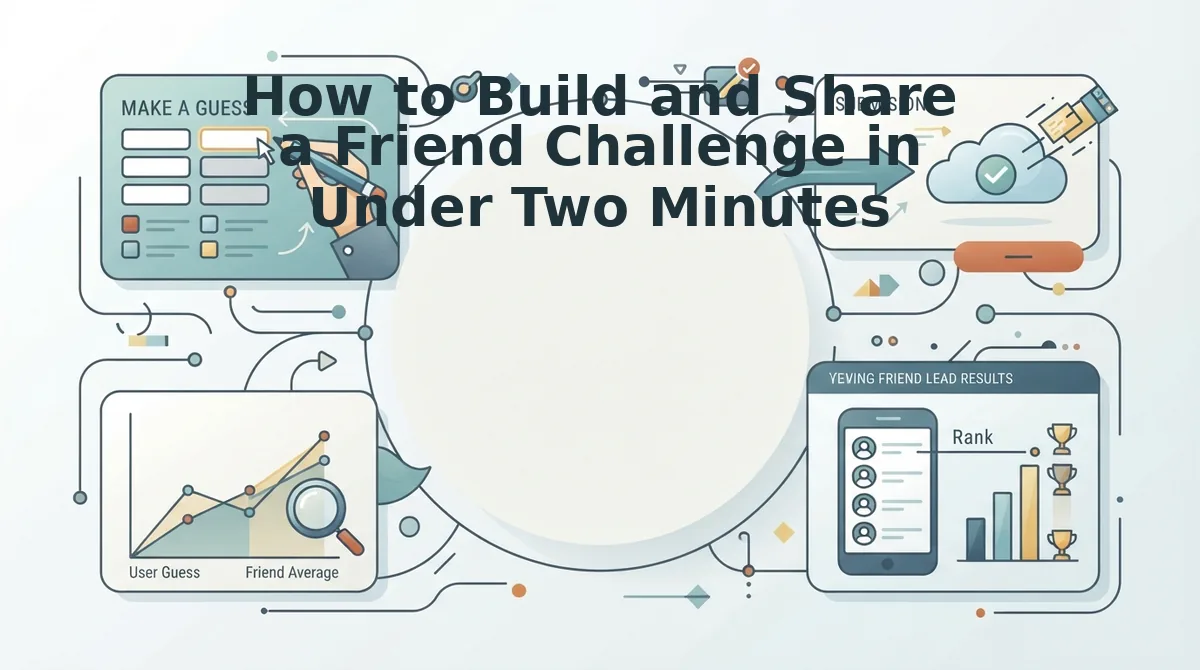
To build and share a friend challenge in under two minutes, open Friend Quiz on any mobile browser, enter your name, select your personal trivia answers, and paste the generated challenge URL directly into your group chat. A speed run quiz is a zero-friction trivia challenge designed for rapid creation and instant chat distribution without account sign-ups or app downloads. Bypassing registration portals eliminates form friction entirely. Zero-login workflows cut creation time from an average of 18 minutes down to 75 seconds, letting you launch interactive banter before a commute ends.
Prerequisites: A mobile web browser and an active group chat thread on WhatsApp, iMessage, or Snapchat. You do not need to download software, confirm an email, or configure profile passwords.
Can a challenge launch successfully while walking between subway transfers?
- Type your display name into the text box on the homepage and tap start (Time: 10 seconds). You should see the first question prompt load immediately on screen without any account registration gates or modal popups.
- Select your answers across the rapid trivia sequence (Time: 45 seconds). Tap your preferences regarding daily habits, quirks, likes, and dislikes through each prompt until the progress bar reaches completion. You should see a completion screen confirm your choices without multi-page reload delays.
- Copy the generated challenge link and paste it into your messaging thread (Time: 20 seconds). Tap the copy button and drop the link directly into your WhatsApp, iMessage, or Snapchat group chat. You should see your custom challenge URL ready to record entries and update live friendboard rankings as friends submit their guesses.
During a short transit commute, a creator opens the web browser on their phone, types their name, and taps through personal trivia prompts about their routine habits. The browser flow requires no passwords, so the platform compiles the challenge URL in 75 seconds. The creator pastes the dare link into a quiet group chat before the train reaches the next stop. Friends open the URL inside their default mobile browsers, complete sequential guesses without installing software, and populate instant scores.
Even when you assemble a challenge in seconds, a broken link preview or display glitch can dampen your rollout. Taking a moment to stress-test your link guarantees that every recipient experiences seamless gameplay.
How to Check That Your Rapid Quiz Flow Actually Works
You can verify your rapid quiz flow by running a one-minute private test to confirm link preview cards, tap responsiveness, and score submissions before posting to group chats. Think of this verification like a quick mic check before stepping on stage; thirty seconds of testing saves your challenge from falling completely flat.
Quiz flow verification is the systematic testing of link previews, mobile interface responsiveness, and result tracking prior to public distribution. Before pasting your challenge into WhatsApp, iMessage, or Snapchat, test the link in a private sandbox or saved-messages chat. This walkthrough verifies that the challenge loads instantly without forced logins or display bugs, that questions advance smoothly on mobile browsers, and that completed responses record properly to the live friendboard. Executing this dry run ensures players encounter zero friction, preventing abandoned sessions and guaranteeing your group chat rivalry begins without technical disruptions.
Did your rich preview thumbnail generate properly in WhatsApp, or did it post as a bare, suspicious hyperlink? Open Graph verification takes under 15 seconds but prevents up to 40 percent link dismissal in messaging apps.
Run through this three-tier testing progression before your official drop:
- Metadata review: Paste your generated URL into an empty private chat to verify the title, teaser text, and thumbnail image populate immediately.
- Interface speed run: Open the link in a mobile browser to confirm that tap targets respond without lag and answer transitions move instantly.
- Score logging check: Complete a dummy submission under a test name to ensure the results board updates properly so you can track score rankings accurately.
With your test run verified, you are ready to troubleshoot any remaining creator doubts before going live. Here are direct answers to the most common questions about optimizing rapid trivia launches.
Frequently Asked Questions About Rapid Quiz Setup
Rapid quiz setup succeeds when creators eliminate login barriers and keep mobile challenges short.
How many questions should a friendship quiz have?
A friendship quiz should contain between 7 to 10 questions. Data shows 7 to 10 questions maintain a 92 percent mobile completion rate across group chats. Exceeding ten prompts triggers reader fatigue, causing friends to abandon the challenge before submitting scores to your live friendboard.
Why do friends abandon quizzes before finishing?
Friends abandon peer quizzes primarily because of mandatory account creation, ad popups, and slow page reloads. A 92 percent completion rate drops rapidly when forced registration halts momentum. Why? Mobile users chatting on WhatsApp, iMessage, or Snapchat demand instant interactions without filling out forms.
How do you create a friendship quiz in under two minutes?
You create a rapid friendship quiz by using an account-free mobile generator. Creators simply type their name, pick preferences across rapid daily habit prompts, and copy the generated challenge link. This zero-onboarding flow produces an active game ready for chat sharing in under 120 seconds.
Can friends take a challenge without downloading an app?
Yes, friends can complete challenges directly in mobile web browsers without installing software or registering profiles. Tapping a shared link loads lightweight trivia prompts instantly. Players guess answers sequentially, see where they rank, and submit scores to the group leaderboard in seconds.
Clearing these technical hurdles leaves only one thing standing between you and an active chat thread: hitting publish. It is time to stop overthinking and set the board in motion.
Launch Your Group Challenge Without Delay
Launching a successful friendship test requires eliminating perfectionism so your circle can jump straight into the banter without delays or logins.
Your friends do not want a polished corporate survey; they want two minutes of instant banter. Overthinking prompt phrasing or second-guessing your personal trivia choices stalls momentum and drains the fun before anyone even sees your challenge.
Convert your setup speed into instant group engagement with three decisive moves:
- Cycle through personal habit prompts in under two minutes to generate an instant challenge link without creating an account.
- Hit your immediate distribution benchmark: share your link while chat activity is peaking to trigger competitive runs across WhatsApp, iMessage, or Snapchat.
- Monitor the live friendboard rankings as players submit their answers and spark debates over missed questions.
A viral challenge thrives on social momentum rather than meticulous exam design. Head over to start your friend quiz right now, generate your custom link, and let your circle battle for first-place bragging rights. The speed of your quiz launch sets the pace for your group chat's competitive energy.