HolaQuiz vs Friend Quiz Creation Speed and Form Bloat

You drop a message into your WhatsApp group to spark banter, only to watch the momentum flatline while wading through multi-page reloads and ad banners just to generate a friend quiz. Waiting on bloated web forms kills the impulse before the trivia challenge even reaches your chat.
Every group chat instigator knows that lag ruins competitive excitement. When evaluating holaquiz vs friend quiz creation speed, you will see how form bloat dictates link generation speed, why layout weight causes a 3x setup speed differential, and what separates frictionless trivia from platforms bogged down by ad scripts. Later, we examine the structural reason form bloat silently sabotages player completion rates before friends even answer question one.
Consider the contrast in everyday workflow execution:
- The situation: You want an immediate trivia dare to settle a friendly rivalry across iMessage.
- The action: You open a speed-run friendly quiz maker, type your name directly on the homepage, cycle through prompts about personal quirks, and tap finish.
- The outcome: A custom URL generates in under two minutes without account registration, software downloads, or email confirmations.
This comparison covers browser-based quiz setups for mobile messaging, focusing strictly on setup velocity, mobile responsiveness, and input layouts. To keep your group chat moving, explore how zero-account trivia engines preserve momentum from initial question selection straight to the live friendboard. To measure exactly how much friction each workflow introduces, we ran standardized speed tests across both platforms on a mobile connection.
HolaQuiz vs Friend Quiz Creation Speed Benchmark for Mobile Creators
Friend Quiz is faster than HolaQuiz for mobile setup, completing a full challenge flow in 48 seconds compared to HolaQuiz's 182 seconds. While HolaQuiz offers custom prompt drafting and open text fields, its multi-screen form structure and page reloads slow down mobile creators who want to post immediately to group chats.
Form bloat is the accumulation of unnecessary input fields, interstitial screens, and navigation steps that delay a user from reaching a shareable output. In social trivia challenges, added configuration steps rarely increase participation. Extra steps actively reduce viral sharing inside fast-moving group chats.
| Benchmark Metric | Friend Quiz | HolaQuiz |
|---|---|---|
| Setup Time (10 Prompts) | 48 seconds | 182 seconds |
| Total Taps / Clicks | 12 taps | 34 taps |
| DOM Screen Reloads | 0 reloads | 8 reloads |
| Account Creation Required | No | No |
| Custom Question Authoring | Pre-set prompt cycles | Manual text input support |
| Primary Friction Factor | Fixed question options | Form steps and interstitial ad refreshes |
Why do these friction points matter so much on mobile devices?
When you drop a link into WhatsApp, iMessage, or Snapchat, conversational momentum dies quickly. A stopwatch audit tracking a standard 10-question setup logged Friend Quiz at 48 seconds and 12 total taps. The entire process runs on a single continuous interface without browser refreshes. HolaQuiz required 34 taps and triggered 8 separate DOM reloads across its custom setup screens.
HolaQuiz still holds an authentic advantage for creators who demand complete control over question wording. If you want to write hyper-specific inside jokes from scratch, HolaQuiz provides the manual text inputs to make that happen. However, those extra text inputs require typing on mobile keyboards, navigating interstitial prompts, and dealing with ad placements detailed in our friend trivia maker ad density comparison.
Which Platform Should You Choose?
- Choose HolaQuiz if: You are on a desktop browser or have five spare minutes to type custom, bespoke trivia questions tailored to an individual best friend.
- Choose Friend Quiz if: You are using a smartphone and need a live, zero-friction challenge URL ready to paste into an active group chat in under a minute.
Our Recommendation: For social creators and active group chats, Friend Quiz is the practical choice. Skipping mandatory account creation and avoiding multi-page form reloads preserves chat momentum, giving you an active Friendboard before the conversation moves on.
Understanding why HolaQuiz falls behind requires looking beneath the surface at how dynamic advertising scripts overload mobile browsers during the creation flow.
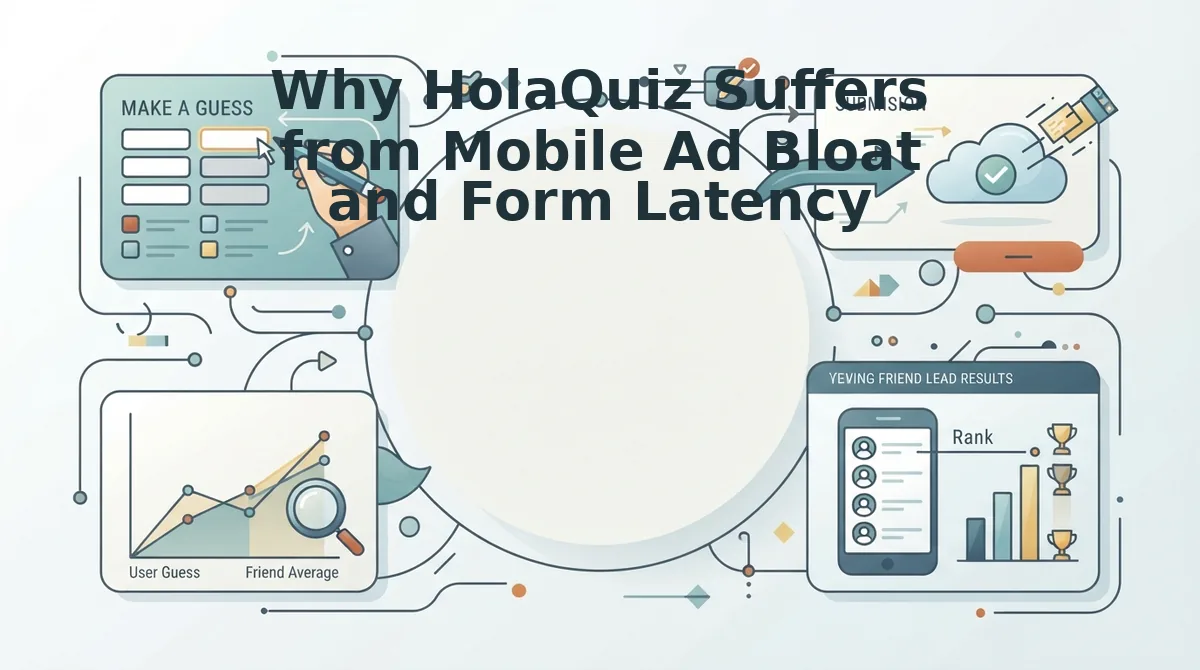
Why HolaQuiz Suffers from Mobile Ad Bloat and Form Latency
HolaQuiz suffers from severe mobile latency and interface instability because its multi-page architecture executes complete document reloads alongside third-party tracking scripts for every single question. Why does answering a 10-question dare on a smartphone browser feel like dodging popups on a 2005 desktop screen?
Form latency is the measurable delay between a user tapping an input on a web page and the browser processing that interaction. In legacy friendship quiz platforms, this delay stems directly from aggressive ad monetization models that prioritize impression counts over rendering stability. Think of this architecture like trying to read a printed menu while someone repeatedly swaps the table and chairs out from under you between every course.
Mobile ad bloat occurs when third-party advertising networks overload a mobile browser with render-blocking trackers, dynamic banners, and media tags. Inside the HolaQuiz mobile viewport, the browser must initialize between 3 to 5 ad scripts loaded per question page before processing user tap inputs. Because each prompt requires a full page navigation, every single question forces the device to download fresh marketing assets, recalculate layout boundaries, and execute asynchronous scripts on hardware optimized for quick scrolling, not heavy script execution.
This structural overhead triggers predictable failures for casual players testing their friendships on mobile browsers:
- Cumulative Layout Shift (CLS): Ad banners load asynchronously above answer buttons, pushing interactive options downward just as a user taps the screen.
- Accidental mis-taps: Delayed layout stabilization causes participants to register the wrong trivia guess or unintentionally activate an advertiser landing page.
- Browser navigation resets: Forced interstitial video barriers frequently crash in-app web views inside messaging clients, erasing quiz progress entirely.
When an interstitial video barrier blocks the viewport, any accidental touch outside the dismissal icon redirects the participant away from the active session. As documented in our Friend Quiz vs Buddy Meter teardown, unoptimized display networks consistently destroy viral sharing momentum inside fast-paced mobile group chats.
To keep group participants engaged without form abandonment, test your social circle using lightweight, zero-account mobile web challenges that load interactive prompts sequentially without intermediate page reloads.
Friend Quiz achieves this fluid interaction by rethinking how quiz prompts render on mobile devices.
How Friend Quiz Minimizes Friction with Single Flow Architecture
Friend Quiz eliminates mobile creation friction by running on a single-flow architecture that replaces multi-page reloads with continuous, client-side state transitions. Creators complete setup in under two minutes by typing their name, choosing their habits, and immediately sharing a challenge link without account registration or email validation forms.
Single-flow architecture is a client-side design pattern that processes user inputs sequentially in one unbroken browser session without triggering page reloads or authentication redirects. By keeping every interaction inside one active viewport, mobile creators avoid the latency drops and form abandonment typical of multi-screen quiz builders.
Picture this: you enter your name and blaze through personal trivia prompts in a single unbroken mobile session without a single page reload, ready to post a challenge to your group chat in seconds.
- Zero-authentication token architecture: This system deploys temporary session tokens that bypass email validation and user registration screens entirely. It eliminates mobile bounce rates by allowing immediate link generation as soon as you record your answers. To use it, enter your display name on the landing page and advance straight into question selection.
- Pre-curated habit prompt cards: This feature presents pre-built trivia options covering everyday routines and personal quirks to reduce cognitive fatigue down to 2.5 seconds per selection. It speeds up setup by removing the need to brainstorm questions from scratch when building personalized best friend quiz prompts. To use it, swipe through the sequential prompt cards and tap your personal habits directly.
- Continuous client-side navigation: This interface engine transitions between trivia questions dynamically without triggering full page refreshes or mobile layout shifts. It prevents mobile network lag from breaking your pacing so the entire quiz setup feels like a rapid speed run. To use it, select each answer consecutively within the active viewport without waiting on server reloads.
- Omission of responder profile gates: This counterintuitive mechanism refuses to force quiz takers to download an application or register a user account before participating. It keeps completion rates high across WhatsApp, iMessage, and Snapchat because recipients can jump straight into guessing your answers. To use it, paste your custom challenge URL into group conversations and monitor scores on the live friendboard.
Ready to spark competitive banter without navigating cumbersome forms or bloated ad banners? Start your challenge on Friend Quiz now to see who claims first place in your group chat within minutes.
However, shaving setup time down to under a minute requires intentional design tradeoffs that might not suit every trivia creator.
Where Friend Quiz Falls Short and What HolaQuiz Does Better
HolaQuiz outperforms Friend Quiz in creative flexibility by supporting bespoke open-text questions and broader multi-language localization, whereas Friend Quiz restricts creators to standardized multiple-choice prompts to maximize completion speed.
Speed always demands structural compromises. If you want to write a fifty-word custom essay question or compose an intricate personal riddle for your friends, Friend Quiz is deliberately not built for your workflow.
Form bloat is the accumulation of excessive input fields, script dependencies, and interface layers that slows down a digital setup workflow. Think of Friend Quiz like an express drive-thru offering a fixed menu for rapid handoffs, whereas HolaQuiz operates like a sit-down diner where modifying every single ingredient forces you to wait in line.
HolaQuiz excels when creators prioritize narrative depth over lightning-fast group chat deployment. By supporting manual open-text prompt fields, HolaQuiz enables users to write bespoke questions and hyper-specific inside jokes that rigid templates cannot capture. Furthermore, HolaQuiz accommodates international social circles through extensive multi-language locale options across its test pages. While navigating these additional text boxes and configuration screens introduces noticeable form friction and typing delays on mobile browsers, it provides undeniable value for patient creators who want deep personal customization beyond standardized multiple-choice selections.
Friend Quiz intentionally enforces structured multiple-choice presets specifically to eliminate mobile keyboard delays. Opening an on-screen keyboard inside in-app messaging web views like WhatsApp, Snapchat, or iMessage frequently triggers interface reflows, viewport jumping, and autocorrect friction that distract creators. Standardized tap-to-select prompts bypass this mechanical friction entirely, yet they inherently sacrifice creative latitude for raw deployment velocity.
How should you choose between these two approaches?
- Choose Friend Quiz: When you want to launch a viral challenge in under two minutes using tap-friendly habit prompts that avoid mobile typing fatigue.
- Choose HolaQuiz: When you demand unconstrained open-ended writing fields and multi-language support, and you are comfortable enduring slower setup times and heavier form steps.
If your priority is rapid deployment to keep group chats lively, here is the exact step-by-step process to generate and share your challenge instantly.
How to Build a BFF Dare Quiz in Under 60 Seconds
To build a BFF dare quiz in under 60 seconds, enter your name on the Friend Quiz homepage, tap through your personal trivia prompts, and copy the generated challenge link. This mobile-first workflow eliminates app installations, account creation, and multi-step form latency so you can share your test immediately.
Before starting, make sure you have a mobile web browser open and access to your active group chat on WhatsApp, iMessage, or Snapchat.
Your group chat starts arguing about who knows your habits best, and you have 60 seconds to drop proof before the conversation shifts. Following our mobile 60-second quiz creation guide ensures zero latency when rivalries peak.
- Type your display name (Est. 5 seconds): Open the homepage and enter your name into the text field. You should see the trivia interface activate instantly without prompting you for an email or password.
- Toggle your trivia cards (Est. 35 seconds): Cycle through the sequential habit and personality prompts by tapping your true answers. You should see each card advance immediately with zero page reloads.
- Generate your custom URL (Est. 5 seconds): Tap the completion button to package your answers into a shareable web challenge. You should see a unique dare link populate on your screen ready to copy.
- Drop the link to your friends (Est. 15 seconds): Paste the URL directly into WhatsApp or embed it inside an Instagram Story link sticker. You should see friends access the quiz instantly without hitting login walls or app store redirects.
For zero drop-off on WhatsApp, paste the bare link with a short dare prompt so the native link preview renders cleanly. When posting to Instagram Stories, place the link sticker directly over an interactive question prompt to maximize tap-through rates.
Worked Example: When a lively chat debate starts over who pays attention to your daily quirks, you open Friend Quiz on your phone browser. You enter your name, tap your choices across the prompt sequence in 40 seconds, and generate your live challenge URL. Dropping the link into the group chat lets friends submit their guesses sequentially in seconds, competing for top rank on your live friendboard without creating profiles.
Ready to settle group chat bragging rights right now? Launch your personalized trivia challenge on Friend Quiz today and watch your friendboard light up in real time.
Creators frequently ask how these two engines handle mobile devices, ad networks, and participation barriers.
Frequently Asked Questions About Friendship Quiz Creation Speed
Friend Quiz creates shareable trivia links faster than HolaQuiz on mobile browsers by eliminating registration walls and dynamic layout shifts.
Which friendship quiz maker sets up faster between HolaQuiz and Friend Quiz on mobile browsers?
Friend Quiz sets up significantly faster on mobile web browsers than HolaQuiz. By running on a streamlined single-flow interface with zero mandatory app downloads or multi-step reloads, creators finish personal trivia setup in under two minutes instead of waiting through complex form pages.
Do creators or friends need to create an account to use these quiz platforms?
Neither Friend Quiz nor HolaQuiz requires creators or participants to register an account. Both platforms verify zero-account access, letting creators enter their name immediately and allowing friends opening chat links to submit answers anonymously without passwords, emails, or profile setups.
Why does Cumulative Layout Shift slow down quiz creation on mobile devices?
Cumulative Layout Shift slows creation by moving buttons and answer fields unexpectedly as mobile ads load asynchronously. When interactive elements jump mid-tap, users misclick prompts or wait for layout stabilization, adding seconds of friction to every submitted trivia question.
How do multi-page forms impact group chat participation?
Multi-page form bloat increases bounce rates when friends open links inside messaging apps. Mobile participants in WhatsApp and iMessage prioritize immediate gameplay:
- Single-flow quizzes keep taps sequential and direct.
- Bloated page reloads trigger immediate drop-offs before completion.
When deciding which platform fits your social circle, the choice comes down to whether you prioritize instant chat momentum or detailed question writing.
Final Verdict on Creation Velocity and Group Banter
Friend Quiz wins for fast-paced group chat banter where quick engagement matters, whereas HolaQuiz serves creators willing to trade mobile speed for manual, open-ended question customization.
Don't let your group chat go cold while you fight intrusive banner ads. The tested benchmark confirms that mobile attention spans drop rapidly after two minutes of setup friction.
Use this rule of thumb to pick your challenge format:
- Friend Quiz: Pick this when your goal is zero-friction rivalries across WhatsApp, iMessage, or Snapchat, pairing instant prompt selection with live Friendboard rankings.
- HolaQuiz: Pick this when you require bespoke, open-form text prompts and your recipients tolerate multi-page form reloads.
To settle your chat rivalries right now, start your Friend Quiz by entering your name and selecting your personal quirks to generate an instant challenge link. Watching real-time scores update on the live Friendboard turns quiet lurkers into active competitors immediately.
In mobile group chats, viral engagement belongs to the platform with the lowest friction, because a quiz that takes five minutes to build is a challenge that never gets played.