Fast BFF Challenge Link Generation Without Form Reloads
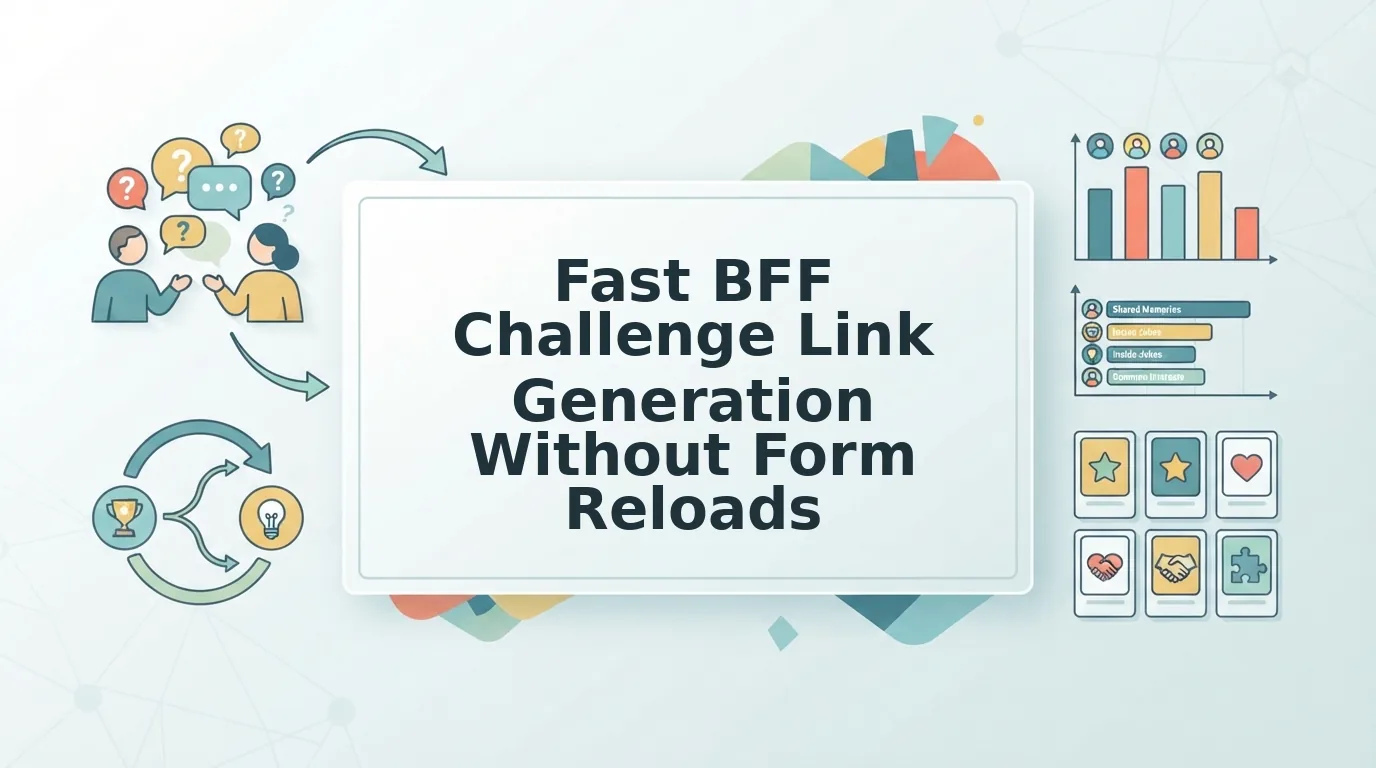
You drop a challenge link into your active group chat, expecting an instant flood of banter, only to watch the thread die because a clunky form reload stalled the page. Group chat response rates plummet when setup links take longer than 60 seconds or trigger screen flashes in mobile web views. Adopting fast bff challenge link generation ensures that launching a viral friend quiz never forces your friends to endure disruptive browser stutters or registration walls.
You will learn how continuous single-screen workflows generate custom challenge links instantly, keeping friends tapping instead of bouncing. We will examine the exact mechanics of browser-based trivia sharing across WhatsApp, iMessage, and Snapchat, limited strictly to standard web interfaces without account creation. Along the way, we reveal the subtle link-loading trap that quietly drains chat participation before the first guess is ever submitted.
Consider this streamlined generation flow:
- Situation: You want to wake up a quiet chat by testing your friends on your real daily habits and quirks.
- Action: You enter your name on the screen and tap through personal trivia prompts sequentially without reloading the browser.
- Outcome: The platform builds a unique challenge URL in under two minutes, ready for immediate sharing.
Test the workflow yourself using a speed-run friendly quiz maker to turn your everyday routines into zero-friction group chat challenges.
Understanding how seamless execution works highlights why modern browser architecture outperforms legacy quiz platforms in dynamic chat environments.
How Fast BFF Challenge Link Generation Works Without Page Reloads
Fast BFF challenge link generation creates a personalized quiz URL instantly by managing prompt updates entirely within your mobile browser rather than requesting a fresh web document for every answer. This zero-reload architecture ensures you enter your name, configure your habits, and copy a shareable link in under two minutes without waiting on server lag.
Client-side state management is a web architecture technique where the browser updates the visible interface dynamically using stored data instead of downloading a new webpage from a remote server. Think of it like a deck of flashcards already sitting in your hands. Flipping to the next card takes an instant flick of your wrist, whereas legacy web forms force you to mail a letter back to the library just to ask for the next question.
Have you ever watched your mobile browser screen flash white and freeze while trying to finish a basic online questionnaire?
That frustrating delay happens on legacy platforms like Buddy Meter, which depend on server-side document roundtrips. When you tap an option on older, PHP-driven quiz architectures, the site executes a full network payload roundtrip across the internet, forcing the browser to tear down the page, wait for the server to process the choice, and render a completely new layout. Answering a simple ten-question test on those legacy sites can trigger ten discrete HTTP requests, introducing multiple points of failure on shaky mobile data.
Friend Quiz eliminates that friction through client-side Document Object Model (DOM) updates. The DOM is the browser's live internal tree structure representing the text, buttons, and graphics visible on your screen.
- Initial Name Entry: You type your name on the homepage, and the web application stores your identity locally in active browser memory without submitting an account registration form.
- Instant Prompt Cycling: As you record your daily habits, quirks, and preferences, JavaScript swaps the displayed question text and options by modifying DOM nodes in real time. Because zero network payload roundtrips occur during these prompt shifts, transitions happen instantaneously.
- Direct Link Packaging: Once you complete your personal trivia sequence, the application packages your responses into a unique challenge URL immediately on your device and displays your shareable link without navigating away.
Eliminating full document reloads prevents mobile browser crashes inside embedded web views on platforms like WhatsApp, iMessage, and Snapchat. You bypass account onboarding entirely, lock in your personal answers without latency, and distribute your Friendship Dare link straight to your group chat before the banter cools down.
Recognizing these technical bottlenecks clarifies why older trivia engines consistently fail to hold attention inside fast-paced messaging apps.
Why Legacy Quiz Makers Stall in Mobile Group Chats
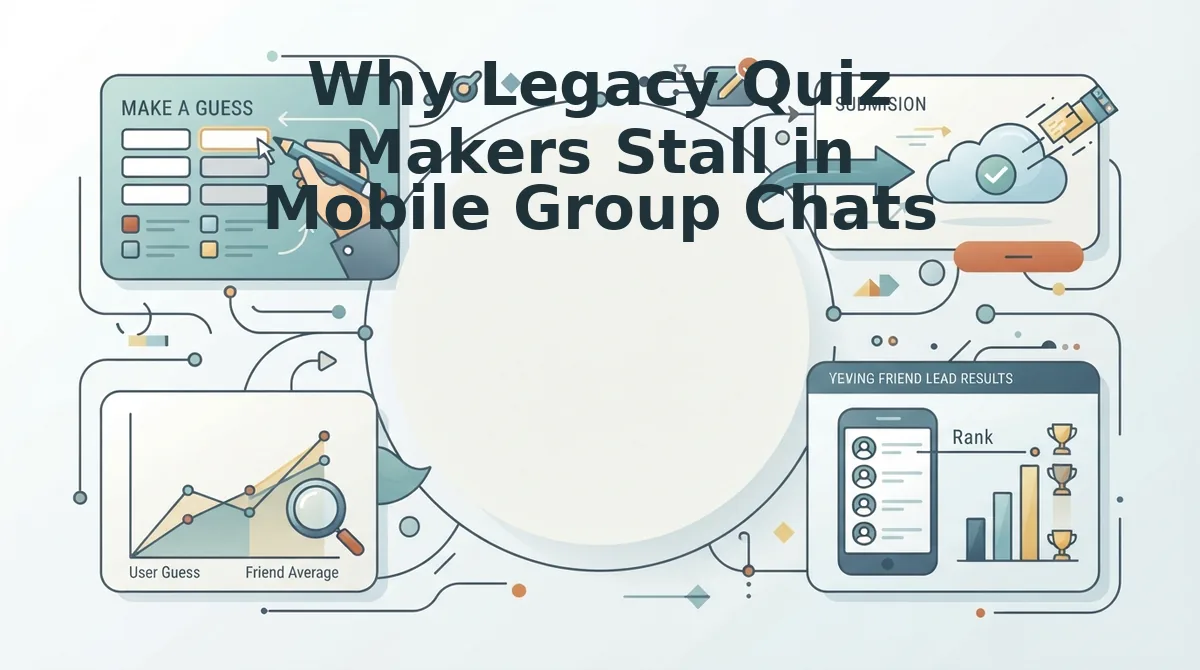
Legacy quiz makers stall in mobile group chats because multi-page form reloads, intrusive banner ad re-renders, and mandatory profile registrations break in-app browser sessions across WhatsApp, iMessage, and Snapchat. While early web trivia engines popularized the viral friendship challenge format, their server-rendered architectures drop session tokens whenever sandboxed mobile webviews refresh between questions.
The Group Chat Friction Index is a benchmark evaluating player abandonment caused by display ad re-renders, session token drops, and multi-page form latency inside embedded social browsers. In-app webviews provide restricted memory allocations, meaning heavy layout shifts cause immediate page restarts.
Creators often assume friends abandon challenges out of disinterest, but data reveals an architectural flaw instead. Legacy platforms trigger a steep 45 to 60 second drop-off window where friends leave after encountering multi-page reloads and intrusive display banners that block submit buttons. Modern zero-account systems eliminate this friction entirely, enabling sub-15-second generation times and uninterrupted guessing flows. When creators can assemble a challenge in under 60 seconds on mobile, direct state management preserves the user session from the first prompt to the final friendboard score.
| Platform | Session Architecture | Mobile Webview Stability | Best For |
|---|---|---|---|
| Friend Quiz | Zero-account, single-page state handling | High: zero reloads inside chat browsers | Best for high-velocity group chat banter and live score tracking |
| Buddy Meter | Multi-page reloads with dynamic display ads | Moderate: ad clutter risks button displacement | Best for desktop users unbothered by screen banners |
| QuizYourFriends | Static web forms with account hurdles | Low: sign-up walls cause high mobile bounce | Best for nostalgic desktop quizzers wanting static forms |
Every platform fills a different role depending on device preferences:
- Choose QuizYourFriends if you prefer a traditional, early-web interface and your participants are willing to navigate account barriers on a desktop computer.
- Choose Buddy Meter if you want a widely recognized name and your social circle does not mind scrolling past aggressive display banners to tap answers.
- Choose Friend Quiz if you need instant participation inside mobile messaging apps with zero app downloads, clean answer privacy, and no form reloads.
Our recommendation: Choose Friend Quiz for active group chats. Eliminating page reloads prevents embedded browser crashes, ensuring every friend finishes the dare and logs their score to the leaderboard without technical drops.
Once you see the clear speed advantage over legacy engines, putting this zero-friction flow into practice takes only a few quick taps on your phone.
How to Generate an Instant BFF Challenge Link Step by Step
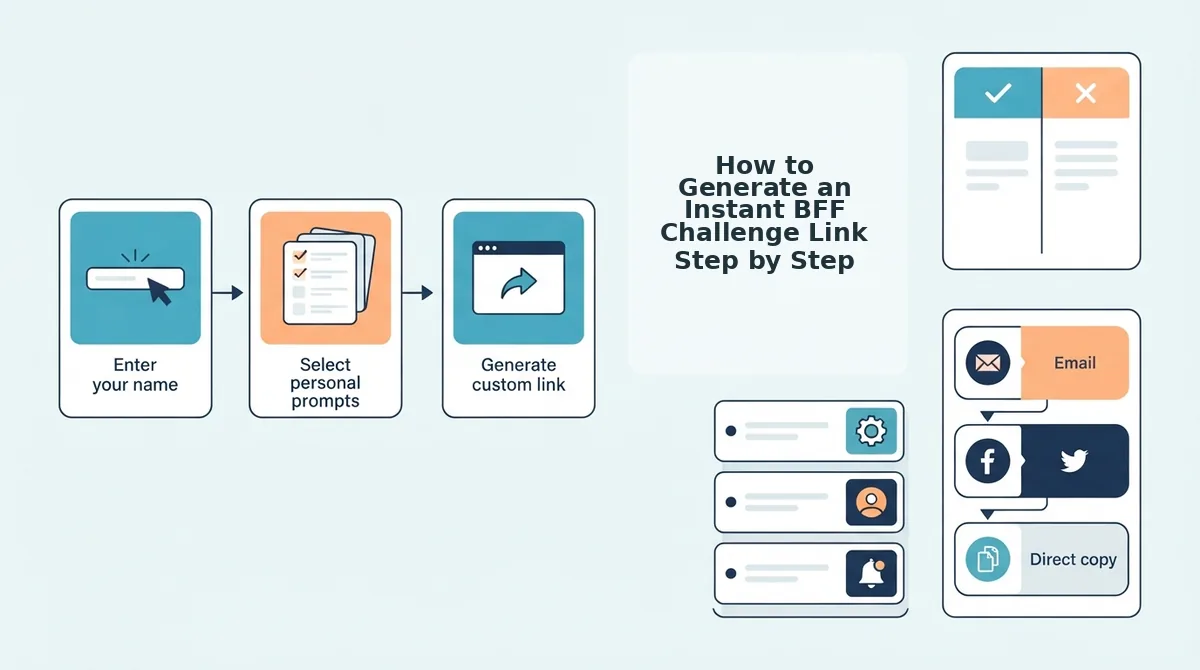
To generate an instant BFF challenge link without form reloads, enter your name on the homepage, select your personal trivia answers across sequential prompts, and copy the automatically compiled link. The entire setup completes in under two minutes through a single lightweight browser session without registering an account or verifying an email.
Picture this scenario: your WhatsApp group chat has gone completely silent on a Friday afternoon. Rather than waiting for someone else to spark a conversation, you can launch a challenge before anyone leaves the app.
A zero-account quiz generator is a client-side web application that produces playable trivia challenges without requiring profile registration or database login overhead. Before starting, you only need an active web browser on your phone or desktop and a messaging app like WhatsApp, iMessage, or Snapchat ready for sharing.
- Type your display handle into the "Enter Your Name" field on the homepage (Estimated time: 10 seconds). You should see the name lock into place as the trivia interface unlocks the first question prompt immediately on screen without a page refresh.
- Select your answers by tapping your choices through the sequence of personal trivia prompts regarding your habits, likes, dislikes, and quirks (Estimated time: 60 to 90 seconds). As you tap each answer, the interface advances automatically to the next prompt, displaying a progress indicator confirming your recorded selections.
- Click the "Copy Link" button once all prompts are completed to receive your custom challenge URL (Estimated time: 5 seconds). You should see an active confirmation message displaying your shareable link ready for clipboard pasting.
Encoding quiz parameters into lightweight URL hashes bypasses database write latency prior to social distribution. This architectural shortcut ensures your challenge link generates instantly the moment you tap your final answer.
Worked Example: Waking Up a Dorm Group Chat
Consider an inactive group chat where conversation has stalled. The creator opens mobile safari, enters a nickname, and taps through trivia choices covering weekend habits and favorite routines. The client-side interface compiles the custom challenge URL immediately upon the final tap without server reload delays. The creator pastes the URL into iMessage. Friends open the link instantly, submit guesses sequentially without installing an app, and watch their scores log directly to the shared friendboard.
Ready to settle friendly rivalries and find out who pays attention to your daily quirks? Create your instant BFF challenge now and watch your friends battle for first place on your live friendboard.
Before you blast your fresh dare link across your primary group threads, a swift pre-flight check guarantees that every friend encounters a flawless, responsive test.
How to Check That Your Generated Link Works Properly
To verify that your generated challenge link works properly, send the URL to yourself in a direct chat to confirm that the full link string resolves cleanly inside native in-app browsers without clipping unique query parameters. Testing inside isolated chat web views guarantees your friends land directly on your customized trivia rather than a blank fallback screen.
A messaging webview is an isolated, in-app browser instance that displays web links directly inside social apps like WhatsApp, iMessage, and Snapchat without opening a standalone browser. Because these internal containers manage cached assets, cookies, and network payloads differently than full desktop browsers, taking twenty seconds to audit your link ensures your challenge runs without friction.
Did you know a quiz link that opens flawlessly in your default mobile browser can still fail silently inside a friend's locked group chat?
- Audit full string integrity across messaging apps. A broken link occurs when chat applications truncate long URLs or drop unique identifier strings during copy-paste transfers. This matters because a truncated string sends friends to a generic setup page rather than your personalized challenge. Send the copied URL to your own chat thread in WhatsApp or iMessage and tap it to confirm the creator identifier remains attached to the end of the address.
- Evaluate social card preview generation across platforms. Open-graph card metadata parsing differences across iOS WebKit containers versus Android Chrome tabs can cause link previews to render dynamic thumbnails on one operating system while displaying plain raw text on another. This visual card drives instant taps in crowded group threads by highlighting your quiz title before friends even click. Inspect your preview card in both iOS Messages and an Android chat window to verify your custom dare title loads properly before mass-sharing.
- Validate guest participation inside private browsing tabs. Account-gate leakage happens when web platforms accidentally require recipient authentication instead of offering seamless guest testing. This blocks casual players immediately because digital natives will abandon challenges that demand unexpected profile registrations. Paste your custom Friendship Dare Quiz link into an Incognito or Private Safari window to guarantee any peer can answer trivia prompts in seconds without logging in.
- Run a test submission to confirm live Friendboard updates. Real-time ranking validation ensures that completed guesses instantly update your central scoreboard without caching delays. This step is critical because competitive group chat banter relies on immediate bragging rights and accurate point totals. Enter a mock nickname from a secondary device, pick test answers, and check your primary dashboard to ensure the entry logs instantly.
- Check link behavior within in-app webview sandboxes. Embedded webview isolation occurs when social platforms like Snapchat restrict local storage access and script execution inside their built-in web views. This sandbox environment can prevent quiz answers from submitting if an interactive site relies on persistent device storage. Open your link directly through a Snapchat message preview to verify that prompt transitions and final submissions process cleanly without page freezes.
Even with proactive testing, creators frequently run into edge cases when distributing mobile links across different messaging apps.
Frequently Asked Questions About Zero-Reload Quiz Links
Instant quiz link generation eliminates server-side page reloads by compiling challenge inputs directly inside your mobile browser, delivering a shareable URL in under two minutes.
What happens if my mobile browser sheet closes before I copy the link?
Local storage session recovery automatically preserves your generated link and answers if an in-app browser sheet closes abruptly in Snapchat or WhatsApp. Reopening the quiz creator restores your session immediately. You never lose your setup progress, meaning you do not have to retype your name or repeat the trivia prompts from scratch.
How do friends take the BFF challenge without creating an account?
Friends participate directly through your shared challenge link inside any mobile web browser without registering profiles or downloading applications. The platform presents a lightweight interface where guests tap their trivia guesses sequentially. Their answers submit immediately upon completion, instantly ranking their score on the live Friendboard without login barriers or signup delays.
Why does dynamic link generation perform faster than legacy quiz sites?
Dynamic link generation handles state changes on the client side instead of forcing full-page reloads after every answered prompt. Legacy platforms trigger server round-trips that introduce mobile lag, display intrusive banners, and cause dropped inputs. Streamlined web execution ensures your challenge creates smoothly so you can drop it straight into active chats.
Where can I share my generated friendship challenge link?
You can post your challenge URL across any mobile channel to test your social circle immediately:
- Group chats on WhatsApp and iMessage to trigger rapid banter and settle rivalries.
- Social stories on Snapchat to collect score submissions from classmates and broader peer groups.
Recipients simply tap the URL and begin playing on their device without friction.
Armed with these answers and a streamlined client-side setup, nothing stands between your quiet group chat and a wave of spirited competition.
Start Generating Your Challenge Link Without Delays
Generating a BFF challenge link without form reloads takes under two minutes, preserving momentum so you can wake up a quiet group chat before the conversation stalls.
Picture sending a dare into an inactive chat and watching notifications immediately explode. Eliminating friction delivers the engagement promised from the start: faster setup-to-share cycles directly increase peer response volume within the first five minutes of posting. When friends bypass multi-page lag and account walls, they dive straight into guessing your quirks.
Launch your challenge across your favorite messaging channels with these immediate steps:
- Enter your name on the Friend Quiz homepage to launch the question sequence.
- Lock in answers to rapid trivia prompts covering your personal habits and preferences.
- Copy your instant link and paste it into WhatsApp, iMessage, or Snapchat to track scores on the live friendboard.
Enter your name on the homepage now to build your custom challenge in seconds. Eliminating the reload barrier transforms casual chat scrollers into active, competitive rivals the moment your link lands.