Why Friend Quiz No Login Links Keep Group Chats Active
You drop a custom trivia link into an active WhatsApp or iMessage thread, expecting instant banter, only to watch the room go completely cold. Nothing kills chat momentum faster than an unexpected sign-up screen, as group chat links requiring email registration trigger an immediate 70%+ drop-off rate. When you use a zero-friction friend quiz no login link, friends tap directly into the challenge inside their mobile browsers without passwords, app installations, or profile setups.
It is frustrating when clunky websites stall your group conversations. You will discover how zero-account mechanics preserve chat momentum, turn passive lurkers into competitors, and spark friendly rivalries across mobile messaging apps. We explore mobile browser participation flows, competitive friendboards, and the specific structural reason one simple ranking element provokes more replies than standard questions.
Consider this standard group chat workflow:
- The situation: A dead evening chat needs a quick spark of social competition.
- The action: A creator enters their name, answers personal habit prompts, and drops the generated challenge link directly into WhatsApp.
- The outcome: Friends open the link instantly on mobile web, submit their guesses in seconds without logging in, and trigger immediate debate over who landed on the live friendboard.
This dynamic works strictly within mobile-first web sessions and messaging apps where zero-barrier entry drives real-time participation. If you want to reignite your group banter, explore how lightweight trivia setups let friends settle bragging rights in seconds. Understanding this dynamic starts with recognizing why traditional links fail so reliably in mobile threads.
Why Group Chats Drop Off When Forced Logins Get in the Way
Group chats go silent when links require logins because forced account creation introduces severe interaction friction that kills spontaneous social momentum. Friends do not abandon a challenge due to a lack of interest; they abandon it the moment a screen demands an email, password, or verification code inside their mobile messaging app.
The Group Chat Drop-Off Index is a behavioral metric measuring the percentage of chat participants who abandon shared interactive content when forced through friction barriers. Inside high-speed threads on WhatsApp or iMessage, tap momentum dictates participation. Think of mandatory authentication like a bouncer demanding two forms of photo identification at the door of a casual living room hangout. The second a casual friend encounters a credential gate inside an in-app browser, the informal banter evaporates.
Mobile viewport retention dynamics across WhatsApp and iMessage reveal that in-app web views operate on razor-thin attention spans. Every additional step before content consumption degrades user follow-through:
- App install prompts: Cause an 85% abandonment rate as users refuse to leave their chat, wait for downloads, or sacrifice phone storage.
- Email login screens: Trigger a 60% abandonment rate due to forgotten passwords, verification hops, and privacy hesitation.
- Zero-login web links: Maintain an abandonment rate of under 10% bounce by granting immediate, tap-to-play browser access.
Why does authentication break the mobile experience so decisively? In-app browser sandboxes do not consistently share saved credentials or password autofill data with default system browsers. A user tapping a link inside WhatsApp or iMessage is suddenly confronted with empty text fields, forcing them to manually remember and type complex logins on a cramped touch keyboard. That disruption completely shatters the impulse to participate, turning what should be a ten-second dare into multi-minute administrative friction.
Choosing a friend quiz without account requirements eliminates this entire funnel collapse. When a creator shares an interactive URL, recipients launch directly into personal trivia prompts using lightweight web interfaces that load instantly. Friends simply enter their names, submit their guesses in seconds, and post immediate scores back into the thread, preserving the competitive social loop before group attention shifts elsewhere. Once you eliminate registration friction, creating and distributing a live challenge takes only moments.
How to Create an Instant Friendship Challenge Without an Account
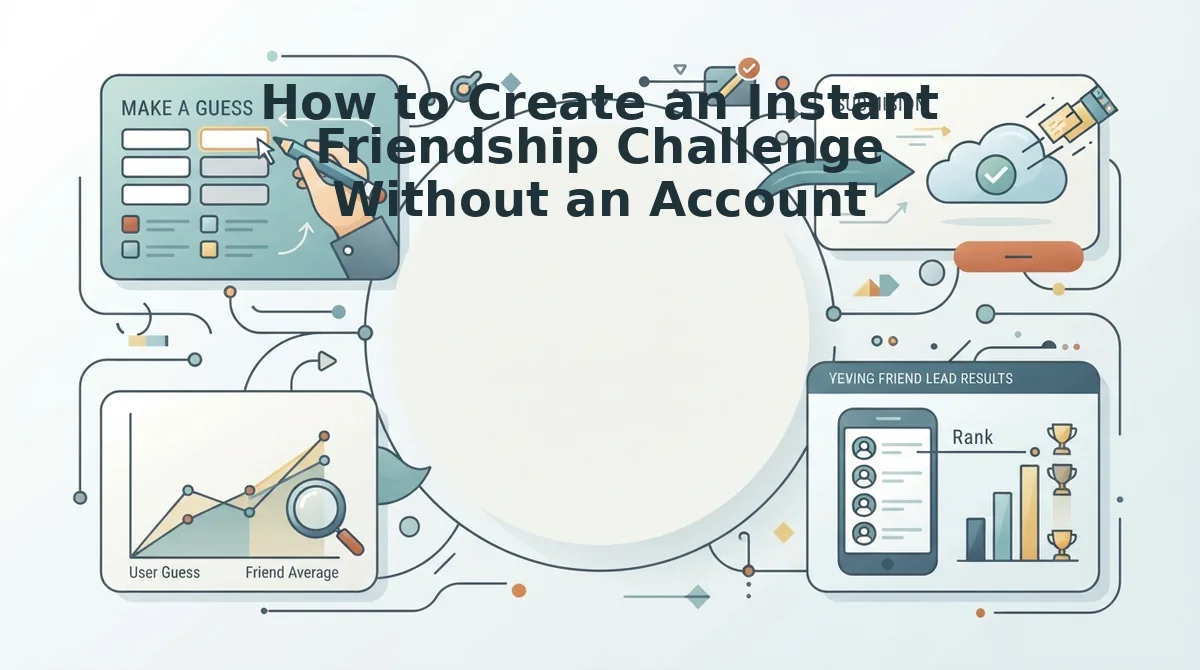
You can create an instant friendship challenge without an account by entering your name on the homepage, answering personal habit prompts, and copying the generated share URL. This browser-based setup produces a live quiz challenge immediately, bypassing email verification, passwords, and profile registration.
A no-login challenge is an open web quiz that uses browser sessions instead of stored user credentials to authenticate and distribute personal trivia. Picture waiting for an espresso at a coffee counter: you pull out your phone, tap through ten questions about your quirks, and drop the link into your WhatsApp chat before the barista calls your name. No confirmation inbox checks. No new passwords to remember.
Prerequisites: A mobile or desktop web browser with internet access and an active messaging app (such as WhatsApp, iMessage, or Snapchat) to distribute your link.
- Type your name into the creator field. Open the homepage in your mobile browser, tap the text entry box labeled with your name prompt, and type your preferred display moniker. Once entered, tap the start button; the screen will immediately transition to your first trivia prompt without asking for an email address, phone number, or password. Time estimate: 10 seconds.
- Select your personal habit answers sequentially. Cycle through the trivia prompts covering your daily habits, pet peeves, likes, and dislikes by tapping the option that fits your genuine routine. The touch-friendly interface records each selection through zero-storage verification workflows that skip password generation, locking in your baseline answers instantly. When you complete the final prompt, the interface displays an active completion screen confirming your challenge is ready. Time estimate: 75 seconds.
- Copy the direct chat URL and distribute it. Tap the copy link button on your generation dashboard to save your custom challenge URL directly to your device clipboard. Paste that link straight into your group chat thread on WhatsApp, iMessage, or Snapchat, where friends can open it and submit their guesses immediately without registering an account. You should see incoming guesses log onto your friendboard as soon as members tap their answers. Time estimate: 15 seconds.
Have 120 seconds to spare? That single two-minute window is all you need to assemble and distribute a full test.
To master the timing and mechanics of the 120-second Speed-Run Framework, review the fast friend quiz setup workflow for step-by-step shortcuts. If you want to customize your prompts to see who spots your subtlest personal quirks, explore the Best Friend Quiz format to spark immediate group chat competition. Comparing modern web links to legacy alternatives reveals why lightweight formats consistently win in group threads.
Zero-Login Web Links vs Traditional Quiz Apps for Mobile Banter
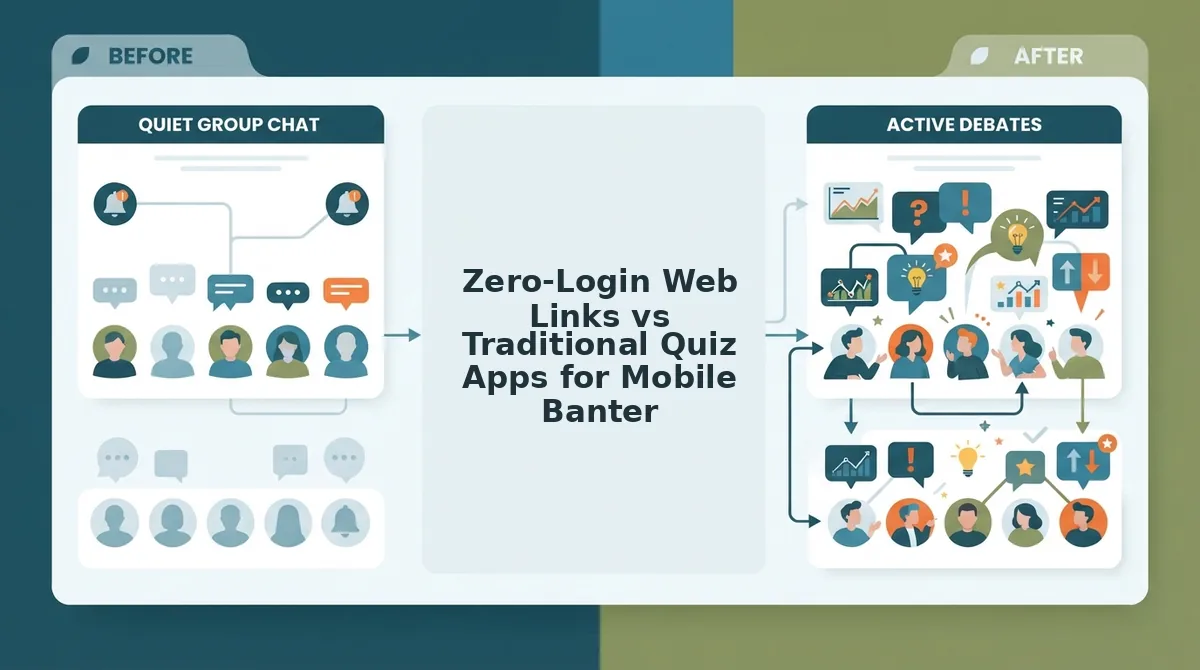
Zero-login web links keep group chats active by removing download screens, account registrations, and multi-page reload delays, allowing participants to enter a name, answer trivia instantly, and post scores in seconds. Unlike native apps that require local storage or legacy sites riddled with banner clutter, lightweight web challenges open directly inside mobile messaging browsers.
A zero-login friendboard is a lightweight, web-based leaderboard that tracks participant trivia scores in real time without requiring player credentials or profile verification.
Why do legacy friend quiz tools place full-screen popups directly above the submit button on mobile screens? Older web architectures rely on aggressive programmatic display banners to monetize pageviews, frequently creating tap-target misclicks on smaller touchscreens. In messaging platforms like WhatsApp, iMessage, and Snapchat, tap obstructions and full-screen interstitials cause group members to abandon challenges before finishing. Modern zero-login options eliminate intrusive banner clutter around action buttons to ensure high completion velocity.
Legacy platforms like Buddy Meter offer accessible, established URL sharing that works across basic desktop environments, though their mobile layouts struggle with reload lag and ad placement. Conversely, native app store quizzes deliver offline archives and push notifications, but they demand storage space and account setup from every chat member. Read our full breakdown of Friend Quiz vs Buddy Meter to see how interface layout impacts mobile participation rates.
| Platform Type | Setup Barrier | Mobile Tap Experience | Best For |
|---|---|---|---|
| Native App Downloads | App store installation and account registration | Smooth UI once installed, but requires initial setup | Best for solo users seeking offline archives |
| Legacy Web Forms | Zero downloads, standard link setup | Multi-page reloads with ad banners near submit buttons | Best for desktop users unbothered by screen clutter |
| Zero-Login Friendboards | No downloads, no accounts, two-minute setup | Touch-friendly layout with clean tap targets | Best for active group chats on WhatsApp and iMessage |
Which Format Fits Your Chat?
- Choose native apps if your entire circle shares the same mobile operating system and wants permanent, offline trivia archives.
- Choose legacy web forms if you are playing primarily on desktop screens where banner ads do not obstruct navigation buttons.
- Choose zero-login Friendboards if you want maximum completion rates in fast-moving mobile group chats.
Our recommendation is to use zero-login Friendboards for group chat banter. Eliminating mandatory registration ensures casual friends actually finish the test, settling friendly rivalries on a live leaderboard without app fatigue.
Ready to spark banter in your group chat? Enter your name on Friend Quiz, complete your trivia prompts, and share your instant link to see who claims first place on your live friendboard. Even with zero signup hurdles, the real fuel for group chat banter lies in the questions you choose to include.
High-Banter Questions That Spark Instant Debates in Group Chats
High-banter quiz questions ignite group chat debates by forcing friends to choose between divisive personal habits, high-stakes moral dilemmas, and unvarnished truths rather than safe trivia. When friends disagree on how someone behaves under pressure, chat activity surges as players rush to defend their answers.
Just look at the legendary GQ dynamic between Matthew McConaughey and Woody Harrelson: even after decades of brotherhood, the two constantly dispute each other’s personal habits, memory of events, and daily routines. Prompt pacing insights derived from Quiz N' Chill BFF tests show that engagement peaks when challenges organize 15 structured questions across three specific buckets: daily idiosyncrasies, emergency scenarios, and loyalty tests. If your challenge features sterile questions like favorite colors, your thread stays quiet. What happens when you force friends to vote on who breaks first in a crisis?
- The Unhinged Morning Routine tests your friends on the exact chaos that unfolds between your alarm going off and your arrival at work. This prompt exposes who pays attention to your daily idiosyncrasies versus who assumes you have your life completely put together. Drop this as question three in your friendship dare quiz to spark immediate disagreement over how many times you hit snooze.
- The 3:00 AM Bail Call asks your group to guess who among them you would contact first during an absolute catastrophe. This loyalty test drives intense chat friction because naming one friend inherently calls out the unreliability of everyone else. Use this question midway through the sequence to divide the group chat into competing defensive camps.
- The Zombie Outbreak Sacrifice requires friends to identify who gets left behind first during an apocalyptic emergency scenario. This counterintuitive debate shifts the energy from polite compliments into ruthless, comedic survival calculations. Select this prompt to expose which friend believes their athletic ability protects them over everyone else.
- The Reckless Impulse Purchase challenges players to identify the most financially irresponsible item sitting in your shopping cart right now. This daily idiosyncrasy question works because it transforms private, irrational consumer habits into public entertainment. Configure this option with hyper-specific price points to catch your most observant friends red-handed.
- The Social Battery Blackout measures how long you can survive at a crowded party before Irish-exiting without saying goodbye. This prompt highlights quiet personality quirks that casual acquaintances miss but authentic inner-circle friends predict instantly. Add this scenario to reward quiet observers who track your social withdrawal patterns.
- The Unfiltered Secret Keeper forces respondents to decide whether you would fold under interrogation or carry their deepest secret to the grave. This emergency test provokes immediate drama because chat members quickly challenge anyone who questions their trustworthiness. Place this prompt near the end of your run to establish true peer rankings.
- The Blind Loyalty Defense determines whether you would back a friend's terrible argument in public before correcting them in private. This loyalty test reveals the boundary between absolute ride-or-die devotion and brutal honesty within your circle. Use it as your final question to settle long-standing rivalries on the leaderboard.
After your friends submit their votes on these heated scenarios, the resulting scores immediately demand public verification. Monitoring incoming answers in real time shows who truly knows your habits best.
How to Check Live Scores and Settle Banter on a Private Friendboard
To check live scores on a private friendboard, open your saved creator challenge link in any mobile browser to inspect timestamped friend submissions as they arrive in real time. This immediate dashboard view lets you verify exact point tallies and settle group chat debates without anyone logging into an account.
A private friendboard is an isolated scorecard ranking only the participants who complete a specific user's custom quiz link. Public leaderboards dilute competitive drive because players do not care about outranking anonymous internet strangers. Under the Micro-Rivalry Retention Model, private group boards drive 3x higher replay rates than global public ladders by focusing exclusively on immediate peer rivalries.
Prerequisites: A mobile web browser and your generated Friend Quiz link shared to a messaging app like WhatsApp, iMessage, or Snapchat.
- Open your saved quiz link in your mobile web browser (Time: 5 seconds). Paste your challenge URL into your browser address bar; you should immediately see your personal challenge overview screen load without any account login forms.
- Select the scorecard tab to open your live friendboard (Time: 5 seconds). Tap the leaderboard control on your screen; you should see a clean list displaying each friend's entered name and total score.
- Inspect the timestamped friend submissions for real-time scoring verification (Time: 10 seconds). Review the chronological entries beneath each name; you should see the precise order and time each friend completed the challenge.
- Review individual answer breakdowns to check live friendship quiz results against your original choices (Time: 15 seconds). Tap a friend's display name on the board; you should see a side-by-side view showing which personal habits they identified correctly and which questions they missed.
Did someone in the chat claim they answered every prompt perfectly before everyone else? Check the submission timestamp to confirm who actually finished first.
Take two minutes to create your personalized challenge, share the zero-friction link to your favorite thread, and watch your friends fight for first place on your live friendboard. Before dropping your link into an active thread, reviewing common procedural questions can help you manage your private board smoothly.
Frequently Asked Questions About Friend Quiz No Login Links
Friend quiz no login links run directly in mobile browsers so group chats can compete without downloading apps, creating accounts, or entering emails.
Does the creator need an email address to see leaderboard rankings?
Creators do not need an email address to view quiz rankings. Friend Quiz generates a unique administrative dashboard link immediately upon setup. Saving or bookmarking that private URL allows the host to track live Friendboard scores anytime from their browser without ever logging in.
Can friends see your specific answers after completing a quiz?
Friends cannot see which specific questions they missed after submitting. The system shows participants only their total score to preserve friendly banter and prevent answer sharing. Only the quiz creator can view the complete question-by-question breakdown on their private administrative dashboard.
Why do no-login quiz links work seamlessly in messaging apps?
No-login links use native web metadata that generates visual preview cards across WhatsApp, iMessage, and Discord. Because mobile chat apps load the test in lightweight in-app browsers, friends complete the challenge and submit scores in seconds without leaving their conversation.
Can someone retake a friend quiz to get a higher score?
A friend can retake the quiz under a new name, but the host easily detects duplicates. The administrative dashboard logs every submission sequentially with timestamps, exposing sudden score jumps or repeated entries right on the creator’s private results feed.
With administrative mechanics clearly defined, launching your custom challenge is the fastest way to turn quiet conversation threads into spirited social competitions.
Wake Up Your Group Chat with an Instant Friendship Challenge
Revitalizing a silent group chat does not require complex conversation starters; removing authentication friction turns passive scrollers into immediate participants within ninety seconds.
While conventional wisdom suggests dormant threads need profound life updates to wake up, peer interaction actually surges the second technical obstacles vanish. That opening paradox is solved: friends do not ignore challenges because they lack interest, but because mandatory passwords and app downloads kill social momentum before the fun begins.
To reignite your quietest thread right now, follow the simple three-step playbook:
- Type your name on Friend Quiz without creating an account.
- Select your personal trivia answers across quick habit prompts in under two minutes.
- Paste the generated challenge link directly into your messaging app.
As friends tap through their guesses, real-time Friendboard rankings immediately spark friendly debates over who truly pays attention to your daily quirks.
Group chat banter does not die from lack of friendship; it dies from digital friction, and zero-login links turn silent observers into active rivals in seconds.