How to Cycle Habit Questions on Friend Quiz in Seconds
Dropping a generic favorite-color poll into your group chat usually earns crickets, while arguing over real daily routines sparks immediate chaos. You want to see who actually pays attention to your daily quirks without getting bogged down by slow web forms or tedious account setups. When you cycle habit questions on Friend Quiz, you tap directly into that competitive energy in under two minutes.
You will learn how to cycle through routine prompts instantly on a mobile-first canvas, lock in your real-world habits, and share challenges that command attention. We will cover rapid selection tactics, pacing limits, and how to reveal which subtle habit question unexpectedly splits entire friend groups down the middle.
Why do standard trivia tests fail where habit checks succeed?
- Creator analytics show private micro-rivalries generate 3x higher group retention than generic trivia.
- Group drop-off surges when quiz lengths exceed 12 questions.
Consider this workflow: You open the lightweight interface on your phone, type your name, and bypass lengthy forms. Instead of accepting default prompts, you tap through the sequence to select specific daily habits, keeping the final tally under the 12-question drop-off threshold. Once shared to WhatsApp or iMessage, friends guess sequentially without registering accounts, sparking instant rivalries on the live Friendboard.
To start testing your circle on a zero-friction canvas, explore the setup flow on this speed-run friendly quiz maker to build your habit challenge now. Before diving into prompt selection, understanding how the underlying architecture works ensures your setup runs smoothly.
Prerequisites for Instant Habit Question Cycling
Instant habit question cycling requires a modern mobile web browser, an active quiz session initialized by entering your name, and an application engineered for client-side state management. This combination allows creators to rotate through routine prompts without waiting for traditional page reloads.
Why do legacy quiz makers make you register an account just to ask your best friend about your coffee addiction? Every mandatory account step reduces casual mobile completion before the first challenge prompt even renders. Older platforms like Buddy Meter rely on multi-page form reloads and intrusive display banners that stall your mobile screen every time you select a new habit.
A zero-account sequential builder is a browser-based quiz architecture that dynamically advances user-selected prompts without profile registrations or multi-page server reloads. Instead of routing every button tap through remote database calls, this lightweight framework loads prompt cycles into the browser all at once. Think of a legacy form builder like standing in line at a post office counter for every single letter you send, while a sequential builder works like flipping effortlessly through a deck of flashcards in your hand. By storing choices directly in local device memory, client-side state management prevents losing selected answers during unstable mobile data connections.
Before cycling through habit trivia questions at maximum speed, your workflow relies on three core technical layers:
- Local session initialization: Entering your name on the homepage immediately activates challenge prompts without waiting for verification emails or passwords.
- Stateless mobile interaction: Zero-account architecture eliminates login friction and credential drops on mobile web browsers when switching between apps.
- Real-time prompt cycling: Dynamic interface rendering swaps habit options, ranging from morning routines to pet peeves, in fractions of a second without screen stutter.
Because the web application does not force creators to manage credentials, you bypass the frustrating sign-up traps that plague older online tests. Understanding how a zero-account quiz setup operates helps you package personal habit challenges in under two minutes, generating instant challenge links ready for high-velocity group chat banter across WhatsApp, iMessage, and Snapchat.
With your browser ready and no account friction in your way, you can move straight into customizing your challenge deck.
How to Cycle Habit Questions on Friend Quiz Step by Step
To cycle habit questions on Friend Quiz in seconds, tap the Skip button on any question card to instantly display a new routine scenario without reloading the browser. Cycling habit prompts via the Skip button advances the prompt queue in milliseconds without refreshing DOM elements, allowing creators to curate personalized trivia without delay.
Prompt cycling is the continuous, client-side swapping of unanswered trivia cards that lets creators filter personal habit prompts rapidly. Before starting, confirm you have an active mobile browser window open to the Friend Quiz platform with your chosen name ready; no app downloads, accounts, or email confirmations are required.
Why waste time on questions that do not reflect your lifestyle? Cycling habit questions on Friend Quiz allows creators to rapidly bypass irrelevant daily scenarios and build personalized challenges in under two minutes. Because the web application runs entirely client-side inside mobile browsers, skipping prompts never triggers page reload delays or intrusive banner shifts. Creators can cycle through multiple prompts covering morning alarms, texting habits, weekend relaxation, and coffee orders until finding the exact quirks that define them. Every prompt swap renders locally, ensuring instantaneous response times across all devices.
- Type your preferred nickname into the homepage name box and click the Start Quiz button. (Time estimate: 5 seconds). You should see the quiz creator canvas load your first habit question card immediately, displaying four clickable answer choices and responsive action buttons.
- Tap the Skip button located beneath the answer choices whenever a suggested prompt does not fit your real-world habits. (Time estimate: 1 second per skip). The current card is discarded instantly and replaced with a fresh habit scenario. The touch target layout prevents keyboard overlays from hijacking navigation buttons on iOS and Android.
- Select your authentic response when a relevant habit question appears on screen, then tap the Confirm Answer button. (Time estimate: 3 seconds). You should see the progress bar advance by one question, confirming that your answer has been registered in the challenge sequence.
Curating your unique personal quirks should be quick, fun, and completely seamless. To see how this workflow fits into full challenge creation, review our guide to the mobile 60-second builder. Once your habit questions are locked in, send your custom challenge link to your group chat on WhatsApp or iMessage and watch friends compete for top ranking on the live friendboard.
Knowing how to skip questions is only half the battle; picking the right mix of prompts is what actually hooks your group chat.
Top Habit Question Categories to Test Your Friends
The top habit question categories for friend quizzes divide into three intimacy tiers: Public Routines, Chat Banter Quirks, and Inner-Vault Secrets. The 3 Tiers of Habit Intimacy Matrix is a question-selection framework that balances universally observable behaviors with hidden personal quirks to expose who genuinely observes your day-to-day life. Testing friends on daily micro-behaviors like alarm snooze counts and unread text badges reveals closer friendship ties than asking about distant childhood memories.
To maximize engagement on your personalized best friend quiz, the optimal ten-question quiz composition requires four Public Routine prompts, four Chat Banter prompts, and two Inner-Vault prompts. Balancing these tiers keeps casual acquaintances competitive while giving inner-circle friends a clear path to first place.
How do your friends fare across these distinct daily routines?
- Morning Alarm Patterns: This prompt assesses how many consecutive alarms you set before getting out of bed. It exposes your real daily discipline versus the polished version you project, proving whether your peers know your morning struggle. Cycle to this prompt to establish an immediate, relatable baseline that tests whether friends recognize your wake-up style.
- Go-To Caffeine Source: This question tracks your exact beverage fuel, whether iced matcha, double espresso, or energy drinks. Daily drink choices reflect your baseline routine, making it an essential metric for friends who spend workdays or study sessions by your side. Select this prompt to award easy points to anyone who regularly buys you drinks.
- Unread Notification Badges: This habit measures whether your inbox sits cleanly at zero or stays buried under thousands of unopened red notifications. A chaotic phone screen reflects personal digital bandwidth and attention habits that polite company rarely notices. Include this challenge to test who pays attention to your home screen when sitting beside you.
- Voice-Note Etiquette: This scenario records whether you communicate via three-minute voice memos or strictly typed one-word responses. Communication preferences govern group chat dynamics, exposing who understands your messaging boundaries across everyday platforms. Choose this option to spark debates about response speeds inside your active group threads.
- Screenshot Hoarding Habits: This question evaluates whether your camera roll is flooded with saved receipts, memes, and chat evidence rather than real photos. Saving screenshots is a distinct behavioral quirk that reveals how you document conversations and digital drama. Cycle this prompt into your friendship dare challenge to test who understands your digital archive habits.
- Midnight Delivery Orders: This secret habit pinpoints your exact comfort meal cravings when ordering delivery past midnight. Late-night food selections uncover personal vulnerability, showing who has spent unstructured late hours hanging out in your home. Select this prompt to give your absolute closest circle an uncontested scoring advantage.
- Impulse Retail Purchases: This scenario targets the irrational items you buy online when stressed or bored. Unplanned spending habits uncover emotional shopping patterns that casual classmates or colleagues never see. Use this question as your final tiebreaker to reward the specific friends who listen to your post-purchase regrets.
Sorting through these distinct categories happens in seconds thanks to modern client-side performance. To appreciate why this speed matters, it helps to see how single-tap cycling stacks up against older quiz generators.
Single Tap Cycling vs Legacy Reloads
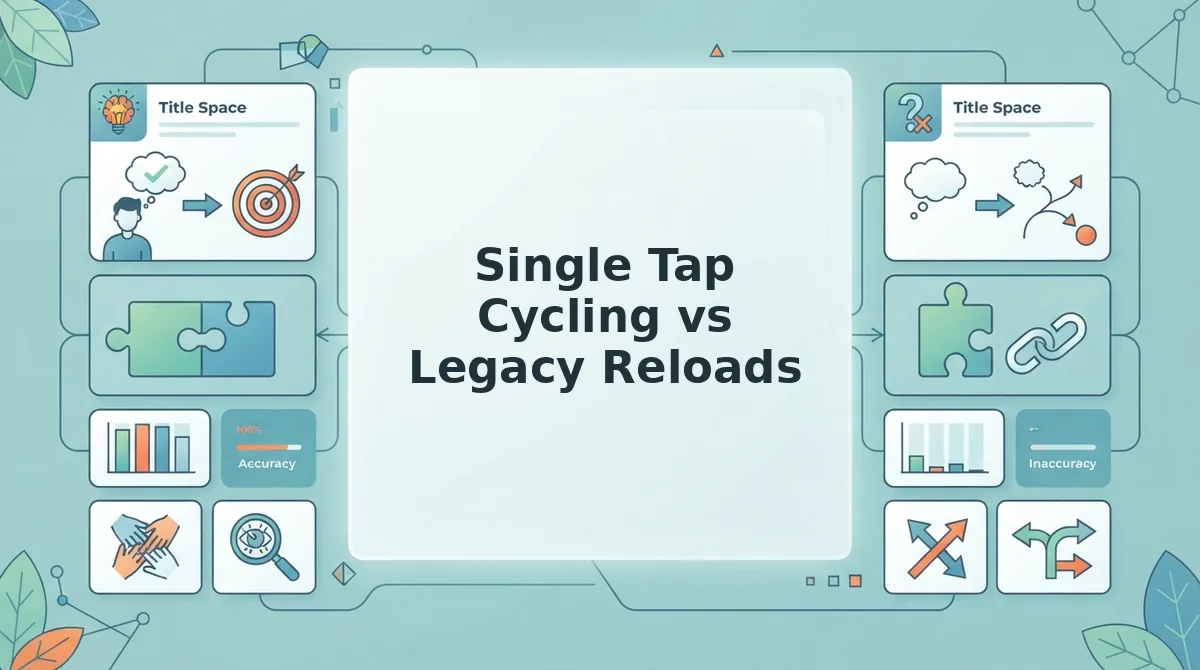
Single-tap cycling updates quiz habit prompts instantly within the mobile browser, whereas legacy quiz builders force a full-page server reload between every single question. Switching to client-side question rendering eliminates wait times entirely, dropping prompt transitions from several seconds down to sub-second responses.
Client-side question cycling is an in-browser interface pattern where questions update immediately without requesting a brand-new page from the server. Legacy platforms like Buddy Meter rely on multi-page form reloads. When creators build a challenge across ten habit prompts, those extra loads add up to significant screen friction and creator drop-off.
Legacy builders provide long-standing name recognition and straightforward link sharing, but their technical architecture introduces real mobile pain points. Full-page refreshes routinely introduce 1.8 to 3.2 seconds of latency per question. In contrast, Friend Quiz handles sequential cycling entirely in the active view, executing instant switches in under 100 milliseconds.
How does that delay impact your setup?
Choose Buddy Meter if your circle prefers a classic layout they have used for years and you do not mind waiting through reload sequences between answers. Choose early web form builders if you need archival text surveys with standard desktop entry forms.
Our recommendation is Friend Quiz. Avoiding layout shifts and multi-second page reloads keeps your momentum high, letting you configure all your habit prompts in under two minutes without friction. Explore our comprehensive Friend Quiz vs Buddy Meter breakdown to evaluate performance differences across modern mobile browsers.
Ready to challenge your group chat? Type your name on Friend Quiz to cycle through habit questions in seconds, launch your custom dare link, and watch the live scores roll in.
Before broadcasting that link to your closest friends, running a thirty-second test guarantees your answers and custom prompts display flawlessly.
How to Check That Your Habit Quiz Worked
To verify that your habit quiz saved correctly, open your generated challenge link in an incognito or private browsing window to inspect your question sequence without burning an entry slot. Running this quick simulation ensures your habit prompts, custom answer keys, and shareable dare link are completely functional before you post them to group chats.
Before testing, confirm you have completed the creation flow and copied your custom quiz URL to your device clipboard. You only need a standard mobile or desktop web browser to run this test in under 60 seconds.
- Copy the custom dare URL from your completion screen. You should see the link highlighted and stored directly on your clipboard.
- Launch a private or incognito tab in your mobile browser. Opening an isolated session ensures the browser does not recognize you as the quiz creator or log an accidental participant entry.
- Paste the copied dare URL into the address bar and tap Go. Within two seconds, the lightweight landing page should load showing your name alongside the initial habit question prompt.
- Verify the first question prompt and multiple-choice selections without tapping an answer. Check that your selected habit scenario displays accurately with zero blank fields or missing answer buttons.
- Close the private tab immediately after visual confirmation. The quiz draft remains locked and unplayed, keeping your score sheet completely clean.
A friendboard is a real-time social scoring table that ranks quiz participants by accuracy as soon as they finish a dare challenge. What happens when your first friend actually completes the link?
Once you drop the verified URL into WhatsApp or iMessage, the scoring engine activates automatically. When the first respondent submits their final guess, your live friendboard instantly updates and records their score, proving that your habit challenge is live and recording rankings properly.
If you have additional questions about prompt limits, privacy, or scoring mechanics, the breakdown below covers everything you need to know.
Frequently Asked Questions About Friend Quiz Habits
You can customize personal trivia prompts instantly because Friend Quiz lets you cycle habit questions in real time without screen reloads or skip penalties.
How many habit questions can I skip while making a quiz?
You can skip an unlimited number of prompts because Friend Quiz provides an unlimited skip buffer during question drafting. Creators can rapidly tap past irrelevant daily routines until finding the exact personal quirks they want to feature. The interface cycles instantly without cooldown timers or penalty restrictions.
Do friends need an account to answer my habit quiz?
Friends do not need an account, app download, or profile setup to answer your habit quiz. Friend Quiz offers zero-login recipient access directly through links opened in mobile chat apps like WhatsApp, iMessage, and Snapchat. Anyone who receives your challenge URL can guess your habits and submit results immediately.
How is the final score calculated for habit answers?
Each correct habit guess awards points toward a participant's Friendboard standing. Review the official quiz accuracy score calculation to see how individual answers convert into real-time leaderboard percentages and settle group chat rivalries as soon as friends complete their tests.
Why does Friend Quiz cycle prompts without page reloads?
Friend Quiz loads trivia sequences client-side to keep question cycling fast, mobile-friendly, and lightweight for group chat creators. Single-tap switching delivers key speed advantages:
- Zero buffering between quirky habit options.
- No dropped drafts from interrupted mobile data.
- Quiz creation finishes in under two minutes.
With these technical details and best practices covered, putting your friendships to the test takes just moments.
Start Your Habit Quiz Challenge Today
Launching a personalized trivia dare takes under two minutes when you swap static forms for high-velocity cycling.
You no longer have to wonder whether your closest friends track your real morning routine or just pretend to listen between chat notifications. Instead of forcing your circle through cumbersome app installs or account signups, sharing an interactive challenge link delivers an average group quiz completion time under 90 seconds per respondent.
Turn casual group banter into verified bragging rights across three quick actions:
- Type your name and cycle through prompts until your genuine quirks appear on screen.
- Lock in your true personal routines to compile your personalized challenge link.
- Drop the URL into your chat and watch instant score posting to live micro-leaderboards settle the rivalry.
Go ahead and start your custom habit quiz to expose who genuinely pays attention to your day-to-day life.
The truest test of friendship is not how long you have known someone, but whether they notice the subtle daily habits you never announce.