What to fix before you share a friend quiz link in a group chat
Your friend quiz link just landed in the group chat, and the chat went silent. No replies, no laughs, not even a sarcastic emoji. That dead-air moment is almost always caused by one of three fixable mistakes: a misspelled name, questions that don't match the group's vibe, or score visibility that makes everyone too embarrassed to play. Here's the good news: you're 60 seconds away from never facing that silence again. This guide walks you through exactly what to fix before sharing friend quiz link in any group chat, from name verification to question tone to score settings. You'll also discover why the mistake most people never catch is hiding in plain sight, and it's the same one that quietly kills engagement before anyone answers a single question. Friend Quiz's instant link generation makes fixing these issues fast, but only if you know what to check.
The 60-Second Pre-Share Checklist
Run this three-phase checklist before you hit send. Each phase takes 20 seconds, requires only the quiz link you already generated, and catches the three most common reasons friend quiz links flop in group chats.
- Phase 1: Verify your name and link (20 seconds). Open your quiz link in a private or incognito tab. Read the name displayed on the first screen out loud. If it's misspelled, truncated, or shows a nickname you didn't intend, regenerate the quiz with the correct name. You should see your exact name spelled correctly before moving on.
- Phase 2: Check question tone and count (20 seconds). Click through your quiz as if you were a friend taking it. Count the questions and ask: would this group actually know these answers? Remove any question that feels too personal, too obscure, or too inside-joke for the specific chat you're targeting. You should feel confident that at least 80% of the group can attempt every question.
- Phase 3: Set score visibility and group context (20 seconds). Decide whether scores will be public, private, or shared only with you. For competitive group chats, public scores on a Friendboard drive replay value. For casual or mixed groups, private scores reduce pressure. You should know exactly what each friend sees after submitting before you share the link.
If you want a deeper walkthrough of this process, the fast friend quiz setup workflow covers the full build-and-share sequence in 90 seconds. The key insight: most failed quiz shares aren't content problems, they're verification problems. A friend quiz link that takes 60 seconds to check before sending consistently outperforms one shared immediately after creation, because the pre-share pass catches the name typos, tone mismatches, and visibility surprises that make people hesitate to tap. Friend Quiz's instant link regeneration means fixing any of these issues takes seconds, not minutes, so there's no excuse to skip the check.
Why Your Name Is Wrong (And You Didn't Notice)
A display name error is the mismatch between the name you think you typed and the name actually rendered on your quiz's first screen. Think of it like sending a text with autocorrect enabled, you're confident you wrote "Katie," but the message actually says "Kathy," and you won't know until someone replies with confusion.
This happens most often during rushed setup. You're typing fast on a phone keyboard, autocorrect swaps a letter, and you tap through to the next prompt without reviewing. The quiz generates instantly, the link looks fine, and you share it. Friends open it, see the wrong name, and assume it's a spam link or a joke they don't understand, so they close it without answering.
No competitor covers name verification before link generation, which is why this failure mode persists across quiz platforms. The fix is simple: after generating your quiz, open the link yourself and read the name on screen before sharing. If it's wrong, regenerate. If you want to rebuild quickly, create a friend quiz in under two minutes and run the name check as your final step. A correct name signals to friends that the quiz is genuinely from you, not a random link, and that trust is what gets the first tap.
Once your name is verified, the next question is whether your quiz content actually fits the group you're sending it to.
Do Your Questions Match Your Group?
Question count, tone, and inside-joke density should shift based on who is actually opening the link. A 12-question deep cut works for a best friend but stalls in a 20-person class chat.
Use the Group Chat Context Matrix below to match your quiz to the room before you hit send.
| Group Type | Recommended Questions | Tone | Score Visibility | Best For |
|---|---|---|---|---|
| Best Friend 1:1 | 8-12 | Inside jokes welcome, deep-cut references | Public friendboard, bragging rights on the line | Close duos who want a real rivalry |
| Small Friend Group (3-6) | 6-10 | Mix of easy and hard, light roasting | Shared friendboard, everyone sees the standings | Tight-knit group chats that banter daily |
| Large Chat or Class (7+) | 5-8 | Keep it light and universal, skip niche references | Optional or hidden scores to avoid pile-ons | Classmates, coworkers, or loose social circles |
Friend Quiz's speed-run builder works across all three formats, but the question selection is on you. If you need help narrowing prompts fast, pick friend quiz personal trivia prompts with a filter for group size before you finalize.
Other quiz platforms offer longer personality-style batteries, which suit 1:1 deep dives but drag in big chats. Match the length to the room, not the other way around.
Score Visibility and Other Silent Killers
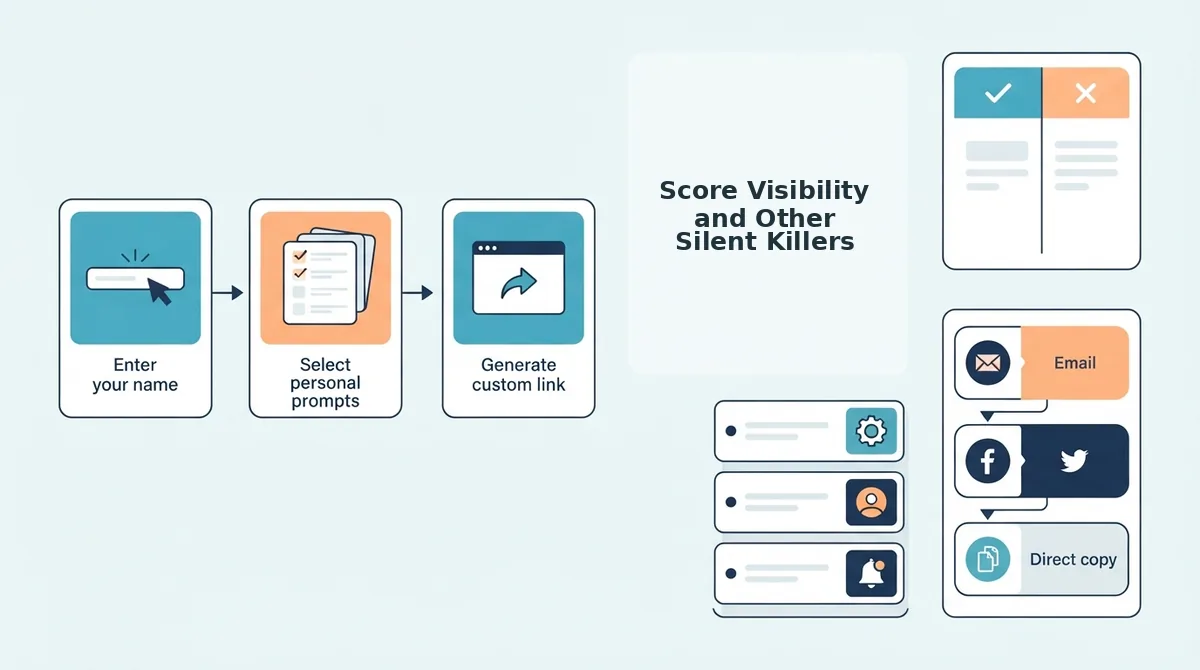
Three fixes most people skip before sharing: checking what friends actually see, testing the link on mobile data, and timing the send. Each one can quietly kill participation.
- Score visibility mismatch. Friends opening your link see their own score and the friendboard standings, while you as the creator see the full leaderboard with all attempts. Decide before sharing whether you want scores public for rivalry or hidden to keep it casual.
- Broken or login-walled link. Open your quiz link in an incognito tab and confirm it loads without an account prompt. Friend Quiz requires no login, but a cached creator session can hide a broken state on your own device.
- Wrong send timing. Share when the chat is actually active, not at 2 AM or during work hours. A quiz dropped into a dead chat gets buried; one sent at peak banter hour gets answered in minutes.
For a deeper look at how leaderboard settings affect group dynamics, review these friendboard score tracking mistakes before you publish.
FAQ
Why does my friend quiz link show the wrong name?
The name on the quiz is whatever the creator typed at the start of the build flow. If you rushed through setup or autocorrect changed it, the link carries that typo. Rebuild the quiz with the correct name or edit it before sharing, since friends see the creator name on the landing screen and friendboard.
Can friends see each other's answers?
No. Friends only see their own score and the friendboard standings, not the specific answers other people selected. The creator sees aggregate results and leaderboard positions, which keeps individual responses private while still fueling group rivalry.
How many questions should I add before sharing?
Five to eight questions works for most group chats, while 8-12 suits a best friend 1:1 challenge. Fewer than five feels thin and ends too fast; more than twelve causes drop-off in larger groups where attention spans are shorter.
The 60-Second Fix That Revives Dead Chats
Run through the checklist once and you'll never send a broken quiz link again. The payoff isn't just a working link, it's a group chat that actually responds.
Here's the synthesis: every fix in this article removes one reason a friend might scroll past your quiz. Wrong name? Fixed. Questions that don't fit the group? Fixed. Score visibility confusion? Fixed. Each fix lowers the friction between "tap link" and "type an answer."
Your final pre-share pass takes under a minute:
- Read your name out loud, if it sounds wrong, it is wrong.
- Preview one question as if you're the pickiest person in the chat.
- Confirm score visibility matches the bragging-rights energy you want.
Then send it. A quiz that lands clean in a group chat doesn't just get answers, it restarts conversations that went quiet days ago.
Build your next quiz at Friend Quiz and share it within the minute. The group chat is waiting for something worth responding to.
A friend quiz link is only as good as the five seconds of attention it earns, fix the friction, and the replies follow.