Explore Public Friend Quiz Templates for Group Banter
You drop a casual question into an inactive group chat, and hours pass with complete radio silence. Open-ended messages routinely stall out because nobody wants the friction of drafting a long reply.
When you explore public friend quiz templates, you replace dull small talk with high-velocity challenges that spark lively group chat banter. You will learn how to select interactive prompt sets that compel friends to take sides, debate daily habits, and settle rivalries.
Why do open check-ins get ignored while structured interactive links trigger rapid-fire replies in under ninety seconds? A subtle competitive trigger in peer scoring explains this shift, revealing who pays attention and who has been guessing all along.
Consider a stalled thread on WhatsApp, iMessage, or Snapchat where daily activity has ceased. A creator enters their name to configure a friend quiz, cycles through personal trivia prompts covering daily habits and likes, and shares the generated URL. Friends tap the link directly inside their mobile browsers with zero app downloads or account logins, submit sequential guesses, and trigger an instant race for first place on the friendboard.
This overview applies to browser-based messaging workflows and does not require complex software. Reviewing these streamlined templates provides a reliable way to wake up quiet threads using lightweight trivia.
Choosing the right prompt structure determines how quickly your peer group engages with the challenge.
How to Explore Public Friend Quiz Templates to Challenge Your Peer Group
You explore public friend quiz templates by selecting pre-assembled prompt categories that match your chat's humor, calibrating the answers to your real habits, and sharing the generated link directly to group threads. This workflow lets you challenge peers instantly without forcing anyone to register an account.
Can a pre-built prompt spark real group chat chaos?
A public friend quiz template is a standardized sequence of personal trivia prompts equipped with pre-curated question sets and configurable answer keys designed to be shared across mobile messaging apps. Unlike building a quiz from a blank form, these pre-made blueprints remove creator friction by supplying ready-to-answer prompts about daily habits, quirks, and preferences. The creator simply selects their correct answers, generates a challenge link, and drops it into a group chat. Friends tap the link on mobile browsers, guess the creator's selections without registering an account, and instantly log scores on a shared leaderboard.
Think of a public quiz template like a pre-assembled party game deck: instead of writing trivia cards by hand on blank paper, you draw proven prompt cards and supply your personal punchline.
When you browse available templates, the mechanics rely on pre-curated question sets with configurable answer keys that eliminate creator writer's block and prevent friend drop-off. Instead of stalling out on what to ask, creators can quickly pick personal trivia prompts that target relatable daily routines, weird food combinations, or pet peeves.
Evaluate public templates against three core criteria before sending a challenge:
- Banter potential: Prompts must trigger debate over funny personal quirks rather than generic trivia facts.
- Mobile setup velocity: The template flow must let you enter your name, log choices, and grab a link in under two minutes.
- Answer privacy controls: Scores should publish cleanly to a shared friendboard without exposing private response logs to casual contacts.
Deploying these challenges works best when matching the depth of the template to how well the room actually knows you.
Matching your selected prompts to the exact closeness of your group requires calibrating boundary levels across different social circles.
The Three-Tier Intimacy Framework for Pre-Made Friendship Quiz Templates
The Three-Tier Intimacy Framework categorizes pre-made friendship quiz templates into three distinct social depths so creators can trigger instant participation instead of conversational silence. Calibrating question intensity to your audience ensures that close friends face genuine challenges while broader circles can participate without uncomfortable guesswork.
The Banality vs. Banter Matrix is an engagement model establishing that generic biographical facts stall chat activity, whereas polarizing micro-habit prompts provoke immediate chat retaliation and lively voice notes. Factual trivia such as hometowns or birth years fails because it offers zero conversational stakes. Shared quirks and irrational pet peeves spark spontaneous debates.
Most quiz creators assume intimate trivia works everywhere. That assumption reliably kills group chat momentum.
- Chaotic Habitude for Active Group Chats: This tier targets daily absurdities, unhinged texting behaviors, and questionable snack combinations shared across tight-knit messaging threads. It matters because polarizing micro-habit prompts exploit the Banality vs. Banter Matrix, driving defensive arguments and rapid voice messages over minor personal choices. To use this tier, select prompts focused on morning routines or social media quirks when sharing a challenge link to WhatsApp, iMessage, or Snapchat.
- The Decade Vault for Lifelong Inner Circles: This high-stakes tier tests deep personal history, core fears, and unfiltered life choices built over years of close connection. It matters because casual acquaintances will instantly fail it, transforming your challenge into an exclusive battleground for your truest inner circle. To use this tier, deploy a specialized best friend quiz and configure prompts around private memories and core personal values.
- Daily Quirks for Casual Social Circles: This counterintuitive tier strips away heavy emotional history in favor of low-stakes preferences, surface-level tastes, and immediate daily tendencies. It matters because broad study groups and casual social feeds bounce when questions require hyper-specific private knowledge they cannot possibly possess. To use this tier, pick universally accessible prompts covering coffee orders or sleep schedules from trending friend quizzes to maximize participation across wider channels.
Consider a stagnant WhatsApp group chat that had not posted in three days. The creator typed their name into the platform, chose the Chaotic Habitude setup, customized prompts around their weirdest eating quirks, and dropped the generated link directly into the chat. Within minutes, multiple friends opened the challenge in their mobile browsers, guessed the creator's real habits, and submitted answers without registering an account. The live Friendboard instantly logged their scores, driving a wave of playful banter and competing guesses across the thread.
You can set up your own customized challenge in under two minutes by typing your name and selecting your personal habits. Launch your test on Friend Quiz to trigger instant group rivalry, discover who observes your daily routines, and watch real-time Friendboard rankings settle the score without downloading an application.
How creators deliver these questions to mobile screens dictates whether friends complete the round or abandon the tab entirely.
Interactive Mobile Links vs Static Form Builders for Group Trivia
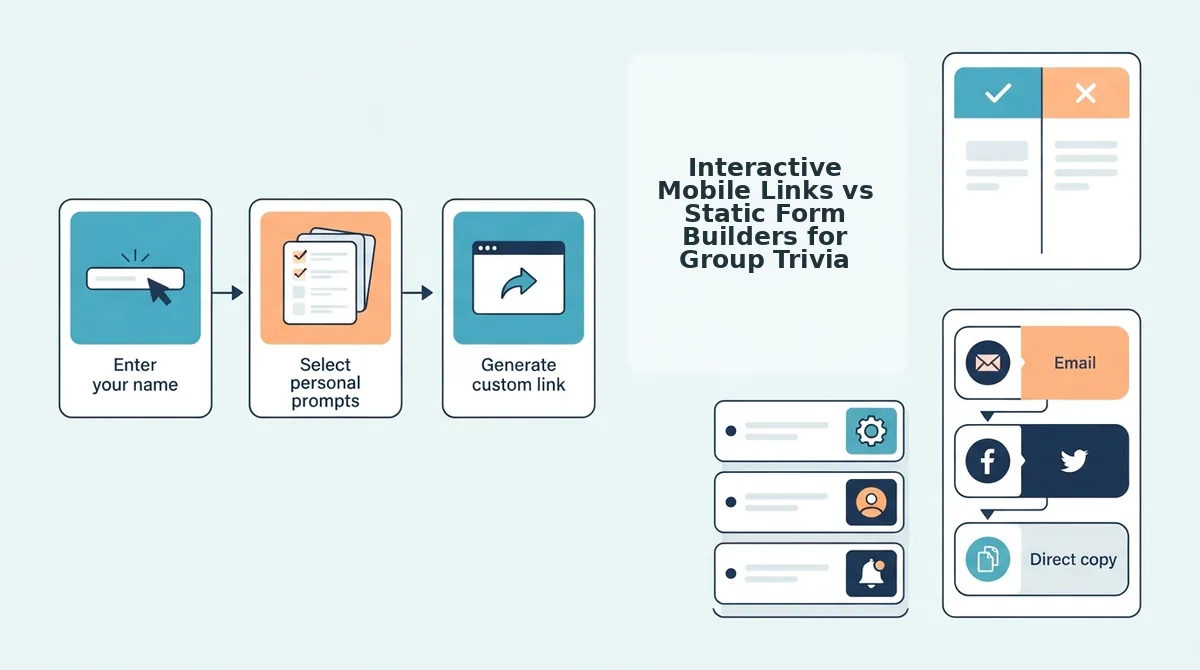
Interactive mobile links maximize social participation by letting friends answer trivia immediately without logins or multi-page reload lag, whereas static form builders require structured account setups and manual scoring that stall casual group chat banter. While custom forms excel at formal survey data collection, zero-friction mobile challenges capture spontaneous attention inside messaging apps.
Imagine dropping a generic survey link into your WhatsApp chat during peak hours. Half your friends bounce the moment a mandatory sign-in prompt appears, while others abandon the page after hitting slow reload screens and intrusive banner clutter.
A static form builder is an online survey tool designed for structured data collection through custom fields, multi-page submissions, and manual spreadsheets. These platforms provide unmatched flexibility for workplace polls or complex logic, but that administrative overhead ruins the fast pace of group chats.
By contrast, purpose-built engines run directly within mobile web browsers without app installs. When your goal is immediate competition, choosing a friend quiz without account hurdles keeps completion rates high across iMessage, Snapchat, and WhatsApp.
To see how these formats handle group chat dynamics, compare their setup velocity and mechanics across common testing tools:
| Platform Format | Setup Velocity | Mobile Completion Friction | Ad Intrusion Level | Automated Friendboards | Best For |
|---|---|---|---|---|---|
| Friend Quiz (Instant Web Link) | Under 2 minutes; enter name and answer prompts directly. | Zero; single-tap answers, no downloads or account logins. | Streamlined for touch screens; minimal disruption. | Yes; live automated score tracking and rankings. | Group chat instigators waking up dead threads. |
| Buddy Meter (Legacy Trivia Link) | Quick setup; select personal habit questions. | Moderate; suffers from multi-page reload delays on mobile. | High; display banners can block submit buttons. | Yes; basic score lists with answer summaries. | Casual users comfortable navigating banner ads. |
| Static Form Builders (e.g., Google Forms) | Slow; requires manual prompt drafting and field configuration. | High; often requires Google account sign-ins on mobile. | Zero ads, but visually corporate and utilitarian. | No; requires manual spreadsheet sorting for scores. | Organizers running formal, structured data collection. |
Choose static forms if you need complete control over data export, custom text boxes, or formal organizational workflows. Choose legacy platforms if your friends do not mind navigating display ads to view basic scores. But if your priority is finding a friend trivia maker with minimal ads that drives peer engagement, our recommendation is an instant interactive web link.
Zero-account mobile links win on execution: players tap their guesses sequentially, bypass registration barriers, and trigger instant rivalry on real-time scoreboards before the conversation cools down.
Turning that competitive edge into a live quiz takes only a few quick decisions on your phone.
How to Launch a Public Friendship Challenge in Under Two Minutes
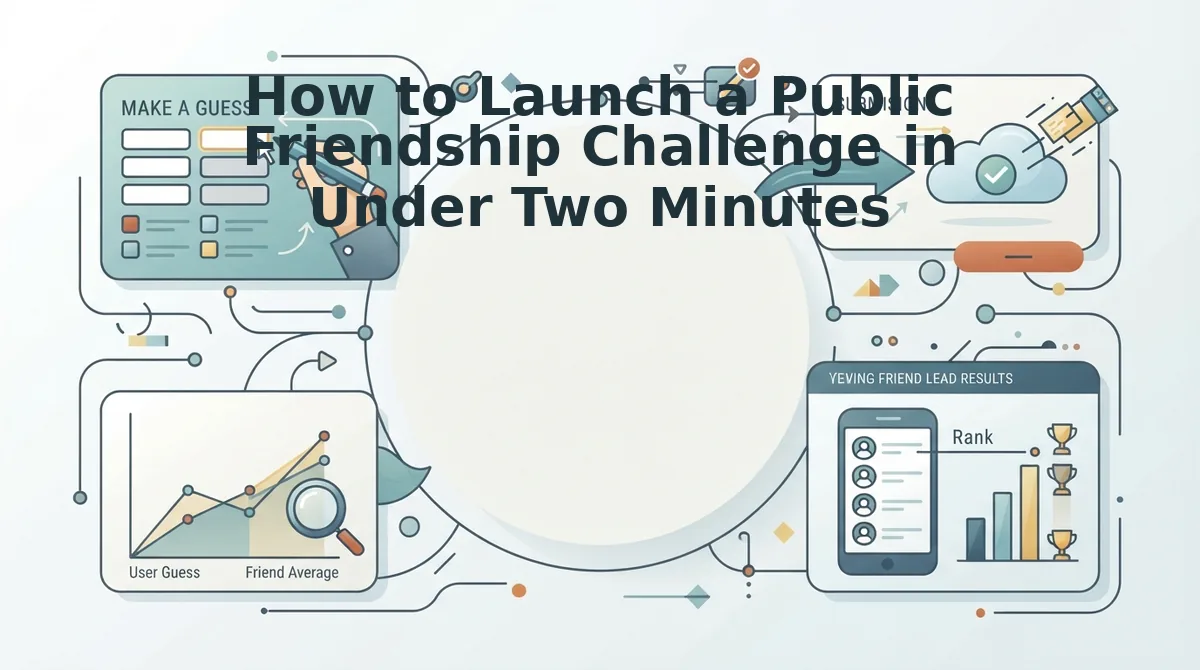
Launching a public friendship challenge requires selecting a template, typing your name, locking in your trivia answers, and pasting the generated custom URL directly into your group chat. The streamlined setup runs entirely inside mobile web browsers without app installations or account registration forms.
A friendship dare quiz is an interactive trivia challenge where creators lock in personal habits and preferences for friends to guess via a shareable web link. To create friend quiz challenges in under two minutes, creators need only a mobile web browser and an active thread on WhatsApp, iMessage, or Snapchat.
Imagine an idle group chat on a quiet afternoon where conversation has stalled completely. Deploying a rapid test breaks the silence immediately:
- Type your name in the display name field on the homepage. You should see the quiz builder immediately open your first personal trivia prompt without asking for email verification or profile creation (15 seconds).
- Select your answers across the sequence of trivia prompts. Lock in 10 polarizing answers covering your daily routines, likes, and pet peeves to establish your answer key. You should see the progress indicator advance after each selection until your quiz packages itself (60 seconds).
- Copy the custom URL from the generated completion screen. Tap the copy control to place the unique challenge address onto your mobile clipboard (10 seconds).
- Paste the live link directly into your WhatsApp, iMessage, or Snapchat chat threads. You will see a clean web challenge preview ready for group members to open immediately (15 seconds).
Consider this standard workflow. A creator opens the mobile interface between classes, inputs their name, and locks 10 polarizing answers regarding daily quirks. They paste the resulting URL into their main WhatsApp thread. Friends tap the link, answer without registering accounts, and finish the challenge in seconds, igniting friendly banter over wrong guesses.
Zero-friction entry prevents casual players from bouncing, allowing group chats to complete challenges in seconds and submit their results immediately.
Once responses start arriving, tracking who clinched the top spot reveals which friends actually pay attention.
How to Check Live Friendboard Scores and Settle Banter Rivalries
To check live scores and settle group rivalries, access your unique quiz dashboard link to view real-time accuracy rankings as contacts submit their answers. The platform updates peer standings immediately without requiring participants to register accounts or download external software.
Most creators assume friendship quizzes work on an honor system where friends self-report their scores, but unverified claims ruin genuine chat competition. A Friendboard is an automated, real-time leaderboard that records peer guesses and sorts participants strictly by overall accuracy. Think of a Friendboard like a bowling alley score monitor: every roll registers instantly for the whole group to see, preventing anyone from quietly padding their stats.
Here is how the verification pipeline functions across three progressive stages:
- Simple: Real-time verification. When contacts complete your challenge from WhatsApp or iMessage, the system registers each participant name and calculates their point total instantly. You can check live friendship quiz results directly on your dashboard without refreshing the page.
- Intermediate: Answer key security. Automated friendboards rank peer responses without revealing private answer keys until submissions close. This mechanism protects trivia integrity by preventing early finishers from leaking correct options to peers seeking higher placement.
- Advanced: Forensic banter callouts. Beyond total scores, you can audit specific question breakdowns to pinpoint wild miscalculations about your daily habits. Identifying who failed an obvious prompt gives you concrete evidence to spark playful callouts in the chat.
Using micro-leaderboards for group retention transforms passive social scrolling into competitive engagement. When bragging rights are verifiable, friend groups stay active defending their positions.
Review the standard mechanics below to address common implementation details.
Frequently Asked Questions About Friend Quiz Templates
Friend quiz templates provide pre-built trivia prompts that let creators launch mobile challenges in under two minutes without requiring apps or account sign-ups.
Do friends need an account to take a friend quiz?
No, your friends do not need an account or an app installation to answer your challenge. Anyone who taps your link opens a lightweight browser window, selects their answers, and submits instantly. This zero-login setup prevents drop-offs and lets WhatsApp or iMessage groups play in under sixty seconds.
How does the friend quiz scoring system work?
Friend quiz scores calculate automatically by matching each submitted guess against the creator's original answer key. Points update in real time on a centralized Friendboard. Review the friend quiz accuracy score calculation guide to see how automated scoring algorithms rank participants and break ties without manual scorekeeping.
Can I share one quiz link across multiple chat apps?
Yes, a single quiz link operates seamlessly across all messaging platforms without generating separate URLs. You can post one challenge to:
- WhatsApp: Paste directly into group chats for instant mobile play.
- iMessage: Opens directly inside native iOS mobile browser tabs.
- Snapchat: Attach directly to story posts or private snaps.
How do I customize questions in a friend quiz template?
You customize template questions during quiz creation by selecting prompts that reflect your real habits, pet peeves, and preferences. Once you finish picking answers and submit your name, the platform generates a unique URL. Creators complete customization in under two minutes without navigating complex configuration screens.
Why are new scores not showing up on the friendboard?
Scores fail to appear only if participants close their browser before reaching the final submission screen. Because quizzes do not require account registration, answers log only after tapping complete. Have your friends finish all questions to ensure their placement updates immediately on your live leaderboard.
With the setup rules settled, all that remains is picking your favorite prompts and seeing who actually knows you.
Ready to Put Your Friend Group to the Test
Putting your inner circle to the test transforms quiet group chats into competitive arenas where verified personal habits settle longstanding claims about who knows you best.
Picture dropping a custom challenge link into your most dormant thread and watching screen notifications explode within ninety seconds. That dead chat silence vanishes the instant your friends realize their bragging rights are on the line. Exploring public templates saves time, ensures balanced banter, and sparks authentic interaction across any group chat without forcing anyone through app downloads or account sign-ups.
Ready to settle the rivalry?
- Enter your name to cycle through curated habit and lifestyle prompts.
- Confirm your true answers to generate a personalized challenge URL in under two minutes.
- Post the link into WhatsApp, iMessage, or Snapchat to watch the live friendboard track every score.
Launch your custom bff quiz today to turn passive group scrolling into immediate peer rivalry and clear bragging rights.
The ultimate measure of friendship is not how long people linger in a chat thread, but how accurately they remember the everyday habits that define you.