What to Fix Before Sending a Friend Quiz Link
You hit send, drop your phone, and wait for the chaos to erupt in the group chat. Instead, you get silence, or worse, a friend replies "link's broken bro." That awkward pause is almost always caused by something you can fix in under 10 seconds, and the #1 culprit is a copy-paste trap most people never notice. If you've ever shared a friend quiz that opened the wrong challenge or showed a blank screen, you already know the frustration. This guide gives you a 60-second verification routine that catches every common failure before your friends ever see it. You'll learn the exact pre-send checklist, the three ways quiz links break, and how to test your link like a pro. Stick around, the fix for the silent group chat is simpler than you think, and it starts with where you copy the link from.
The 60-Second Pre-Send Checklist for Friend Quiz Links
A friend quiz link fails when you skip verification. Run these seven checks in order, and you'll catch every common break before your group chat does.
- Confirm the quiz is actually complete. A half-finished quiz generates a link that opens to a blank or incomplete challenge. Before copying anything, make sure you've answered every prompt and reached the final confirmation screen that says your quiz is ready to share.
- Copy the link from the confirmation screen, never from browser history or an old chat. Links copied from history or a previous message often point to an outdated or cached version of your quiz. The confirmation screen is the only source that guarantees the current, fully-built challenge, this is the copy-paste trap that causes most broken shares.
- Open the link in an incognito or private browsing window. Incognito mode strips away your logged-in session and cached data, showing you exactly what a friend will see. If the quiz loads correctly there, it will load correctly for everyone else.
- Submit one test answer as if you were a friend. Walk through the first question and submit a response to confirm the quiz accepts answers and advances properly. A quiz that looks fine on the landing screen can still break on question two.
- Verify the score posts to the Friendboard after your test submission. The Friendboard is what makes group rivalry fun, so confirm your test score appears there. If the score doesn't post, your friends will finish the quiz and get nothing, the fastest way to kill the banter. For more on what goes wrong here, see these score tracking mistakes that ruin group rivalry.
- Test mobile load speed on your own phone before sharing. Most friends open quiz links on mobile, not desktop. Open the link on your phone over cellular data, not Wi-Fi, to confirm it loads fast and renders correctly on a small screen.
- Share it in the right chat with a one-line challenge. Pick the specific group chat where the quiz topic lands best, and pair the link with a short dare like "Bet you can't score above 6." A bare link gets ignored; a challenge gets clicks.
To run all seven checks in under 60 seconds, keep the quiz creation flow tight from the start. The fast quiz setup workflow shows how to build and share a quiz in about 90 seconds, leaving you plenty of time for verification before the group chat sees it.
Why Friend Quiz Links Break and How to Fix Each Cause
A friend quiz link is a unique URL that points to your specific, completed quiz, and it breaks when the URL no longer matches the quiz your friends expect to open. Most failures trace back to one of three causes, each with a simple fix.
Wrong quiz opens. This is the copy-paste trap: you grabbed the link from browser history or an old chat message instead of the confirmation screen. That old URL points to a previous version of your quiz, or someone else's entirely. Think of it like handing a friend a receipt from last week's coffee order and expecting them to pick up today's drink. The fix is simple: always copy the link from the quiz creation confirmation screen, the only place that generates the current URL.
Blank page on load. A blank screen usually means the quiz was never fully completed before the link was generated. The URL exists, but there's no finished quiz behind it. Complete every prompt until you see the final share screen, then copy the link from there.
Old answers showing. If friends see answers from a previous version, you're sharing a cached link. Open the link in an incognito window to bypass your browser's stored version and confirm what others will actually see. For a tighter build-and-share process that avoids these failures, follow the fast quiz setup workflow. Next, learn how to test your friend quiz before sharing so none of these breaks ever reach your group chat.
How to Test Your Friend Quiz Before Sharing
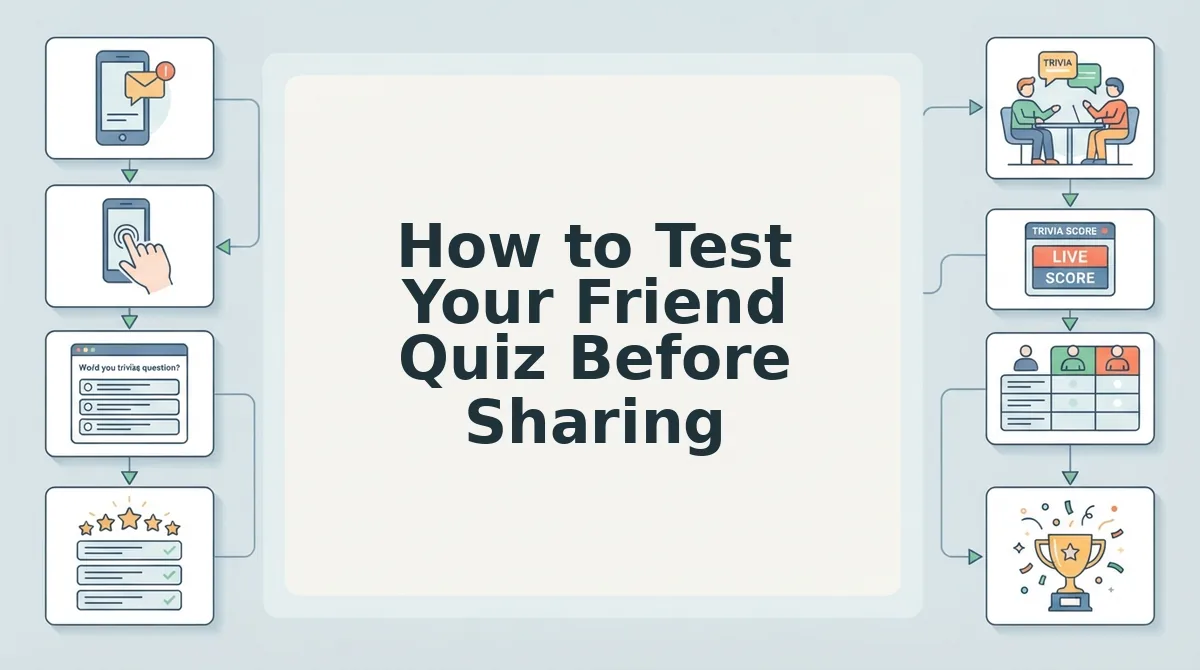
Testing your quiz takes under two minutes and requires only a phone or computer with a private browsing window, plus the quiz link you generated. Run this three-step protocol before sending anything to a group chat.
- Open your quiz link in a private or incognito browser window. Copy the link from your creation screen, then open a new incognito tab in Chrome, Safari, or Firefox and paste it. You should see the quiz load exactly as a friend would, with no creator editing controls visible.
- Submit one answer as a test participant. Tap through the first question, select any response, and complete the full quiz flow. You should land on a results screen showing a score and a confirmation that your submission was recorded.
- Check the Friendboard for your test score. Return to your creator view and open the Friendboard. You should see your test submission listed with the score you earned, confirming the link, scoring engine, and leaderboard all work end to end. If you want to track performance over time, see who scored highest after real friends start submitting.
If any step fails, regenerate the link and repeat the protocol before sharing. A clean test run means your group chat gets a working quiz on the first tap.
Send With Confidence, Not Hope
The difference between a quiz that sparks a 40-message group chat thread and one that dies in silence is rarely the questions themselves. It is the 60 seconds you spend verifying the link, the flow, and the Friendboard before hitting send. Running the pre-send checklist takes under 60 seconds and prevents every common share failure documented in this guide.
You now have a repeatable protocol: fix the link, test in incognito, confirm the score posts, then share. That sequence removes the guesswork from quiz distribution and turns you into the friend whose links always work on the first tap.
Your next step is to create your friend quiz, run the 60-second checklist, and send it to the group chat that needs a reason to light up. The bragging rights are already yours to claim.