QuizYourFriends vs Friend Quiz for BFF Test Setup
Your group chat is already laughing at the idea, but before you can even send the link, you're staring at a sign-up wall asking for an email, a password, and a confirmation code. That's the exact moment most BFF test momentum dies. The quizyourfriends vs friend quiz bff test setup question really comes down to one thing: how many steps stand between your idea and your friends answering question one.
You're not wrong to want this to be instant. Nobody in the group chat has patience for account creation, multi-page form reloads, or "verify your email to continue" dead ends, especially when the whole point is spontaneous fun. That friction is precisely why so many quiz ideas never make it past the setup screen.
Here's the promise: by the end of this comparison, you'll know exactly how many steps each platform requires, where the friction points hide, and which tool gets your BFF test into the group chat fastest. We'll walk through a quick verdict, then a step-by-step setup breakdown for both platforms.
One spoiler: the platform with the bigger feature list isn't the one that wins the group chat race, and the reason why might change how you pick quiz tools forever.
QuizYourFriends vs Friend Quiz: Quick Verdict
The direct answer: Friend Quiz wins for speed and zero-friction sharing, you can create and share a BFF test in under two minutes with no account, no email verification, and no app download. QuizYourFriends wins for users who want a persistent account to manage multiple quizzes over time, but that comes at the cost of a registration wall and multi-step form navigation before your first link goes live.
QuizYourFriends is a legitimate, established platform with a real strength: account-based quiz management. If you're a teacher, content creator, or someone who runs quizzes regularly and wants a dashboard to revisit past tests, that account structure has genuine value. The tradeoff is that every new participant, and every first-time quiz creator, must register before doing anything.
Friend Quiz takes the opposite approach. The entire product is built around the insight that group chat banter has a short half-life. By removing account creation entirely, Friend Quiz gets your personalized trivia link into WhatsApp, iMessage, or Instagram before the conversation moves on. The tradeoff is that you won't have a login dashboard to manage historical quizzes, which, for the target use case of spontaneous friend challenges, most people never need.
| Feature | Friend Quiz | QuizYourFriends |
|---|---|---|
| Account required | No | Yes |
| Email verification | None | Required |
| App download | None | None |
| Setup time to shareable link | Under 2 minutes | Multi-step (registration + form navigation + question configuration) |
| Quiz management dashboard | Not available | Available |
| Best for | Group chat instigators who want instant, shareable fun | Users who want persistent quiz management across multiple tests |
If your goal is to settle a friendly rivalry in the next five minutes, Friend Quiz is the clear pick, it's built for exactly that moment. If you're building a library of quizzes you'll revisit and manage over weeks or months, QuizYourFriends' account model earns its keep. For most people asking "which is faster to set up," the answer is unambiguous: Friend Quiz removes every step that isn't strictly necessary to get a BFF test into your friends' hands.
BFF Test Setup Speed: Step-by-Step Comparison
Direct answer: Friend Quiz requires 3 steps and under 2 minutes to produce a shareable link; QuizYourFriends requires at least 5 steps including account creation and email verification before you can share anything. The step count difference is the single biggest factor in whether your quiz actually reaches your friends.
Both platforms work in any modern mobile browser, no app download required on either side. The prerequisite for both is simply having a smartphone or computer with an internet connection. Here's exactly what each flow looks like.
Friend Quiz: 3 Steps, Under 2 Minutes
- Open friendquiz.org and type your name. The homepage loads directly into quiz creation, no sign-up prompt, no popup, no redirect. You should see the name field immediately on screen.
- Answer the personal trivia prompts. The platform cycles through a sequence of questions about your daily habits, quirks, likes, and dislikes. Each tap advances instantly to the next prompt with no page reload. You should see your selections registering as you go.
- Share your generated link. The platform packages your answers into a personalized web challenge and produces a shareable URL. Copy it and paste it into WhatsApp, iMessage, Instagram, or any group chat. Your friends open it in their mobile browsers and start answering immediately, no account, no download, no friction.
Total time from opening the site to sending the link: under 2 minutes. The entire flow is designed for mobile-first speed, which is why Friend Quiz works so well for group chat momentum.
QuizYourFriends: 5+ Steps, Significantly Longer
- Open the QuizYourFriends site and click Sign Up. You'll be prompted to create an account before accessing any quiz-building features. You should see a registration form requesting your email and a password.
- Verify your email address. Check your inbox for a confirmation message and click the verification link. You should see a confirmation screen before you can proceed. This step alone can add minutes, or kill the moment entirely if the email lands in spam.
- Navigate to quiz creation. Once logged in, locate the quiz builder or "Create Quiz" option in the dashboard. You should see a form-based interface for configuring your test.
- Configure your questions. Enter your quiz title, write or select questions, and set answer options. The multi-step form navigation means you'll move through several configuration screens before your quiz is ready. You should see a preview option before publishing.
- Publish and share your link. Once configuration is complete, publish the quiz and copy the shareable URL. Send it to your group chat. Your friends may also need to register or at minimum enter identifying information before answering, depending on your quiz settings.
Total time: variable, but consistently longer than Friend Quiz due to account creation, email verification, and multi-page form navigation. Each of these steps is a potential drop-off point where the group chat conversation moves on before your quiz arrives.
Here's the passage that answers the core question directly: How long does it take to set up a BFF test on each platform? Friend Quiz takes under two minutes total, you open the site, type your name, answer a sequence of personal trivia prompts, and receive a shareable link instantly. There is no account creation, no email verification, and no app download at any point in the flow. QuizYourFriends requires you to register an account, verify your email, navigate a multi-step form interface to configure questions, and then publish before you can share a link. The registration and verification steps alone typically add several minutes, and the form-based configuration extends setup further. For spontaneous group chat challenges, the three-step Friend Quiz flow is the faster path from idea to shareable link by a wide margin.
If you're ready to create a best friend quiz without the account wall, Friend Quiz's three-step flow is built for exactly that moment. But setup speed is only half the story, what happens after the link lands in the chat matters just as much.
The Group Chat Momentum Test
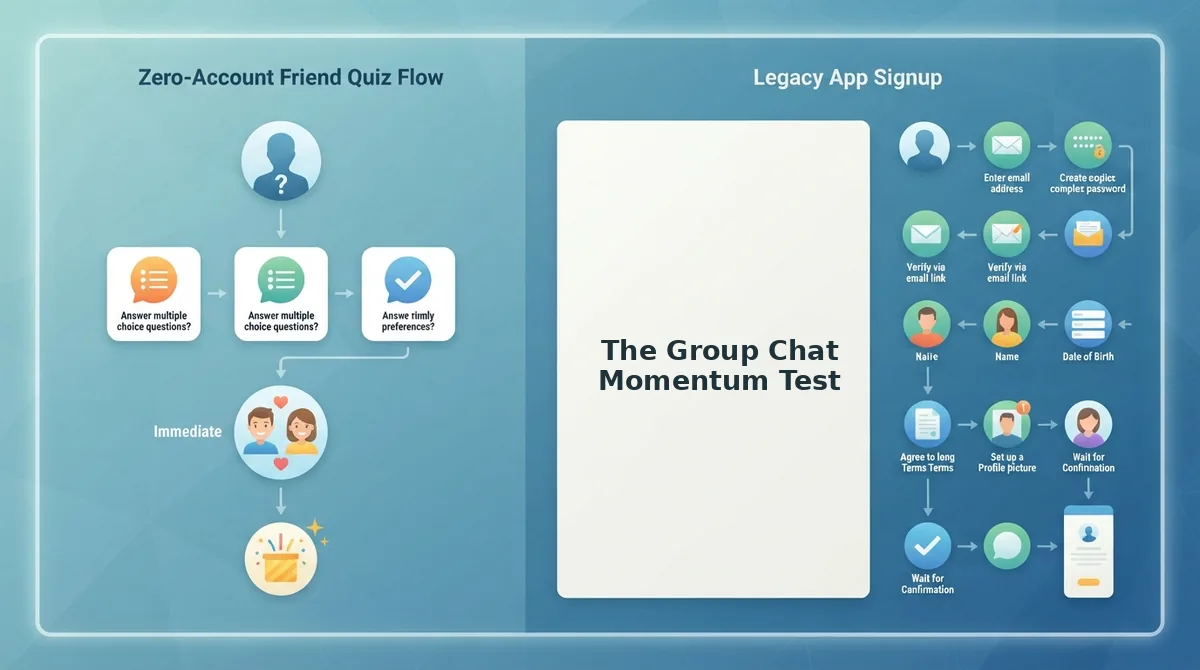
The Group Chat Momentum Test is a three-part framework for measuring whether a BFF test setup preserves or kills the conversational energy of a group chat.
Think of group chat momentum like a game of hot potato. The moment someone drops a quiz link, the potato is in the air. Every second of friction before the first question loads is time the potato spends cooling off in someone's hands. If it cools too long, nobody wants to catch it.
The framework evaluates three escalating checkpoints:
1. Time to First Question
This is the simplest measure: how many seconds pass between tapping the link and seeing the first quiz question. A fast load keeps the potato hot. A slow load gives friends time to scroll away to another meme.
2. Friction Points Before Submission
This intermediate checkpoint counts every tap, form field, permission prompt, or login screen between opening the link and submitting an answer. Each friction point is a chance for a friend to abandon the quiz mid-flight. Friend Quiz eliminates this by packaging answers directly into a shareable web link with no account requirement.
3. Shareability of Results
The advanced checkpoint examines what happens after the last question. Can the result be screenshot, forwarded, or pasted into another chat in one tap? Results that require downloading a PDF or logging in to view are structurally incompatible with group chat banter, because banter depends on instant, low-effort sharing.
Run any BFF test setup through these three checkpoints before sharing it. If the time to first question exceeds five seconds, the friction points exceed two, or the result requires more than one tap to share, the momentum is already leaking.
Mobile Experience: What Happens When Friends Tap the Link
When a friend taps a BFF test link in a group chat, the mobile experience determines whether they finish the quiz or bounce within seconds. Both platforms target mobile users, but they diverge sharply on load behavior and friction.
| Factor | Friend Quiz | QuizYourFriends |
|---|---|---|
| App install required | No, opens directly in mobile browser | No, browser-based, but heavier page elements |
| Account or email required | No | Yes, account creation before quiz access |
| Mobile load behavior | Lightweight, single-page quiz flow | Reported lag on mid-range phones per user feedback |
| Ad clutter | Minimal, focused quiz interface | More ad placements around quiz content |
| Result sharing | Instant shareable result screen | Result tied to account dashboard |
QuizYourFriends deserves credit for its polished quiz templates and broader question library. Users who want pre-built trivia categories and don't mind registering will find value there. The account dashboard also enables tracking quiz history across sessions, which some power users appreciate.
Best for spontaneous group chat banter: Friend Quiz, because the link opens in a mobile browser with no install, no login, and no interstitial prompts. Best for users who want persistent quiz history and curated templates: QuizYourFriends, provided they tolerate the account setup and occasional mobile lag.
For a BFF test shared into a fast-moving WhatsApp or iMessage thread, the no-install, no-login path wins on momentum alone.
Account Walls and Why They Matter for BFF Tests
An account wall is any mandatory sign-up, email verification, or login screen that blocks a user from accessing content until they create credentials. In the context of BFF tests, account walls are the single fastest way to kill participation.
Think of an account wall like a bouncer at a house party. Your friends showed up because you texted them the address. The last thing they want is to fill out a guest registry before walking through the door. If the bouncer insists, most of them will just go home.
The simple problem: every extra step between tapping a link and answering question one reduces completion rates. A friend in a group chat has seconds of attention to spare. Asking them to invent a username, confirm an email, or remember a password is asking them to care about infrastructure instead of the joke you just made.
The intermediate problem: account walls break the social contract of a BFF test. The quiz is supposed to be about your friendship, not about the platform's user acquisition funnel. When a friend hits a sign-up screen, the emotional frame shifts from "this is about us" to "this is about the app."
The advanced problem: account walls fragment the conversation. One friend registers and finishes. Another abandons at the email step. A third says "send me a screenshot instead." The group chat momentum splinters, and the quiz never becomes the shared experience it was meant to be.
QuizYourFriends requires account creation before quiz access. Friend Quiz does not. For users who want instant, no-download experiences in group chats, the difference is decisive. The next section covers the most common questions about BFF test setup.
Frequently Asked Questions About BFF Test Setup
BFF test setup questions fall into two camps: account requirements and link sharing. Here are the answers users search for most.
Do I need an account to set up a BFF test on QuizYourFriends?
Yes, QuizYourFriends requires registration before you can create or share a BFF test. Friend Quiz does not, you type your name, answer prompts, and get a shareable link with no email, password, or login step.
Can I share a BFF test link without friends downloading an app?
Yes, Friend Quiz links open directly in any mobile browser with zero app installs. Friends tap the link in WhatsApp, iMessage, or Instagram and answer immediately. QuizYourFriends also works in-browser but gates creation behind an account wall.
How do I make a BFF test that feels personal, not generic?
Use a friendship test maker that cycles through prompts about your actual habits, quirks, likes, and dislikes. Friend Quiz packages your real answers into the quiz, so friends recognize your voice in every question instead of template filler.
Why does my BFF test link lose momentum in the group chat?
Momentum dies when friends hit friction: account prompts, app-store redirects, or slow-loading pages. A link that opens instantly in the browser and shows questions right away keeps the banter rolling. Every extra tap costs you responders.
What is the fastest way to set up a BFF test on mobile?
Friend Quiz takes under two minutes: enter your name, answer the prompt sequence, and copy the generated link. No account creation, no email verification, no app download, the fastest path from idea to group chat share.
Can friends see each other's scores on a BFF test?
Yes, Friend Quiz tracks results on real-time Friendboards, so everyone in the group chat sees who scored highest and who owes bragging rights. This scoreboard visibility is what turns a one-off quiz into an ongoing rivalry.
Start Your BFF Test in Under Two Minutes
The setup-speed comparison resolves the open loop from the start: the fastest BFF test is the one your friends can open before the group chat moves on. Friend Quiz wins that race because it removes every friction point, no account, no app, no email, while QuizYourFriends still asks you to register before you can share a single question.
That difference compounds. A two-minute setup means you launch while the banter is hot. An account wall means you launch after the moment has passed.
Your next step: open Friend Quiz, type your name, and answer the prompts. Copy the link into your group chat and watch the Friendboard fill up. If you want to raise the stakes, turn the results into a friendship dare quiz and make the lowest scorer pay up.
The group chat is already waiting. The only question is whether your quiz arrives before the conversation moves on.