Make a Friend Quiz Without an Account in 2 Minutes
Your group chat is buzzing, someone drops a "who actually knows me?" challenge, and then, the link asks everyone to create an account. Momentum dead. Three friends bail before question three. The good news: you can make a friend quiz without an account in 2 minutes, and nobody on either side needs to sign up for anything.
Yes, you read that right. No email walls, no app download, no profile setup, for you or your friends. The entire flow runs in a mobile browser, which is exactly why it survives the group-chat attention span.
Here's what we'll cover: the exact step-by-step flow to build your quiz in under two minutes, what your friends actually see when they tap the link, and why zero-account quizzes outperform login-gated ones in group chats. Stick around for the part about the best friend quiz maker, there's a surprising detail about what happens after friends submit answers that most people don't expect.
A friend quiz without an account is a personalized trivia challenge you create by entering your name and answering prompts about your habits, quirks, likes, and dislikes. The platform packages those answers into a shareable link instantly. Recipients open that link in any mobile browser, answer the same prompts as they think you answered, and get scored on how well they know you. No email, no app, no profile is required from the creator or any participant. The entire experience, from creation to scoring, lives inside a single web link you can drop into WhatsApp, iMessage, or Instagram.
How to Make a Friend Quiz Without an Account (Step-by-Step)
You can create a shareable friend quiz in under two minutes using only a mobile browser. No account, email, or app download is required at any point in the process.
Prerequisites: A smartphone or computer with a browser, and a rough idea of 5-10 personal facts your friends might know about you. That's it.
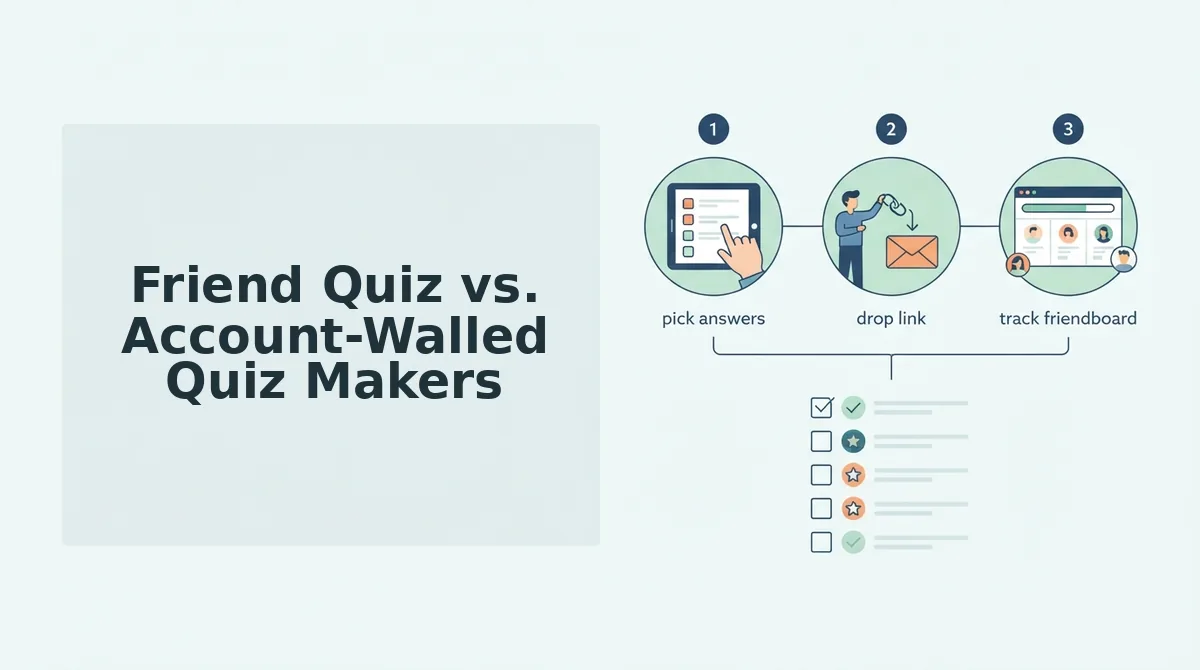
- Enter Your Name (0:00-0:15). Open friendquiz.org and type your first name into the homepage field. You should see the prompt screen load immediately, no loading spinner, no redirect to a signup page. This name becomes the title of your quiz link.
- Answer Personal Prompts (0:15-1:30). Tap through the sequence of trivia prompts about your daily habits, quirks, likes, and dislikes. Each tap advances to the next prompt automatically. Expect to answer roughly 8-10 questions. You should see a progress indicator as you move through them.
- Generate and Share Your Link (1:30-2:00). After the final prompt, tap the generate button. You should see a shareable link appear on screen with options to copy it or send it directly to WhatsApp, iMessage, or Instagram. Paste that link into your group chat and you're done.
Pro tip: Keep most answers specific but not obvious, one or two curveball answers spark debate. If you always order the same coffee order, make that a prompt. If you secretly hate a food everyone assumes you love, include it. The debate after friends see their scores is half the fun.
The best friend quiz maker flow is designed so the entire creation process happens on one continuous screen, no page reloads, no multi-step forms, no "verify your email" interruption between prompts. That's what makes the two-minute timeline realistic rather than aspirational.
To make a friend quiz without an account, open friendquiz.org in your mobile browser, type your name, and answer the personal trivia prompts that appear one after another. Each prompt asks about a habit, preference, or quirk, such as your go-to late-night snack or the emoji you overuse. After the final prompt, the platform generates a unique quiz link instantly. You copy that link and share it in any group chat. Friends who tap the link answer the same prompts as they think you answered, and the platform scores their accuracy. No signup, email verification, or app installation is required from you or any participant at any stage.
What Your Friends See When They Open the Link
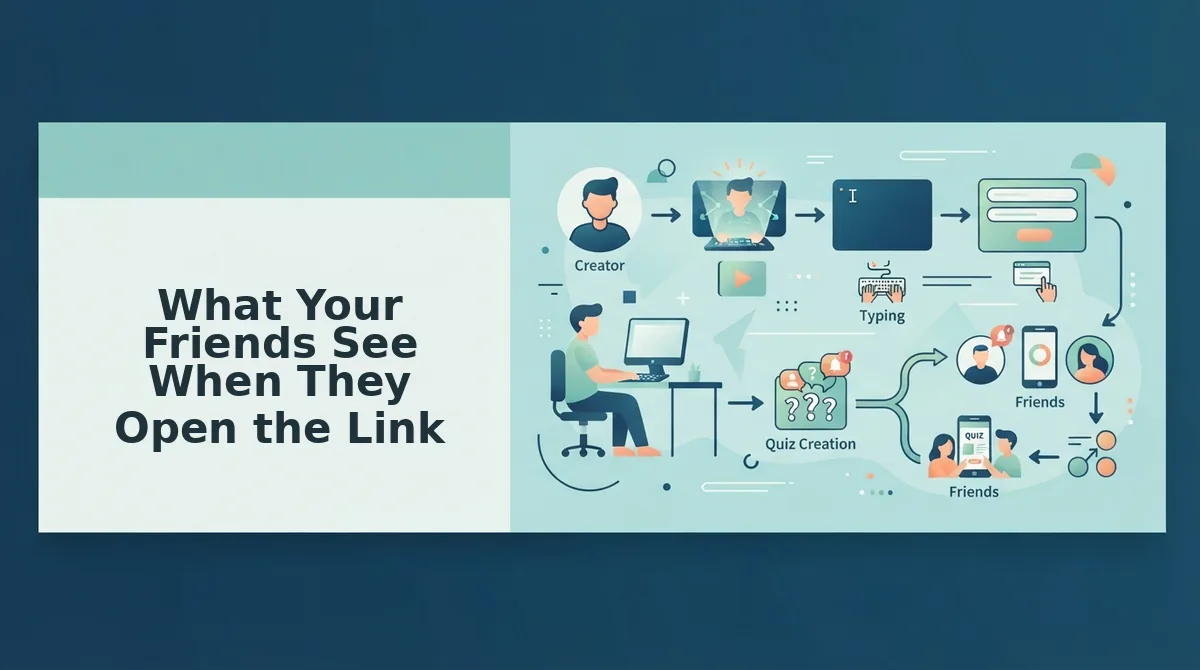
A friend quiz link is a self-contained web page that presents your personal trivia prompts to anyone who taps it, scores their answers against yours, and displays results instantly, all inside a mobile browser with zero account requirements.
When a friend taps your link in WhatsApp or iMessage, their mobile browser opens directly to the quiz. They see your name at the top, followed by the same prompts you answered, but rephrased as questions about you. For example, if you answered "coffee" to your morning drink prompt, they see "What does [Your Name] drink first thing in the morning?"
Think of it like a pop quiz handed out on paper, except the answer key is already baked in and the grading happens the second they finish. No teacher, no waiting, no login desk at the door.
After your friend submits their final answer, they see the Friendboard, a live score ranking that shows how their result compares to other friends who have already taken the quiz. Scores persist via the link itself, not through any account, so every new participant's result gets added to the same board automatically. The friend who knows you best earns bragging rights that live on that link.
Recipients answer entirely in their mobile browser, no signup, no app install, no profile creation. The frictionless entry is the whole point: friends tap, answer, and see their score before the group chat moves on to the next topic. That's the mechanic that keeps participation rates high and makes the best friend quiz maker format work where login-gated alternatives stall.
That zero-friction recipient experience is exactly why no-account quizzes win in group chats, which is what we'll unpack next.
Why No-Account Quizzes Win in Group Chats
No-account quizzes win because they remove every barrier between a shared link and the first laugh. Account walls kill momentum before friends reach question three, so the fastest quiz is the one that opens instantly.
- Zero signup friction keeps the tap-to-play rate near 100%. When a link lands in a group chat, every extra step, email, password, verification code, drops participation sharply. Friend Quiz counters this with no signup, no app download, and no ad clutter, so friends answer in their mobile browser within seconds of tapping the link.
- Instant mobile browser access matches how group chats actually work. People share and tap links inside WhatsApp, iMessage, and Instagram, not on desktop. A no-account quiz loads directly in the in-app browser, which means nobody has to switch apps or remember a login to join the banter.
- Under-two-minute creation matches the group chat attention span. The person making the quiz is just as impatient as the people taking it. Friend Quiz packages personal trivia prompts into a shareable link in under two minutes, so the quiz goes live while the conversation is still hot.
- No app-store detour means no abandoned installs. App downloads add a 30-60 second detour and a storage decision that kills casual participation. A web-based BFF test sidesteps the app store entirely, keeping the entire experience inside the chat thread.
- Ad-free play preserves the joke's timing. Interstitial ads between questions break the rhythm of a quiz built for fast laughs. Friend Quiz keeps the experience clean so answers flow at conversation speed, not at ad-load speed.
- No persistent profile means no social pressure to perform. Account-based platforms ask users to maintain a public score history, which adds anxiety to what should be a throwaway joke. A no-account quiz lets friends answer honestly without worrying about a permanent record.
- Shareable links spread organically through existing chats. Because there is no login wall, anyone who receives the link can forward it to another group instantly. Each share creates a new Friendboard, multiplying reach without a single signup prompt.
Friend Quiz vs. Account-Walled Quiz Makers
Friend Quiz beats account-walled quiz makers on speed to first share, but legacy platforms still hold value for users who want persistent profiles and saved quiz libraries. The right choice depends on whether you prioritize group-chat momentum or long-term score tracking.
| Platform | Signup Required | App Download | Time to First Share | Best For |
|---|---|---|---|---|
| Friend Quiz | No | No | Under 2 minutes | Group chat instigators who want instant banter with zero setup |
| Buddy Meter | Yes | No | 5-10 minutes | Users who want a legacy brand with saved quiz history, despite multi-page reloads and ad clutter |
| QuizYourFriends | Yes | No | 5-10 minutes | People willing to trade speed for account-based quiz management, though mobile load times are slow |
| App-store quiz apps | Yes | Yes | 10+ minutes | Users who prefer native app features and are not deterred by install friction |
| Social media quiz tutorials | Varies | No | 15+ minutes | DIY creators who want full customization control and do not mind manual setup |
Account-walled platforms offer persistent profiles and saved quiz libraries, which matters if you run quizzes weekly and want to track score history. But for the group-chat use case, one link, five friends, instant laughs, no-account speed wins every time.
FAQ: Friend Quiz Without an Account
A no-account friend quiz is a personalized trivia link you create in under two minutes and share directly to any group chat. Friends answer instantly in their mobile browser with no signup, no app download, and no ad interruptions.
Can I make a friend quiz without creating an account in 2 minutes?
Yes. Friend Quiz lets you enter your name, answer a sequence of personal trivia prompts about your habits and quirks, and generate a shareable quiz link in under two minutes. No email, password, or account creation is required at any step.
Do my friends need to sign up to take my quiz?
No. Friends open your link in any mobile browser and answer immediately. There is no signup wall, no app install prompt, and no email capture, so participation stays friction-free from tap to final score.
How do Friendboard scores work without accounts?
Friendboard scores are calculated instantly in the browser session and displayed on a real-time leaderboard after each friend submits answers. Scores persist for that quiz link's session, so everyone sees the ranking without needing a persistent profile.
Can I share my quiz link on WhatsApp or iMessage?
Yes. The quiz link is a standard web URL that works in WhatsApp, iMessage, Instagram, Snapchat, or any messaging app. Friends tap the link and the quiz opens directly in their in-app browser with no extra steps.
What makes a friend quiz actually fun to take?
A fun friendship test mixes specific personal details, habits, dislikes, inside jokes, with fast pacing and instant score reveals. The best quizzes feel like banter, not homework, so keep questions light and answers quick.
Ready to put your friends to the test? Start your friend quiz now and share the link in under two minutes.
Start Your Friend Quiz Now
The entire flow, name entry, prompt answering, link generation, takes under two minutes. Your friends tap the link, answer instantly, and never create an account. That's the whole frictionless loop.
Here's the payoff the intro promised: a no-account quiz doesn't just lower the barrier for you. It lowers it for every single person you send it to. One creator, zero logins, unlimited participants.
- Try it first: open a sample quiz to see the participant experience before you build your own.
- Create yours: type your name, answer the prompts, and grab your shareable link in under two minutes.
- Share it: drop the link in your group chat and watch the Friendboard fill up in real time.
Want to raise the stakes after your first quiz? Turn the banter up a notch with a friendship dare quiz and see who actually follows through.
The best friendship test is the one your friends actually finish, and zero accounts means zero excuses.