How to Use the Friendboard for Dare Quiz Rankings
Your group chat has 47 unread messages, three people have muted it, and your last dare quiz died at question two because nobody could find the link. That's the dead group chat problem, and it's exactly why you should use friendboard for dare quiz rankings instead of letting another challenge fizzle out. Friend Quiz lets anyone create a custom Friendship Dare Quiz in under two minutes without an account, email, or app download, then drop a single link into WhatsApp, iMessage, or Instagram. You're not wrong to want bragging rights, you just need a scoreboard that does the bragging for you. In the next few minutes, you'll learn what the Friendboard actually tracks, how to read your rankings step by step, and the mid-game screenshot tactic that pulls silent friends off the bench. Stick around: the ranking data reveals something most creators never notice until their third quiz.
What the Friendboard Actually Tracks
The Friendboard is the live scoreboard attached to every Friendship Dare Quiz that records each player's score, rank, and completion status in real time. Think of it like a race leaderboard at a marathon: every runner's split time posts the moment they cross a checkpoint, not after the race ends.
For every response to a Friendship Dare Quiz, the Friendboard captures three data points:
- Score, how many dare prompts the player answered correctly against the creator's actual answers.
- Rank, the player's position relative to everyone else who has completed the quiz, updated as each new score lands.
- Completion status, whether a player finished the quiz, is mid-way through, or hasn't opened the link yet.
Creators see the full board with every player's name, score, and rank. Players see only their own result after submitting, which keeps the reveal dramatic and prevents score-shopping. The board refreshes automatically as responses arrive, so a creator watching during a lunch break sees ranks shuffle in real time, no manual refresh, no polling, no waiting for a summary email.
If you've ever used a shared spreadsheet to track a game night, the Friendboard is that spreadsheet minus the typing, the formula errors, and the one friend who "accidentally" edits their own score. The platform handles the arithmetic and the ordering; you handle the trash talk.
How to Read Your Dare Quiz Rankings Step by Step
Reading your dare quiz rankings is a five-step sequence: create the quiz, share the link, watch scores land in real time, screenshot the mid-game board to bait stragglers, then post the final board to crown a winner. The entire flow takes under five minutes of active effort once your quiz is live.
What you need before starting: a completed dare quiz link from Friend Quiz, a group chat with at least three friends, and your phone's screenshot tool ready.
- Open your dare quiz link and confirm it's live. After you finish creating your quiz, Friend Quiz generates a shareable URL instantly. Tap it once to verify the first question loads. You should see your name at the top of the quiz screen and the first dare prompt below it.
- Share the link into your group chat. Paste the URL into WhatsApp, iMessage, or Instagram with a one-line challenge like "Prove you know me." The Friendboard activates the moment the first friend submits an answer, no setup required on their end.
- Watch scores land on the Friendboard in real time. Open the Friendboard view on your phone and keep it visible. Each completed quiz submission pushes that friend's score onto the board instantly. You should see names appear one by one, ranked by correct answers, within seconds of each submission.
- Screenshot the mid-game board and post it back to the chat. This is the step most creators skip. When two or three friends have answered but others haven't, capture the current rankings and drop the screenshot into the group. A creator who posts a dare quiz link in a WhatsApp group, watches scores land during lunch break, and screenshots the mid-game board baits the two friends who haven't answered yet into playing immediately. The visual proof of their absence, and their spot at the bottom, is the trigger.
- Post the final board once everyone has answered. After the last submission lands, screenshot the completed Friendboard and share it as the official result. The top-ranked friend gets bragging rights; the bottom-ranked friend gets the dare. To keep the board updating live as more friends play, track Friendboard rankings live instead of refreshing manually.
Worked Example: The Lunch Break Bait
A creator builds a five-question dare quiz about their coffee order, gym habits, and group-chat pet peeves. They drop the link into a six-person WhatsApp group at 12:15 p.m. By 12:40, three friends have submitted scores and the Friendboard shows a clear leader. The creator screenshots that mid-game board and posts it with the caption "Three people already know me better than the rest of you." Within ten minutes, the two holdouts submit their answers. The final board posts at 1:00 p.m., and the last-place friend owes the dare.
The mid-game screenshot is the quiet engine of the whole loop, it converts spectators into players. That conversion is what turns a one-off ranking into a rematch.
The Rematch Loop: Turning Rankings into Rivalry
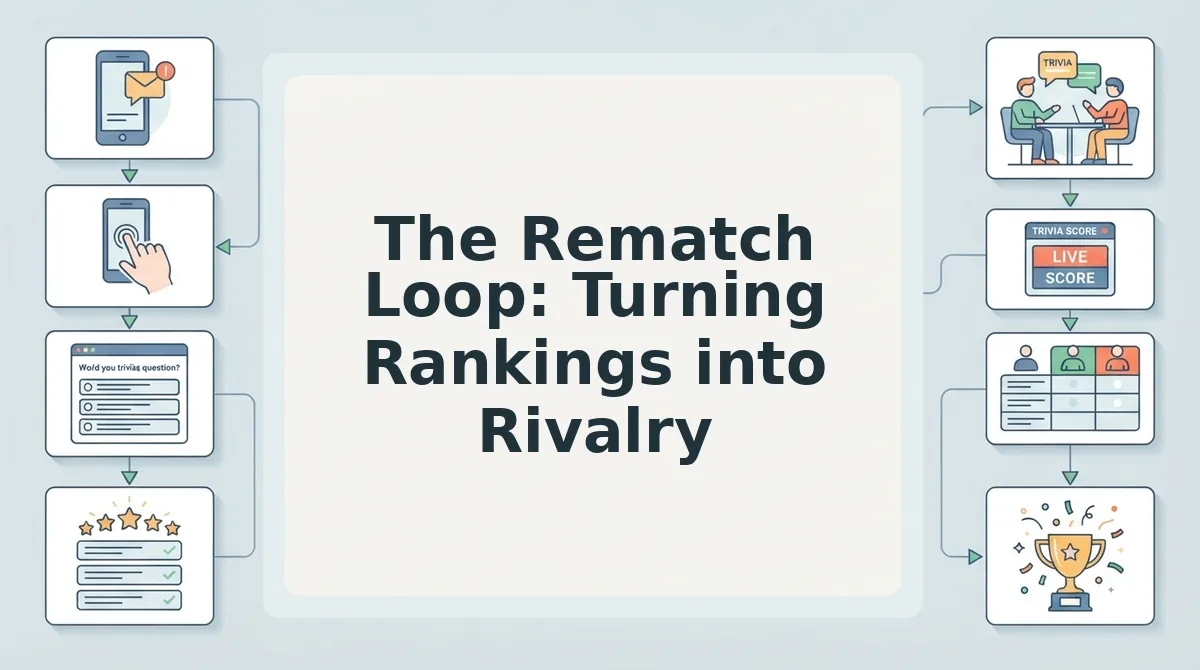
The Friendboard is not a scoreboard, it is a rematch engine. Every ranking reveal creates the exact friction that makes someone demand a do-over, and the Rematch Loop turns that impulse into a repeatable cycle: Dare Quiz to Friendboard reveal to trash talk to rematch.
- Post the link before anyone can chicken out. The Rematch Loop starts the moment you drop your Dare Quiz link into the group chat. A link posted with zero context gets ignored, but a link paired with a one-line dare, "Loser buys coffee Friday", converts passive scrollers into players. Send it when the chat is most active, not at 2 a.m. when everyone is asleep.
- Screenshot the board mid-game and post it. The 3-move Group Chat Playbook begins with the link, then escalates with a mid-game screenshot. A live Friendboard showing one friend ahead by a single point creates urgency and pulls in anyone who has not played yet. Post it with a caption like "Sarah is up by one and it's embarrassing."
- Post the final board with a challenge caption. The third move of the playbook is the final reveal. Do not just post the screenshot, attach a direct challenge: "Jake won. Rematch tomorrow, same questions, no excuses." This caption is what converts a finished quiz into an active rematch request.
- Call out the bottom-ranked player by name. Rankings only become rivalry when someone is named. A public, playful callout, "Emma, you got 3 out of 10. Explain yourself.", triggers the defensive response that fuels the Rematch Loop. Keep it light; the goal is banter, not bullying.
- Raise the stakes for round two. A rematch with identical stakes loses energy fast. Add a consequence: the loser changes their group chat photo for a week, or the winner picks the next dare. Higher stakes make the second Friendboard reveal even more anticipated than the first.
- Use the Friendboard scores to plan a rematch with Friendboard scores strategically. Look at who missed which questions before issuing the rematch. If one friend got every food question wrong, swap in harder food dares next round. Targeted question swaps make the rematch feel personal and winnable, which keeps both the leader and the underdog engaged.
- Track the streak across multiple rounds. One rematch is a moment; three rematches is a rivalry. Keep a running tally in the chat, "Jake 2, Emma 1", and reference it whenever someone hesitates to play again. The Friendboard becomes the official record, and the Rematch Loop becomes a weekly ritual.
Start your first Dare Quiz today, post the link in your group chat, and watch the Friendboard turn one round into a full season of rivalry.
What to Do When the Friendboard Shows a Tie
A tied Friendboard is not a dead end, it is the strongest rematch trigger you can get. Two friends at the exact same score means neither can claim bragging rights, and that unresolved tension is pure engagement fuel.
- Run a sudden-death dare. When two players tie, send one final dare question directly in the chat, not through the quiz, and declare the first correct answer the winner. This keeps the momentum alive and gives the group an instant, dramatic resolution without waiting for a full rematch.
- Rematch with harder questions. A tie usually means the quiz was too easy for both players. Rebuild the Dare Quiz with more obscure personal details or trickier habit questions, then send the new link immediately. Harder questions separate the genuinely close friends from the lucky guessers.
- Screenshot the board and let the group chat decide. Post the tied Friendboard and ask the group to vote on who actually knows you better. The debate that follows is free engagement, and the losing side of the vote will demand a rematch to prove the group wrong. When the group settles it, announce Friendboard winners with a screenshot and a caption that names the victor.
- Declare a shared victory and move to a new category. If neither player will back down, call it a draw and immediately launch a new Dare Quiz on a different theme, food habits instead of travel quirks, for example. A fresh category resets the rivalry without anyone losing face.
Ties are not failures; they are the Friendboard telling you the rivalry is just getting started.
Frequently Asked Questions About the Friendboard
The Friendboard answers the question every group chat asks after a Dare Quiz goes out: who actually knows you best? These are the questions players ask most when the rankings go live.
How do I see who's winning the dare quiz?
Open your Dare Quiz link and tap the Friendboard tab. The Friendboard updates in real time as each friend submits answers, showing every player ranked by score from highest to lowest. You do not need an account or app to view it, the board is part of the quiz page itself.
What happens after my friends finish the dare quiz?
The Friendboard locks in the final rankings and displays the winner at the top. Each player sees their own score and how they compare to everyone else who took the quiz. From there, the board becomes your rematch tool: screenshot it, post it in the group chat, and challenge the runner-up to a do-over.
Can I reset or restart the Friendboard rankings?
Yes. Create a new Dare Quiz to start a fresh Friendboard from zero. The original board stays intact on the old link, so you can compare past results against the new round. This makes it easy to run a best-of-three series or a weekly rivalry without losing the history.
Is the Friendboard visible to everyone who takes the quiz?
Yes. Anyone who opens your quiz link can see the Friendboard and the current rankings. That visibility is intentional, public rankings create the social pressure that drives more friends to play and defend their position. If you want a private result, share the link only with the specific group chat you want competing.
The Friendboard turns a simple best friend quiz into a live competition. Every ranking update gives your group chat a reason to check back, argue, and demand another round. Start your first Dare Quiz and watch the Friendboard fill up.
Start Your First Dare Quiz and Watch the Friendboard Fill Up
The Friendboard turns a one-off quiz into an ongoing rivalry. That's the whole game. No account, no email, no app download, just a link that keeps score while your group chat does the trash-talking.
Here's the move:
- Create your dare quiz now. Pick your boldest dares. Make them specific enough that your friends can't dodge them.
- Share the link in your group chat. Watch the first answers land within minutes.
- Screenshot your first Friendboard. That screenshot is your baseline. Every rematch after it becomes proof of who's climbing and who's falling.
You've spent this whole article learning how rankings work, how ties break, and how rematches fuel the loop. Now the only missing variable is your quiz. Create a Friendship Dare Quiz and put your own name at the top of a board that refuses to stay still.
The Friendboard doesn't crown a winner once. It crowns a winner every time someone dares to answer again.