How to Set Up a BFF Test With a Free Custom Link
Your group chat has 47 unread messages, but the last one was a meme from Tuesday. You could send another "wyd," or you could set up a BFF test free custom link in under two minutes and watch the thread explode with answers, accusations, and screenshot-worthy scores. No app download. No account. No "join with Google" wall between you and the banter.
You're right to be skeptical, most quiz tools bury the fun behind sign-up forms and app-store redirects. Friend Quiz flips that: you type your name, answer a few prompts about yourself, and get a shareable link instantly. This guide walks you through the exact setup, from first prompt to first friend response.
Here's the roadmap: enter your name and pick prompts, generate your unique link, and share it where your friends actually live. Stick around for the part where most people get the link wrong, it's the difference between three responses and thirty. Ready? Open the best friend quiz maker and let's build yours.
Step 1: Enter Your Name and Pick Your Prompts
Setting up your BFF test starts with entering your name and cycling through a short series of personal trivia prompts. The entire process takes under two minutes and requires no account, no email, and no password, just your name and honest answers.
Prerequisites: A smartphone or desktop browser with an internet connection. Nothing to download, nothing to install.
- Open the Friend Quiz homepage. Navigate to friendquiz.org in any mobile or desktop browser. You should see a single name field front and center, no sign-up modal, no cookie wall.
- Type your first name in the input field. Use the name your friends actually call you. This name appears on your quiz page and in the results your friends see, so skip the formal version if your group chat knows you as "Bex" not "Rebecca."
- Tap or click the start button. The page advances immediately to the first prompt. You should see a question about your habits, likes, or quirks with tappable answer options, no typing required.
- Select an answer for each prompt as it appears. Cycle through the full sequence of personal trivia prompts. Each tap advances to the next question instantly, with no page reloads between prompts. The categories are built for mobile-first, short-attention-span banter, quick choices about your daily habits, dislikes, and go-to moves.
- Confirm your final answer. After the last prompt, you should see a summary or completion state indicating your quiz is ready to package. If you want to change an earlier answer, most prompts let you tap back before generating the link.
What makes this flow different from app-based quiz builders is the absence of an account wall. You never enter an email address, create a password, or verify a phone number. The prompt sequence is designed to be completed one-handed on a phone while waiting for coffee, each question fits on a single screen with large tap targets, and the total time from landing page to finished quiz averages around 90 seconds for most users.
Step 2: Generate Your Free Custom Link
After you finish the final prompt, Friend Quiz automatically packages your answers into a unique quiz URL tied to your name and responses. This link is not a generic template, every creator gets a distinct URL that points to their specific quiz, so no two BFF tests share the same destination.
Prerequisites: A completed prompt sequence from Step 1. No account, email, or payment method required.
- Tap the "Generate Link" or equivalent completion button. After your last answer, the page should display a confirmation state with a prominent button to create your quiz link. Tap it once.
- Wait for the link to render. Generation is near-instant. You should see your custom URL appear on screen within a second or two, typically formatted as a short friendquiz.org path with your quiz identifier.
- Tap "Copy Link" to save it to your clipboard. Look for a copy button next to the URL. On mobile, this triggers your device's native copy confirmation, you should see a "Copied" toast or checkmark.
- Paste the link into a note or your share sheet. Keep it handy for the next step. The link works exactly as-is: friends tap it and land directly on your quiz in their mobile browser with zero sign-up, zero app install, and zero friction.
The custom link is the core mechanic that separates a BFF test from a generic personality quiz. Each URL encodes the creator's identity and answer set, so when a friend opens it, they see your name, your prompts, and a scoring system built around how well they know you. There is no login prompt, no "download our app" interstitial, and no email capture before the quiz loads. The link is shareable across WhatsApp, iMessage, Instagram DMs, Snapchat, or anywhere else a URL can be pasted, and it renders correctly on any modern mobile browser.
Now that your link is live, the next move determines whether your quiz gets three responses or thirty: getting it in front of the right people in the right place.
Step 3: Share It Where Your Friends Actually Are
Your free custom link only works if it lands in front of the right people at the right moment. Each messaging platform handles links differently, so tailor your share to the app your group chat already lives in.
- WhatsApp group chats get automatic link previews. Paste your custom link and WhatsApp instantly pulls a tappable preview card with your quiz title, which boosts click-through because friends see exactly what they're tapping before they commit. Add a one-line challenge like "Only real ones score above 7/10" to trigger competitive instincts. For a full walkthrough, learn how to send a BFF test link in WhatsApp with maximum response rates.
- iMessage renders your link as a rich tappable card. Apple's Messages app automatically expands shared links into a visual card with the quiz name and domain, making it feel native rather than like a random URL dump. Send it directly to your closest friend first, then screenshot their reaction and post that to the wider group for social proof.
- Snapchat requires pasting the link directly into a chat. Snapchat does not generate link previews, so the raw URL text is all your friends see, which means your accompanying message has to do the selling. Pair the link with a screenshot of your own quiz result or a "Bet you can't beat this" caption to convert curiosity into taps.
- Instagram DMs work best with a short hype line. Instagram strips link previews in DMs, so the text you send alongside the URL is the entire pitch. Use a two-part message: first a hype line like "I made a quiz about myself and it's brutal," then the link in a follow-up bubble so the URL stays clean and tappable.
- Share during peak chat hours for instant Friendboard momentum. Dropping your link when the group is already active, evenings and weekends, means answers start rolling in within minutes, and the live scoreboard fills up fast. A dead chat means a dead quiz; timing is half the distribution game.
- Tag specific friends instead of broadcasting to everyone. Calling out two or three people by name ("@Maya @Jordan you're both getting exposed") creates a direct challenge that feels personal, not spammy. Named challenges get answered faster than generic group blasts because nobody wants to be the one who dodged a direct callout.
- Reshare the link after the first results come in. Once a few friends have answered and the Friendboard shows scores, repost the link with a screenshot of the current standings and a "Can anyone actually beat this?" caption. This second wave catches friends who ignored the first message and reignites the chat with rematch energy.
What Happens After Friends Answer: The Live Friendboard
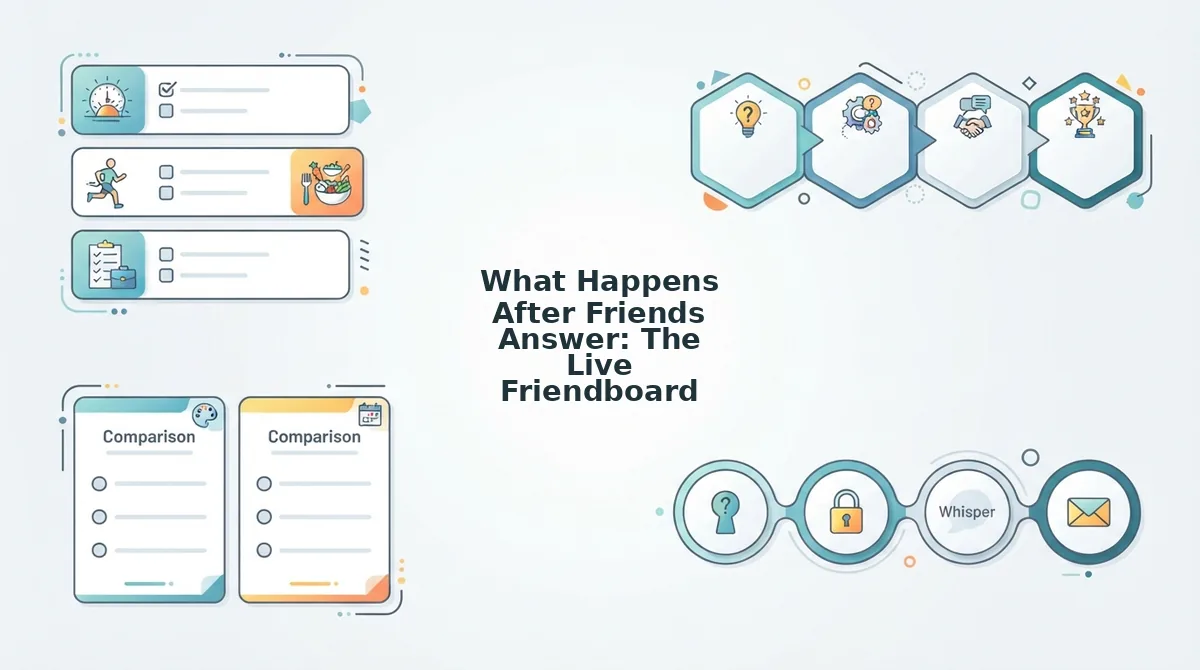
The Friendboard is a real-time scoreboard that updates automatically as each friend submits their answers, showing every participant's score, rank, and standing in one shared view. Think of it like a live sports scoreboard for your friendship, every answer is a play, and the standings shift the moment someone new submits.
When a friend finishes your BFF test, their score appears on the Friendboard instantly, no refresh required. Everyone who has the link can watch the rankings change in real time, which turns a solo quiz into a shared spectator event. The friend in first place sees their name at the top and screenshots it for bragging rights; the friend in second place immediately starts plotting a rematch.
This real-time feedback loop is what keeps group chats active long after the initial link drop. Instead of a one-and-done answer session, the Friendboard creates ongoing tension: late responders see the current leaderboard and feel pressure to beat the top score, while early leaders return to defend their position. The result is a self-sustaining engagement cycle where the quiz keeps generating conversation, trash talk, and rematch requests without you lifting a finger.
BFF Test Question Ideas to Make It Personal
Custom prompts are what separate a forgettable quiz from one your friends screenshot and share. The more specific your questions are to your actual friendship, the higher your answer rates climb because each friend feels personally targeted.
- Inside jokes only your group understands. Reference that one night, that one phrase, or that one incident that still gets brought up years later. When friends see a question built around a shared memory, they answer instantly because they want to prove they were paying attention all along.
- Shared memories with a wrong-answer twist. Ask about a real event but offer deliberately absurd wrong answers that only make sense to your circle. The humor of the options themselves becomes shareable content, and friends screenshot the funniest wrong answers to post in the chat.
- Personal habits you think nobody notices. Ask about your coffee order, your go-to karaoke song, or the snack you always steal from the pantry. These micro-details reward the friends who actually observe you, and the results expose who's been paying attention versus who's coasting on vibes.
- Pet peeves that reveal true closeness. Frame a question around something that genuinely annoys you, slow walkers, loud chewers, unsolicited advice. Friends who answer correctly demonstrate emotional intimacy, and the ones who miss it get roasted in the group chat.
- Hypothetical scenarios with only one right answer. Ask what you would do in a specific situation, like "If I won $10,000 tomorrow, what's the first thing I'd buy?" The right answer is something only a close friend would know, making the quiz feel like a genuine friendship test rather than a trivia game.
- Controversial opinions your friends should know. Ask about your take on pineapple pizza, the best season, or which friend in the group is actually the funniest. These low-stakes debates spark immediate discussion in the chat and keep the quiz circulating long after answers are submitted.
- Dare-style prompts for extra spice. Mix in a question that doubles as a challenge, like "What's the one thing I'd never dare you to do?" For more aggressive formats, check out the friendship dare quiz approach, which turns wrong answers into playful penalties that keep the group engaged.
Now that you have question ideas locked in, let's tackle the most common setup questions.
FAQ: BFF Test Free Custom Link
A BFF test free custom link is a personal quiz URL you generate in under two minutes without an account, email, or app download, friends open it in any mobile browser and answer instantly.
Do my friends need an account to take my BFF test?
No. Friends open your custom link and answer immediately in their mobile browser, no signup, no email, no login. The quiz runs entirely on the web, so do friends need an account is a non-issue: the answer is always no.
Do friends need to download an app to play?
No app download is required. The test is a mobile-web page that loads in any browser, including WhatsApp and iMessage in-app browsers. This keeps sharing friction at zero, tap the link, answer, see the score.
Can I edit my BFF test after I share the link?
No. Once you generate the link, the quiz is locked, prompts and answers cannot be changed. Double-check your name spelling and prompt selections before copying the link, or create a fresh quiz if you need different questions.
How long does it take to set up a BFF test?
Under two minutes from name entry to link copy. You cycle through personal trivia prompts, the platform packages them instantly, and your shareable URL is ready, no account creation or email verification steps slow you down.
Why is my BFF test link free?
The platform is built for zero-friction group chat sharing, so monetization never gates quiz creation or play. No trial, no paywall, no premium tier, the custom link is free to generate and free for unlimited friends to open.
The Two-Minute Speed Run Is the Whole Point
Everything in this guide collapses into one promise: from typing your name to copying a shareable link takes under two minutes. No app store, no email verification, no friction, just a personal trivia challenge ready for your group chat before the conversation moves on.
The real payoff isn't the quiz itself. It's the moment your friends start arguing over who actually knows you best, with the live Friendboard tracking every score in real time. That's the loop: create fast, share instantly, watch the bragging rights unfold.
Your next step is one tap: create your free BFF test and drop the link in your group chat. The two-minute clock starts now.