How to Launch a Dare Quiz in Under Two Minutes
Your group chat has gone quiet for the third time this week, and the last message was a thumbs-up emoji from Tuesday. You can launch a dare quiz in under two minutes and drag everyone back into the conversation, no app download, no signup wall, no "check your email to verify" dead end.
You're right to be skeptical of anything promising instant group fun. Most quiz tools bury the good part behind account creation and multi-page forms. Friend Quiz strips that away: type a name, pick dares, share a link. That's the whole workflow.
This guide walks you through the exact three-step sequence, name entry, dare selection, and link generation, with time markers for each stage. You'll also see why skipping truth questions entirely is the fastest way to revive a competitive group chat, a configuration trick most dare quiz makers don't surface.
Ready to go from dead chat to dare chain? Open the friendship dare quiz maker and follow along. The first step takes 15 seconds, and there's a reason it's deliberately friction-free.
Step 1: Enter Your Name (15 Seconds)
You need zero accounts, zero downloads, and zero preparation to start. Open the Friend Quiz homepage on any mobile browser and type your first name into the single input field.
- Open friendquiz.org on your phone. The homepage loads directly into the quiz builder, no splash screen, no app store redirect. You should see a name field front and center.
- Type your first name or nickname. Use whatever your friends actually call you in the group chat. This name appears on the quiz card and share preview, so pick the recognizable one.
- Tap the continue arrow. The page advances instantly to the first dare prompt. You should see the prompt counter appear at the top of the screen, confirming the quiz has started.
This step works because Friend Quiz treats the name field as the entire onboarding flow. There is no email capture, no password creation, and no SMS verification code. The zero-account design means anyone you share the quiz with later can play without registering either, a friction point that kills participation in group chats where half the members will abandon anything requiring a login.
If the page hasn't advanced after tapping continue, check that the name field isn't empty. A single character is enough to proceed.
Step 2: Pick Your Dare Prompts (45 Seconds)
You'll cycle through a sequence of dare prompts and select the ones that fit your friend group's energy. The friendship dare quiz maker presents each prompt one at a time with tap-to-select controls, so you never see a wall of checkboxes.
- Read the first dare prompt aloud in your head. Ask yourself: would this dare actually get a reaction in your specific group chat? If yes, keep it. If it feels flat, skip it.
- Tap the dare option that matches your personality. Each selection becomes a question your friends must answer about you. You should see a brief confirmation animation before the next prompt slides in.
- Repeat for each prompt until the builder signals completion. Most users finish in 45 seconds or less because the prompts are short, concrete, and require no typing.
Pro tip: choose dare-only mode instead of a mixed truth-or-dare configuration. Competitive group chats move faster and generate more replies when every question is a dare, truth questions slow the pace and give hesitant friends an easy out. A dare-only quiz forces a decision on every prompt, which is exactly what a stalled chat needs.
Selecting dare-only mode means every question your friends answer is framed as "What would [Your Name] dare you to do?" rather than alternating between truth and dare. This configuration produces a quiz that feels like a challenge gauntlet, not a personality survey. The result is a shareable link that reads as a dare list, which tends to pull lurkers out of the chat faster than mixed-mode quizzes.
Once your final dare is locked in, the builder moves you to the last screen automatically.
Step 3: Generate Your Shareable Link (5 Seconds)
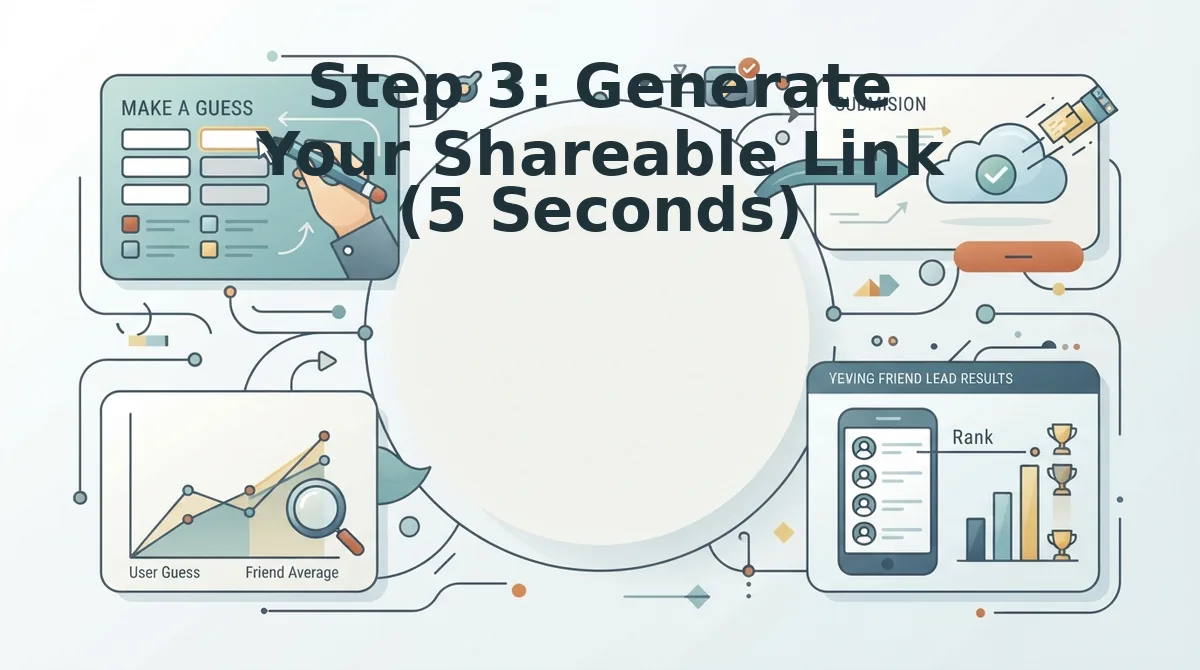
Generating your shareable link is the fastest step in the entire dare quiz workflow, it takes exactly 5 seconds and requires no account, no email verification, and no app download.
Prerequisite: You must have completed Step 1 (entered your name) and Step 2 (selected your dare prompts). The link generator activates only after your quiz content is finalized.
Here's the part most guides skip over: link generation is not a separate "publish" workflow. It happens automatically the moment you finish your last dare prompt.
- Tap the "Generate Link" button at the bottom of the dare prompt screen. You should see a brief loading spinner (under 2 seconds), followed by a confirmation banner reading "Your quiz is live."
- Watch for the auto-copy confirmation. Friend Quiz copies the link to your clipboard by default. You should see a toast notification that says "Link copied" with a green checkmark.
- Tap "Preview" to verify your quiz loads correctly. The preview opens in a new browser tab showing your name, your dare prompts, and a "Take the Quiz" button. You should see all your selected dares displayed in order.
- Confirm the link is ready to share. Your unique URL follows the format
https://friendquiz.org/quiz/[your-name]. You should see this exact URL in the share bar at the bottom of the screen.
If the toast notification does not appear, tap the "Copy Link" button manually, it sits directly below the preview button and works identically.
Step 4: Drop It in Your Group Chat (10 Seconds)
Dropping your dare quiz link into a group chat takes 10 seconds or less, and the platform you choose changes how your friends experience the first tap.
Prerequisite: Your quiz link must be copied to your clipboard from Step 3. You also need an active group chat in at least one messaging app.
- Open WhatsApp and select your target group chat. Tap the message field, long-press, and select "Paste." You should see the full friendquiz.org URL appear as a tappable preview card with your quiz name.
- Add a one-line challenge message before sending. Type something like "Bet you can't get 5/5 on my dare quiz" and hit send. You should see the link render with a preview thumbnail.
- For iMessage, paste the link into the chat and wait for the inline preview. Apple's iMessage auto-expands friendquiz.org links into a tappable card. You should see the quiz title and a "Play" affordance appear within 2 seconds.
- For Snapchat, send the link as a Chat message rather than a Story. Paste the URL into a direct chat or group chat, then tap send. You should see the link appear as a tappable attachment your friends can open without leaving Snapchat.
| Platform | Fastest Share Method | Preview Card | Best For |
|---|---|---|---|
| Paste + send in group chat | Yes, auto-generated | Large group chats with instant reply culture | |
| iMessage | Paste + send in thread | Yes, inline expansion | Close friend circles on iPhone |
| Snapchat | Paste + send as Chat | No, tappable link only | Fast, ephemeral dares with quick responses |
If your group chat is quiet, send the link to one friend directly first, a single "I got 4/5" reply creates the social proof that pulls the rest of the group in.
Why 2 Minutes Is the Magic Number
A two-minute quiz launch window is the maximum time a group chat will stay focused on a single shared activity before attention fractures into memes, side conversations, and new topics.
Think about the last time you tried to get a group chat to do something together. If the setup took longer than the activity itself, half the group dropped off before anyone even started. The two-minute threshold works like a movie trailer: it gives just enough preview to build anticipation without demanding commitment before the payoff arrives.
Group chat attention spans operate on a rolling cycle. Messages scroll fast, and a link posted 10 minutes after the initial "who's in?" message lands in a completely different conversational context. The faster your quiz goes from idea to live link, the higher the participation rate.
At the simple level, speed removes friction, no account signup, no app install, no form reloads. At the intermediate level, speed preserves momentum: your friends tap the link while the dare still feels spontaneous. At the advanced level, speed compounds across multiple quizzes, you can launch three dare quizzes in the time a competitor platform requires for one, which keeps your group chat coming back to you as the default quiz maker.
Next: what to do when the link doesn't open fast enough.
Troubleshooting: When the Link Doesn't Open Fast Enough
Most slow-loading quiz links trace back to the in-app browser your chat app forces open. These fixes restore the two-minute launch window.
- Copy the link, then paste it into your default browser instead of tapping it. In-app browsers inside WhatsApp, Instagram, and Snapchat add a rendering layer that can delay load by several seconds. Pasting the Friend Quiz URL directly into Chrome or Safari bypasses that overhead and opens the quiz at full speed.
- Close background tabs before tapping the quiz link. Mobile browsers throttle page rendering when memory is constrained, which slows every new tab you open. Swiping away unused tabs frees RAM so the dare quiz loads without competing for resources.
- Switch from cellular data to Wi-Fi if the link spins for more than five seconds. Weak mobile signals cause stalled DNS lookups and partial page loads that feel like a broken link. A stable Wi-Fi connection resolves the quiz page in under two seconds on most modern phones.
- Send the link as a plain text message, not inside a preview card. Some chat apps generate rich link previews that fetch metadata before the page opens, adding a visible delay. Disabling previews or sending the URL without formatting skips that metadata round-trip entirely.
- Ask friends to tap the link twice if the first tap shows a blank screen. A blank first render usually means the in-app browser cached a stale version of the page. The second tap forces a fresh fetch and loads the current quiz content correctly.
- Shorten the quiz name to under 20 characters before generating the link. Extremely long creator names can inflate the URL query string, which some chat apps truncate and break. A shorter name produces a cleaner link that opens reliably across every platform.
- Restart the chat app if links from other senders also load slowly. A bloated app cache degrades every in-app browser session, not just your quiz link. Force-quitting and reopening the app clears that cache and restores normal load speeds.
FAQ: Launching a Dare Quiz Fast
How fast can I launch a friendship dare quiz?
You can launch a dare quiz in under two minutes. The process requires entering your name, selecting dare prompts, and generating a shareable link, no account setup or app download adds time to the flow.
Do I need to download an app or create an account?
No. Friend Quiz runs entirely in your mobile browser at friendquiz.org. You create a quiz and share the link without installing software, signing up, or logging in, which keeps the total launch time under two minutes.
What makes a dare quiz different from truth or dare?
A dare quiz replaces verbal dares with personalized challenge questions about your habits and quirks. Friends answer what they think you would do, and the quiz scores their accuracy instead of requiring anyone to perform a physical dare.
Why does my quiz link open slowly in WhatsApp?
WhatsApp's in-app browser adds a rendering layer that delays page loads. Copy the link and paste it into Chrome or Safari to bypass that overhead and open the quiz at full speed.
Can I use a dare quiz as a best friend quiz?
Yes. The same dare prompt format works as a best friend quiz when you choose prompts about shared memories and inside jokes. The scoring system then measures how well your closest friend actually knows you.
How many dare prompts should I include for the fastest launch?
Five to seven prompts is the sweet spot. That range keeps creation under 45 seconds while giving friends enough questions to feel challenged, and it prevents the quiz from dragging past the two-minute launch window.
The Two-Minute Dare Quiz Is Your New Group Chat Ritual
Speed is not a shortcut here, it is the entire product. A dare quiz that launches in under two minutes becomes repeatable, and repeatable games are what group chats return to daily. The frictionless format means you can fire off a fresh quiz before the conversation moves on, which is exactly when friendship testing works best.
Start with a dare-only quiz using five prompts and your most competitive friend as the first challenger. Once you see the Friendboard update in real time, expand to a full friendship test with more personal questions. The next step is simple: open friendquiz.org, enter your name, and send the link before anyone in the chat changes the subject.