How to Keep a Group Chat Quiz Moving Without Losing Players
You drop a quiz link in the group chat, two friends answer within a minute, and then silence. The rest never tap, or they tap and vanish before question three. That dead-air moment is the single biggest killer of group chat fun, and it is almost never about the quiz topic. It is about friction. Users consistently complain that signup walls, slow loads, and ad clutter kill quiz momentum before the first answer lands.
You are right to be frustrated. A quiz should feel like a fast inside joke, not a form to fill out. This guide gives you a friction-kill playbook to keep group chat quiz moving from link tap to final score, so nobody bails mid-quiz. You will learn the 8-Second Rule, the five drop-off triggers that silently kill participation, and the exact question count that holds attention. One of these triggers is hiding in plain sight on most quiz tools, and removing it can double your completion rate. Start by building your quiz on a platform that skips accounts and loads instantly, like Friend Quiz, then apply the rules below.
What Is the 8-Second Rule for Group Chat Quizzes?
The 8-Second Rule is a mental model for quiz design: if any single step between a friend tapping your link and seeing question one takes longer than eight seconds, most players will bounce. It treats attention as a fixed budget that every friction point spends down.
Think of the 8-Second Rule like a checkout line at a convenience store. If the person ahead of you fumbles for exact change, you start glancing at the door. Every extra second of waiting makes leaving feel more reasonable. A quiz link works the same way. The moment a friend taps, they have committed about eight seconds of patience. Spend that budget on loading, signup prompts, or slow question rendering, and you lose them before the fun starts.
Three friction killers consume that budget fastest: signup walls that demand an email before the first question, slow page loads on ad-heavy quiz tools, and ad clutter that buries the answer button. Each one can eat your entire eight-second window on its own. The fix is zero-friction design: no account creation, no app download, and a quiz that renders the first question immediately after the link opens. When every step from tap to question one fits inside eight seconds, players stay in the chat instead of drifting back to it.
For a self-contained answer: the 8-Second Rule states that any quiz step taking longer than eight seconds between link tap and first question causes most mobile users to abandon the quiz. The rule applies to page load time, name entry, account prompts, and question rendering. A quiz that opens directly into question one without signup or delay keeps players engaged because it spends zero attention budget on friction. Tools that require email verification or show interstitial ads before the quiz violate the rule and lose players before the first answer.
What Are the 5 Drop-Off Triggers That Kill Quiz Momentum?
Drop-off triggers are friction points that cause players to abandon a quiz before finishing. Here are the five most common triggers, ranked by how quickly they kill momentum, with a concrete fix for each.
- Account creation walls. Asking for an email or login before question one is the fastest way to lose players. Friends in a group chat want instant fun, not another password to remember. Fix: use a quiz maker that requires no signup, so the link opens directly into the quiz.
- Ad popups blocking the submit button. When an ad covers the answer button or interrupts between questions, players close the tab out of frustration. The interruption breaks their flow and makes the quiz feel like a trap. Fix: choose a platform without intrusive ads, or test your quiz link on mobile before sharing it.
- Multi-page form reloads. Every page reload between questions adds a loading spinner and a chance to bail. Players feel the quiz dragging even if each question is short. Fix: use a single-page quiz flow where questions swap instantly without a full page refresh.
- Too many questions. A 20-question quiz feels like homework, not banter. Attention drops sharply after question seven, and completion rates fall with every added question. Fix: cap your quiz at five to seven questions that hit the funniest or most revealing habits.
- Confusing answer flow. If players cannot tell whether to tap, swipe, or type, they hesitate and lose momentum. Unclear buttons or ambiguous options create micro-frictions that add up. Fix: use large tap targets and obvious multiple-choice answers that work with one thumb.
Run your quiz through this checklist before sharing it. If you clear all five triggers, your friendship test will hold attention from first tap to final score. Next, let's talk about the exact number of questions that keeps players engaged without overstaying your welcome.
How Many Questions Should a Group Chat Quiz Have?
The sweet spot is 5 questions for casual banter, 8 for a proper friendship test, and 12 max for a deep dive. Each question takes 15-20 seconds to answer, so an 8-question quiz runs 2-3 minutes total, short enough to finish before anyone switches apps.
You don't need any special tools to start. Open the quiz maker on your phone, have your personal trivia answers ready in your head, and keep your group chat open in a second tab or app for the share step.
- Open the quiz builder and enter your name. Type your first name into the name field on the homepage. You should see the first prompt appear within one second, no loading screen or account wall.
- Select 5 answers for a quick banter round. Tap through five prompts about your habits, quirks, or preferences. This takes about 60-90 seconds total and produces a quiz friends can finish during a single ad break or elevator ride.
- Choose 8 answers for a proper best friend quiz questions set. Add three more prompts to hit the 8-question mark. At 15-20 seconds per answer, your friends will spend roughly 2-3 minutes completing it, enough to feel tested without feeling drained.
- Stop at 12 questions for a deep-dive challenge. Only go this high if your group chat already has competitive energy. A 12-question quiz runs 3-4 minutes per player, which risks losing the casual participants who opened the link out of curiosity.
- Share the link and watch completion rates. Send the generated link to your group chat. If fewer than half your friends finish, trim your next quiz to 8 questions, the formula that balances depth with drop-off resistance.
To calculate total session time for any quiz length, multiply your question count by 17.5 seconds, the midpoint of the 15-20 second per-question range. An 8-question quiz lands at 140 seconds, or about 2 minutes and 20 seconds. A 12-question quiz stretches to 210 seconds, or 3.5 minutes. Keeping the total under 3 minutes is the single most reliable way to prevent mid-quiz abandonment in fast-moving group chats.
How Do You Get People to Actually Click the Quiz Link?
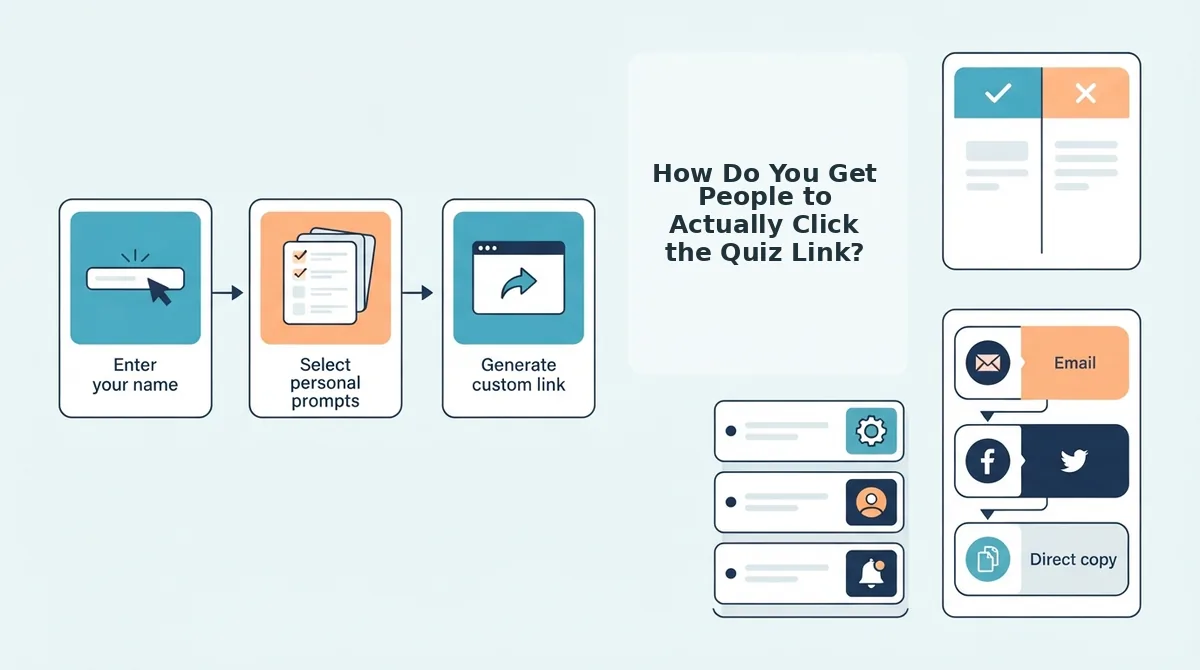
You get clicks by pairing the link with a hook that triggers competition, curiosity, or ego, never by dropping a bare URL. A naked link in a busy group chat reads as spam; a one-line challenge reads as an invitation.
Prerequisite: have your quiz link copied to your clipboard before you open the group chat. The entire launch sequence takes under 30 seconds.
- Open your group chat and paste the link. Tap and hold in the message field, then select Paste. You should see the full quiz URL appear instantly.
- Type Template 1, the competitive challenge, above the link. Write: "I made a quiz about myself. First person to score 8/8 gets to pick where we eat Friday." This frames the quiz as a contest with a tangible prize, which drives immediate clicks from competitive friends.
- Swap in Template 2, the curiosity gap, if your group is less competitive. Replace the message with: "One of you knows me way better than the rest. The results are going to be embarrassing." This withholds the payoff, making friends click to find out who the quiz exposes.
- Use Template 3, the bragging rights play, for ongoing rivalries. Write: "Last month's BFF test champion is about to lose the crown." Tag the current titleholder by name. You should see a reply within seconds, because defending a title is a stronger motivator than earning a new one.
- Send the message and pin it if your chat app supports pinning. Pinning keeps the quiz above the flood of replies and memes. Expect the first completion within 2-5 minutes of sending.
What Does a Zero-Account Quiz Flow Look Like?
A zero-account quiz flow removes every barrier between tapping a link and seeing a score. The ideal path has four steps: enter a name, answer prompts, share the link, and let friends answer, with no signup, no email capture, and no app download at any point.
You need only a mobile browser and about three minutes total. Here is the exact flow from the creator's side and the friend's side.
- Open the quiz maker and type your name. Tap the name field on the homepage and enter your first name. This takes under 5 seconds, you should see the first prompt appear immediately, with no redirect to a registration page.
- Answer the personal trivia prompts. Tap through each question about your habits, likes, and quirks. Completing all prompts takes under 2 minutes. You should see a "Your quiz is ready" confirmation with a share button.
- Tap the share button and copy the link. Select Copy Link or tap your chat app icon directly from the share sheet. This is a one-tap action, no confirmation email, no "verify your account" step.
- Send the link to your group chat. Friends tap the link and land directly on the quiz. They answer without creating an account or installing anything. Each friend should reach their score screen in 2-3 minutes, and their results appear on the shared Friendboard automatically.
This is exactly how make a friend quiz works on Friend Quiz: the creator spends under three minutes building, and every participant spends zero seconds signing up. If your current quiz tool asks for an email before showing results, switch to a zero-account flow and watch completion rates climb. Now let's answer the most common questions about keeping group chat quizzes moving.
FAQ: Keeping Group Chat Quizzes Moving
Direct answers to the most common questions about maintaining quiz momentum in group chats, drawn from real user searches and social threads.
How do I keep a group chat quiz moving without losing players?
Cap the quiz at 8 questions, keep each question under 10 seconds to answer, and drop the link with a competitive hook like "I bet you can't score 7/8." Momentum dies when players face long question lists or unclear stakes, so state the challenge upfront and let results post instantly to the chat.
What makes people drop out of a group quiz?
App install prompts, account creation walls, and quizzes longer than 2 minutes are the top drop-off triggers. Players also abandon when questions feel repetitive or when they can't see how their score compares to others in the chat. Zero-friction links and instant scoreboards solve both problems.
Can I make a quiz without an app?
Yes. Friend Quiz runs entirely in the mobile browser, so players tap a link and answer immediately without downloading anything or creating an account. This removes the single biggest friction point that kills group chat participation before the first question loads.
How many questions should a group chat quiz have?
Eight questions is the sweet spot. It keeps total completion time under 2 minutes, which matches mobile attention spans, while still providing enough variety for scores to feel meaningful. Anything over 12 questions triggers noticeable drop-off in group chat settings.
How do I get people to click my quiz link?
Pair the link with a direct challenge or a specific claim about the quiz, such as "Only my real best friends will score above 5." Generic "take my quiz" messages get ignored. A competitive hook tied to the friendship stakes generates clicks because players want to prove they know you best.
Why does my quiz lose players after the first few questions?
Players drop when questions feel repetitive, take too long to answer, or when the quiz lacks a visible end point. Keep question variety high, show progress so players know how many remain, and ensure the final score appears instantly so the payoff feels immediate.
The Momentum Formula: Speed, Stakes, and Zero Friction
Keeping a group chat quiz alive comes down to three tactics working together: the 8-Second Rule for instant engagement, an 8-question cap that respects mobile attention spans, and a competitive link-drop hook that makes clicking feel like a dare rather than a chore. When all three align, players finish, share scores, and challenge others, turning a single quiz into a rolling conversation.
The open loop from the start resolves here: momentum isn't about better questions, it's about removing every reason to stop. No app, no account, no long lists, just a link that loads instantly and a scoreboard that fuels the next round of banter.
Your next step: make your quiz now and drop it in your group chat with a challenge your friends can't ignore. The best quizzes aren't the longest, they're the ones nobody can resist finishing.