Buddy Meter mobile score tracking comparison
You drop a quiz link into a 15-person group chat, watch the notification pings pile up, and open your phone only to find a completely blank scoreboard. Nothing deflates friendly rivalry faster than unrecorded points. That frustration makes a direct buddy meter mobile score tracking comparison essential before sharing your next group challenge.
You will see why mobile chat browsers discard live updates and how modern trivia setups preserve standings across devices. Along the way, you will uncover the silent mobile storage flaw that quietly ruins scores before hosts can review them.
Why do mobile scores vanish without warning? In-app browser webviews silently purge local session cookies upon tab dismissal in major social apps.
Consider a standard group chat workflow: a creator generates a trivia URL and shares it across WhatsApp and Snapchat. Friends tap through the prompts, submit their guesses, and dismiss the embedded window. Because the session data vanished upon closing, the creator's scoreboard stays completely empty and nobody receives credit.
Relying on lightweight, zero-account quizzes with real-time friendboard updates ensures every completed response syncs properly to your standings.
Examining system requirements and expected benchmarks reveals how these mobile architectures handle your scores.
Prerequisites and Expected Outcomes for Mobile Score Tracking
Mobile score tracking requires a persistent storage identifier to record participant submissions and an accessible leaderboard interface to display live rankings. Without a persistent admin URL, mobile score retention breaks whenever a smartphone browser clears its temporary session cache.
Mobile score tracking is the technical process of capturing, calculating, and displaying participant point totals from shared web quizzes across mobile messaging sessions. Why do some mobile scoreboards update instantly while others require repeated manual page refreshes? Think of client-side tracking like writing scores on a disposable paper napkin, whereas server-side tracking records every answer onto an indelible central whiteboard.
Client-side cookie score tracking on smartphone browsers relies on temporary text files saved directly inside the mobile browser app. When a user opens a quiz challenge inside an in-app browser like WhatsApp or Snapchat, the platform stores a session token locally on the device. However, if the player switches apps, opens private browsing mode, or closes the browser tab, the mobile operating system frequently deletes these temporary cookies. Consequently, the score tracking mechanism fails to sync the participant’s test results with the creator's master score list, forcing users to manually reload outdated web pages to view updated tallies.
Achieving reliable score tracking across group chats depends on two contrasting prerequisite paths:
- Persistent Admin URL: A unique web address linked to a centralized database record, allowing creators to monitor live friendboard rankings across different browsers without an account login.
- Temporary Cookie Session Tokens: A fragile, device-bound tracking method where scoreboard ownership is tied strictly to local browser storage, causing lost records if the browser tab closes.
Reliable mobile score tracking requires server-side state persistence because mobile in-app browsers isolate session storage and purge local caches upon exit.
Examining how individual platforms manage these underlying session tokens highlights the operational differences between legacy tools and streamlined mobile alternatives.
Buddy Meter vs Friend Quiz Mobile Scoreboard Architecture
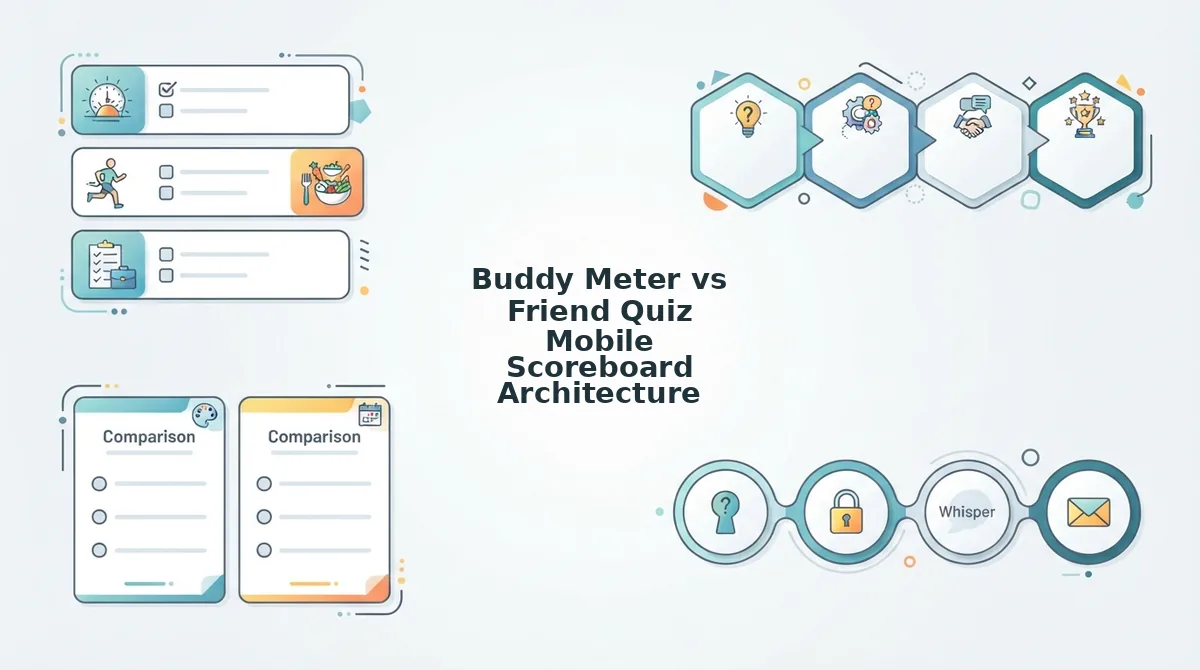
Buddy Meter relies on static full-page web reloads to update ranking tallies, whereas Friend Quiz uses lightweight real-time architecture to stream scores directly to mobile Friendboards without interface lag or app installs. This structural divergence determines whether your group chat experiences immediate competitive banter or gets stalled behind ad-refresh cycles inside mobile browsers.
Legacy quiz platforms often retain manual score reloading because each refreshed screen triggers a new cycle of programmatic display banners. Every page reload creates layout shifts on mobile devices, routinely causing buttons to drop below the fold while readers wait for external ad scripts to finish rendering.
A Friendboard is a real-time mobile leaderboard that records participant answers and ranks peer scores without requiring account creation.
Buddy Meter operates on a traditional static architecture where participants submit answers through standard form posts, forcing the quiz host to manually refresh the page to view updated scores. In contrast, Friend Quiz deploys a responsive Friendboard infrastructure that synchronizes score changes instantly as friends finish. When shared inside in-app mobile browsers like WhatsApp or iMessage, Buddy Meter often requires navigating multi-page reloads bordered by disruptive display banners. Friend Quiz streamlines mobile scoring into a single zero-account view, preventing drop-offs caused by layout shifts and ensuring instant bragging rights across fast-moving group chats.
| Comparison Dimension | Buddy Meter | Friend Quiz |
|---|---|---|
| Update Speed | Manual browser refresh required | Instant real-time sync |
| In-App Resilience | Prone to session loss on reload | Optimized for in-app browser sessions |
| Ad Obstruction | High banner clutter near inputs | Zero intrusive submission blockers |
| Duplicate Detection | Basic name logging | Clean name and submission sorting |
| Zero-Login Access | Supported for creators and guests | Supported for creators and guests |
| Group Chat UX | Multi-page form flow | Rapid speed-run interface |
Which platform fits your group?
- Best for nostalgic web users: Choose Buddy Meter if you want an established, legacy trivia format and do not mind manual page reloads to view scores.
- Best for high-speed group chats: Choose Friend Quiz if you want classmates on Snapchat, WhatsApp, or iMessage to open challenges instantly without encountering ad-cluttered interfaces.
Our recommendation centers on group chat retention. When setting up a best friend quiz, eliminate any layout shifts that interrupt the mobile answering flow so casual participants actually finish your challenge.
Setting up your challenge requires specific configurations to ensure no friend abandons the quiz midway.
How to Configure a Friendship Quiz for Zero-Drop Score Tracking
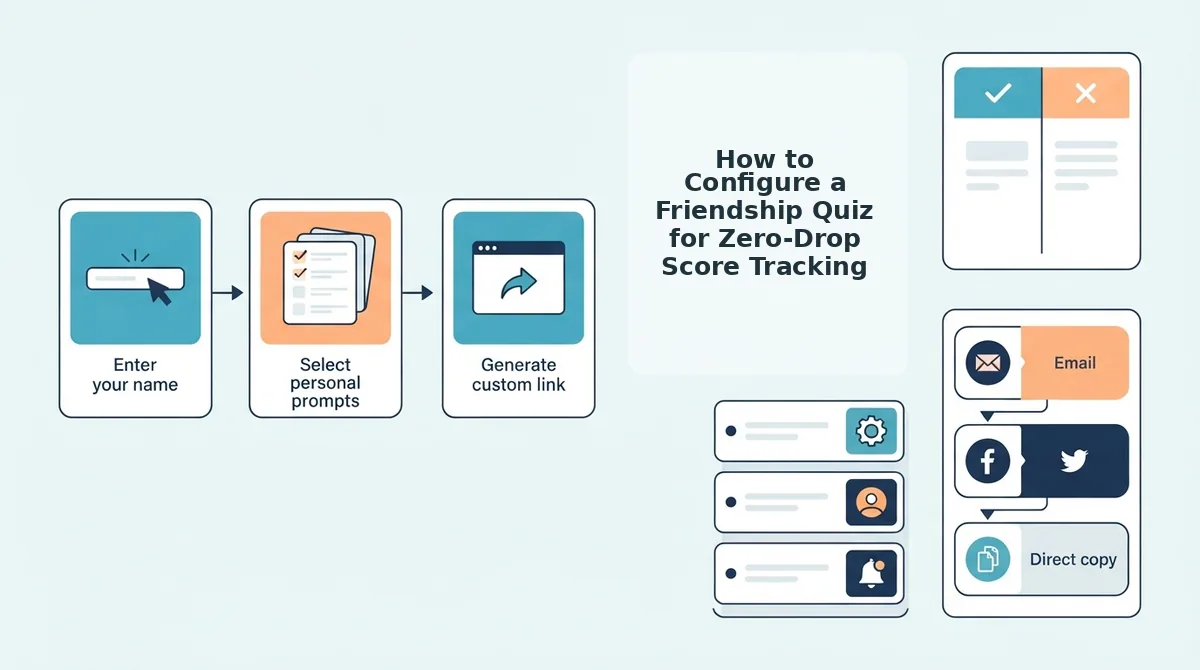
Configuring a friendship quiz for zero-drop score tracking requires generating a challenge URL that ties real-time rankings to a persistent admin dashboard before sharing it into messaging apps. This structure guarantees that your friendboard data remains accessible even if mobile browser tabs refresh or close during active group chat sessions.
A Friendboard is a real-time mobile scoreboard that ranks participant quiz answers and scores without requiring app installations or user accounts.
Prerequisites: A mobile web browser on iOS or Android. No account registration, password creation, or email verification is required. Total configuration time is under two minutes.
- Type your display name: Open the homepage input field labeled "Enter Your Name", type your name, and tap the proceed button. You should see the trivia setup interface load instantly with your first personal habit prompt. (Estimated time: 10 seconds)
- Select your trivia responses: Cycle through the sequential questions covering your personal quirks, daily habits, likes, and dislikes by tapping your preferred answers. You should see each selection highlight immediately and automatically advance to the next question until the final prompt is answered. (Estimated time: 60 to 90 seconds)
- Bookmark your admin dashboard URL: Tap the copy button on the completion screen to secure your private results dashboard link, then save it to your mobile bookmarks or notes app. You should see a confirmation alert showing the dashboard link is copied to your clipboard. (Estimated time: 10 seconds)
- Distribute the player link to messaging apps: Copy the public challenge URL and paste it into active group chats on WhatsApp, iMessage, or Snapchat. You should see a formatted link preview generate inside your chat window ready for instant peer play. (Estimated time: 15 seconds)
Consider this real-time scenario: A creator sends an active challenge link into a ten-person WhatsApp group chat. All 10 members open the mobile link simultaneously in their native browsers, answer the prompts without account screens or app downloads, and submit their final guesses. The creator opens their bookmarked admin URL from their mobile browser. All 10 scores appear logged instantly on the live Friendboard in descending order, with zero scoreboard locks, missing answers, or session timeouts despite concurrent submissions.
To settle group rivalries with zero-friction creation and instant result tracking, build your customized friendship test directly in your browser.
Even with a streamlined setup, unoptimized mobile web architectures can still produce sudden scorecard dropouts.
Three Critical Mobile Scorecard Failures and Why They Occur
Mobile scorecards on legacy quiz platforms fail primarily due to unauthenticated client storage loss, webview sandboxing across messaging apps, and dynamic layout shifts that intercept button taps. These technical friction points corrupt friendboard rankings and cause participants to drop out before completing their challenges.
Why do so many mobile trivia challenges break halfway through a group chat cycle?
- Client-side cache wipes that destroy creator admin privileges: Clearing your mobile browser cache destroys your quiz administrative access because legacy platforms store creator ownership tokens inside local browser storage rather than an authenticated account database. When you clear your mobile browser history or private data, the system instantly revokes your administrative permissions and locks you out of your score dashboard. Protect your administrative access by bookmarking the exact creator dashboard URL immediately after generation instead of relying on a continuous browser session.
- In-app browser sandbox isolation across messaging apps: In-app browser sandboxing is an operating-system security container that isolates social media webviews from standalone mobile browsers like Chrome and Safari. Because platforms such as WhatsApp, Snapchat, and Instagram isolate session data within temporary webviews, answers submitted inside in-app previews often fail to sync back to the creator's master friendboard. When sharing a friendship dare quiz in group chats, instruct friends to tap their browser options menu and select "Open in System Browser" before submitting their guesses.
- Ad-induced layout shifts that obstruct tap targets: Intrusive third-party banner ads inject sudden shifts into mobile viewports, physically displacing critical interface elements like the "View Results" and "Submit" tap targets. These abrupt layout movements cause users to inadvertently click external display banners instead of registering their answers, which drops their session data completely. Prevent dropped answers by waiting for third-party advertising scripts to fully load before tapping primary response buttons.
Confirming your live tracking status requires verifying specific network behaviors before circulating your link across active group chats.
How to Verify That Your Scoreboard Is Updating in Real Time
To verify that your mobile scoreboard updates in real time, run a simulated test submission from a separate private browsing session and check that the participant name, score calculation, and leaderboard rank register immediately on your creator dashboard without a manual page refresh. This zero-cost diagnostic confirms that live sync connections are active before you distribute your link.
Before beginning this verification, ensure you have your newly generated quiz link copied to your clipboard and your primary creator dashboard open in your standard mobile browser.
Picture this scenario: you are about to drop a friendship challenge into an active group chat of thirty people, but you need absolute proof that submissions will not get lost in server cache. Executing a 10-second self-test from an incognito tab ensures your dynamic tracking works under real conditions.
- Open a private or incognito window in your mobile browser, paste your public quiz URL into the address bar, and press enter (estimated time: 3 seconds). You should see the public-facing challenge interface load without any administrative controls or creator edit toggles.
- Type a dummy test name, such as "TestRunner," into the participant field, cycle through the questions with deliberate answers, and tap the final submit button (estimated time: 5 seconds). You should see an immediate completion screen displaying your test score alongside a confirmation that your results were transmitted.
- Select your original browser tab containing the live friendboard dashboard to inspect the three-point verification checklist (estimated time: 2 seconds). You should see three distinct data states populate automatically:
- Entry timestamp logging: The record confirms the exact second of entry submission.
- Score tally indexing: The numerical points match the predetermined answers provided during the run.
- Tie-breaker rank settlement: The test profile properly slots above or below existing matching scores based on completion speed.
Does the live board reflect your test entry instantly without forcing a hard browser refresh? If the row appears smoothly, your score tracking pipeline is verified and ready for live group traffic.
Understanding these tracking mechanics helps clarify the underlying sync behavior when multiple friends complete a quiz simultaneously.
Frequently Asked Questions About Mobile Scoreboards
Mobile scoreboards track real-time friend rankings through cached browser sessions rather than permanent user accounts.
- Session access: Tied to mobile browser cache.
- Answer privacy: Visible only to the quiz creator.
What should you do if your original quiz tab was accidentally closed?
Check your smartphone browser history immediately to reopen the creator dashboard URL, or retrieve the link from your outgoing chat messages. Because zero-account platforms rely on device cache for administrative permissions, reopening the recent session tab restores your live scoreboard.
Why are my Buddy Meter quiz scores not updating on mobile?
Aggressive browser caching, ad script interference, and unstable mobile connections prevent scoreboards from displaying new entries. Refreshing your mobile browser bypasses cached data to fetch recent submissions. If disruptive banners freeze page scripts, reopening the admin URL in a fresh tab resolves the issue.
Can participants take a quiz twice to inflate scores?
Yes, players can submit multiple attempts by launching incognito windows or entering alternate names. Because no-registration platforms eliminate login barriers to maximize mobile participation, they do not restrict repeat submissions, allowing duplicate entries to appear as separate scores on the board.
Can the quiz creator see exact individual answers on mobile phones?
Yes, creators can view an itemized breakdown of every participant’s selections directly inside the mobile dashboard. Tapping any player's name opens their individual answer log to show which specific questions they got right or wrong, while general participants only see overall leaderboard totals.
Accurate score tracking sets the stage for genuine competition across your social circles.
Settle Group Chat Bragging Rights with Live Scoreboards
Live scoreboard tracking on Friend Quiz eliminates lost submissions by syncing results instantly via unique URLs instead of fragile mobile browser cookies. When a quiz relies on legacy local storage or manual page reloads, in-app browsers like WhatsApp and Snapchat quietly purge guest progress, turning friendly debates into technical frustration.
Broken leaderboards should never derail group chat rivalries when setup requires zero downloads and finishes in under ninety seconds. Testing peer trivia across dynamic chat threads demands architecture that captures every tap the moment it happens.
Why let unrecorded scores rob your closest friends of legitimate bragging rights?
- Type your name on the homepage to launch your custom question deck without creating an account.
- Cycle through personal trivia prompts to set your correct habit answers.
- Deploy your custom link as a mobile bff test across your group threads and monitor incoming ranks on the live Friendboard.
Resilient URL persistence outperforms outdated cookie refresh architectures by guaranteeing that every friend's answer registers on the live leaderboard regardless of which in-app browser opens the link.