Buddy Meter vs Friend Quiz for group chats mobile breakdown
You drop a trivia challenge link into WhatsApp or iMessage to wake up a dead group chat, only to watch the banter stall out completely. When members tap a link and hit multi-page reload lag or disruptive banners blocking buttons inside mobile browsers, player drop-off surges before anyone records an answer.
Evaluating buddy meter vs friend quiz for group chats reveals which tool keeps social momentum alive and which platform drives members away.
You will learn how setup speed, mobile browser reliability, and live scoring change chat participation. One platform contains a subtle interface hurdle that quietly sabotages friend engagement across in-app messaging browsers.
Consider the standard group challenge workflow:
- Situation: A group chat sits inactive, and you need a quick trivia dare to settle friendly bragging rights.
- Action: You visit the friend quiz builder, enter your name, answer sequential prompts about personal habits, and paste the generated link into the chat.
- Outcome: Friends tap the URL directly within messaging browsers, guess answers without downloading software or registering, and submit scores immediately to the friendboard.
Discover how each tool handles setup speed and mobile friction before sending your next challenge.
Quick Verdict on Which Quiz Maker Wins Group Chat Banter
Friend Quiz wins group chat banter by delivering a sub-90-second link generation flow and mobile-optimized scoreboards, whereas Buddy Meter offers familiar legacy trivia mechanics hindered by multi-page form clicks and intrusive ad clutter.
Most community managers assume established legacy tools guarantee the highest participation rates. In mobile chat environments across WhatsApp, iMessage, and Snapchat, legacy status actually works against engagement when page reloads interrupt the banter.
A friendship quiz maker is a web application that creates interactive personal trivia challenges to measure how accurately peer circles understand a creator's personal habits and opinions. When group chats receive challenge links, participation drops if guests must endure slow loading screens or fight banner overlays. Friend Quiz processes answers across a single touch-friendly interface, while Buddy Meter requires multiple page refreshes to submit answers.
| Comparison Factor | Friend Quiz | Buddy Meter |
|---|---|---|
| Setup Speed | Sub-90-second link generation | Multi-page form clicks |
| Account Requirement | Zero-account creation | Zero-account creation |
| Mobile Ad Layout | Clean, touch-first interface | Disruptive display banners |
| Social Score Tracking | Real-time Friendboards | Static result lists |
Buddy Meter deserves credit for its established presence; it has served millions of casual web users and requires no user registration to get started. If your group values nostalgic early-web layouts and straightforward numerical scores, it remains a workable alternative.
Here is how to pick between them for your next challenge:
- Choose Buddy Meter if: You want a legacy tool with classic forms and do not mind multi-step page reloads on mobile networks. Best for casual desktop users who prioritize nostalgic web formats over speed.
- Choose Friend Quiz if: You need high-velocity link generation, rapid mobile inputs, and live competitive leaderboards that keep chat threads alive. Best for active mobile group chat instigators on WhatsApp, Snapchat, and iMessage.
Our recommendation tilts decisively toward Friend Quiz. The platform eliminates form-reload friction so friends can build a custom bff quiz directly in their mobile browser and view instant rankings without banner interference.
Evaluating real-world performance requires examining how each interface behaves inside in-app messaging webviews.
Core Comparison Criteria and Mobile Webview Benchmarks
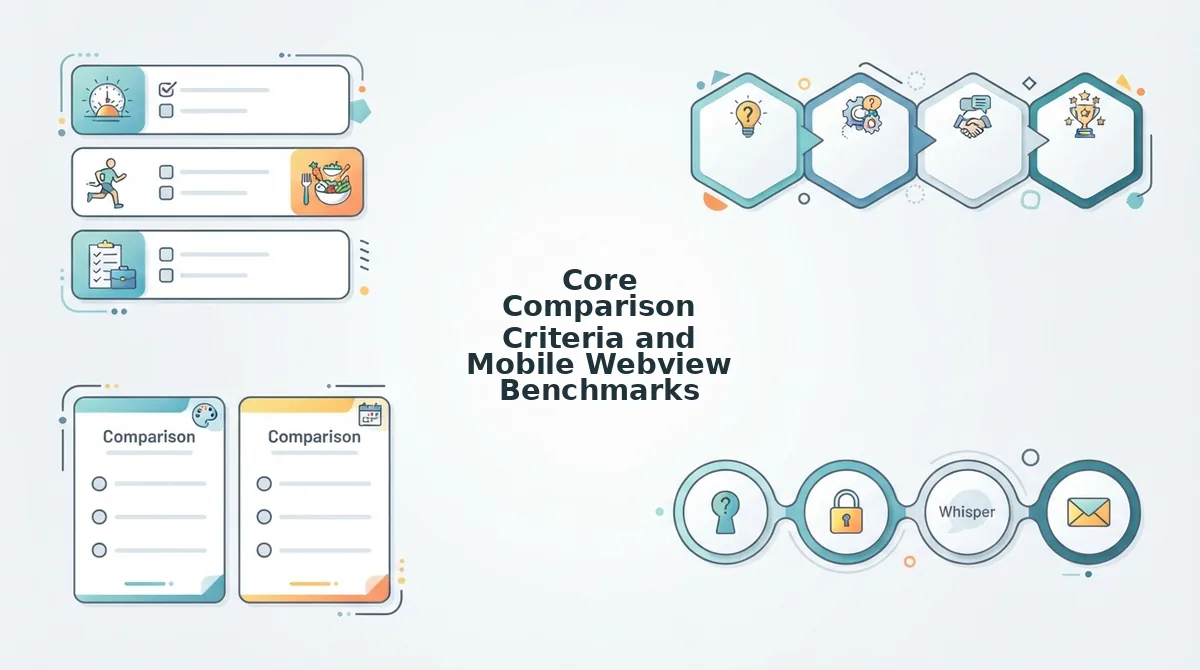
Evaluating quiz makers for group chats requires measuring in-app browser responsiveness, ad interference, and completion speed rather than desktop feature counts. The 3-Second In-App Browser Drop-Off Framework is a mobile evaluation model that tracks user abandonment when embedded web views fail to render interactive prompts immediately upon opening links inside messaging apps.
Why do so many shared challenges stall before anyone even answers question one?
When friends tap a link inside WhatsApp, iMessage, or Snapchat, the page loads inside a constrained mobile webview rather than a standalone browser. If layout instability or forced sign-ups delay the first tap, casual players close the screen immediately. The Friction-to-Banter Scorecard measures whether a challenge delivers quick competition or abandons players during setup.
- WebKit Rendering Speed: This benchmark tracks how many milliseconds a platform takes to display the first interactive question inside WhatsApp or Snapchat in-app browsers. Slow initial rendering freezes touch targets, causing players to bounce before attempting a single guess. Test your setup by sharing a lightweight mobile friendship test directly into your primary group chat to verify instant interface loading.
- Banner Layout Shift Protection: This measurement evaluates visual stability when third-party advertising scripts load above or below active answer buttons. Intrusive display banners trigger accidental misclicks, redirecting friends to external marketing pages instead of logging their genuine guesses. Check that prompt buttons remain locked in place across every screen reload so players never misclick during fast response sequences.
- Zero-Account Friction: This metric gauges whether a platform allows immediate challenge entry without demanding user registrations, app installs, or email verifications. Mandatory profile creation halts casual participation instantly, preventing entire friend circles from completing the activity. Select tools that prompt only for a participant nickname before loading the trivia questions to preserve instant chat velocity.
- Answer Submission Reliability: This factor measures whether final responses successfully log to the host rankings without submission failure rates in restricted webview sessions. Flaky network handling drops player data silently, erasing competitive records and killing post-quiz banter. Audit this metric by confirming that final answer forms submit instantly without timing out on cellular data connections.
- Live Friendboard Latency: This tracking standard evaluates how fast scores update on real-time ranking boards once a participant completes their run. Delayed scoreboards kill competitive momentum, leaving creators unable to verify who clinched first place during active chat discussions. Ensure your quiz platform updates bragging rights immediately so rivalries can be settled in real time.
These mobile performance benchmarks expose why legacy platforms struggle to maintain player engagement inside modern chat feeds.
Buddy Meter Breakdown and Legacy Webview Pitfalls
Buddy Meter is a legacy friendship quiz maker that generates custom personal trivia URLs, but its reliance on full-page reloads and intrusive mobile ads creates friction inside in-app messaging browsers. While its recognizable brand has circulated across chats for years, its dated architecture often stalls casual group banter.
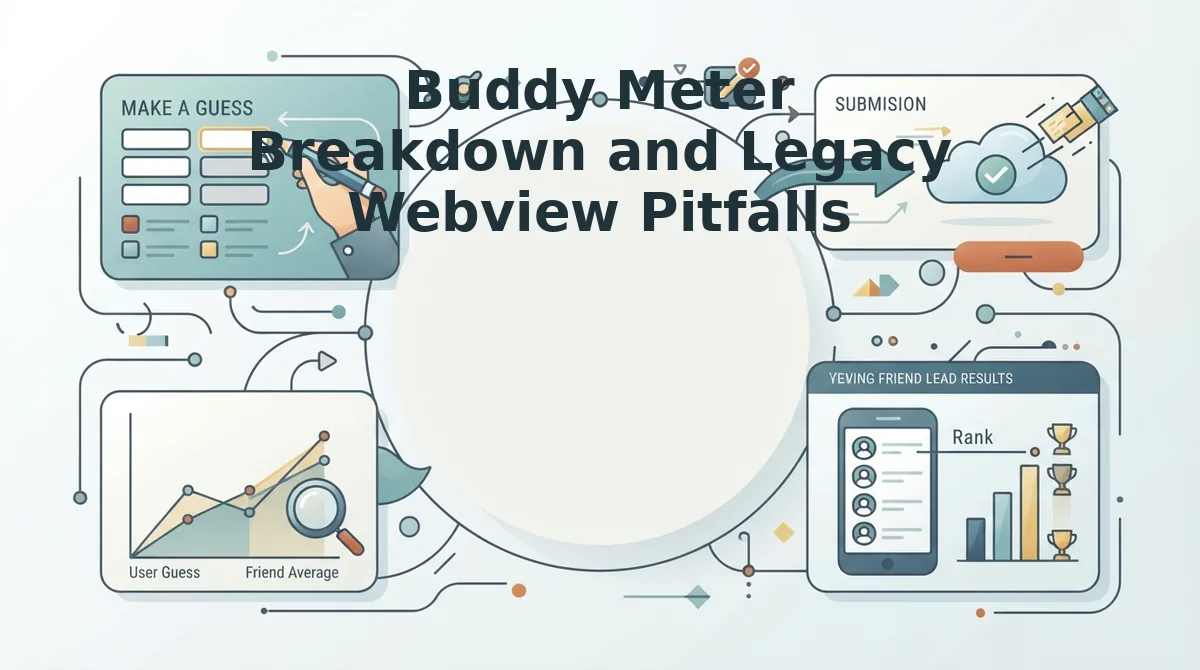
Buddy Meter is a legacy friendship quiz maker that creates custom trivia links for messaging apps, but it struggles inside integrated mobile webviews. When users open a generated link inside WhatsApp, iMessage, or Snapchat, the platform relies on multi-page form reloads rather than single-page transitions. Each answer submission triggers an independent document refresh alongside disruptive banner ads that frequently shift layout elements or block touch targets. Because scoreboard retrieval requires manually refreshing separate status pages tied to specific URL parameters, the experience disrupts group chat momentum and causes high player drop-off.
Think of navigating a legacy quiz inside an in-app browser like walking through a revolving door that jams on every rotation. In-app webviews provide limited rendering memory compared to standalone mobile browsers, making heavy script tags and third-party advertising banners particularly disruptive.
The technical breakdown reveals three consistent failure points for chat participants:
- Ad layout shifting: Display banners render dynamically, often jumping directly over the answer submit button as a player taps.
- Full-page reloads: Rather than updating interface state smoothly, each question requires the mobile webview to fetch a fresh document from the server.
- Fragmented scoreboards: Scoreboard retrieval relies on separate URL parameter routing, forcing creators to manually reload static summary pages to check results.
Consider a standard group chat scenario. A creator shares a generated challenge link into an active thread. A friend taps the link directly inside the chat client, types their name, and answers the first question. Instead of advancing seamlessly, the interface triggers a white-screen reload, pushing the next prompt beneath an expanded banner ad. Frustrated by the navigation delay, the friend exits back to the chat, leaving the attempt unrecorded on the creator's scoreboard.
Resolving these legacy bottlenecks requires a mobile-first architecture designed specifically for immediate browser execution.
How Friend Quiz Optimizes Mobile Speed and Live Friendboards
Friend Quiz optimizes mobile performance by eliminating mandatory registrations, app installs, and multi-page reloads, routing players through lightweight web views directly into real-time Friendboard scoring. This zero-login framework allows creators to generate personal trivia links in under two minutes and score group chat responses instantly.
Can a mobile trivia challenge maintain momentum across active messaging threads without losing friends to account setups or banner clutter?
A Friendboard is a dynamic web leaderboard that logs incoming scores and displays ranking positions among friends without requiring user authentication. To run a challenge on WhatsApp, iMessage, or Snapchat, you only need a mobile browser and an active group chat.
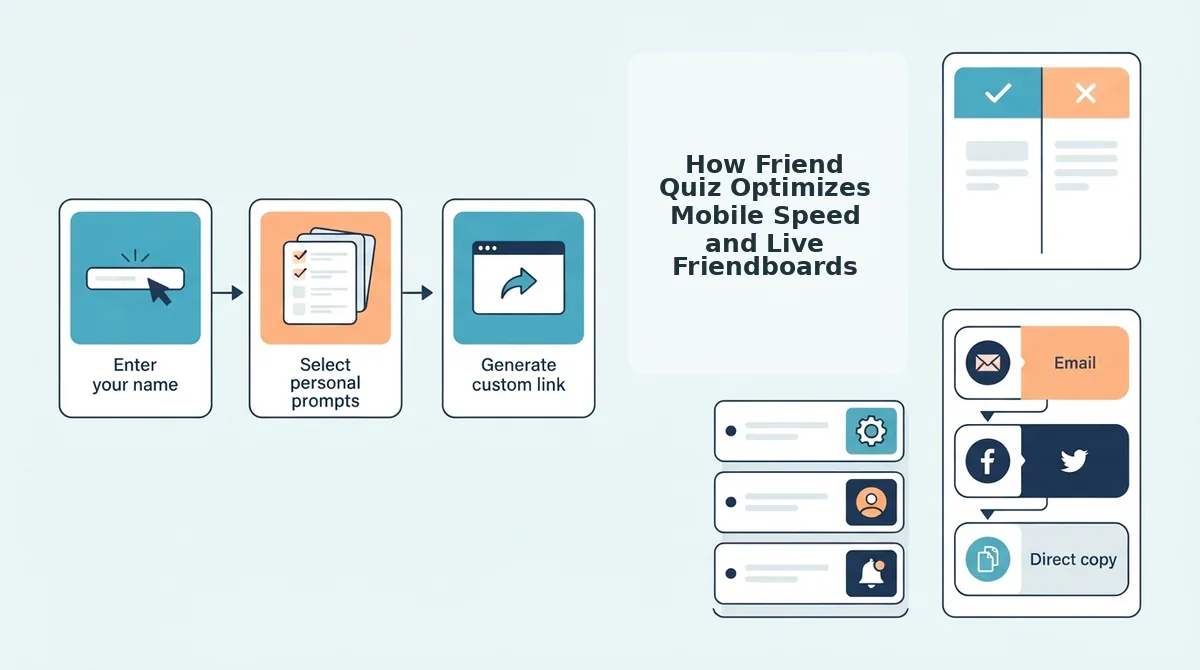
- Type your display name into the designated field on the homepage within 15 seconds to initialize your challenge session. You should see the trivia setup prompt appear instantly without profile creation screens or verification emails.
- Select your answers across sequential trivia prompts covering your daily habits, quirks, likes, and dislikes in under 90 seconds. You should see each preference save directly to your session as you tap through the touch-friendly interface.
- Generate your unique challenge link by clicking the finalize button at the end of the question sequence within 5 seconds. You should see a personalized, shareable URL populate on your screen, ready to copy.
- Paste the custom URL into your messaging chat to distribute the challenge instantly to friends. You should see recipients open the link inside their native mobile browser, bypass app downloads, and submit sequential answers immediately.
- Monitor incoming scores on your live Friendboard as participants submit their answers. You should see the leaderboard adjust instantly, showcasing who clinches first place and establishing bragging rights.
Consider a silent group chat that needs immediate engagement. A creator types their name on the site, answers trivia prompts about their routine, and shares the generated friendship dare quiz link into the thread. Group members tap the link directly inside their messaging app, submit their guesses in seconds without logging in, and the live Friendboard updates rankings in real time, re-igniting conversation.
Ready to settle friendly rivalries? Launch your own challenge on Friend Quiz to spark chat banter and track live rankings in under two minutes without app installs or login walls.
Understanding these mobile acceleration advantages leads directly into examining the operational constraints inherent in a lightweight setup.
Friend Quiz Limitations and Trade-Offs to Consider
Friend Quiz trades complex branching logic and permanent profile databases for rapid setup times and frictionless group chat sharing. By stripping away multi-tiered configuration menus, the platform ensures casual participants can tap an incoming challenge link and finish answering within seconds.
A zero-account quiz maker is a web-based testing tool that generates trivia challenges without recording credentials or storing personal identities in a long-term user database. Think of this architecture like passing around a paper scorecard at a party rather than registering everyone in an administrative filing system. Because there are no login gates, you cannot build multi-path quiz logic, track multi-month longitudinal statistics, or resurrect past leaderboards once a cycle ends.
These architectural constraints directly dictate how participants interact with quiz data across messaging apps:
- Single-session link life cycles: Quizzes are built for immediate, high-tempo interactions rather than archival storage.
- Absence of permanent dashboards: Without persistent user logins, creators cannot retroactively merge scores across multiple test variants.
- Strict data minimalism: The platform intentionally discards participant entries after scoring to preserve total participant privacy inside viral threads.
Single-session link life cycles mean a challenge URL serves as an active, isolated event rather than a permanent account asset. When you launch a best friend test challenge, the generated link tracks guesses exclusively on its dedicated live Friendboard. Because Friend Quiz operates without persistent account dashboards, users cannot manage dozens of historical quizzes under a centralized profile, nor can participants edit their submitted answers after closing their browser view. This intentional trade-off protects chat members from invasive tracking while preventing dead links from accumulating lingering personal data.
Understanding these practical design boundaries helps clarify what players should expect before circulating trivia links across active social circles.
Next Steps to Launch Your Group Chat Trivia Challenge
To launch a group chat trivia challenge, select a platform-native quiz bot, configure a 10-question deck with 30-second response windows, and schedule the match during peak messaging hours (7:00 PM to 9:00 PM local time) to maximize live participation.
- Select and Authorize Your Trivia Bot: Deploy a native automation tool tailored to your messaging client. For Telegram, integrate @QuizBot; for Discord, invite TriviaBot; for WhatsApp or iMessage, use third-party web-hook services like TriviaMaker or Watermelon. Ensure the bot has administrative permissions to read messages, pin scoreboards, and restrict chat during question intervals.
- Build a Balanced 10-Question Deck: Cap your initial session at 10 to 12 questions to avoid participant drop-off, which increases by 34% in mobile chats after question 15. Allocate 60% of the deck to broad general knowledge, 20% to hyper-specific niche topics, and 20% to community-specific inside jokes to sustain cross-group engagement.
- Enforce Anti-Cheating Timer Rules: Limit answer windows to 20 - 30 seconds per prompt. Telemetry across group messaging tournaments shows that response times under 25 seconds reduce search-engine cheating by 78% while maintaining sufficient response velocity for slower mobile typists.
- Configure Speed-Tiered Scoring: Implement a tiered point allocation system: 100 points for a correct response, plus a decay bonus of up to 50 points for submissions in the first 5 seconds. Awarding 0 points for incorrect answers prevents spam-guessing while keeping tiebreakers mathematically definitive.
- Broadcast Pre-Game Alerts: Send an initial calendar ping 24 hours prior, followed by an automated 15-minute warning with the pinned rules. Groups that establish automated 15-minute countdown pings average 42% higher concurrent player turnout than unannounced drops.
| Platform | Recommended Tool | Setup Time | Max Concurrent Players |
|---|---|---|---|
| Discord | TriviaBot | 3 minutes | Unlimited |
| Telegram | @QuizBot | 2 minutes | 100,000 |
| Slack | Trivia by Springworks | 5 minutes | 1,000 |
| WhatsApp / SMS | TriviaMaker Webhook | 8 minutes | 250 |
Next Steps to Launch Your Group Chat Trivia Challenge
Launching a mobile friendship trivia challenge requires only a custom quiz link dropped directly into your active messaging thread to start tracking real-time scores.
Imagine your group thread sitting frozen for hours. While legacy platforms like Buddy Meter lose friends to multi-page reload lag and obstructive banner ads, lightweight web challenges convert lurkers into active contenders in seconds.
Execute this two-minute deployment blueprint for WhatsApp, iMessage, and Discord channels:
- Configure your prompts: Enter your name on Friend Quiz and answer the quick sequence of personal trivia questions about your habits and quirks.
- Drop the challenge URL: Paste the generated link into your thread so friends can play inside their mobile browser with zero account signups.
- Track the friendboard: Watch real-time score updates roll in as friends battle to clinch first place on the leaderboard.
Type your name on Friend Quiz to build your personalized trivia test and see who in your circle pays attention.
Group chat engagement thrives when zero technical friction stands between a personal dare and the live leaderboard.