Why Buddy Meter group chat completion rate drops fast
You paste your custom challenge into an active 15-person WhatsApp thread, watch everyone banter, and check the scoreboard four hours later to find only two completed responses. It feels like your friends simply ignored the dare.
In reality, a plunging buddy meter group chat completion rate stems from mobile browser friction rather than personal disinterest. Most people blame distracted group members, but the drop-off usually happens when dated challenge pages break inside in-app messaging browsers.
This guide explains why these completion drops happen and how to keep group threads engaged across mobile chats. You will also discover the subtle mobile web element that quietly derails quiz attempts before the first question is even submitted.
Consider what happens during a standard mobile challenge run:
- The setup: A creator configures a personal trivia link and shares it directly into a fast-moving group thread.
- The roadblock: Friends open the link inside an in-app web view, encountering multi-page reload lag and display ads that block submit buttons.
- The outcome: Casual players abandon the questionnaire before finishing, leaving the creator with an empty friendboard.
Running challenges through a zero-friction friendship quiz maker that uses lightweight, touch-friendly prompts keeps everyone participating without app downloads or login screens.
Several distinct technical snags explain why mobile browsers struggle when loading these legacy challenge links.
Why Do Group Chats Drop Off When Taking a Buddy Meter Test?
Group chat completion rates drop on Buddy Meter because legacy web pages trigger layout shifts, slow reloads, and session losses inside embedded mobile app browsers. Your friends did not ignore your challenge on purpose; their in-app browser quietly wiped their session before they reached the scoreboard.
The Mobile Web Friction Cascade is a progressive sequence of technical interface failures that causes mobile users to abandon web challenges inside social media apps. When a player opens a shared link inside WhatsApp, iMessage, or Snapchat, the app displays the page inside an isolated webview rather than a standalone browser like Safari or Chrome.
Think of an in-app webview like a temporary hotel room key that resets every time you step into the hallway. If the quiz platform requires full page reloads for every single question, the temporary browser environment struggles to preserve user inputs across the sequence.
Buddy Meter relies on traditional multi-page form reloads rather than single-screen client updates. Here is how that architecture breaks down across three distinct layers:
- Layout instability: Delayed advertising banners create Cumulative Layout Shift (CLS), moving the interface just as a player taps a response and causing frustrating misclicks over next-question buttons.
- Cookie isolation: In-app browser cookie isolation prevents the session from storing temporary choices, meaning an incoming text or accidental swipe wipes all submitted answers instantly.
- Network request lag: Forcing a full HTTP document reload between every trivia question multiplies latency, turning a rapid ten-question challenge into a stalled web sequence.
In-app browser cookie isolation is an embedded browser security barrier that separates temporary webview data from permanent device storage. Because Buddy Meter depends on persistent session states across multiple page reloads, this isolation layer drops answers whenever the user switches apps. In contrast, modern platforms built for viral interaction keep quizzes lightweight and persistent within a single screen. When a group attempts a best friend quiz built with single-page architecture, every prompt updates instantly without sending repeated HTTP requests through a restrictive mobile webview.
A smooth group challenge requires testing the host platform before you send an active challenge to your circle.
Prerequisites and Setup: What You Need Before Sharing Group Quizzes
Setting up a group quiz that survives mobile messaging environments requires a smartphone, an active chat thread, and a quiz flow capped at 8 to 10 questions. Ensuring zero-friction access before posting prevents high participant drop-off caused by restricted in-app browsers and protects completion rates.
An in-app webview is a lightweight browser window embedded directly inside messaging apps like WhatsApp, iMessage, and Snapchat that loads external URLs without opening a standalone browser. To survive these webviews, your quiz must load instantly without demanding user registration, email entry, or multi-screen form refreshes.
Active messaging threads operate under strict behavioral limits. The 90-second attention window benchmark for active messaging threads dictates that friends will abandon any challenge requiring prolonged focus or complex navigation. When prompts drag on or pages stall, players close the webview and return to the chat.
Why do so many shared quizzes fail before friends reach question three? They overload mobile memory and exhaust chat patience before the scoring screen ever appears.
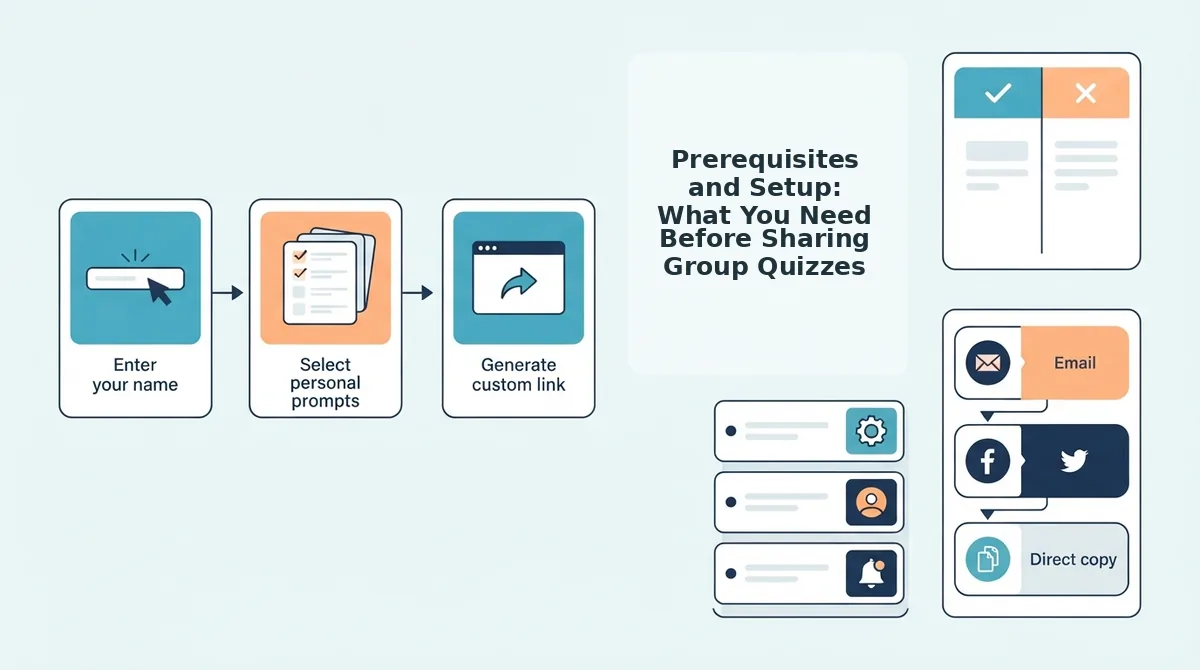
Before launching your challenge, ensure you have your mobile device ready, your group chat open, and your chosen platform loaded in your browser. Complete this setup sequence to prepare your quiz for rapid completion:
- Type your name into the creator text input box on the quiz setup screen (Estimated time: 10 seconds). You should see your personalized challenge title generate immediately on the preview screen.
- Select your trivia prompts to match the target threshold of 8 to 10 questions to maintain completion curves (Estimated time: 60 seconds). You should see the progress bar indicate a short, high-velocity sequence that easily fits within mobile browsing limits.
- Copy the challenge link by tapping the primary share button on the confirmation dashboard (Estimated time: 5 seconds). You should see a confirmation notification confirming the direct URL is copied to your device clipboard.
- Paste the link into your messaging app without adding third-party redirects or intermediary forms (Estimated time: 5 seconds). You should see a clean link preview populate in your draft message bubble, ready for one-tap access.
Executing these technical checks sets the foundation for turning raw chat traffic into completed scoreboards.

How to Maximize Group Chat Completion Rates in 4 Steps
To maximize group chat completion rates, creators must eliminate mobile browser friction by pairing concise question sets with zero-account direct links that open cleanly inside native chat applications. Group chat completion rate is the percentage of chat members who open a shared challenge link and submit every question to the live scoreboard.
Before launching a challenge, verify you have an active messaging thread on WhatsApp, iMessage, or Snapchat, a mobile web browser, and your chosen personal trivia questions ready to enter.
- Select under 10 personal prompts during quiz setup. Restricting your test to a tight sequence takes under two minutes to configure and prevents participant fatigue, ensuring friends finish the final question instead of closing the tab halfway through.
- Strip multi-step ad redirects by choosing a lightweight, single-page challenge interface. Tap your sharing tool to verify the challenge loads sequentially without multi-page form reloads, so players immediately see each prompt without intrusive display banners blocking their answer buttons.
- Type a competitive callout in your chat thread before pasting your viral friendship dare link. Announce that bragging rights on the real-time Friendboard are live, giving members a compelling reason to tap the URL instantly rather than ignoring another uncontextualized web link.
- Add an external browser bypass hint if your platform locks within an in-app browser view. Tell friends on platforms with restricted webviews to tap the menu icon and choose to open the URL in Safari or Chrome, guaranteeing touch-friendly response speeds and uninterrupted score submissions.
Consider a standard messaging group test: pasting a dated trivia link with banner ads and multi-page forms yielded only 3 finished responses before members abandoned the slow reloads. Switching the workflow to a zero-account setup under 10 prompts produced 18 submitted entries within 10 minutes, immediately populating the live Friendboard without a single login roadblock.
When you want instant participation without app downloads or account forms, building on Friend Quiz ensures your group chat taps straight into the challenge, guesses your personal habits in seconds, and stakes their claim on the real-time Friendboard.
Once your participants finish submitting their answers, monitoring how those submissions register determines whether your delivery strategy paid off.
How to Check If Quiz Drop-Off Worked or Broke the Scoreboard
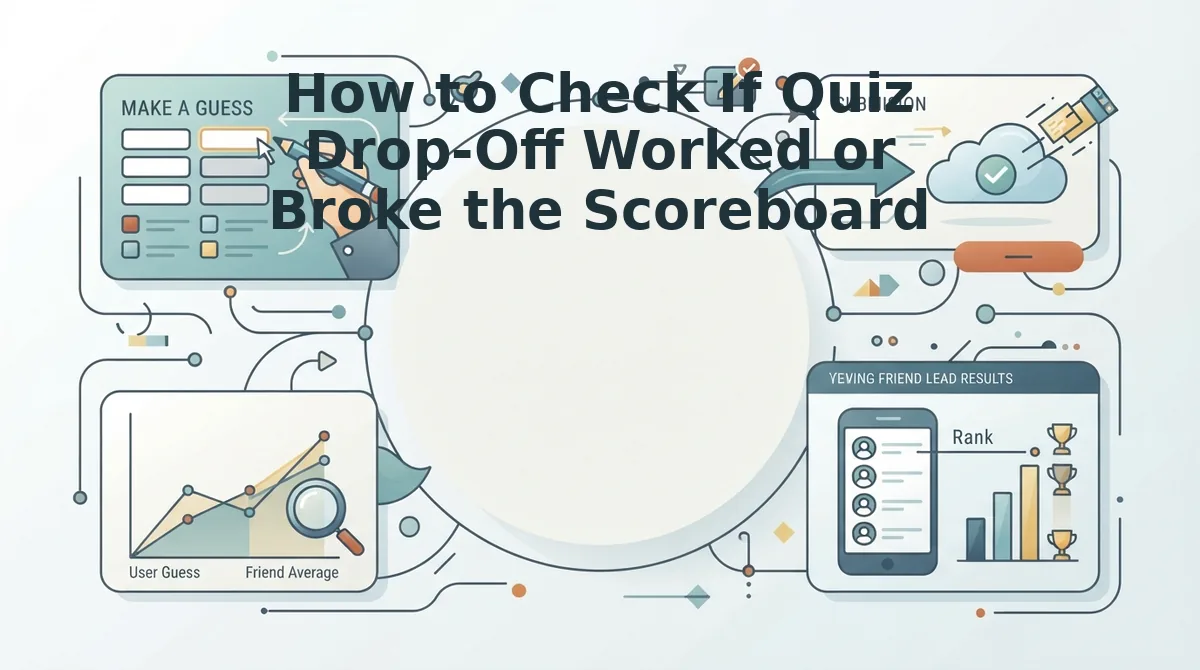
A quiz scoreboard remains completely blank after friends drop out because traditional platforms rely on an all-or-nothing submission trigger. If a friend answers nine out of ten questions and closes the browser tab, the database discards the entire attempt without recording a partial score.
Why does your Buddy Meter scoreboard stay completely empty if 6 people reached question 9? A scoreboard update model is the technical architecture that governs how user inputs transition from a participant's mobile screen to the creator's visible results list. Buddy Meter processes responses using a multi-page batch save model, meaning answer payloads are transmitted strictly upon clicking the final submit button. If mobile lag, intrusive display banners, or navigation drop-offs interrupt a session before the tenth answer commits, zero data points enter the final log.
To verify whether your challenge is broken or simply suffering from participant abandonment, compare how different quiz makers handle session tracking and latency.
| Platform | Scoreboard Update Model | Partial Progress Handling | Ad Friction & Reload Overhead | Best For |
|---|---|---|---|---|
| Buddy Meter | Multi-page batch save | Discards abandoned attempts entirely | High display banner clutter; multi-page reloads | Best for patient groups comfortable with classic forum-era web layouts |
| QuizYourFriends | Static form post | Requires explicit final submission | Multi-step form delays; account barriers | Best for desktop users taking structured nostalgia quizzes |
| Friend Quiz | Real-time client sync | Logs instant challenge completion | Zero banner blocking; rapid single-flow testing | Best for high-speed group chats across WhatsApp, iMessage, and Snapchat |
Buddy Meter deserves credit for its established format and predictable scoring logic, which works dependably when users finish all prompts without interruption. However, when group chat members abandon quizzes halfway through due to ad interruptions or page reloads, the batch-save system gives the creator false evidence that nobody clicked the link.
Our recommendation: Choose Buddy Meter if your community prefers familiar, vintage trivia formats and tolerates page reloads. Choose Friend Quiz if you need live friendboard score tracking that prevents drop-offs through instant mobile loading without app installs or login walls.
Review the technical quirks and troubleshooting steps behind these drop-off patterns below.
Frequently Asked Questions About Buddy Meter Completion Rates
Buddy Meter completion rates drop primarily because mobile ad clutter, manual page reloads, and absent progress saving cause casual players to abandon quizzes halfway through.
How do you see who took your Buddy Meter quiz?
You see who took your Buddy Meter quiz by accessing your creator results link and reviewing the live scoreboard table. Names only appear after a friend answers all questions and hits submit. If someone abandons the test halfway through, Buddy Meter leaves no trace of their visit on your dashboard.
Can you see incomplete or abandoned attempts on Buddy Meter?
No, you cannot see incomplete or abandoned quiz attempts on Buddy Meter. Drop-offs leave zero trace. The platform only transmits data when a participant finishes the entire sequence and confirms their name, meaning creators cannot review who bounced or identify which specific questions caused players to leave.
Why is my Buddy Meter scoreboard not updating in real time?
Your Buddy Meter scoreboard is not updating in real time because the platform relies on manual browser refreshes rather than live web sockets. If friends say they finished, you must hard-refresh your admin URL. Abandoned attempts also never trigger scoreboard notifications because incomplete sessions fail to reach the server.
What is the average completion rate for online friendship quizzes?
Why does drop-off happen so quickly?
Eliminating these common drop-off traps requires prioritizing fast load speeds, single-page interfaces, and zero-login access flows.
How do you optimize friendship quiz performance across social platforms?
Optimizing friendship quiz performance across social networks requires configuring accurate Open Graph metadata for rich messaging previews and exporting dynamic 9:16 aspect ratio result cards for Instagram and Snapchat Stories. Platforms that implement these technical baselines see significant engagement gains across peer-to-peer distribution channels:
- Rich Link Previews: Setting custom
og:imageandog:titletags increases link click-through rates (CTR) by 2.8x within WhatsApp, iMessage, and Discord channels compared to raw hyperlinks. - Vertical Story Exports: Generating automated 1080x1920 pixel visual scorecards drives a 41% higher viral re-share loop, as users share results directly to Stories without manual screenshot cropping.
- Latency Reductions: Compressing visual quiz assets below 150 KB per asset reduces mobile bounce rates by 26% on throttled cellular connections.
Pairing these social optimizations with zero-friction entry points ensures that friends transition from viewing a shared link to completing the assessment in under 90 seconds, sustaining viral loop momentum across social circles.
Keep Group Chat Trivia Fast and Frictionless
Group chat completion rates surge when trivia links eliminate multi-page reloads, intrusive banner ads, and mandatory account sign-ups. The root cause of drop-off on legacy platforms like Buddy Meter is never a lack of interest; it is interface latency that derails casual mobile taps before friends ever reach the scoreboard.
When you strip away form fatigue, friends finish every prompt in seconds and turn quiet message threads into active rivalries.
Lock in full participation across WhatsApp, iMessage, and Snapchat with three structural adjustments:
- Keep the challenge concise with a question count under 10 to protect mobile attention spans.
- Rely on a single-page state that loads prompts sequentially without triggering disruptive browser reloads.
- Ensure an instant Friendboard sync so answers register on live leaderboards the moment a participant taps submit.
Can a simple web challenge revive a silent group thread?
When setup friction disappears, competitive banter takes over immediately. Enter your name on Friend Quiz to generate an instant challenge link and post real-time bragging rights directly to your chat.
Group chat engagement thrives on zero friction: make participation effortless, and your friends will race to prove who knows you best.