How to Host a Group Chat Quiz Without Downloads
You drop a game link into your WhatsApp or iMessage thread expecting instant banter, but meet dead silence because three friends refuse to clear storage space for an app store download. Chat participation drops by over two-thirds when players face third-party app installations or mandatory registration screens.
Hosting a competitive friend quiz requires bypassing software downloads entirely so your circle can jump directly into the challenge. You will learn how to configure a browser-based trivia challenge that launches immediately on mobile devices and settles rivalries without technical friction.
Before sharing your link, keep these core boundaries and mechanics in mind:
- This method relies entirely on lightweight mobile web browsers across chat platforms like WhatsApp, iMessage, and Snapchat.
- Setup focuses strictly on personal trivia prompts, including a counterintuitive answer privacy feature revealed below that impacts Friendboard integrity.
When a chat goes quiet, the organizer enters their name on the site, logs their personal habits through prompt selections in under two minutes, and pastes the resulting web challenge link into the thread. Group members tap the link directly inside their messaging app, submit sequential guesses without creating user accounts, and finish the test in seconds. Their final tallies post immediately to a shared leaderboard to establish instant bragging rights.
To wake up your thread right now, build a group chat quiz without downloads and see who in your circle truly pays attention.
Why Zero-Download Quizzes Beat Mobile Apps in Group Chats
Zero-download quizzes beat mobile apps in group chats because they load immediately within native in-app messaging browsers, eliminating the installation friction and login prompts that kill conversational momentum.
A zero-download quiz is an interactive browser game played via an instant link without software installation or account registration. When a participant taps the link inside WhatsApp, iMessage, or Snapchat, the test opens directly inside the built-in mobile web view. Players enter their nickname, cycle through the creator's personal trivia prompts, and submit their guesses in seconds. Because no app marketplace redirect or password screen blocks entry, participation remains exceptionally high, allowing group chats to instantly crown winners on live scoreboards.
Classroom platforms like Kahoot fall flat in spontaneous group messaging threads. Forcing friends to switch screens, download an external application, and type game PINs halts rapid-fire banter cold.
Think of an app download like setting up a locked turnstile and an identity checkpoint outside an impromptu living-room party. It creates an unnecessary barrier for people who only stopped by for quick fun.
Mobile operating systems treat app installs as heavy interruptions. When a link forces an external marketplace switch, the messaging context breaks, and casual participants return to scrolling their feeds. In-app web containers prevent this disruption by keeping the challenge self-contained inside the active chat window.
Drop-off rates across social messaging follow the Group Chat Friction Index, which charts how sharply conversion drops at each hurdle:
- App Store redirect: ~70% bounce rate as players abandon downloads rather than leave their messaging thread.
- Account creation: ~50% bounce rate caused by email verification gates and mandatory passwords.
- Multi-page form reload: ~30% bounce rate triggered by sluggish legacy web forms and layout shifts.
- Instant web URL: <10% bounce rate when touch-friendly challenges open on the first tap.
Legacy web tools like Buddy Meter also struggle in active threads because multi-page reload lag and disruptive banner ads frustrate mobile users. Clean, single-session flows keep the entire experience fast and touch-friendly.
Deploying instant quiz links without an account protects chat momentum. Anyone in the thread can tap the challenge, guess their friend's daily habits, and compete for friendboard bragging rights in under two minutes.
How to Set Up a Group Chat Trivia Challenge via Browser Link
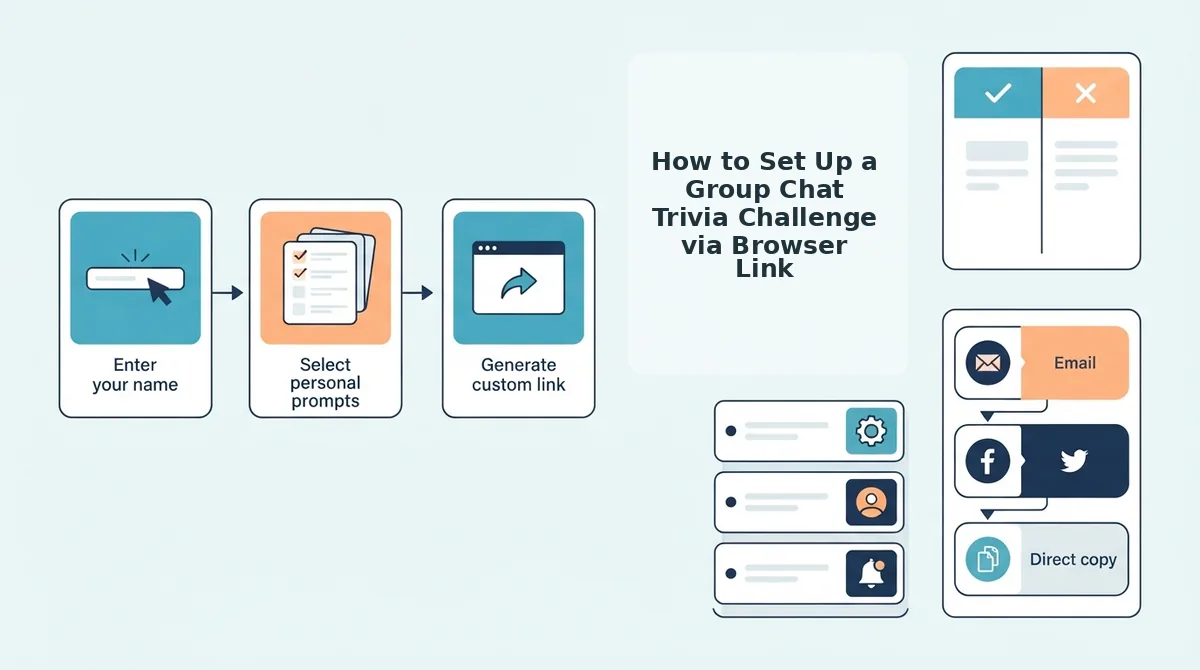
To set up a group chat trivia challenge via a browser link, visit a no-install web quiz creator on your mobile browser, input your display name, select your personal trivia answers, and paste the generated URL into your group thread. This setup bypasses app stores and user signups so participants can guess your answers instantly.
A browser-based friend quiz is a lightweight web application that generates personalized trivia challenges through a custom URL without requiring app installations or user accounts. Average creator setup time drops to 60-90 seconds when eliminating login screens.
Prerequisites: A smartphone with an active mobile browser and an open group chat in WhatsApp, iMessage, or Snapchat.
- Type your name into the text box on the homepage (takes 5 seconds). You should see the prompt sequence load instantly without a registration prompt.
- Select your preferred answers across the personal trivia prompts regarding your daily habits and quirks (takes 40 to 60 seconds). You should see each chosen option lock in before automatically advancing to the next question.
- Click the link generation control once you reach the final question (takes 3 seconds). You should see a unique shareable URL and direct copy controls appear on your screen.
- Paste the copied challenge link directly into your group chat (takes 5 seconds). You should see a clickable preview in the conversation thread ready for your friends to tap.
Consider a live chat scenario: A group conversation goes quiet during lunch, and you need an interactive prompt before the chat cools down. By triggering the fast quiz setup workflow on mobile data, you record your preferences and paste the link into the chat within 90 seconds. Friends immediately open the URL in their default mobile browsers, guess your quirks without logging in, and trigger instant score submissions on the friendboard.
If you want to review question categories before sharing your next dare link, discover how to build a friend quiz on mobile in 60 seconds to see who secures first place on your leaderboard.
Live Score Tracking and Real-Time Bragging Rights
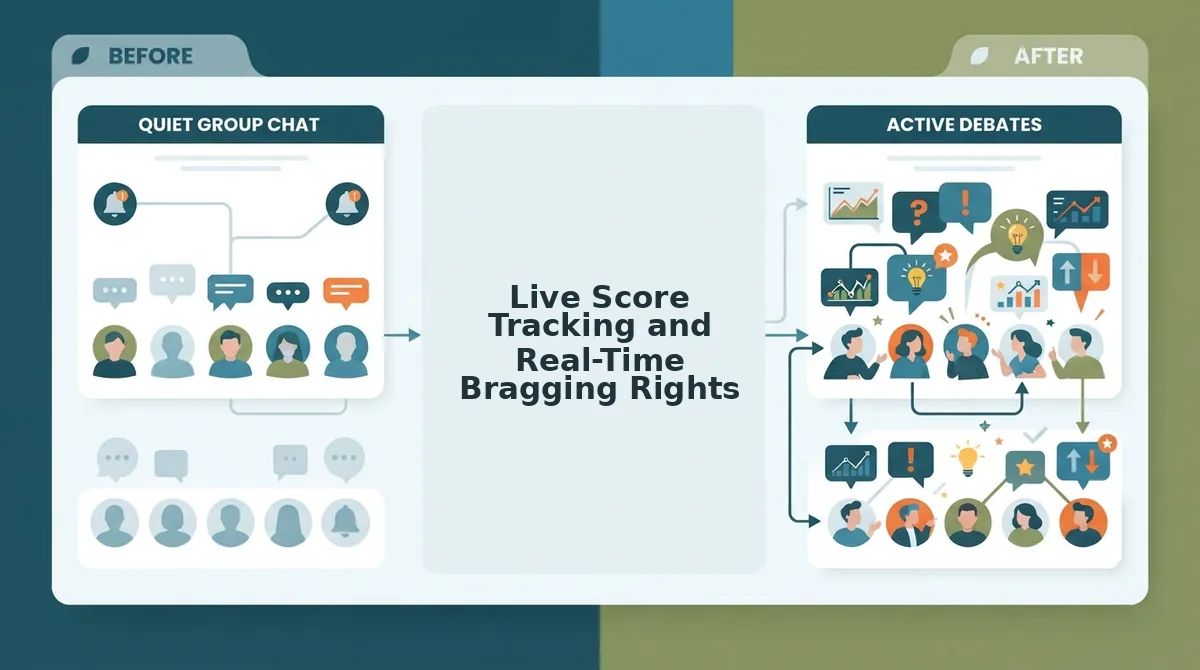
Live score tracking in browser-based group quizzes works by recording peer answers sequentially on a private scoreboard to establish immediate bragging rights without app installs. A Friendboard is a real-time, closed-circle score display that updates instantly as friends submit their answers through a shared link.
Why do group chat members care intensely about beating their best friend by one point on a private board but ignore global trivia ranks entirely? Micro-rivalries thrive on personal familiarity rather than anonymous percentiles. Private friendboards generate 3x higher day-one retention and replay banter compared to public global leaderboards because every score directly affects existing group dynamics.
When friends compete, localized stakes matter far more than worldwide standing. Studying distinct friendboard engagement mechanics shows that small social circles demand tight feedback loops. If two friends earn the same score, applying structured tie-breaker rules for peer groups based on submission speed or specific personal questions settles arguments instantly.
| Platform Type | Access Requirements | Ad Friction & Speed | Best For |
|---|---|---|---|
| Friend Quiz Friendboard | Zero downloads or accounts | Fast mobile loading without screen-blocking ads | Best for active WhatsApp, iMessage, and Snapchat group chats |
| Buddy Meter Web Scores | No app download required | Standard web delivery with display ad banners and reload lag | Best for casual users wanting a legacy link-based format |
| Global Trivia Apps | Mandatory app installs and user registration | Native performance accompanied by global leaderboard clutter | Best for solo players competing against international strangers |
Choose global trivia applications if your goal is public matchmaking across thousands of unknown players. Choose legacy tools like Buddy Meter if you prefer basic trivia forms and do not mind standard page reload times.
Our recommendation for group chats is Friend Quiz. Closed-circle scoring removes the distraction of public rankings, allowing peers to inspect live Friendboard rankings the second a challenge concludes.
Ready to see who in your circle truly knows your habits best? Start your challenge on Friend Quiz to generate an instant link, spark chat rivalries, and claim undisputed bragging rights today.
The Best Browser-Based Quiz Formats for Social Circles
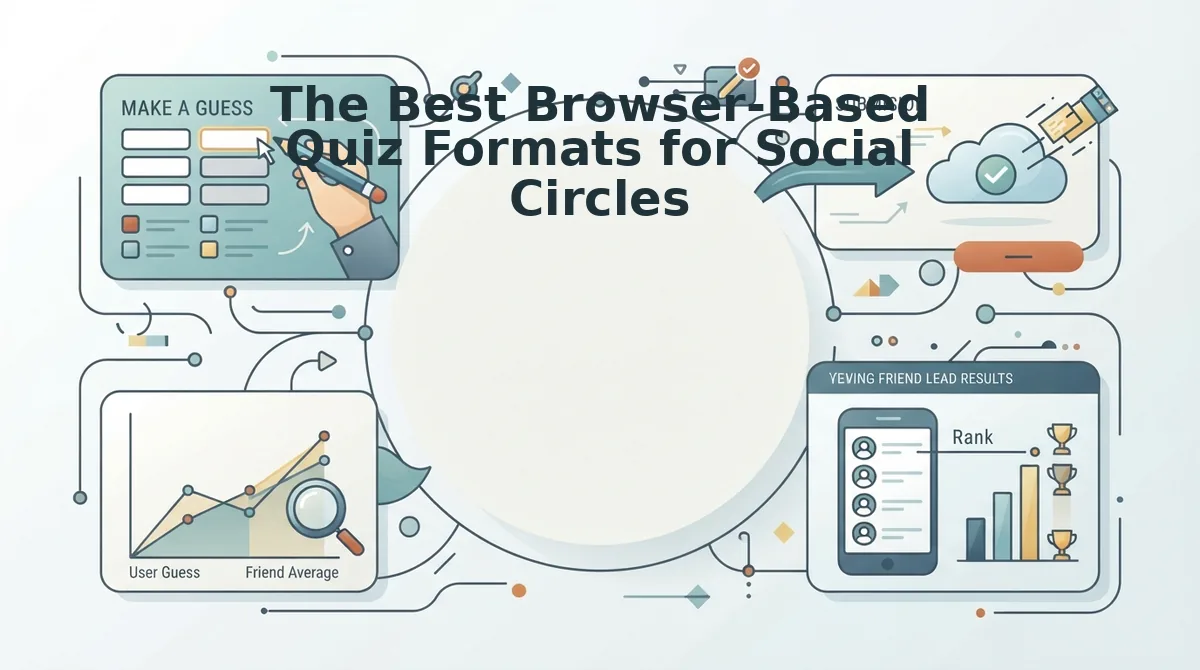
The best browser-based quiz formats for social circles prioritize personal habits and relational stakes over academic trivia to maximize group chat interaction. Choosing lightweight web challenges that require no software installations keeps participation high and completely eliminates drop-offs caused by sign-up screens.
Why do standard trivia games fall flat in messaging apps? General knowledge trivia often alienates casual chat members, whereas personal habit prompts trigger immediate banter and debate.
- The Daily Habits and Quirks Challenge: This format tests how closely your circle observes your daily routines, guilty pleasures, coffee orders, and pet peeves. It matters because micro-habits spark instant arguments in the thread over who actually pays attention in real life. Launch this format by building a customized Best Friend Quiz, entering your name, picking your routine answers, and dropping the generated link into WhatsApp or iMessage.
- The Friendship Dare Gauntlet: This high-stakes challenge tasks friends with proving their loyalty and guessing how you react under specific social scenarios. It drives group velocity because it turns casual peer testing into a competitive dare where low scores invite friendly teasing. Set it up using a Friendship Dare Quiz link where players guess your responses sequentially and submit answers directly to your friendboard without logging in.
- The "Most Likely To" Group Prediction: This peer-voter format presents speculative situations where members select which individual in the chat is most prone to a specific chaotic action. It generates high engagement because it shifts focus from a single creator to the entire group dynamic, exposing collective assumptions. Deploy this by typing five custom situational prompts into a shared browser poll and pinning the URL to your group description.
- The Secret Confession and Fact Reveal: This mystery-based guessing game requires participants to match anonymous, true statements or past mishaps to the correct person in the group. It deepens social connection by turning shared memories and inside jokes into an interactive deduction puzzle. Execute it by collecting one verified secret from every participant beforehand, packaging them into a single browser form, and revealing the real authors once everyone completes their guesses.
Which format gets your group talking first? Focusing on personal quirks instead of textbook facts guarantees that every tap creates banter rather than silence.
How to Avoid Ad Clutter and Drop-Off on Mobile Browsers
To avoid ad clutter and participant drop-off on mobile browsers, host group challenges using lightweight, single-page quiz engines that eliminate shifting banner ads and multi-page form reloads inside messaging apps. Selecting clean web tools keeps interactive buttons fully clickable and prevents accidental ad clicks from derailing players.
An in-app webview is an isolated browser window embedded directly inside chat applications like WhatsApp or iMessage that renders external web pages without launching a standalone browser app.
Think of an ad-heavy link inside a chat app like trying to sprint through a doorway while someone keeps rearranging the furniture. You reach out to tap an answer prompt, but a shifting display banner nudges the entire layout downward at the exact millisecond your thumb touches the glass. Instead of logging your score, that tap triggers a popup ad and bounces you out of the session entirely.
Ad clutter drop-off is the sudden abandonment of interactive mobile web experiences caused by aggressive advertising units, unstable layouts, and unresponsive buttons. In messaging app webviews, players expect instantaneous interactions. When legacy platforms introduce multi-page reloads and shifting ad units, layout instability causes misclicks and frustrates participants. Group chat members simply exit the browser rather than fighting slow scripts and obstructive banners. Eliminating aggressive ad units and multi-step reloads ensures trivia challenges load instantly, display answer choices reliably, and preserve player retention across mobile devices.
What causes group chat members to abandon a quiz halfway through?
- Layout shifts: Dynamically loading banners push answer buttons off-screen right before contact.
- Blocked controls: Sticky footer ads completely cover final submission buttons on smaller phone screens.
- Reload latency: Full-page refreshes between every trivia question drain mobile data and test patience.
Cluttered competitors suffer up to 42% mid-quiz abandonment when intrusive banners obscure submission buttons and stall mobile response times. Detailed comparisons in our Friend Quiz vs Buddy Meter teardown show how legacy form layouts collapse under heavy script loads. Reviewing friend trivia makers with minimal ads ensures your group chat gets seamless trivia instead of a frustrating maze of accidental clicks.
Frequently Asked Questions About Group Chat Quizzes
Hosting an interactive group chat quiz requires only a mobile browser link that participants open instantly without installing software.
How do I host a group chat quiz without installing an app?
You can host a quiz by generating a custom challenge link on a browser-based platform and pasting it into your group chat. Participants tap the URL to answer trivia prompts directly inside their mobile browser, eliminating software downloads, sign-up forms, and registration delays completely.
Do friends need an account to submit their answers?
No, players do not need an account or login to take the quiz. They simply open the shared web link, enter their name, and submit responses in seconds. Removing mandatory profile creation prevents drop-off and keeps casual chat members engaged immediately.
How does score tracking work without user logins?
Zero-login verification allows instant URL tokenized score tracking across iOS and Android browsers. When players finish answering, their scores automatically register to the creator's live friendboard under their entered name, updating rankings without requiring server-side account authentication or app permissions.
Can iPhone and Android users play the same quiz together?
Cross-platform compatibility works seamlessly because lightweight web quizzes run entirely on mobile browsers rather than device-specific operating systems.
- Universal access: Links open identically in WhatsApp, iMessage, and Snapchat.
- Zero OS lock-in: Android and iOS participants share the exact same live leaderboard.
Launch Your Group Chat Quiz Challenge Today
You can launch an interactive group chat challenge in seconds by generating a lightweight browser link that tests your inner circle's knowledge without app downloads or sign-up forms.
Endless texting debates over who knows you best never settle anything; objective trivia scores do. Swapping subjective banter for verifiable rankings permanently proves who genuinely remembers your actual quirks, replacing circular arguments with transparent data.
No one needs to install third-party software or register an account just to answer your challenge. Zero-download accessibility prevents drop-off because friends transition from reading a message to guessing your habits in a single tap.
Activate your thread with three immediate steps:
- Enter your name to unlock the personalized trivia prompt sequence.
- Select your answers to complete the 90-second total setup-to-share pipeline benchmark.
- Drop your custom link into WhatsApp, iMessage, or Snapchat.
Visit Friend Quiz to start your zero-download friend quiz and watch live Friendboard scores roll in as friends battle for bragging rights.
The most reliable way to revive a silent group chat is replacing conversational guesswork with friction-free rivalry that anyone can play instantly.