How to Browse Monthly Friend Quiz Leaderboards
Your group chat has gone quiet again, the last message was a half-hearted "lol" from Tuesday, and nobody can agree on anything worth arguing about. That silence is a fixable problem, and monthly friend quiz leaderboards are the ammunition you need to reignite it.
You're not alone in feeling the group chat energy dip. The good news: Friend Quiz gives you a zero-friction way to browse top-performing quizzes, steal winning formats, and climb a public scoreboard that turns casual answers into bragging rights. No account, no email, no app download, just open the leaderboard and start browsing.
Here's the roadmap: first, you'll learn exactly how to browse the monthly discovery feed in under a minute. Then, you'll understand what actually pushes a quiz up the rankings, and why one surprising factor matters more than quiz difficulty. Finally, you'll see how to use that knowledge to fuel rivalry in your own group chat.
By the end, you'll know how to turn a dead chat into a live scoreboard war. And the surprising part? The leaderboard resets every month, which means the top spot is always up for grabs, even for a quiz made this morning.
How to Browse Monthly Friend Quiz Leaderboards
Browsing monthly friend quiz leaderboards takes under a minute and requires no account, login, or app download. Open the discovery feed, scan the ranked quizzes, and tap any entry to see its live Friendboard score.
Prerequisites: A mobile browser or desktop browser with an internet connection. That's it, no email signup, no app install, no payment.
- Open your mobile browser and go to friendquiz.org/discover/monthly. The monthly discovery feed loads immediately. You should see a ranked list of quizzes with names, themes, and current scores, no login wall or popup blocking the view.
- Scan the top 10 entries. Each card shows the quiz creator's name, the quiz theme, and its live Friendboard score. The highest-scoring quizzes appear first. Expect load time under two seconds on a standard mobile connection.
- Tap any quiz card to open its full Friendboard. You'll see the complete question set, the creator's personal trivia answers, and the real-time scoreboard showing how many friends have answered and how they performed. No account prompt appears at any point.
- Bookmark the leaderboard URL for weekly check-ins. In your mobile browser, tap the share or bookmark icon and save friendquiz.org/discover/monthly to your home screen. Rankings shift as new quizzes gain engagement, so the top spot can change within hours.
- Share a leaderboard entry directly to your group chat. Tap the share button on any quiz card and send the link via WhatsApp, iMessage, or Instagram. Your friends can answer instantly in their mobile browsers, no download required.
If you want to browse monthly friend quiz leaderboards without creating anything yourself, the flow is deliberately simple: open the discovery feed, tap through ranked quizzes, and read the Friendboards. The entire experience is designed for mobile browsers, so you never hit a "download our app" interstitial or a forced signup screen. Each quiz card displays its current standing based on live engagement data, and because the leaderboard resets monthly, what you see today may look completely different in two weeks. Bookmarking the URL means you can check back in seconds, compare how your favorite quizzes have moved, and spot new challengers before your friends do.
What Makes a Quiz Climb the Leaderboard
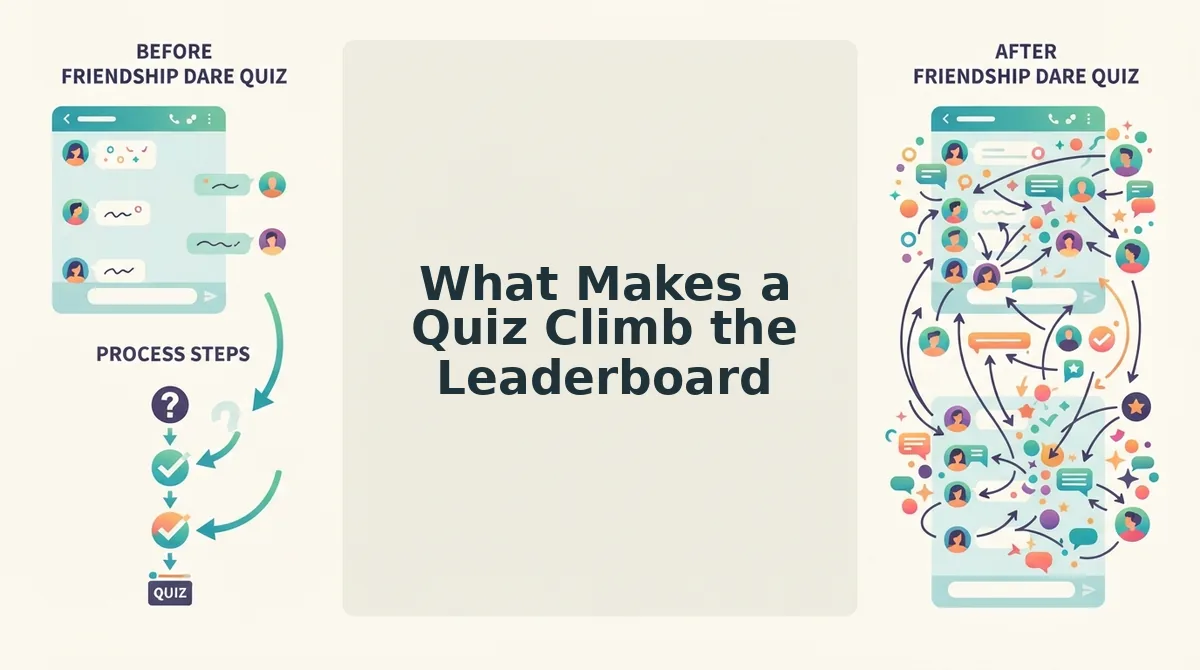
A monthly friend quiz leaderboard ranking is a live reflection of engagement, specifically, how many friends complete a quiz, how fast they finish, and how often the quiz gets shared, not an editorial pick by a human curator.
Think of the leaderboard like a pickup basketball court's winner-stays-on rule. A quiz doesn't climb because someone decided it's clever; it climbs because enough people actually played it, finished it, and passed the link to someone else. The scoreboard only counts what happens on the court.
At the simplest level, a quiz rises when its Friendboard score, the cumulative total of correct answers, completion counts, and share events tied to that quiz, increases faster than competing quizzes in the same monthly window. More completions in a shorter time span push a quiz higher than a slow trickle of answers spread over weeks.
At an intermediate level, completion velocity matters. A quiz that gets 50 friends answering within the first 24 hours of being shared will outrank a quiz that gets 50 answers over 10 days. The leaderboard rewards momentum, which is why quizzes shared into active group chats at peak hours tend to spike quickly.
At the advanced level, share rate, the percentage of players who forward the quiz link after finishing, compounds everything. A quiz with a high share rate creates a feedback loop: each player becomes a distributor, pulling in new answerers who then share again. This loop is what separates a quiz that briefly appears in the top 20 from one that holds a top-three position for days.
Results also vary by quiz theme and audience size. A niche quiz about inside jokes between four close friends may have a perfect completion rate but never outrank a broadly relatable BFF test leaderboard entry that hundreds of people answer. Monthly resets mean past rankings don't persist, a quiz that dominated in October starts from zero in November, which keeps the competition open for new creators.
That reset is exactly why leaderboards fuel group chat rivalry month after month.
How Leaderboards Fuel Group Chat Rivalry
Monthly leaderboards turn a passive quiz into an active social competition. The ranking itself becomes the conversation starter, giving your group chat a reason to keep returning to the same quiz link all month long.
- Screenshot your position and post it to the group chat. A leaderboard screenshot is visual proof of dominance that no one can argue with. Posting it immediately after a strong run forces friends to respond, either with congratulations or a challenge to beat your score. This single action converts a solo quiz result into a group-wide event.
- Challenge friends to beat your score using share links. Every quiz link you share carries your current ranking as an implicit benchmark. Send the link with a direct dare like "Top 3 right now, catch up if you can" to trigger competitive responses. Friends who would ignore a generic quiz link will click when their position on the board is at stake.
- Use friendship dare challenges for a more aggressive rivalry format. Friendship dare challenges raise the stakes beyond simple trivia by attaching consequences to wrong answers. When a friend misses a question about you, the dare becomes the penalty, making every incorrect response a public moment in the chat. This format works best when the group is already comfortable roasting each other.
- Track bragging rights week over week. Monthly boards reset the competition, but weekly check-ins keep momentum alive. Compare your position from last week to this week and call out anyone who dropped. The leaderboard becomes a running scoreboard for the entire month, not just a one-time result.
- Create a group chat tournament bracket. Pit friends against each other in head-to-head quiz runs, with the winner of each matchup advancing. The monthly leaderboard serves as the official standings, so no one disputes who is ahead. This structure works especially well in group chats with five or more active participants.
- Use the leaderboard as a conversation reset. When the group chat goes quiet, a fresh leaderboard update is a low-effort way to revive it. Posting "New month, new board, who's taking the top spot?" gives everyone an immediate reason to re-engage with the quiz. The monthly reset creates a natural rhythm for recurring banter.
- Turn leaderboard position into a social currency. The top spot on a Friendboard is a status symbol within your friend group. Hold it long enough and it becomes part of your group's inside jokes and lore. Defend it publicly and you cement your reputation as the friend who knows everyone best.
Ready to start your own rivalry? Create a quiz in under two minutes, share the link to your group chat, and let the monthly leaderboard do the rest.
Finding Quiz Inspiration on the Monthly Feed
The monthly feed is a free research tool for anyone who wants to create a quiz that climbs. Studying what already ranks reveals the question formats and themes your friends are most likely to engage with.
- Study the top question formats on the monthly feed. High-ranking quizzes consistently use rapid-fire, single-tap answer formats that keep mobile users moving. Multiple-choice questions with three or four options dominate because they require zero typing and minimal thought. Copy this structure when building your own quiz to reduce drop-off.
- Identify trending themes among high-ranking quizzes. Quizzes about daily habits, food preferences, and travel quirks appear disproportionately at the top of the monthly feed. These themes work because every friend has an opinion about them, making answers feel personal without being invasive. Build your quiz around one of these proven categories for a faster path to engagement.
- Observe what high-ranking creators do differently. Top creators keep their quizzes short, usually under ten questions, and front-load the most entertaining prompts. They also write answers in a conversational tone that sounds like something they would actually say in the group chat. Mimic this voice rather than writing formal, generic quiz questions.
- Test your own version of a trending quiz. Once you spot a format or theme that is performing well, create your own spin on it with your personal details. The friendship test questions that rank share common traits: they are specific, slightly revealing, and easy to answer without overthinking. Use those traits as your checklist.
- Track which quizzes hold the top spot longest. A quiz that stays at number one for multiple weeks is doing something structurally right, not just benefiting from a one-time share spike. Return to the feed weekly and note which quizzes have staying power. Reverse-engineer their question order and pacing for your own build.
Monthly Friend Quiz Leaderboard FAQ
Monthly leaderboards on Friend Quiz track quiz results in real time and reset at the start of each month. No account or login is required to view or compete on any leaderboard.
Can I see leaderboards without creating an account?
Yes, you can browse monthly leaderboards on Friend Quiz without creating an account or logging in. The platform is built for zero-friction access, so every leaderboard and Friendboard is publicly viewable from any mobile browser. No email, app download, or signup is required to see rankings.
What is a Friendboard?
A Friendboard is a live scoreboard that tracks quiz results in real time as friends submit their answers. Every time someone completes your quiz, their score appears on the Friendboard instantly, updating the rankings for everyone viewing the link. It is the core ranking mechanism behind monthly leaderboards.
Do monthly leaderboards reset?
Yes, monthly leaderboards reset at the beginning of each calendar month. Past rankings do not persist after the reset, which means every friend starts the new month with a clean slate and a fresh chance to claim the top spot. This reset cycle is what keeps the rivalry alive month after month.
How do I get my quiz to appear on the monthly leaderboard?
Your quiz appears on the monthly leaderboard automatically once friends start completing it. The more people who answer your quiz and the higher their engagement, the better your quiz ranks. Sharing your quiz link in group chats is the fastest way to generate the activity needed to climb.
Why does my leaderboard position change without me doing anything?
Your position changes because the leaderboard updates in real time as other friends submit answers. Someone else completing the quiz with a higher score can push you down the rankings instantly. The live nature of the Friendboard means rankings are always shifting until the monthly reset.
Now that you understand how the boards work, it is time to start climbing the monthly leaderboard.
Start Climbing the Monthly Leaderboard
Browsing the leaderboard is only half the fun, the real payoff comes when your own name climbs it. The path from spectator to contender is shorter than you think. Head to the monthly feed at friendquiz.org/discover/monthly, study the top quizzes, then create your own best friend quiz and drop it into your group chat. That single share is the moment the leaderboard stops being something you watch and becomes something you're on.
One question separates the browsers from the climbers: whose quiz did you answer last? Answer theirs, then make yours. The leaderboard rewards momentum, not perfection.
The friend quiz leaderboard isn't a museum, it's a live scoreboard that resets every month, which means your spot is always up for grabs. Create, share, climb, repeat.