How long does it take to create a friend quiz link?
The group chat has gone quiet, and you want something that gets everyone talking again. You open a quiz tool, and the first screen asks you to create an account. So how long to create a friend quiz should it really take? On Friend Quiz, it takes under two minutes to go from typing your name to having a link you can paste into the chat.
That frustration makes sense. You want quick, friendly rivalry without sign-up forms, email checks, or app installs.
This guide explains what happens in those two minutes, what you need before you start, and how each step works. You'll also see why the slow part isn't the questions. When you're ready, open the homepage, type your name, and create your friend quiz.
Key Takeaway: Creating a friend quiz on Friend Quiz takes under two minutes. You enter your name, answer personal trivia prompts, and get a shareable custom URL. No account, email, or app is required.
How Long Does It Take to Create a Friend Quiz Link?
Creating a friend quiz link on Friend Quiz takes under two minutes, from entering your name to receiving a custom URL. You type your name, answer personal trivia prompts, and get a shareable link. Neither you nor your friends need an account, email, or app download.
A friend quiz link is a personalized web challenge that asks friends about your habits, quirks, likes, and dislikes, then shows how well they really know you.
The setup has three parts. You enter your name on the homepage, then cycle through trivia prompts about your daily habits, quirks, likes, and dislikes, and choose the answers that are true for you. The platform then packages your choices into a custom URL, which is the shareable link generated at the end of setup, and friends who tap it answer directly in their mobile browser with no account, email, or download required on either side.
Think of it like sending a voice note instead of scheduling a call. You skip the setup ritual and go straight to the part that matters.
You only need two things:
- A browser on a phone or computer
- A chat to share into, such as WhatsApp, iMessage, Snapchat, or Instagram
When friends finish answering, their scores appear on a real-time Friendboard, so the bragging rights are settled inside the same quick loop.
How to Create a Friend Quiz Link Step by Step
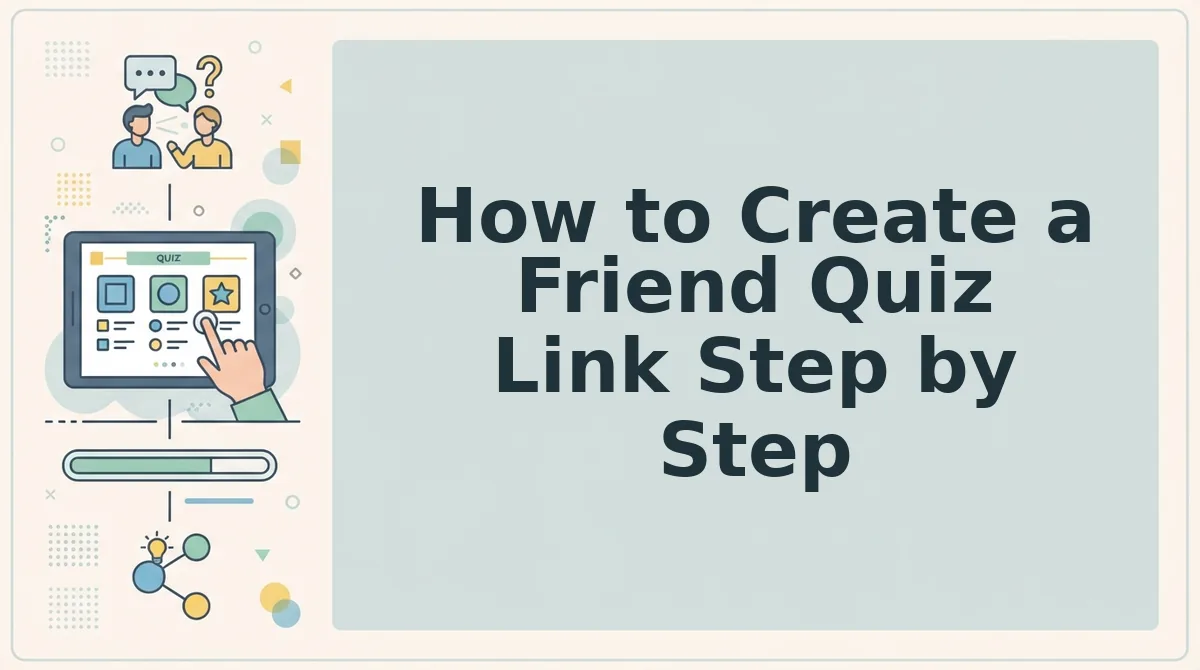
To create a friend quiz link, enter your name, answer the trivia prompts, and copy your custom URL. The whole process takes under two minutes.
- Enter your name on the Friend Quiz homepage.
- Answer the personal trivia prompts about your habits, quirks, likes, and dislikes.
- Copy your friend quiz link and paste it into your group chat.
Before you start: Have a phone or computer browser open and know which chat you want to share into. You don't need anything else.
| Phase | What you do | What's skipped |
|---|---|---|
| 1. Enter name | Type your name on the homepage | Account creation |
| 2. Answer prompts | Pick your answers to personal trivia | Email verification |
| 3. Copy custom URL | Copy the generated link and share it | Page reloads |
Most of your time goes into Phase 2, because that's where you decide your answers. The other two phases take very little effort.
Step 1: Enter Your Name
Open friendquiz.org and type your name on the homepage. You won't see a sign-up form or a password field.
Success looks like: the first trivia prompt appears, and your quiz is underway.
Step 2: Answer the Trivia Prompts
Cycle through the prompts about your daily habits, quirks, likes, and dislikes, and choose the answer that's true for you each time. The site doesn't say how many prompts there are, so plan on a short sequence rather than a fixed count.
Success looks like: you finish the last prompt and Friend Quiz packages your answers into a personalized challenge without reloading the page.
Step 3: Copy Your Friend Quiz Link
Copy the custom URL shown at the end of setup and paste it into WhatsApp, iMessage, Snapchat, or Instagram. Searches like "how to make ur bestfriend quiz link" suggest the link is the part people care about most, and here it's ready right away.
Success looks like: friends tap the link, answer in their browser, and their scores appear on your real-time Friendboard.
Want a version for your closest friend? You can make a best friend quiz using the same three steps.
So why do other quiz makers take longer?
Why Do Other Quiz Makers Take Longer?
Other quiz makers usually take longer because they add steps before and after quiz creation, such as account walls, email verification, multi-page reloads, and ad clutter. Each step adds what we call the Friction Tax, which is time spent on anything other than answering questions.
Here's the part most guides skip. Total quiz time includes the minutes your friends lose before they answer. Quiz platforms that kill chat momentum lose friends before question three.
| Friction step | Common on legacy quiz makers | Friend Quiz |
|---|---|---|
| Account wall | Sign-up before creating or saving | Removed: type your name and start |
| Email verification | Inbox check before the link works | Removed: no email required |
| Multi-page reloads | New page load per question | Removed: questions advance in one flow |
| Ad clutter | Banners near or over submit buttons | Removed: no intrusive popups |
Account-based tools do have a real strength. A login lets you keep a quiz history and manage several quizzes from one profile.
- Account-based quiz makers: Best for creators who want to save and revisit many quizzes under one login.
- Friend Quiz: Best for group chat instigators who want a shareable link in under two minutes while the chat is still active.
For side-by-side details, see the Buddy Meter vs Friend Quiz speed comparison and the QuizYourFriends setup comparison.
How to Check Your Quiz Link Worked
You can confirm your quiz link works in about one minute by opening it on your phone, sending it to an active chat, and watching scores appear. Want proof it's live?
You need: a phone with a mobile browser, your copied quiz link, and an open WhatsApp, iMessage, or Snapchat chat.
- Open the link in your mobile browser (about 10 seconds). Your quiz should load on the first question with your name at the top, with no app prompt.
- Paste the link into an active chat (about 10 seconds). Use our guide to share your link in a group chat. A tappable link preview should appear.
- Ask one friend to tap it (about 30 seconds). They should reach the questions without any sign-up or email screen.
- Check the Friendboard (a few seconds). The Friendboard is the live scoreboard showing who knows you best. Your friend's name and score should appear once they finish.
How do friends answer a friend quiz? They open the link in their mobile browser and tap through the questions one by one, choosing the answer they think matches you. Nobody needs an account, an email, or an app download, so play works straight from WhatsApp, iMessage, or Snapchat. When they finish, their score posts to your Friendboard. The Friendship Dare quiz, the dare-based quiz variant, follows the same share flow. Most competitors stop counting at link creation, but the time recipients spend answering is part of the real total.
If your link passes all four checks, your chat is ready for the next round.
Start Your Quiz Before the Chat Goes Quiet
The fastest friend quiz is one your friends finish while the conversation is still moving. That's the answer to the Friction Tax: your two minutes of setup matter less than the seconds your friends would lose to logins, reloads, and ads.
Speed becomes a social advantage when you protect momentum on both sides of the link. Three habits keep it that way:
- Pick the quiz type first. Choose the BFF test for classic trivia or the dare variant for a bolder group.
- Answer prompts on instinct. Your first pick is usually the most honest, and it keeps creation under two minutes.
- Share straight into an active chat. A link dropped into a live thread gets taps before attention drifts.
After that, return to your Friendboard and see who really knows you.
Enter your name and send your link before this chat goes quiet. Create your friend quiz now, and let the scores settle the debate.