Friendboard predictions to make before your friends play
Call the winner before anyone answers. Most quiz links die quietly in a busy group chat, buried under memes and voice notes, and nobody taps them.
That isn't your friends ignoring you. A bare link just gives them no reason to care yet. Friendboard predictions fix that by turning your friend quiz into an event, with stakes posted before a single answer lands.
The playbook runs on a 3-Bet Prediction Card:
- Winner Call: who tops the Friendboard.
- Dark Horse: the surprise climber.
- Flop Call: the friend you expect to miss your habits.
To get your group chat hyped before your friends take your quiz, post three predictions first: who tops the Friendboard, who surprises everyone, and who flops. Then drop the quiz link, share live updates as scores come in, and finish with a final reveal. One link becomes a running thread instead of a dead message.
The Flop Call is where it gets loud, and being wrong might be the best outcome. Keep every bet playful. This is about bragging rights, not ranking friendships.
First, get clear on what you're actually predicting.
What Are Friendboard Predictions and What Do You Need First?
A Friendboard is the real-time ranking of every friend who takes your quiz on Friend Quiz. Friendboard predictions are the public calls you post in your group chat, before you share the quiz link, about where each friend will land. The simplest is a Winner Call, which names the friend you expect to top the Friendboard. Think of it like filling out a bracket before a tournament: you lock in your picks first, then the live rankings settle the argument.
Setup takes under two minutes. You don't need an account, an email, or an app download.
- Your quiz: Type your name on the homepage and answer the prompts about your habits, quirks, likes, and dislikes.
- Your share link: Friend Quiz turns your answers into a personal quiz link instantly.
- A group chat: Use WhatsApp, iMessage, Instagram, or Snapchat. Friends open the link in their mobile browser.
Example: You enter your name, tap through the habit prompts, and copy your link. Before you send it, you post your Winner Call: "Calling it now, [friend's name] tops my Friendboard. Prove me wrong." Then you drop the link, and every friend who plays is testing your call.
After the results come in, you can watch the live Friendboard rankings change after each friend plays.
Next, you'll post those calls in the right order.
How to Post Your Predictions Step by Step
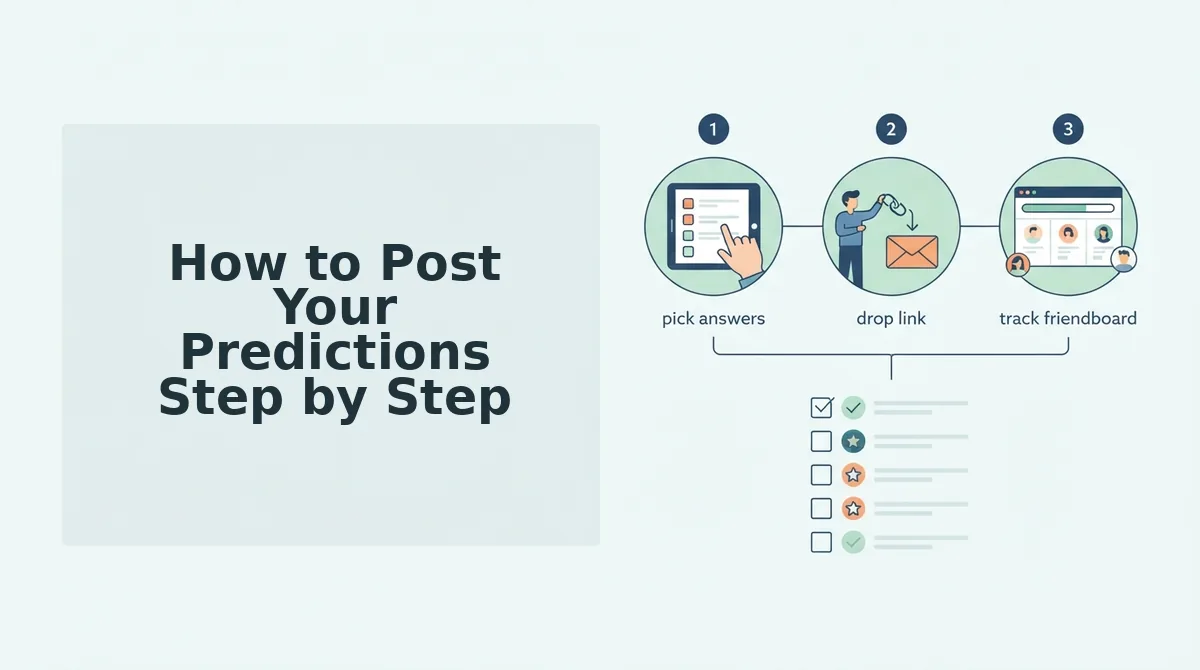
Post Friendboard predictions in seven steps: three named bets in one chat message, then four timed beats around the link drop and the live board. The whole sequence takes about ten minutes.
A Friendboard is the live ranking of your friends' scores on your quiz, ordered as each person answers. You need two things first: a finished quiz link and the group chat you plan to post in. Create your best friend quiz before you type a single bet.
- Write the Winner Call (60 seconds). The Winner Call is the friend you predict will top the Friendboard. Type it as a challenge, not a compliment: âWinner Call: [name] tops the Friendboard. No notes.â
- Name your Dark Horse (45 seconds). The Dark Horse is the friend you expect to climb higher than anyone assumes. âDark Horse: [name] comes out of nowhere. Remember I said it.â
- Call the Flop (45 seconds). The Flop Call is the friend you expect to miss your habits. Keep it on the quiz, never the person: âFlop Call: [name] misses two of my habits. Sorry in advance.â
One post, all three bets. Paste a single block so the card reads as one message, not three stray texts: âFriendboard predictions â Winner Call: [name]. Dark Horse: [name]. Flop Call: [name]. Link next, no excuses.â A prediction is only fun when it is specific enough to be wrong, so name people.
- Drop the link (within a minute). Paste your quiz link as a plain message. Friends answer in their mobile browsers without accounts, so scores start landing while the chat is still open.
- Post the first live check-in (5â10 minutes in). Quote the current standings and refuse to explain yourself. You should see the chat arguing with the board, not with you.
- Call out your Dark Horse mid-game (15â20 minutes in). One line on where they sit. This beat pulls in friends who haven't opened the link.
- Run the final reveal (once answers slow). Close all three bets in order â Winner, Dark Horse, Flop. Concede your misses in a sentence and let the group decide whether the board or your calls were the real show.
What that looks like in practice: a group chat gets the three-bet block, the link follows a minute later, and scores appear on the Friendboard while people are still typing. Ten minutes in, the creator posts the standings and flags where the Dark Horse has landed â usually the moment the quietest friend finally opens the link and answers.
Each link opens straight in the browser, and BFF test links friends open without an account mean no install screen and no sign-up form standing between your bet and their answer.
Once the first scores land, the real game is comparing those calls against the live Friendboard.
How to Check Your Predictions Against the Live Friendboard
Open your quiz's Friendboard after the last friend plays and score your three calls row by row. The check takes about two minutes and produces the screenshot your group chat actually replies to.
What you need first: the share link you posted, your three calls written down (Winner, Dark Horse, Flop), and a browser tab on your phone. Viewing a Friendboard needs no account, email, or app download.
- Open your quiz link from the group chat (15 seconds). You should see your quiz page with your name and the share prompt.
- Select the Friendboard view to load the live rankings (5 seconds). You should see your friends' names stacked in score order.
- Refresh once the last straggler finishes so the order is final (10 seconds). You should see every player who completed the quiz listed before you screenshot.
- Compare each call against its live rank and type the result in the Verdict column (60 seconds). You should see three verdicts â Hit, Miss, or Half.
- Fill the Roast or Brag column with one chat-ready line per row (30 seconds). You should see a card worth screenshotting instead of a wall of text.
- Post the screenshot in the group chat with one line inviting replies (10 seconds). You should see friends answer the roast.
| Prediction | Live Rank | Verdict | Roast or Brag line |
|---|---|---|---|
| Winner Call | #2 | Miss | "Called the throne, missed by one seat." |
| Dark Horse | #1 | Hit | "Said she'd climb. She didn't climb, she arrived." |
| Flop Call | #1 | Miss | "I called the flop. The flop lapped me." |
To track friendship quiz scores, open your quiz link after everyone has played and select the Friendboard view, which lists each friend's result in real time â no account, email, or download on either side. Screenshot the final order before you post anything, because the ranking only means something next to the calls you made before the link dropped. Read the list top to bottom, match each name to one of your three predictions, and log Hit or Miss. That two-minute habit turns a single quiz into a running record your group argues about in the next rematch.
Worked example: you named your most distracted friend the Flop Call, and that friend tops the Friendboard. Don't delete the bet â post the scorecard with the miss in bold, write "I called the flop and the flop called me back," and offer a rematch with the same three slots. Owning the roast keeps the joke on you rather than on them.
A bold wrong call is worth more to the chat than a safe correct one: a miss hands everyone a line to pile onto, while a safe hit closes the thread. That's reasoning about group dynamics, not a measured result â but it's why the scorecard beats quietly winning. If two friends finish level, settle a Friendboard tie before you post, or run a best friend test for a fresh board to predict on.
Friendboard Predictions FAQ
What if a Flop Call makes someone feel bad?
Keep the Flop Call about quiz answers, not character, and skip sensitive topics entirely. Say "you'll miss my coffee order" rather than anything about loyalty. If a friend takes it hard, delete the row, repost without a Flop, and move the joke back onto your own bad call.
Does a Friendboard rank how good a friendship is?
No. A Friendboard measures quiz answers, not friendship depth â it reflects who remembered your habits that day, not who shows up for you. Treat the ranking as banter fuel and nothing more, because a friend who guesses wrong on your snack order is still your friend.
Do friends need an account to show up on the Friendboard?
No account, email, or app download is needed. Friends play the quiz in their mobile browsers straight from the link you post and appear on the Friendboard once they finish. That zero-friction path is why group chats actually complete the quiz instead of scrolling past it.
Can I make predictions for a friendship test too?
Yes. Any friendship test you create produces a shareable link and a Friendboard, so the same Winner, Dark Horse, and Flop framework works. Post your three calls before the link, then score them against the ranking afterward.
How do I share results without exposing a friend's answers?
Screenshot the ranking order only, not individual answer breakdowns. Names plus scores are enough for the roast; a friend's specific wrong guesses are theirs to reveal. When in doubt, crop the row before posting it in the group chat.
Place Your Bets and Drop the Link
The quiz is the scoreboard; the predictions are the game. A Friendboard nobody bet on is just a list of numbers â three calls made in advance turn it into a rivalry your group reopens every time someone's habits change.
Enter your name at friendquiz.org, cycle through the habit prompts, and your quiz is live in under two minutes with no account, email, or download. Post your Winner, Dark Horse, and Flop calls, then close the loop with the scorecard screenshot.
When the roast dies down, keep the streak going with a Friendship Dare instead of a rematch. Make your friend quiz now: enter your name, place your bets, drop the link.