Why WhatsApp is where these actually spread
A friendship quiz lives or dies on how fast the first three people play it. That's why WhatsApp beats every other platform for this: your friends are already in the app, already replying, and a link in a group chat gets opened in minutes rather than sitting in a story nobody swiped up on.
Group chats also create the competition for free. One person posts a score, someone else immediately has to beat it, and within an hour half the group has played. Nobody has to be persuaded - the leaderboard does the work.
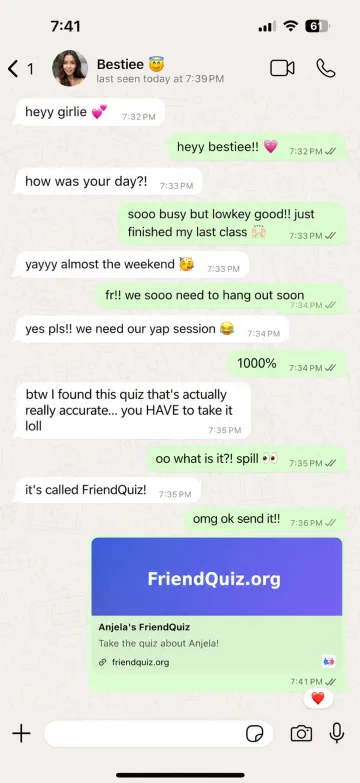
The only real friction is the sharing step, which is why this page exists: one tap sends your quiz straight into WhatsApp with the challenge message already written.
Chat, group, or status - which to use
Group chat is the highest-response option. Everyone sees it, and the first score triggers the rest. Best for close circles and class or work groups.
Direct message is for the one person you actually want to test. It's also the pettiest and most effective option - nobody ignores a direct challenge.
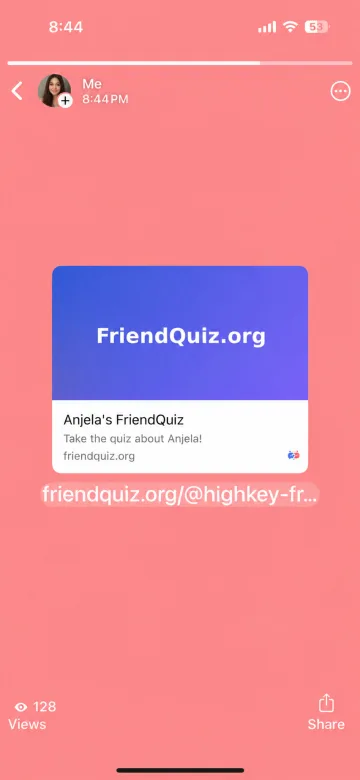
Status reaches your entire contact list at once, including people you'd never message directly. Lower response rate per person, far bigger reach, and it's how quizzes escape your immediate circle. Post it in the evening when status views peak.
If your group is spread across more than one app, the Quiz for Friends page covers group play generally.
10 quick questions that work in a group chat
Short questions win on WhatsApp - people answer between messages. These load automatically:
- What do I order without checking the menu?
- Which emoji do I send when words feel unnecessary?
- Who in the group replies fastest?
- What time do I actually go to sleep?
- Which song gets me holding an imaginary microphone?
- Which app do I waste the most time on?
- What's my worst habit in a group chat?
- What would I never eat, no matter what?
- Who would I call first in a small crisis?
- What's my one-word mood most mornings?
Sharing it on WhatsApp
Tap Send on WhatsApp and your quiz opens in WhatsApp with the challenge message already written - pick a chat or group and send. For your status, use Copy link instead and paste it into a status update, since WhatsApp doesn't let links pre-fill there.
How async play works in a busy WhatsApp group
Nobody needs to be online at the same time. Drop one link, friends open it between messages, and every score stacks on the same Friendboard. The first screenshot of the board is usually what pulls the rest of the group in - reply chains do the marketing for you. Keep questions short so people finish in one sitting between voice notes.
Want a softer bond read after scores land? Try the friendship test. Prefer classic 10/10 energy from the same chat? Use the best friend quiz. Need percentage framing? See the how well do you know me quiz.
When to post to Status vs drop in the group
Group chat wins for close-circle competition - everyone sees the first score and the pile-on starts. Direct message is for one person you actually want to test (petty, effective). Status is for reach: paste the copied link in the evening when views peak if you want cousins, classmates, and the “haven’t texted in months” list. If the circle lives across apps, not only WhatsApp, start from quiz for friends instead.
Fix a missing WhatsApp link preview
WhatsApp caches link previews and sometimes lags the first time a new quiz URL is shared. Send it once, wait a moment, then send again - the card usually appears on the second pass. For status, always use Copy link and paste; pre-filled share isn’t available there. Same link works on iPhone, Android, and WhatsApp Web.
Why shared chat rounds feel like hanging out
Friendships grow with leisure time together. University of Kansas research summarized that close friendship often takes more than 200 hours of shared time - roughly 50 toward casual friends and about 90 toward friends (KU News on Jeffrey Hall’s study). Hall’s paper in the Journal of Social and Personal Relationships emphasizes hanging out over sitting through the same schedule.
A friendship quiz for WhatsApp does not measure those hours. It is a five-minute shared round inside the thread you already live in - one link, the whole group can play, the board gives everyone something to react to. Feeling included in a circle also shows up in guidance from the CDC on social connection and the U.S. Surgeon General’s advisory on loneliness and isolation. Your quiz is entertainment first - a playful chat activity, not a health assessment.
Same WhatsApp link, different quiz vibes
This page owns the WhatsApp send path. Once the link is in the chat, pick the framing that matches tonight:
- Hard mode DM: BFF Test
- Low score → light dare: friendship dare quiz
- Attention check after status reach: fake friend quiz
- Custom questions first: friend quiz maker
No extra app for you or your friends - create in the browser, one-tap share to WhatsApp, play from the link.
FAQs (People Also Ask)
How do I share a friendship quiz on WhatsApp?
Make your quiz, then tap Send on WhatsApp. It opens WhatsApp with your link and a challenge message ready, and you choose which chat or group to send it to. For a status update, copy the link and paste it in.
Do my friends need to install anything?
No. The link opens in their normal browser, they type a name and play. No app, no account, nothing to download - which is why response rates are much higher than app-based quizzes.
Can I post my quiz to my WhatsApp status?
Yes. Copy your link and paste it into a status update. Status reaches your whole contact list at once, so it's the fastest way for a quiz to spread past your immediate group.
Why doesn't my link show a preview image?
WhatsApp caches previews and occasionally takes a moment to fetch one the first time a link is shared. Sending it once more usually fixes it.
Does it work on iPhone and Android?
Both, plus WhatsApp Web on a computer. Same link everywhere.
How many people can play from one link?
Unlimited. One link works for a chat, a group, or your whole status list, and every score lands on the same scoreboard.
Is a WhatsApp friendship quiz private?
Friends play from your link in the browser and scores land on your Friendboard. Keep questions fun and shareable - skip secrets you would not want screenshotted in a busy group. Don't post someone's low score outside the chat if the vibe is chill.
Can friends play from WhatsApp Web or desktop?
Yes. The same link opens in a normal browser on phone or computer, including when someone is on WhatsApp Web. No separate install.
Will the quiz link work if I use disappearing messages?
The link itself still works when someone opens it. If the chat deletes messages on a timer, save your quiz link elsewhere (notes or your quiz dashboard) so you can resend it after the original message disappears.
Is it OK to drop a quiz in a big family or work group?
Yes if the group is playful - announce the challenge once and avoid spamming rematches. In quieter work or family chats, ask first or send a DM instead of flooding a muted thread.
WhatsApp friendship quiz vs a general quiz for friends - which should I use?
Use this page when WhatsApp is the main place you'll send it (one-tap chat/group + status paste). Use quiz for friends when the circle is split across apps or you want general group/party framing without a WhatsApp-first share path.
Posting on Stories instead of a chat? The Instagram friend quiz is the same link with Stories-first tips.